
1. Alaye Aabo
Jọwọ ka gbogbo awọn ilana aabo ni pẹkipẹki ṣaaju lilo ọja yii. Ikuna lati tẹle awọn ilana wọnyi le ja si mọnamọna, ina, tabi awọn eewu miiran.
- Ma ṣe fi agbọrọsọ si awọn iwọn otutu to gaju tabi imọlẹ orun taara fun awọn akoko ti o gbooro sii.
- Ma ṣe gbiyanju lati ṣajọ, tunṣe, tabi tun agbọrọsọ naa pada. Eyi yoo sọ atilẹyin ọja di ofo ati pe o le fa ibajẹ.
- Keep the speaker away from medical devices, as it contains magnets that may interfere with their operation.
- Lo okun gbigba agbara ti a pese nikan tabi iwe-ẹri deede.
- Ensure the charging port cover is securely closed when the speaker is exposed to water to maintain its IP67 waterproof rating.
2. Package Awọn akoonu
Jẹrisi pe gbogbo awọn ohun kan wa ninu package:
- Altec Lansing One Bluetooth Speaker
- Okun Ngba agbara USB
- Itọsọna olumulo
3. Ọja Ipariview
The Altec Lansing One is a compact and portable Bluetooth speaker designed for robust audio performance and durability. It features a 5W speaker, Bluetooth 3.0+EDR connectivity, and an IP67 waterproof rating, making it suitable for various environments.
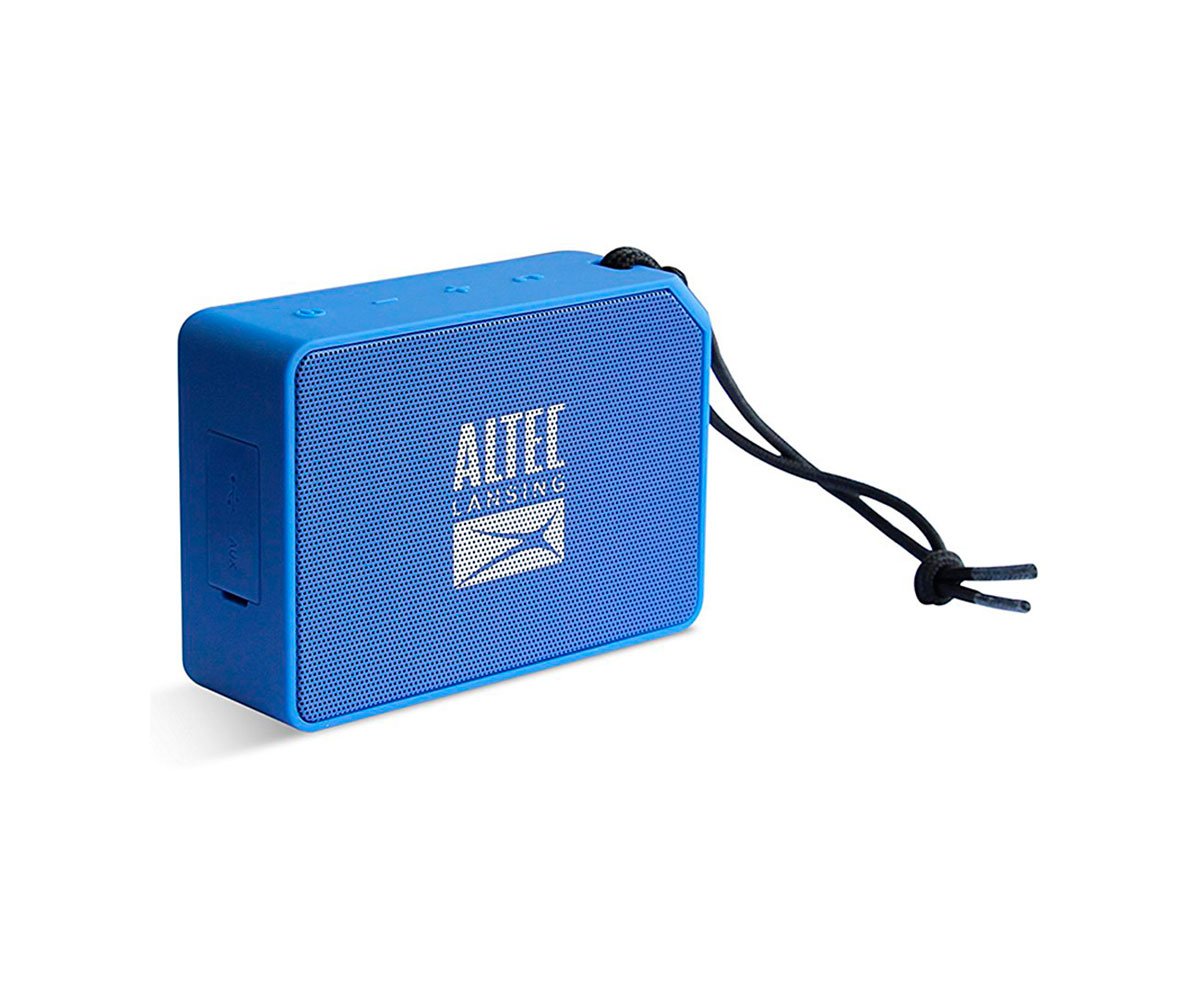
Nọmba 1: Iwaju view of the Altec Lansing One Bluetooth Speaker, showcasing awọn oniwe-iwapọ oniru ati agbọrọsọ grille.
Awọn idari ati Awọn itọkasi:
- Bọtini agbara: Tẹ mọlẹ lati tan tabi paa agbohunsoke.
- Bọtini Bluetooth: Tẹ lati tẹ ipo sisopọ sii.
- Iwọn didun soke (+): Tẹ lati mu iwọn didun pọ si.
- Iwọn didun isalẹ (-): Tẹ lati dinku iwọn didun.
- Bọ́tìnnì Ṣíṣe/Sánu duro: Press to play or pause music. Also used for call management.
- Atọka LED: Displays power status, charging status, and Bluetooth pairing status.
4. Eto
4.1 Gbigba agbara si Agbọrọsọ
- Locate the charging port on the speaker, usually protected by a rubber flap.
- Open the rubber flap and connect the small end of the USB charging cable to the speaker's charging port.
- So opin okun USB ti o tobi ju mọ adapter agbara USB (ko si ninu rẹ) tabi ibudo USB kọmputa kan.
- The LED indicator will illuminate to show charging status. It will typically turn off or change color when fully charged.
- Gbigba agbara kikun yoo gba to wakati meje ti akoko ṣiṣiṣẹ.
4.2 Agbara Tan / Pa
- Lati Fi agbara: Press and hold the Power Button for approximately 3 seconds until you hear an audible tone and the LED indicator lights up.
- Lati Paarẹ: Press and hold the Power Button for approximately 3 seconds until you hear an audible tone and the LED indicator turns off.
4.3 Sisopọ Bluetooth
To connect your Altec Lansing One speaker to a Bluetooth-enabled device:
- Rí i dájú pé a ti tan agbọrọsọ náà àti pé ó wà láàárín mítà mẹ́wàá (ẹsẹ̀ 33) sí ẹ̀rọ rẹ.
- Press the Bluetooth Button on the speaker. The LED indicator will flash rapidly, indicating it is in pairing mode.
- On your device (smartphone, tablet, laptop), go to the Bluetooth settings menu.
- Wa fun available devices. You should see "Altec Lansing One" or a similar name appear in the list.
- Select "Altec Lansing One" to initiate the connection.
- Once successfully paired, the speaker will emit an audible tone, and the LED indicator will stop flashing and remain solid.
- Agbọrọsọ naa yoo gbiyanju lati tun so mọ ẹrọ ti a so pọ mọ nikẹhin nigbati o ba tan ina.
5. Ṣiṣẹ Agbọrọsọ
5.1 Sisisẹsẹhin Orin
- Ṣiṣẹ/Daduro: Press the Play/Pause Button once to play or pause audio.
- Iṣakoso iwọn didun: Press the Volume Up (+) button to increase volume. Press the Volume Down (-) button to decrease volume.
- Orin t’okan: Tẹ mọlẹ bọtini Iwọn didun Up (+) fun iṣẹju-aaya 2.
- Tẹlẹ Orin: Tẹ mọlẹ bọtini Iwọn didun isalẹ (-) fun iṣẹju-aaya 2.
5.2 ipe Management
Nígbà tí a bá so pọ̀ mọ́ fóònù alágbéka, a lè lo agbọ́hùnsọ̀ fún àwọn ìpè tí a kò ní ọwọ́:
- Idahun Ipe: Press the Play/Pause Button once when an incoming call is received.
- Ipe Ipari: Press the Play/Pause Button once during a call to hang up.
- Kọ Ipe: Press and hold the Play/Pause Button for 2 seconds when an incoming call is received.
5.3 Idaabobo omi (IP67)
The Altec Lansing One speaker is rated IP67, meaning it is dust-tight and protected against immersion in water up to 1 meter (3.3 feet) for up to 30 minutes. To maintain this rating:
- Ensure the rubber flap covering the charging port is securely closed before exposing the speaker to water or dust.
- Do not intentionally submerge the speaker for prolonged periods or beyond the specified depth.
- Lẹ́yìn tí o bá ti fi omi sí i, fi aṣọ rírọ nu agbọ́rọ̀sọ náà kí o tó fi agbára gbà á.
6. Itọju
- Ninu: Lo asọ, damp Aṣọ láti fi nu ìta agbọrọsọ naa. Má ṣe lo àwọn kẹ́míkà líle tàbí àwọn ohun ìfọmọ́ tí ó máa ń pa ara.
- Ibi ipamọ: Store the speaker in a cool, dry place when not in use. Avoid storing it in extreme temperatures.
- Itọju Batiri: Lati pẹ aye batiri, yago fun gbigba agbara si batiri ni kikun nigbagbogbo. Gba agbara si agbọrọsọ nigbagbogbo, paapaa ti ko ba wa ni lilo fun awọn akoko gigun.
7. Laasigbotitusita
Agbọrọsọ kò ní tan:
- Rí i dájú pé batiri náà ti gba agbára. So agbọrọsọ náà mọ́ orísun agbára nípa lílo okùn USB.
- Tẹ mọlẹ Bọtini Agbara fun o kere ju iṣẹju-aaya 3.
Ko le so pọ pẹlu ẹrọ Bluetooth:
- Ensure the speaker is in pairing mode (LED indicator flashing). If not, press the Bluetooth Button.
- Rii daju pe Bluetooth ti ṣiṣẹ lori ẹrọ rẹ.
- Gbe agbọrọsọ sunmọ ẹrọ rẹ (laarin awọn mita 10).
- Pa ati tan agbọrọsọ ati Bluetooth ti ẹrọ rẹ.
- If previously paired, try 'forgetting' or 'unpairing' the speaker from your device's Bluetooth list and then re-pairing.
Ko si ohun tabi iwọn kekere:
- Mu iwọn didun pọ si mejeeji agbọrọsọ ati ẹrọ ti o sopọ.
- Rí i dájú pé a so agbohunsoke náà pọ̀ dáadáa tí a sì so mọ́ ẹ̀rọ rẹ.
- Check if the audio source on your device is playing.
8. Awọn pato
| Nọmba awoṣe | AL-SNDBS2-001.182 |
| Ẹya Bluetooth | 3.0+ EDR |
| Agbara Ijade | 5 Wattis |
| Mabomire Rating | IP67 (Dust-tight, immersion up to 1m for 30 min) |
| Igbesi aye batiri | Titi di wakati 10 |
| Bluetooth Ibiti | 10 mita (33 ẹsẹ) |
| Awọn iwọn (L x W x H) | 7.1 x 3.2 x 10.2 cm |
| Iwọn | 240 giramu |
| Asopọmọra Technology | Bluetooth |
| Ipo Ijade Ohun | Mono |
9. Atilẹyin ọja ati Support
This Altec Lansing One speaker comes with a limited warranty. Please refer to the warranty card included in your package for specific terms and conditions.
For technical support, troubleshooting assistance, or warranty claims, please visit the official Altec Lansing webojú-òpó wẹ́ẹ̀bù tàbí kí o kàn sí iṣẹ́ oníbàárà:
- Webojula: www.alteclansing.com
- Imeeli: support@alteclansing.com