
1. Ọja Ipariview
This manual provides essential information for the safe and efficient operation of your Onida 43UIR 4K UHD LED TV. Please read it thoroughly before using the television and retain it for future reference.
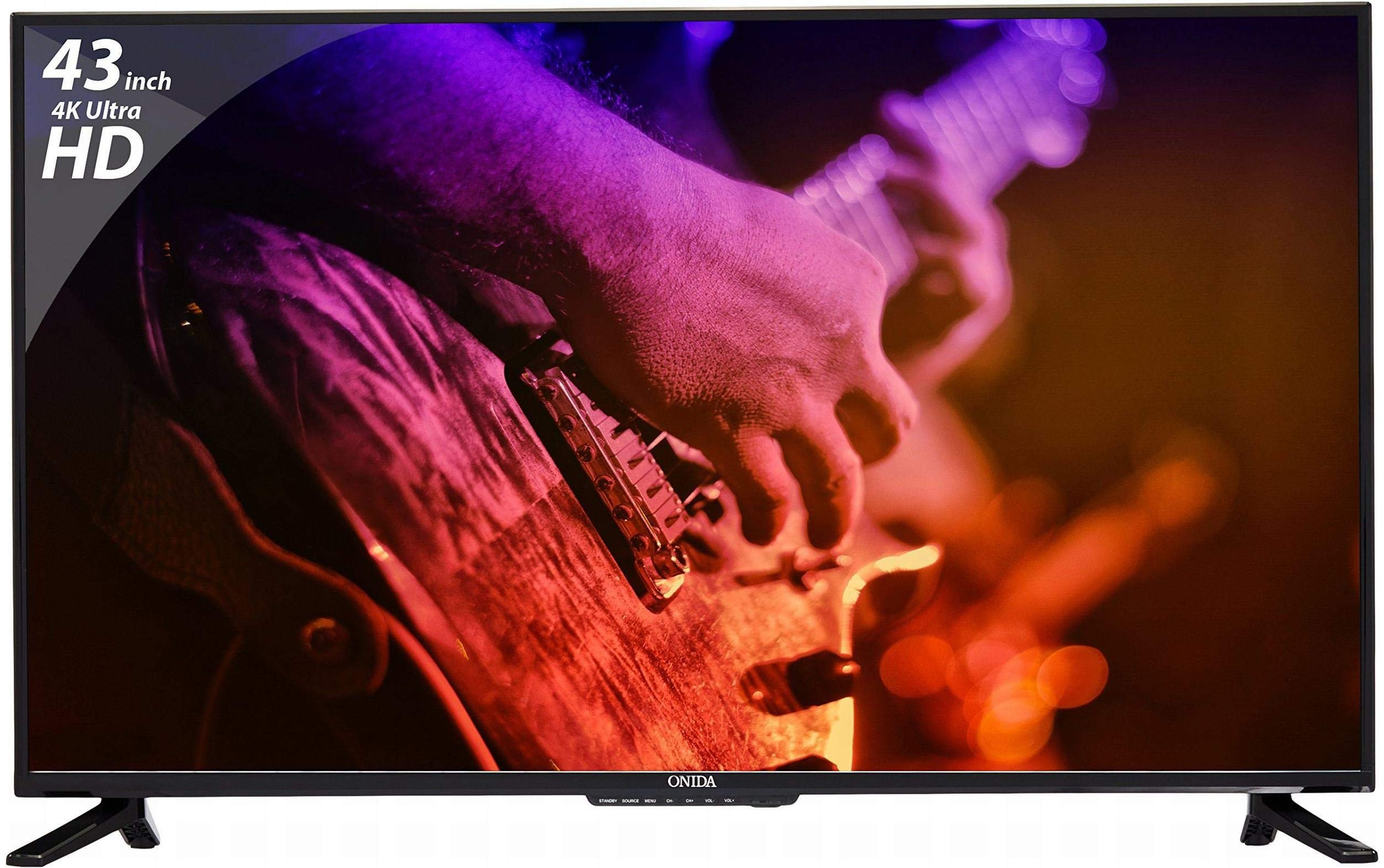
Iwaju view of the Onida 43UIR 4K UHD LED TV, showcasing ifihan rẹ ati awọn bezel tẹẹrẹ.
Awọn ẹya pataki:
- Ifihan: 42.5 Inches (108 cm) 4K Ultra HD (3840 x 2160) LED display with 60 Hz refresh rate and ADS Panel.
- Ohun: 500 Watts PMPO audio output with built-in speakers.
- Asopọmọra: 3 HDMI ports, 2 USB ports, 1 VGA port, Ethernet, Wi-Fi.
- Awọn ẹya Smart: Android 5.1.1 (Lollipop) operating system, built-in Wi-Fi, ARM A7 Quad Core Processor, 8 GB internal memory, 1 GB RAM.
- Iṣagbesori: Supports Table Top Stand and Wall Mount (VESA 200 x 200 mm).
2. Ohun ti o wa ninu Apoti
Carefully unpack the box and ensure all items are present and undamaged. If any items are missing or damaged, contact customer support immediately.
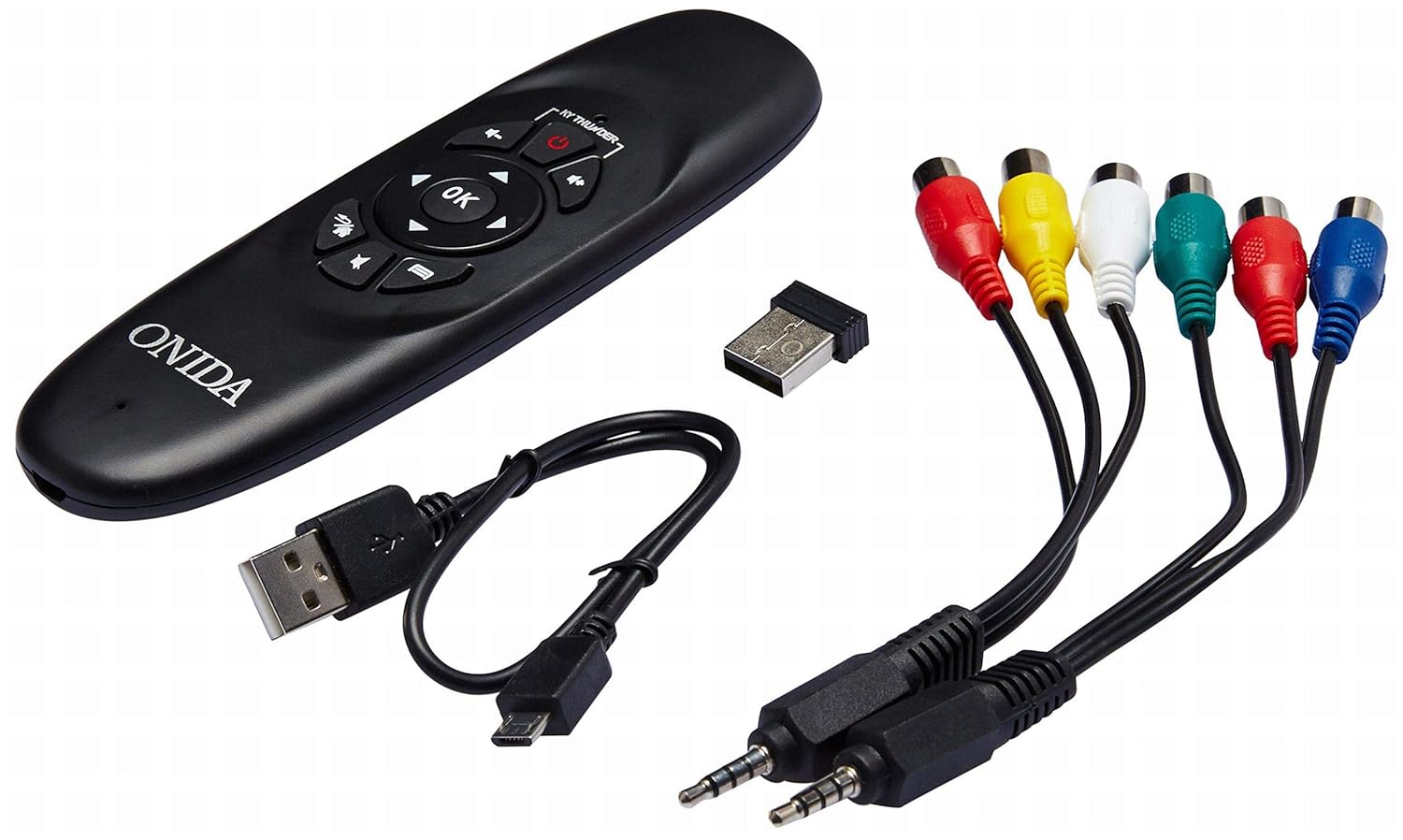
Included accessories: remote control, USB dongle, and various connection cables.
Awọn akoonu idii:
- 1 x Onida 4K UHD LED TV (Model: 43UIR)
- 1 x Table Top Stand (with screws)
- 1 x Wall Mount Bracket (optional, may be included)
- 1 x Isakoṣo latọna jijin
- 1 x Itọsọna olumulo
- 1 x Kaadi atilẹyin ọja
- Okun agbara
Video demonstrating the key features and contents of the Onida 43UIR TV package.
3. Eto Itọsọna
3.1. Yiyan Ibi
Place the TV on a stable, flat surface or mount it on a wall using a compatible VESA 200 x 200 mm bracket. Ensure adequate ventilation around the TV.
3.2. So Iduro naa pọ mọ (ti o ba wulo)
- Farabalẹ gbe oju TV si isalẹ lori rirọ, dada mimọ lati ṣe idiwọ ibajẹ iboju.
- Align the stand bases with the mounting holes on the bottom of the TV.
- So awọn ipilẹ iduro naa mọ nipa lilo awọn skru ti a pese.
3.3. Ṣíṣe Ògiri (àṣàyàn)
If wall mounting, refer to the instructions provided with your wall mount bracket. Ensure the bracket is compatible with VESA 200 x 200 mm standards and can support the weight of the TV.

Pro ẹgbẹfile of the Onida 43UIR TV, illustrating its slim design and stand attachment points.
3.4. Nsopọ Agbara
Plug the power cable into the TV's power input, then into a suitable wall outlet (220 VAC 50 Hz). Do not power on the TV until all connections are made.
4. Asopọmọra
The Onida 43UIR TV offers multiple ports for connecting external devices.

Alaye view of the rear input/output ports on the Onida 43UIR TV.
- Awọn ibudo HDMI (x3): Connect set-top boxes, Blu-Ray players, gaming consoles, and other HDMI-enabled devices.
- Awọn ibudo USB (x2): Connect USB hard drives, flash drives, and other USB devices for media playback.
- Ibudo VGA (x1): Connect a laptop or PC for use as a monitor.
- Àjọlò Port: Fun isopọ Ayelujara ti a firanṣẹ.
- Wi-Fi: Asopọmọra alailowaya ti a ṣe sinu rẹ fun wiwọle si intanẹẹti.
- Iṣawọle Olohun: HDMI, USB.
- Ijade ohun: Stereo (Built-in Speakers).
5. Smart Awọn ẹya ara ẹrọ
Your Onida 43UIR TV is a Smart TV running on Android 5.1.1 (Lollipop), offering a range of intelligent functionalities.
- Eto isesise: Android 5.1.1 (Lollipop) provides access to various apps and services.
- Olupilẹṣẹ: ARM A7 Quad Core Processor for smooth performance.
- Iranti: 8 GB internal storage and 1 GB RAM.
- Wi-Fi ti a ṣe sinu: Connect to your home network wirelessly for streaming, browsing, and app downloads.
- Play itaja: Access and download a wide array of applications.
- Iboju iboju: Miracast technology allows mirroring content from compatible mobile devices to the TV.
6. Awọn ilana Iṣiṣẹ
6.1. Isakoṣo latọna jijin
The included remote control allows you to navigate the TV's menus and functions. Insert two AAA batteries (not included) into the remote control, ensuring correct polarity.
The remote control for the Onida 43UIR TV, used for navigation and control.
6.2. Ipilẹ isẹ
- Titan/Apapa: Tẹ bọtini agbara lori isakoṣo latọna jijin tabi TV.
- Orisun igbewọle: Use the "Source" button to select between HDMI, USB, VGA, and other inputs.
- Iṣakoso iwọn didun: Use the "Vol +" and "Vol -" buttons.
- Lilọ kiri: Use the arrow keys and "OK" button to navigate menus.
- Awọn iṣẹ TV ọlọgbọn: Access the home screen to launch apps, browse the internet, or use screen mirroring.
7. Itọju
Proper care ensures the longevity of your Onida TV.
- Ninu iboju: Lo aṣọ rirọ, tí kò ní àwọ̀ tí a ṣe pàtó fún àwọn ẹ̀rọ itanna. Má ṣe lo àwọn kẹ́míkà líle tàbí àwọn ohun èlò ìpalára.
- Ninu ile Casing: Mu ese pẹlu asọ, damp cloth. Avoid direct contact with water.
- Afẹfẹ: Rii daju pe awọn šiši fentilesonu ko ni idinamọ lati ṣe idiwọ igbona.
- Agbara Pa: Máa pa TV náà nígbà gbogbo kí o sì yọ ọ́ kúrò nínú agbára iná mànàmáná kí o tó sọ ọ́ di mímọ́ tàbí tí a kò bá lò ó fún ìgbà pípẹ́.
8. Laasigbotitusita
Tọkasi apakan yii fun awọn ojutu si awọn ọran ti o wọpọ.
| Isoro | Owun to le Fa | Ojutu |
|---|---|---|
| Ko si agbara | Power cable disconnected, no power from outlet. | Check power cable connection. Test outlet with another device. |
| Ko si aworan, ṣugbọn ohun wa | Incorrect input source selected, faulty cable. | Press "Source" button to select correct input. Check HDMI/VGA cable connections. |
| Ko si ohun, ṣugbọn aworan wa | Iwọn didun ti dakẹ tabi ti lọ silẹ ju, ọrọ eto ohun afetigbọ ita. | Unmute volume or increase level. Check connections to external audio devices. |
| Awọn ẹya Smart TV ko ṣiṣẹ | Ko si asopọ intanẹẹti, aṣiṣe ohun elo. | Check Wi-Fi/Ethernet connection. Restart the TV. Clear app cache or reinstall. |
9. Awọn pato
| Ẹya ara ẹrọ | Ẹ̀kúnrẹ́rẹ́ |
|---|---|
| Awoṣe | 43UIR |
| Iwon iboju | 42.5 inches (108 cm) |
| Ifihan ọna ẹrọ | LED, Edge LED Backlight, ADS Panel |
| Ipinnu | 3840 x 2160 (4K UHD) |
| Oṣuwọn sọtun | 60 Hz |
| Apakan Ipin | 16:9 |
| Viewigun igun | Awọn iwọn 178 |
| Ijade ohun | 500 Watts PMPO, Stereo, Built-in Speakers |
| Eto isesise | Android 5.1.1 (Lollipop) |
| isise | ARM A7 Quad mojuto |
| Ti abẹnu Memory | 8 GB |
| Àgbo | 1 GB |
| Asopọmọra | 3x HDMI, 2x USB, 1x VGA, Ethernet, Wi-Fi |
| Alailowaya Technology | Wi-Fi, Miracast |
| Iṣagbesori Iru | Wall Mount (VESA 200 x 200 mm), Table Top |
| Ibi ti ina elekitiriki ti nwa | 220 VAC 50 Hz |
| Àwọ̀ | Dudu |
10. Atilẹyin ọja ati Support
Your Onida 43UIR 4K UHD LED TV comes with a standard manufacturer's warranty. Please refer to the included Warranty Card for specific terms and conditions.
- Akoko atilẹyin ọja: 1 odun lati ọjọ ti o ra.
- Atilẹyin Onibara: For service or support, please contact Onida customer care.
- Awọn orisun Ayelujara: Ṣabẹwo si Onida Store on Amazon fun afikun ọja alaye ati support.