
Brecknell LPS150
Brecknell LPS150 Portable Shipping Scale User Manual
Model: LPS150 | Brand: Brecknell
1. Ifihan
This manual provides essential instructions for the proper setup, operation, and maintenance of your Brecknell LPS150 Portable Shipping Scale. Please read this manual thoroughly before using the scale to ensure safe and efficient operation. The LPS150 is designed for shipping, warehouse, and general-purpose weighing applications, offering portability and ease of use.
2. Alaye Aabo
- Maṣe gbe iwọn apọju kọja agbara ti o pọju ti 150 lbs (68 kg).
- Avoid dropping the scale or subjecting it to severe shocks.
- Do not immerse the scale or its components in water or other liquids.
- Use only the provided AC adapter or specified batteries.
- Pa iwọn naa kuro ni awọn aaye itanna eletiriki.
- Ensure the scale is placed on a stable, level surface during operation.
3. Ohun ti o wa ninu Apoti
Ṣọra gbogbo awọn paati ki o rii daju pe o ti gba awọn nkan wọnyi:
- Weighing Platform with Indicator and Bracket
- Adaparọ Agbara AC
- 4 x AAA batiri
- RS-232 Okun
- Afowoyi Olumulo (iwe-ipamọ yii)

Image 3.1: All components included with the Brecknell LPS150 Portable Shipping Scale.
4. Ọja Ipariview
4.1 irinše
The Brecknell LPS150 scale consists of a stainless steel weighing platform and a remote LCD indicator connected by a coiled cable. The indicator features a digital display and control buttons.

Image 4.1: Labeled diagram of the LPS150 scale components.
4.2 Ifihan ati Awọn iṣakoso
The indicator features a 0.63-inch, 5-digit LCD display. The operator keys include:
- ON / OFF / ZERO: Powers the scale on or off, and zeros the display.
- UNITS: Changes the weighing unit (lb, kg, lb/oz).
- Tọju: Subtracts the weight of a container.
- HOLD / PRINT: Holds the displayed weight or sends data via RS-232.
5. Eto
5.1 Ibi
Place the weighing platform on a firm, level, and stable surface. Ensure there are no obstructions around the platform that could interfere with accurate weighing. The indicator can be placed on a desk or mounted to a wall using the included bracket.

Aworan 5.1: Example of scale placement with wall-mounted indicator.
5.2 Asopọ agbara
The LPS150 scale can be powered by either the included AC adapter or four AAA batteries.
- AC Adapter: Connect the AC adapter to the power input port on the indicator and plug it into a standard electrical outlet.
- Awọn batiri: Open the battery compartment on the back of the indicator and insert four AAA batteries, observing correct polarity.
5.3 Connecting the Indicator to the Platform
Connect the coiled cable from the weighing platform to the corresponding port on the indicator. Ensure the connection is secure.
6. Awọn ilana Iṣiṣẹ
6.1 Ìwọ̀n Ìpìlẹ̀
- Tẹ awọn ON / OFF / ZERO button to power on the scale. The display will show "0.00" when ready.
- Place the item to be weighed gently on the center of the weighing platform.
- Read the weight displayed on the LCD.
- Remove the item from the platform. The display should return to zero. If not, press ON / OFF / ZERO to re-zero.
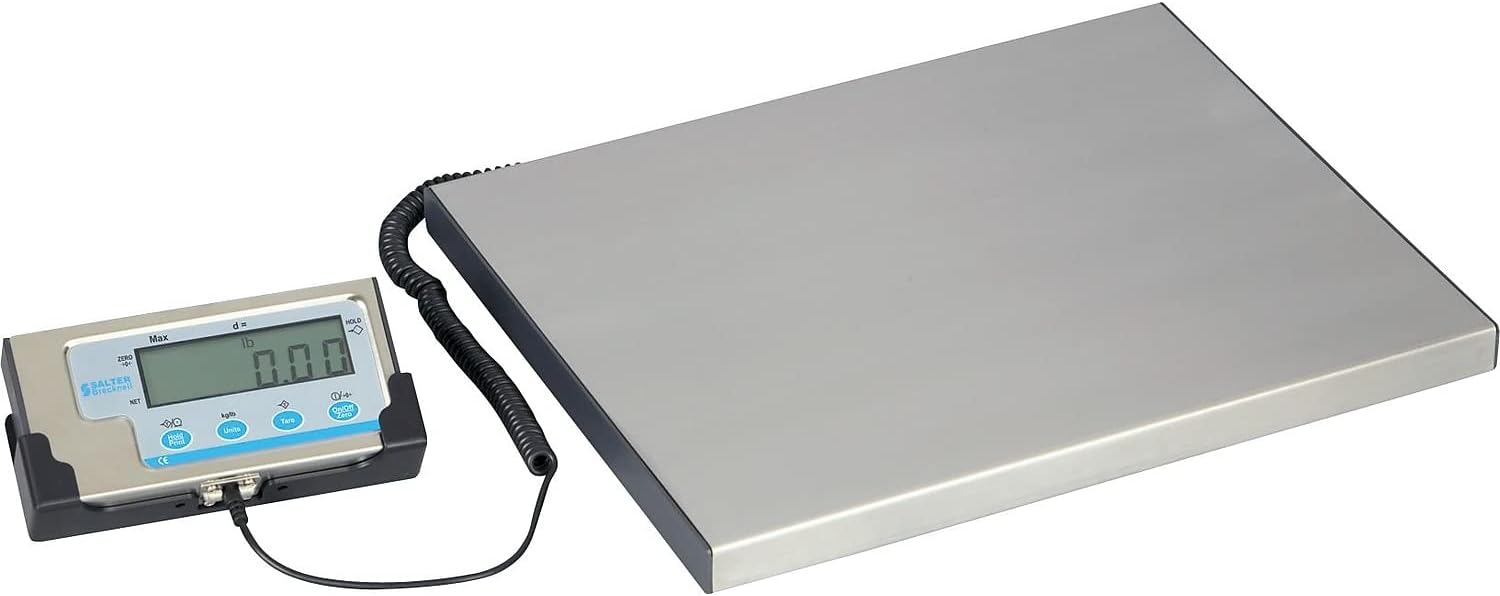
Image 6.1: The LPS150 scale ready for weighing.
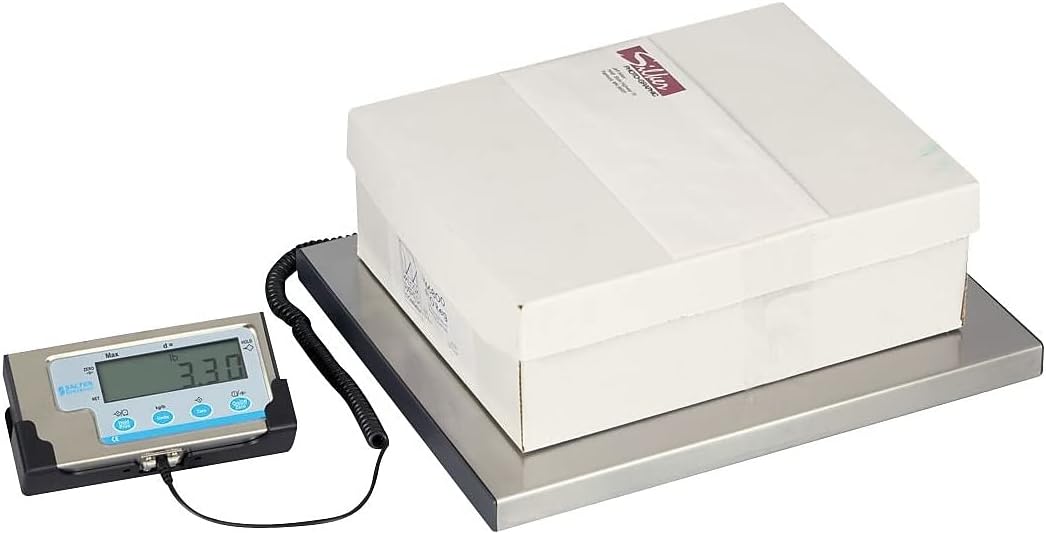
Image 6.2: Weighing a package on the LPS150 scale.
6.2 Unit Iyipada
Láti yí ẹ̀rọ ìwọ̀n padà:
- With the scale on and displaying weight, press the UNITS bọtini.
- The display will cycle through available units: pounds (lb), kilograms (kg), and pounds/ounces (lb/oz).
- Release the button when the desired unit is shown.
6.3 Tare Išė
The Tare function allows you to subtract the weight of a container, so only the net weight of the contents is displayed.
- Gbe ohun elo ti o ṣofo sori pẹpẹ iwọn.
- Wait for the weight to stabilize.
- Tẹ awọn Tọju button. The display will return to "0.00" and the TARE indicator will illuminate.
- Add items to the container. The display will show only the weight of the added items.
- To clear the tare, remove the container from the platform and press the Tọju bọtini lẹẹkansi.
6.4 idaduro Išė
The Hold function allows you to temporarily freeze the displayed weight, which is useful for weighing large or awkwardly shaped items that might obscure the display.
- Gbe nkan naa sori pẹpẹ.
- Once the weight is stable, press the HOLD / PRINT button. The displayed weight will be held, and the HOLD indicator will illuminate.
- To release the held weight, press the HOLD / PRINT bọtini lẹẹkansi.
6.5 RS-232 Communication Setup (for UPS Worldship)
The LPS150 scale includes an RS-232 port for data communication with compatible software, such as UPS Worldship. Correct configuration of both the scale and your computer's serial port is crucial for proper functionality.
6.5.1 Iṣeto iwọn
- Ensure the scale is powered off.
- Tẹ mọlẹ ON / OFF / ZERO bọtini ati awọn UNITS button simultaneously until the display shows "P1". This enters the setup menu.
- Tẹ awọn Tọju button repeatedly to cycle through the programming parameters (P1, P2, P3, etc.) until you reach P4.
- At P4, press the UNITS button to change the setting to 7 (NCI protocol).
- Tẹ awọn Tọju button to save the P4 setting and advance to P5.
- At P5, press the UNITS button to change the setting to 2 (4800 baud rate).
- Tẹ awọn Tọju button to save the P5 setting and advance to P6.
- At P6, press the UNITS button to change the setting to 2 (7E1 data format).
- Tẹ awọn ON / OFF / ZERO button to save all settings and exit the setup menu.
6.5.2 Computer Serial Port Configuration (Windows PC)
- Connect the RS-232 cable from the scale indicator to an available serial port on your computer. If your computer does not have a serial port, a USB-to-serial adapter may be required.
- Open Device Manager (search for "Device Manager" in the Windows search bar).
- Expand the "Ports (COM & LPT)" section.
- Identify the COM port assigned to your scale (e.g., COM1, COM3). Double-click on it to open its Properties.
- Go to the "Port Settings" tab and configure as follows:
- Awọn idinku fun iṣẹju-aaya: 4800
- Data die-die: 7
- Ibaṣepọ: Paapaa
- Duro Awọn idinku: 1
- Iṣakoso sisan: Ko si
- Click "OK" to save the settings and close Device Manager.
6.5.3 UPS Worldship Configuration
- Open UPS Worldship software.
- Navigate to the "Tools" tab.
- Select "System Preferences" and then click on "Hardware".
- Under the Scale settings, change the "Scale port" to the COM port you identified in Device Manager (e.g., COM1).
- Change the "Scale Type" to "NCI 3835".
- Click "Test Scale" to verify communication. The weight from the scale should now be reported in Worldship.
7. Itọju
7.1 Ninu
To maintain accuracy and prolong the life of your scale:
- Wipe the platform and indicator with a soft, damp asọ.
- Ma ṣe lo awọn afọmọ abrasive, nkanmimu, tabi awọn kẹmika lile.
- Ensure no liquids enter the indicator or the gaps around the platform.
7.2 Batiri Rirọpo
If the scale is powered by batteries and the display becomes dim or erratic, it's time to replace the batteries. Open the battery compartment on the back of the indicator, remove the old batteries, and insert four new AAA batteries, ensuring correct polarity.
8. Laasigbotitusita
| Isoro | Owun to le Fa | Ojutu |
|---|---|---|
| Iwọn ko ni tan-an. | No power (AC adapter unplugged, batteries dead/incorrectly installed). | Check AC adapter connection. Replace batteries, ensuring correct polarity. |
| Awọn kika ti ko pe tabi riru. | Scale not on a level surface; item touching something else; overload; environmental factors (vibrations, drafts). | Ensure scale is level and stable. Re-zero the scale. Remove any obstructions. Do not exceed capacity. |
| Display shows "Err" or error code. | Overload condition; internal error. | Remove weight from platform. Power cycle the scale. If error persists, contact support. |
| RS-232 communication not working with UPS Worldship. | Incorrect scale settings; incorrect computer serial port settings; incorrect Worldship settings; faulty cable. | Review Section 6.5 for detailed configuration steps for the scale, computer, and UPS Worldship. Ensure RS-232 cable is securely connected and not damaged. |
9. Awọn pato
| Ẹya ara ẹrọ | Ẹ̀kúnrẹ́rẹ́ |
|---|---|
| Awoṣe | LPS150 |
| Agbara | 150 lbs (68 kg) |
| Iwọn Iwọn | lb, kg, lb/oz |
| Ifihan | 0.63" (16 mm), 5-digit LCD |
| Platform Iwon | 15" L x 12" W (381 mm x 305 mm) |
| Ikole | Stainless Steel Platform, Mild Steel Understructure, Stainless Steel/ABS Indicator |
| Agbara | 4 x AAA Batteries or 6 VDC AC Adapter (both included) |
| Ni wiwo | RS-232 |
| Iwọn Nkan | 11 lbs (5 kg) |
| Ọja Mefa | 17 x 15 x 2.3 inches (overall) |
10. Atilẹyin ọja ati Support
Brecknell products are manufactured to high standards and are warranted against defects in materials and workmanship. For specific warranty terms and conditions, please refer to the warranty card included with your product or visit the official Brecknell webojula.
For technical assistance, troubleshooting, or spare parts, please contact Brecknell customer support. Have your model number (LPS150) and purchase information ready when contacting support.
Brecknell Contact Information:
Please refer to the official Brecknell webaaye tabi apoti ọja rẹ fun awọn alaye olubasọrọ lọwọlọwọ julọ.
Ask a question about this manual
Ask about setup, troubleshooting, compatibility, parts, safety, or missing instructions. Manuals+ will review the question and use this page’s manual context to help answer it.