
Kireni EE-5622
Crane EE-5622 Digital LED Display Tower Fan User Manual
Model: EE-5622
Ọrọ Iṣaaju
This manual provides detailed instructions for the safe and efficient use of your Crane EE-5622 Digital LED Display Tower Fan. Please read all instructions carefully before operation and retain this manual for future reference.

Image: Crane EE-5622 Tower Fan with its packaging, highlighting key features like digital LED display, 12-hour timer, 70-degree oscillation, and 3 adjustable speed settings.
Awọn Itọsọna Aabo pataki
- Always place the fan on a firm, level surface.
- Ma ṣe ṣiṣẹ afẹfẹ pẹlu okun tabi plug ti o bajẹ.
- Jẹ́ kí afẹ́fẹ́ náà jìnnà sí omi tàbí àwọn ohun míràn.
- Ensure the fan is unplugged before cleaning or maintenance.
- Má ṣe fi ìka tàbí àwọn ohun àjèjì sínú ihò èyíkéyìí.
- Afẹfẹ yii wa fun lilo inu ile nikan.
- Ṣe abojuto awọn ọmọde nigbati afẹfẹ ba wa ni lilo.
Package Awọn akoonu
Jẹrisi pe gbogbo awọn ohun kan wa ninu package:
- 1 x Crane EE-5622 Tower Fan
- 1 x Wireless Remote Control (batteries included)
- 1 x Itọsọna olumulo (iwe yii)
Ṣeto
- Ṣii silẹ: Fara yọ afẹfẹ kuro ati gbogbo awọn ẹya ẹrọ lati apoti.
- Ibi: Place the fan on a stable, flat surface, ensuring there is adequate space around it for air circulation. Avoid placing it near curtains or objects that could obstruct airflow.
- Asopọ agbara: Pulọọgi okun agbara sinu kan boṣewa itanna iṣan.

Aworan: Ni kikun view of the Crane EE-5622 Tower Fan, showing its base and power cord connection point.
Awọn ilana Iṣiṣẹ
The Crane EE-5622 Tower Fan can be operated using the control panel on top of the unit or the wireless remote control.
Ibi iwaju alabujuto
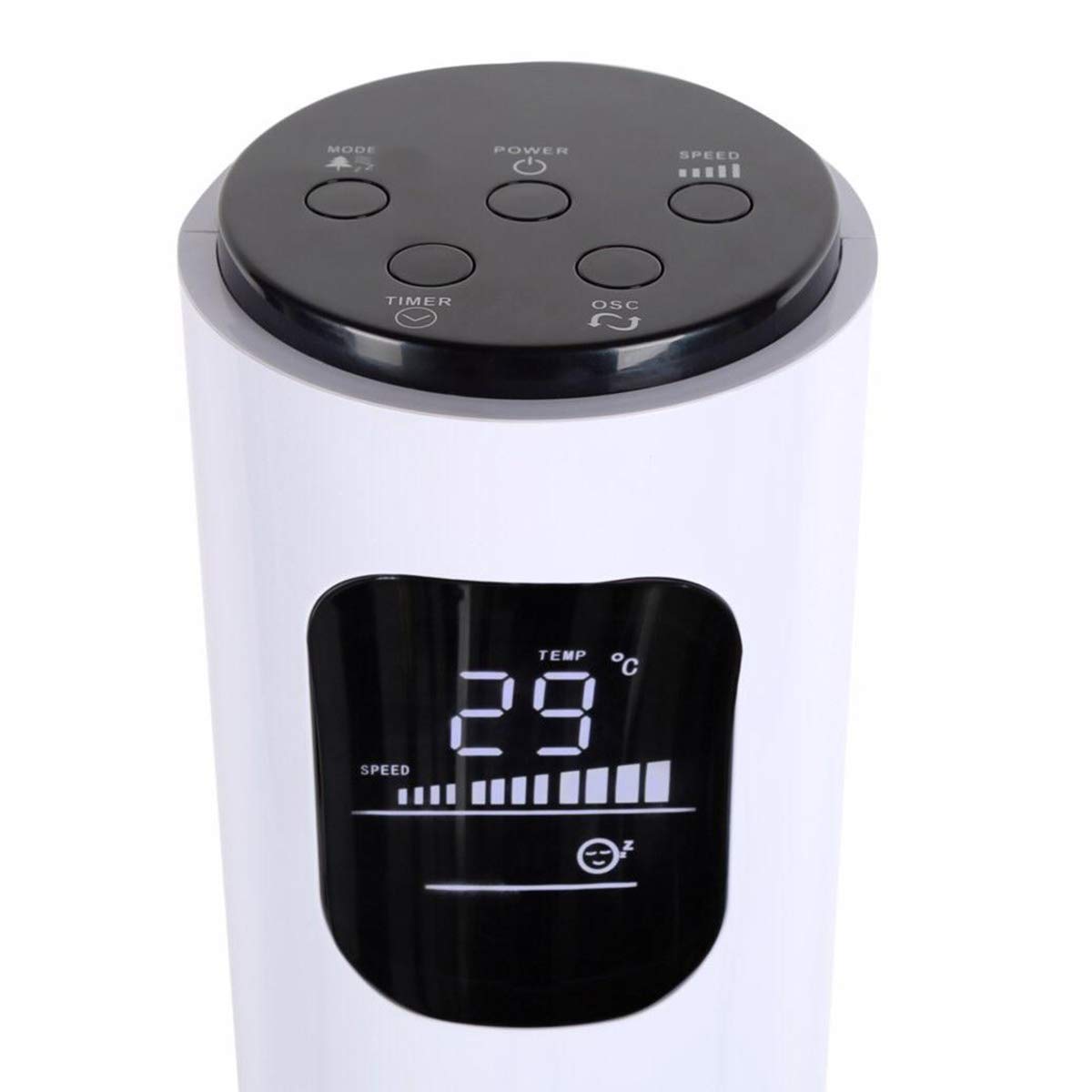
Image: Close-up of the fan's top control panel and digital LED display, showing buttons for Power, Speed, Oscillation, Timer, and Mode.
- Bọtini agbara (⏻): Tẹ lati tan afẹfẹ tabi PA.
- Bọtini Iyara (█████): Press to cycle through 3 speed settings (Low, Medium, High). The current speed is indicated on the LED display.
- Bọtini Oscillation (↻): Press to activate or deactivate the 70° oscillation function.
- Bọtini aago (⏱): Press to set the auto-off timer from 1 to 12 hours. Each press increases the timer by one hour.
- Bọtini ipo (☼): Press to cycle through different operating modes:
- Ipo deede: Afẹfẹ igbagbogbo ni iyara ti o yan.
- Ipo Afẹfẹ Adayeba: Ó ń ṣe àfarawé afẹ́fẹ́ àdánidá nípa yíyàtọ̀ sí iyàrá afẹ́fẹ́.
- Ipo orun: Díẹ̀díẹ̀ ni ó máa ń dín iyàrá afẹ́fẹ́ kù nígbà tí a bá ń ṣiṣẹ́ ní ìdákẹ́jẹ́ẹ́ nígbà tí a bá ń sùn.
Alailowaya isakoṣo latọna jijin
The remote control provides convenient operation from a distance. Ensure the remote is pointed towards the fan's receiver.
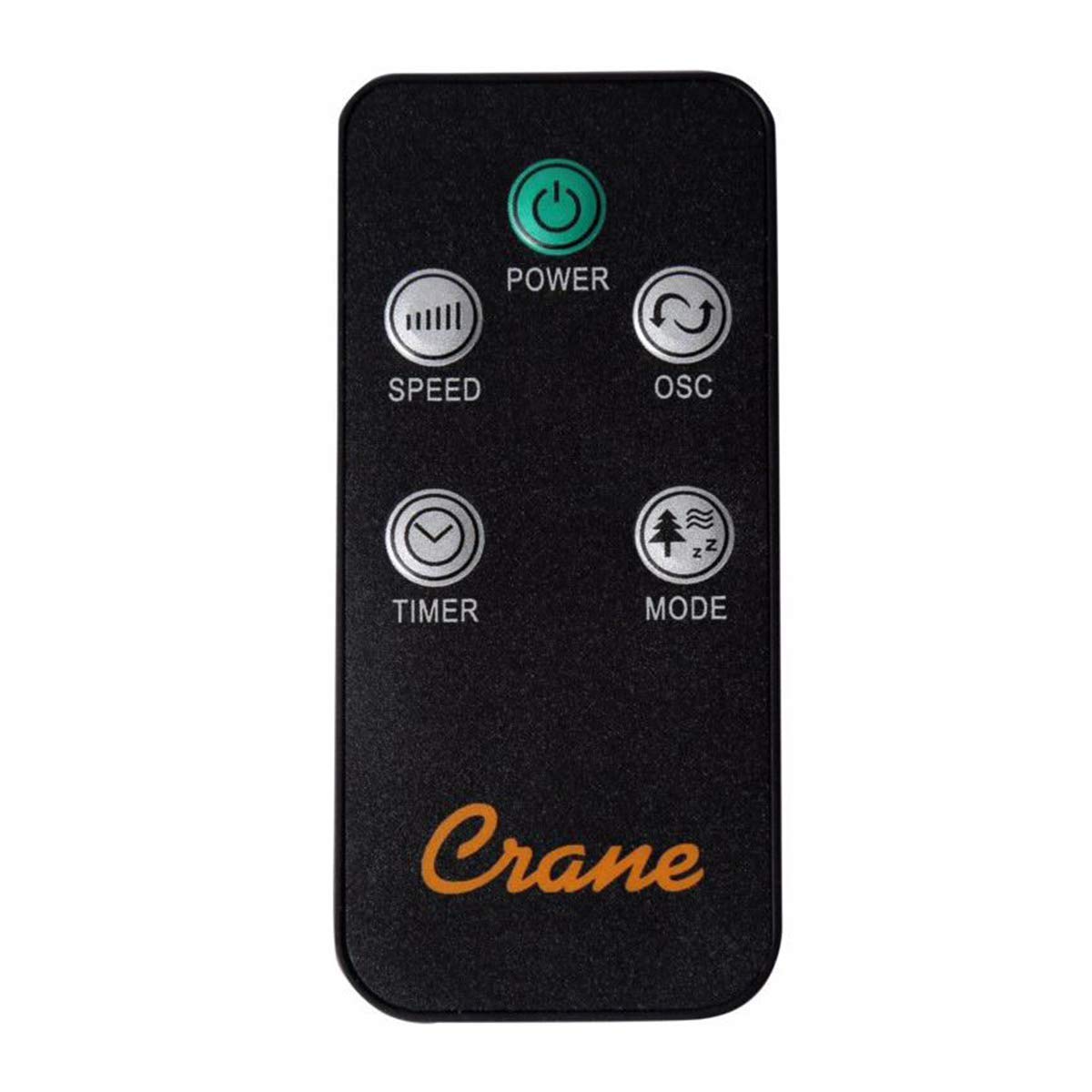
Image: The wireless remote control for the Crane EE-5622 Tower Fan, showing buttons for Power, Speed, Oscillation, Timer, and Mode.
The remote control features the same buttons as the control panel for Power, Speed, Oscillation, Timer, and Mode. It requires batteries (included).

Aworan: Oke view of the Crane EE-5622 Tower Fan, illustrating the integrated slot for storing the remote control.
Itoju
Itọju deede ṣe idaniloju iṣẹ ṣiṣe ti o dara julọ ati gigun gigun ti olufẹ rẹ.
- Ninu: Yọọ igbafẹfẹ nigbagbogbo ṣaaju ṣiṣe mimọ. Lo asọ, damp cloth to wipe the exterior surfaces. Do not use abrasive cleaners or allow water to drip into the fan's interior.
- Yiyọ eruku kuro: Use a vacuum cleaner with a brush attachment or compressed air to remove dust from the air intake and exhaust grilles.
- Ibi ipamọ: If storing the fan for an extended period, clean it thoroughly, place it back in its original packaging, and store it in a cool, dry place.
Laasigbotitusita
| Isoro | Owun to le Fa | Ojutu |
|---|---|---|
| Fan ko ni tan-an. | No power supply; Power cord not plugged in; Power button not pressed. | Check power outlet; Ensure power cord is securely plugged in; Press the Power button. |
| Afẹfẹ alailagbara. | Fan speed set too low; Air intake/exhaust blocked; Dust accumulation. | Increase fan speed; Clear any obstructions; Clean the fan grilles. |
| Fan jẹ alariwo. | Fan not on a level surface; Foreign object inside; Dust accumulation. | Place fan on a flat, stable surface; Unplug and check for obstructions; Clean the fan. |
| Isakoṣo latọna jijin ko ṣiṣẹ. | Batteries depleted; Obstruction between remote and fan; Remote not pointed correctly. | Replace remote control batteries; Remove obstructions; Point remote directly at the fan's receiver. |
Awọn pato
| Brand | Kireni |
| Nọmba awoṣe | EE-5622 |
| Orisun agbara | AC Powered (Remote Control: Battery Powered) |
| Wattage | 45 Wattis |
| Nọmba ti Awọn iyara | 3 |
| Igun Oscillation | 70° |
| Aago | 1 si 12 wakati |
| Giga | Isunmọ 115 cm (44 inches) |
| Iwọn Nkan | 5.1 iwon |
| Ọna Iṣakoso | Remote Control, On-unit Buttons |
| Pataki Awọn ẹya ara ẹrọ | Digital LED Display, Room Temperature Display, Natural Breeze Mode, Sleep Mode, Auto Shut-off |
| Ohun elo | Acrylonitrile Butadiene Styrene (ABS), Plastic Blades |
| inu ile / ita gbangba Lo | Lilo inu ile Nikan |
Atilẹyin ọja ati Support
For warranty information or technical support, please refer to the warranty card included with your product or contact Crane customer service directly. Contact details are typically available on the manufacturer's official webaaye tabi apoti ọja.
Note: Customer reviews indicate potential challenges with service support. It is recommended to retain your purchase receipt for warranty claims.
Ask a question about this manual
Ask about setup, troubleshooting, compatibility, parts, safety, or missing instructions. Manuals+ will review the question and use this page’s manual context to help answer it.