
Ọrọ Iṣaaju
Thank you for choosing the Bonacell NP-FW50 Battery and LCD Dual Charger. This product is designed to provide reliable power for your compatible Sony digital cameras. This manual will guide you through the setup, operation, maintenance, and troubleshooting of your new battery and charger system.
The Bonacell NP-FW50 batteries are 1500mAh Li-ion batteries with a voltage of 7.2V, offering a dependable power source for extended shooting times. The dual charger features an LCD display for clear charging status and multiple protection mechanisms to ensure safe and efficient charging.

Image: Product Compatibility. This image displays the wide compatibility of the Bonacell NP-FW50 battery and charger with various Sony Alpha and DSC-RX10 series cameras, including A7RM2, A6500, A5100, and DSC-RX10 IV models.
Ṣeto
Package Awọn akoonu
Ṣaaju ki o to tẹsiwaju, jọwọ rii daju pe gbogbo awọn eroja wa nibẹ:
- 1 x Bonacell LCD Dual Charger
- 2 x Bonacell NP-FW50 Li-ion Batteries
- 1 x Okun Ngba agbara USB

Àwòrán: Àkóónú Àpò. This image shows the Bonacell LCD Dual Charger, two NP-FW50 batteries, and a USB charging cable, as typically included in the product package.
Gbigba agbara ni ibẹrẹ
For optimal performance, it is recommended to fully charge the batteries before first use.
- Insert the NP-FW50 batteries into the charging slots of the dual charger. Ensure they are correctly oriented.
- Connect the USB charging cable to the charger's input port.
- Connect the other end of the USB cable to a compatible power source.
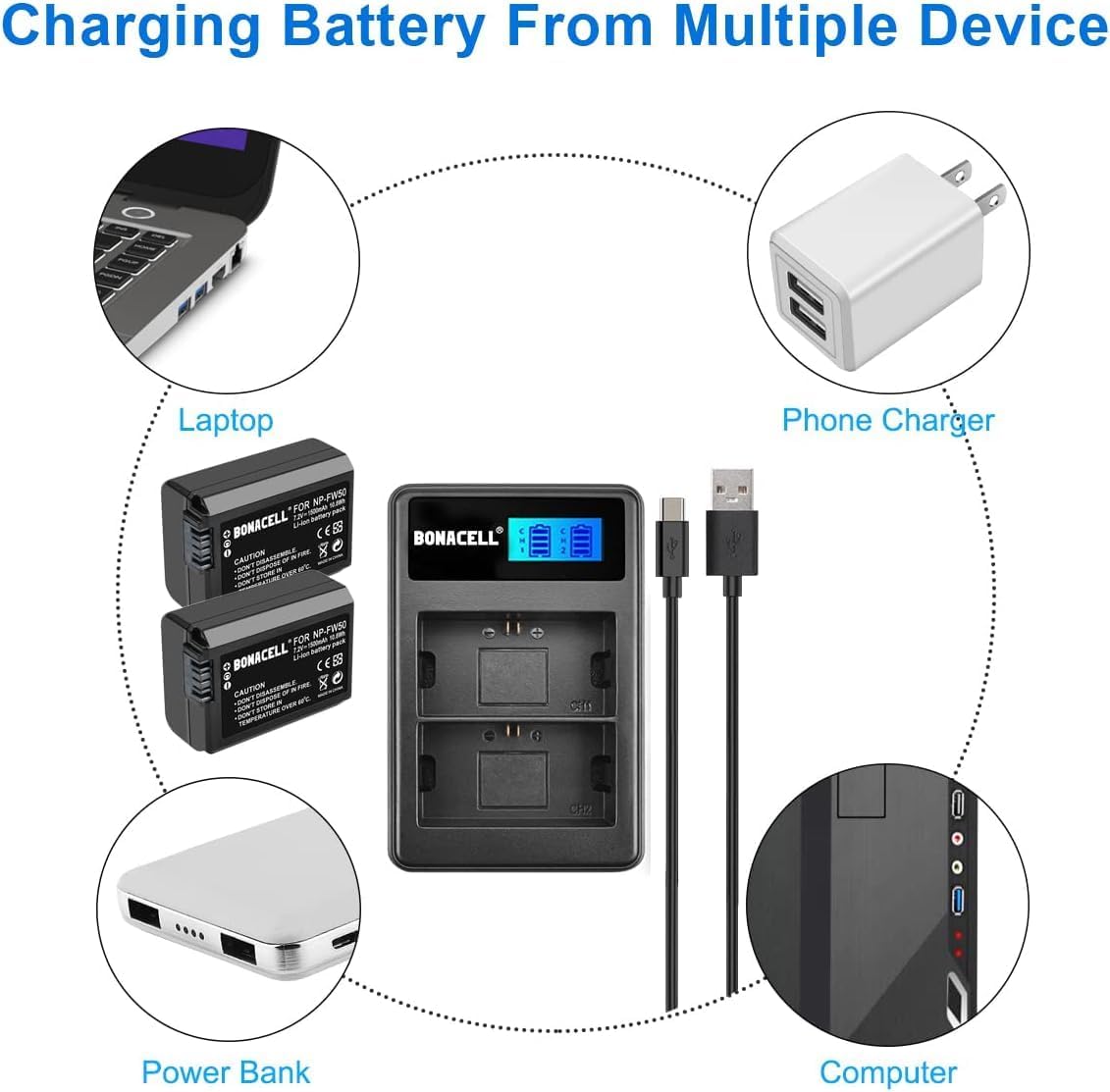
Image: Charging from Multiple Devices. This image illustrates the versatility of the Bonacell charger, showing it can be powered by a laptop, phone charger, power bank, or computer via its USB cable.
Awọn ilana Iṣiṣẹ
Ilana gbigba agbara
The Bonacell LCD Dual Charger allows you to charge one or two NP-FW50 batteries simultaneously.
- Fi awọn batiri sii: Gently slide the NP-FW50 batteries into the designated slots on the charger. The charger is designed for a snug fit.
- So agbara: Use the provided USB cable to connect the charger to a 5V/2A USB power source (e.g., wall adapter, power bank, computer USB port).
- Abojuto gbigba agbara: The LCD display on the charger will illuminate, showing the charging status for each battery independently. The battery icon will animate to indicate charging progress.
- Itọkasi gbigba agbara ni kikun: Once a battery is fully charged, its corresponding icon on the LCD will show a full battery symbol and stop animating.
- Yọ awọn batiri kuro: Disconnect the charger from the power source, then carefully remove the charged batteries.

Image: Visible and Intelligent Charger. This image highlights the LCD display of the Bonacell dual charger, showing individual battery charge status and indicating built-in protections such as overcharge, power visualization, overheat, short circuit, and high voltage Idaabobo.

Image: Safe and Reliable Charging. This image shows a Bonacell NP-FW50 battery inserted into the charger, emphasizing features like longer shooting time, 7.2V 1500mAh energy capacity, and a battery meter for monitoring charge.
Itọju ati Aabo
Itọju Batiri
- Ibi ipamọ: Tọju awọn batiri ni itura, aye gbigbẹ kuro lati orun taara ati awọn iwọn otutu to gaju.
- Ninu: Keep battery contacts clean using a dry cloth.
- Ko si Ipa Iranti: Bonacell NP-FW50 batteries have no memory effect, allowing you to charge them at any time without fully discharging them first.
Ṣaja Itọju
- Ayika: Use the charger in a dry location only. Avoid exposure to moisture or high humidity.
- Ninu: Wipe the charger with a soft, dry cloth. Do not use liquid cleaners.
Awọn Ikilọ Abo
Failure to follow these safety guidelines may result in fire, electric shock, or injury.
- Maṣe Tu: Do not attempt to disassemble the battery or charger. There are no user-serviceable parts inside. Refer service to qualified service agent.
- Do Not Dispose in Fire: Awọn batiri le bu gbamu ti o ba sọnu ninu ina.
- Iwọn otutu: Do not store batteries or charger in temperatures over 60°C (140°F).
- Ọrinrin: To prevent fire or moisture, do not expose the charger to rain or excessive humidity.
- Ewu mọnamọna: To reduce the risk of electronic shock, do not remove the cover or back plate of the charger.
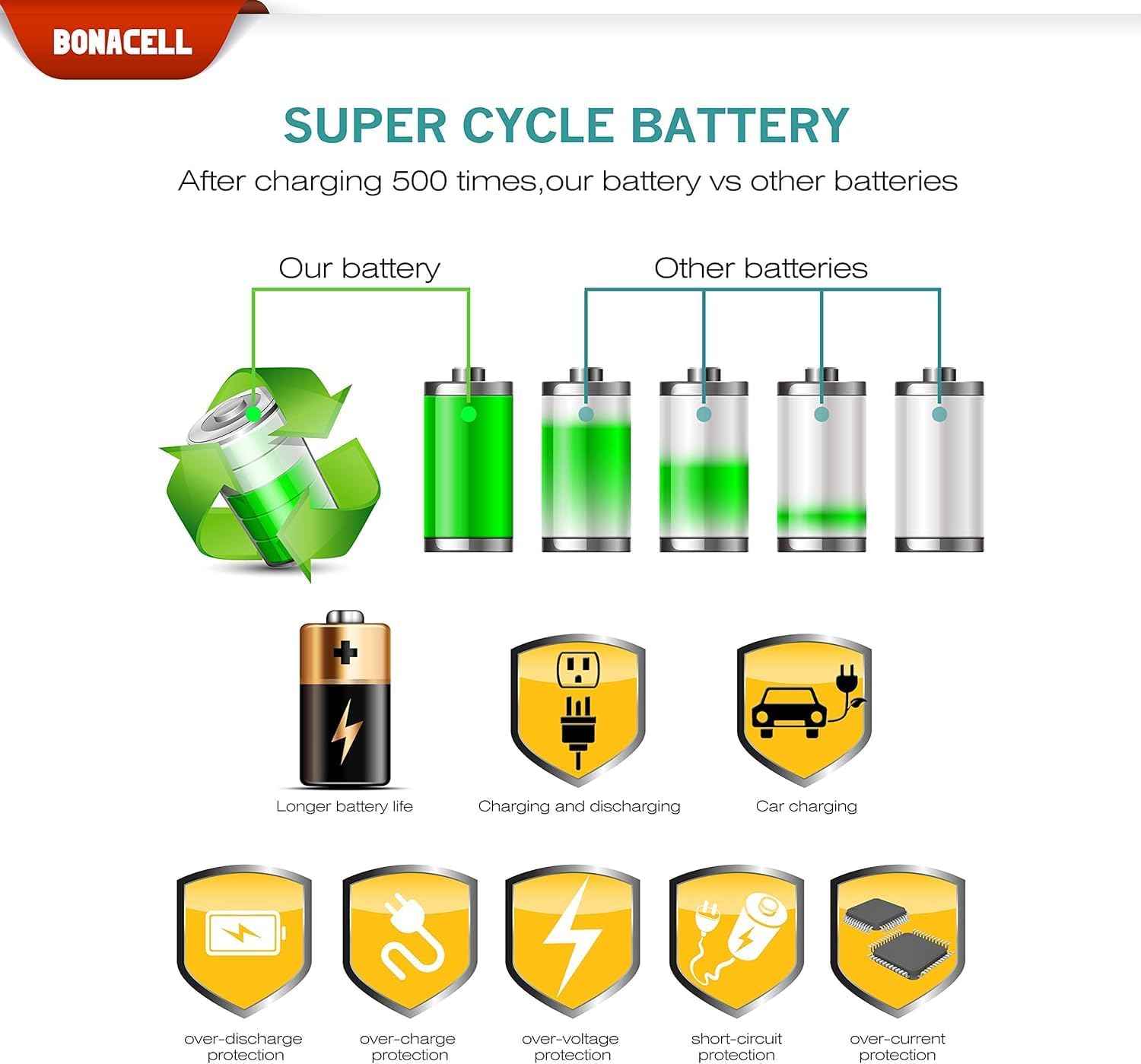
Image: Battery Cycle Life and Protections. This image illustrates the superior cycle life of Bonacell batteries compared to others, and highlights various protection features including over-discharge, over-charge, over-voltage, short-circuit, and over-current protection.
Laasigbotitusita
If you encounter issues with your Bonacell NP-FW50 Battery and LCD Dual Charger, please refer to the following common problems and solutions:
- Awọn batiri ti ko gba agbara:
- Ensure batteries are inserted correctly into the charger slots.
- Verify the USB cable is securely connected to both the charger and the power source.
- Try a different USB power source (e.g., another wall adapter, a different USB port on your computer) to rule out a faulty power source.
- Check if the power source provides sufficient current (recommended 5V/2A).
- Charger LCD not displaying:
- Ensure the charger is connected to a working power source.
- Check the USB cable for damage and try a different cable if necessary.
- Battery swelling or overheating:
- Immediately discontinue use of the battery and charger.
- Contact customer support for assistance. Do not attempt to use or charge a swollen battery.
Awọn pato
| Ẹya ara ẹrọ | Sipesifikesonu |
|---|---|
| Batiri Iru | Li-dẹlẹ |
| Agbara Batiri | 1500mAh |
| Batiri Voltage | 7.2V |
| Ṣaja Input | DC 5V / 2A |
| Ṣaja Jade | DC 8.4V / 0.6A (5W) |
| Ṣaja Mefa | 85 x 54 x 18 mm (isunmọ 3.35 x 2.13 x 0.71 inches) |
| Iwọn Ọja | 6.4 iwon (isunmọ 181g) |
| Awọn batiri to wa | 2 Litiumu Ion batiri |

Image: Charger Specifications. Aworan yii pese alaye kan view of the Bonacell LCD camera battery charger, including its input/output specifications and a table listing applicable battery type (NP-FW50), input (DC 5V/2A), output (DC 8.4V/0.6A), and dimensions (85*54*18 MM).
Atilẹyin ọja ati Support
Alaye atilẹyin ọja
Bonacell products are manufactured to high-quality standards. For specific warranty details regarding your NP-FW50 Battery and LCD Dual Charger, please refer to the warranty card included with your purchase or contact Bonacell customer support.
Onibara Support
If you have any questions, concerns, or require technical assistance, please contact Bonacell customer support through the retailer where you purchased the product or visit the official Bonacell store for contact information.
You can find more information about Bonacell products at the Bonacell Store on Amazon.