
1. Ifihan
This manual provides essential instructions for the proper setup, operation, and maintenance of your Black Box EVNDVI01-0010 DVI-A to VGA HD15 Cable. Please read this manual thoroughly before using the product to ensure optimal performance and longevity.
2. Ọja Ipariview
The Black Box EVNDVI01-0010 is a DVI-A to VGA HD15 cable designed to connect a digital DVI-A output from a source device to an analog VGA input on a display device. This cable facilitates the transmission of analog video signals, allowing compatibility between DVI-A enabled devices and traditional VGA monitors or projectors.
Awọn ẹya pataki:
- Connects digital DVI-A display outputs to analog VGA device inputs.
- Supports resolutions up to 1600 x 1200.
- Features a 17-pin single link configuration for DVI-A.
- Male-to-Male connector gender.
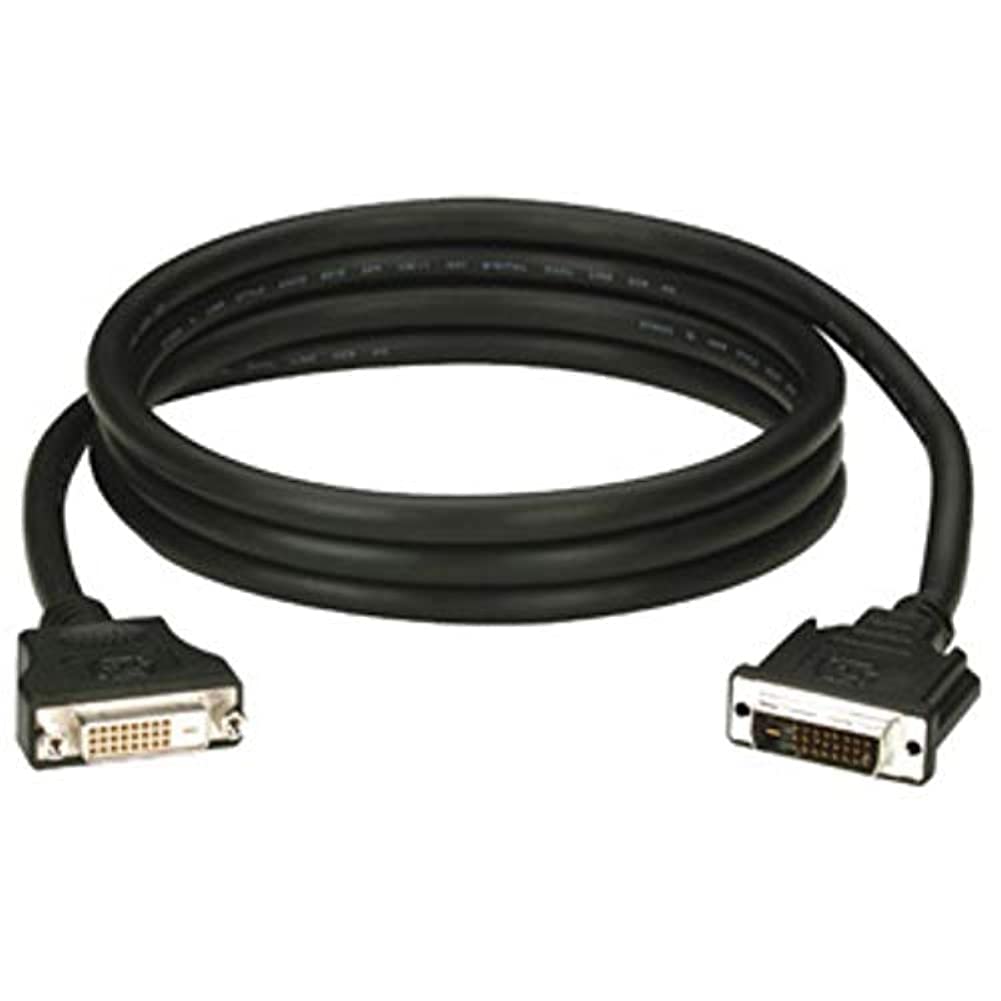
Figure 1: Black Box DVI-A to VGA HD15 Cable. This image displays the cable with its DVI-A (white) and VGA (blue) connectors, illustrating its male-to-male configuration.
3. Eto
Follow these steps to properly connect your DVI-A to VGA cable:
- Ṣe idanimọ Awọn ibudo: Locate the DVI-A output port on your source device (e.g., computer graphics card) and the VGA input port on your display device (e.g., monitor, projector). The VGA port is typically blue.
- Connect DVI-A: Carefully insert the DVI-A connector of the cable into the DVI-A output port of your source device. Ensure the pins align correctly and gently push until it is fully seated.
- Connect VGA: Insert the VGA HD15 connector of the cable into the VGA input port of your display device. Tighten the thumbscrews on the VGA connector to secure the connection and prevent accidental disconnections.
- Agbara Lori Awọn ẹrọ: Agbara lori mejeeji ẹrọ orisun rẹ ati ẹrọ ifihan rẹ.
- Yan Igbewọle: On your display device, select the correct input source (e.g., 'VGA', 'PC', 'Input 1') using the display's menu or input selection button.
A proper connection should result in the display device showing the video output from the source device.
4. Ṣiṣẹ
Once the Black Box EVNDVI01-0010 cable is correctly connected, its operation is passive. The cable transmits the analog video signal directly from the source to the display. No additional software or drivers are required for the cable itself.
- Awọn Eto ipinnu: Ensure your source device's display settings are configured to a resolution supported by both the source and the display device, up to 1600 x 1200.
- Awọn ipo Ifihan: If using a computer, you may need to configure your display mode (e.g., duplicate, extend, second screen only) through your operating system's display settings.
5. Itọju
To ensure the longevity and reliable performance of your Black Box DVI-A to VGA cable, follow these maintenance guidelines:
- Mu pẹlu Itọju: Yẹra fún títẹ̀ okùn náà dáadáa tàbí fífi agbára tó pọ̀ jù sí àwọn asopọ̀ náà.
- Jeki mimọ: Máa fi aṣọ rírọrùn àti gbígbẹ nu okùn àti àwọn asopọ̀ lẹ́ẹ̀kọ̀ọ̀kan láti mú eruku àti ìdọ̀tí kúrò. Má ṣe lo àwọn ohun ìfọmọ́ omi tààrà lórí àwọn asopọ̀ náà.
- Tọju daradara: When not in use, coil the cable loosely and store it in a clean, dry environment away from extreme temperatures.
- Ṣayẹwo fun ibajẹ: Regularly check the cable and connectors for any signs of wear, fraying, or damage. Discontinue use if damage is observed.
6. Laasigbotitusita
If you encounter issues with your DVI-A to VGA cable, consider the following troubleshooting steps:
- Ko si ifihan agbara lori Ifihan:
- Rii daju pe awọn opin mejeeji ti okun naa ni asopọ ni aabo.
- Verify that both the source and display devices are powered on.
- Confirm the correct input source is selected on your display device.
- Test with another cable if available to rule out a faulty cable.
- Poor Picture Quality (Flickering, Distorted Image):
- Check for loose connections at both ends of the cable. Tighten VGA thumbscrews.
- Adjust the display resolution on your source device to a lower setting to see if the issue resolves.
- Ensure there are no strong electromagnetic interference sources near the cable.
- Ṣe àyẹ̀wò okùn náà fún ìbàjẹ́ ara èyíkéyìí.
- Awọn awọ ti ko tọ:
- Verify the cable is fully seated and not bent or damaged.
- Check the color settings on your display device and source device.
7. Awọn pato
| Brand | Apoti dudu |
| Nọmba awoṣe | EVNDVI01-0010 |
| Asopọmọra Iru | DVI-A Male, VGA HD15 Male |
| USB Iru | DVI-A to VGA |
| Ipinnu atilẹyin | Titi di 1600 x 1200 |
| Asopọmọra Iwa | Okunrin-to-Okunrin |
| Àwọ̀ | Dudu, Blue |
| Iwọn Nkan | 0.35 kilogram (12.3 iwon) |
| inu ile / ita gbangba Lilo | Ninu ile, ita gbangba |
| UPC | 822088058960 |
8. Atilẹyin ọja ati Support
For specific warranty information regarding your Black Box EVNDVI01-0010 DVI-A to VGA HD15 Cable, please refer to the official Black Box webojú-òpó wẹ́ẹ̀bù tàbí kí o kàn sí olùrànlọ́wọ́ oníbàárà wọn tààrà. Àwọn òfin àti àdéhùn àtìlẹ́yìn lè yàtọ̀.
If you require technical assistance or have questions not covered in this manual, please contact Black Box customer support through their official channels.