
Ọrọ Iṣaaju
O ṣeun fun riraasing the MAJORITY Histon Portable DAB/DAB+ Digital Radio. This manual provides essential information for setting up, operating, and maintaining your radio. Please read it thoroughly before use to ensure optimal performance and longevity of your device.
Ohun ti o wa ninu Apoti
- MAJORITY Histon Radio
- Mains Power Cable
- Iwe afọwọkọ eni (iwe yii)

Image: The contents of the product packaging, including the Histon radio, its mains power cable, and the user manual.
Ọja Pariview
The MAJORITY Histon radio is designed for portable and mains-powered listening, offering both DAB/DAB+ and FM radio reception. It features a clear LED display, dual alarm functionality, and a sleep timer.
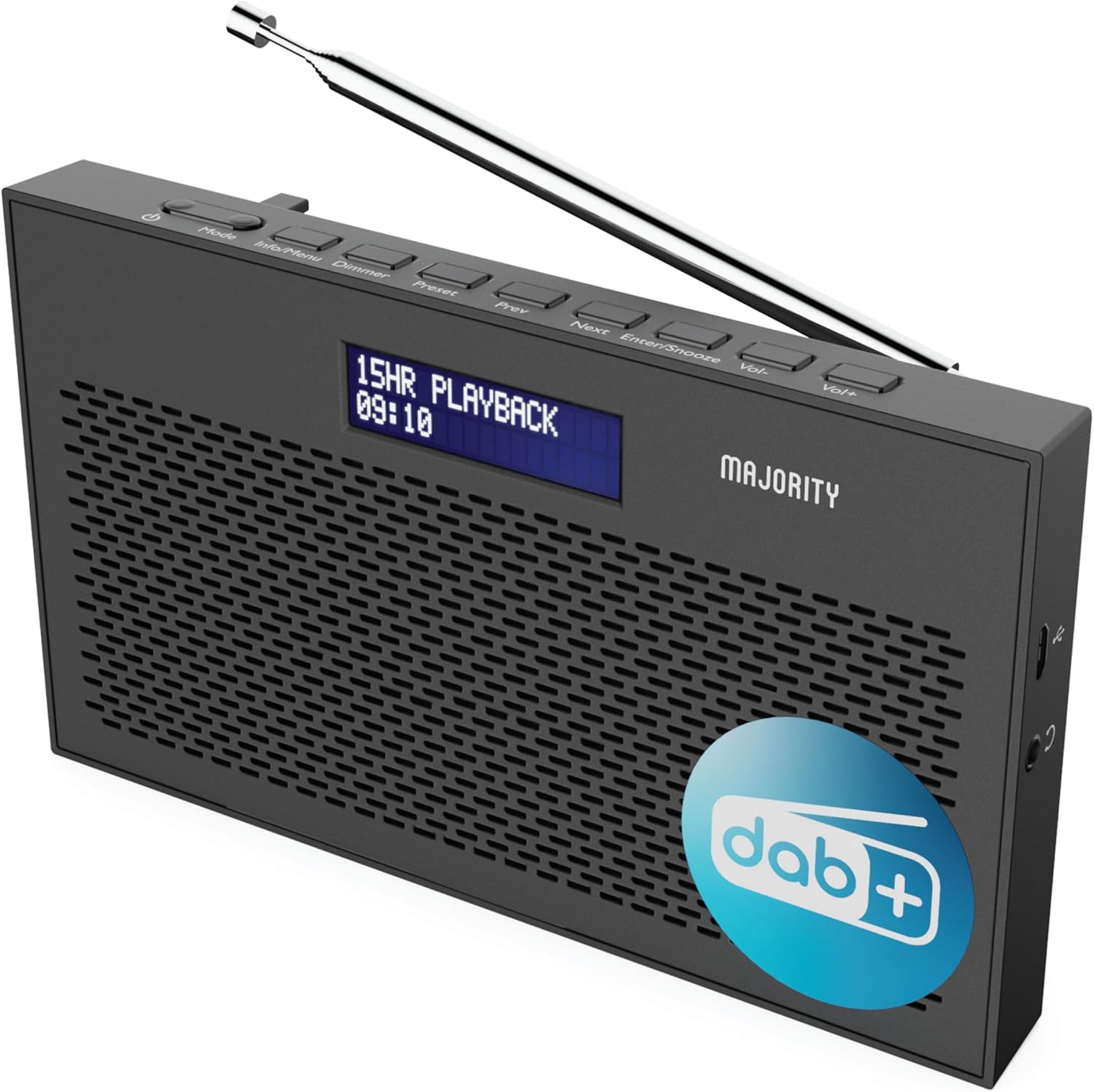
Aworan: A alaye view of the Majority Histon radio, highlighting its compact design and front speaker.
Awọn iṣakoso ati Ifihan
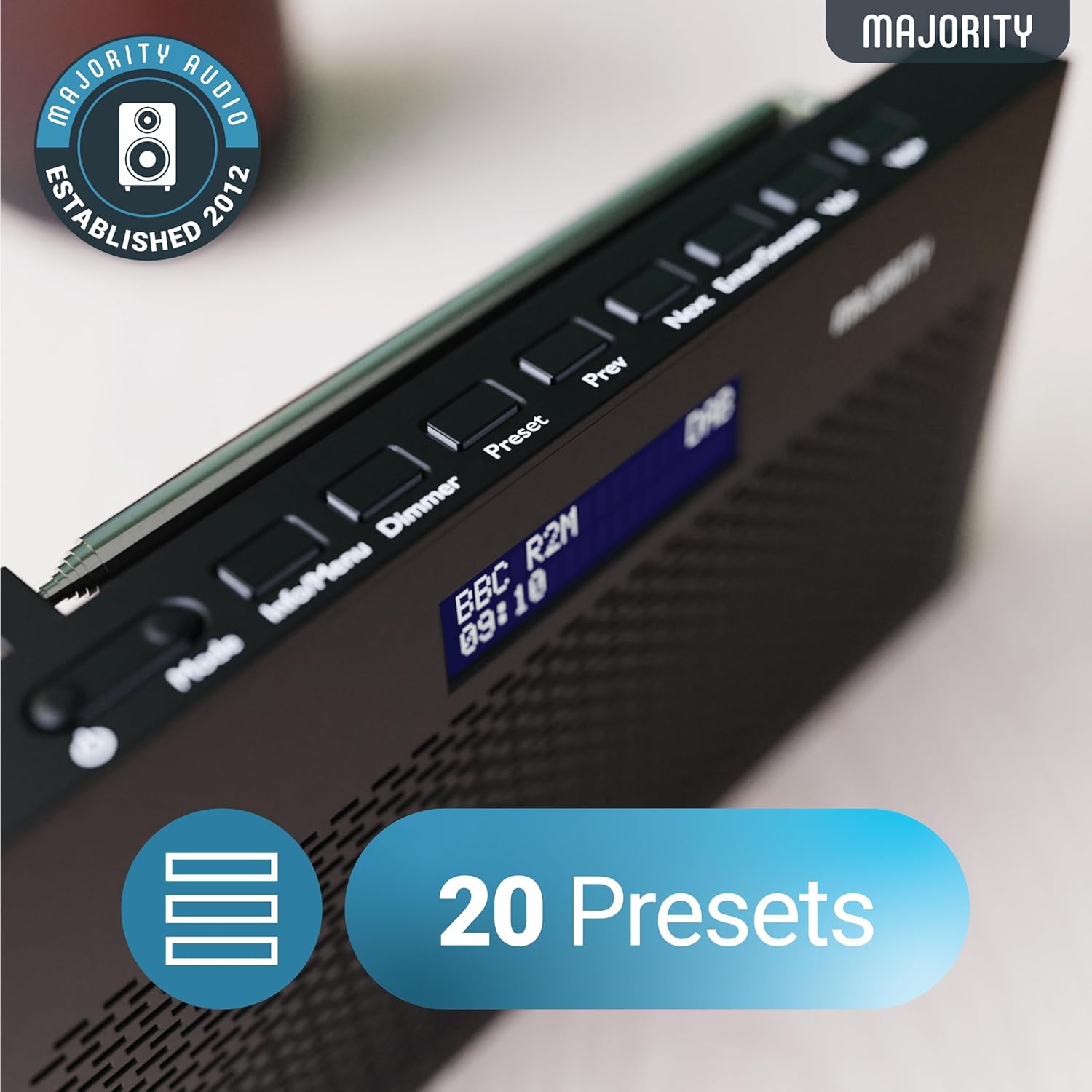
Image: A close-up of the radio's top panel, illustrating the various control buttons and the LED display showing station information.
- Ipo: Switches between DAB, FM, and other modes.
- Alaye/Akojọ aṣyn: Displays station information or accesses menu settings.
- Dimmer: Ṣe atunṣe imọlẹ ifihan.
- Tito tẹlẹ: Accesses or saves preset stations.
- Tẹlẹ/Tẹle: Ó ń lọ kiri nípasẹ̀ àwọn ibùdó tàbí àwọn àṣàyàn àkójọ.
- Enter/Snooze: Confirms selections or activates snooze during an alarm.
- Fọọlu-/Vol+: Ṣatunṣe iwọn didun.
Awọn ibudo ati awọn isopọ
- DC NI Port: For connecting the mains power cable.
- Jack agbekọri 3.5mm: Fun ikọkọ gbigbọ.
- Abala Batiri: Located on the rear for 4 AA batteries (not included).
- Eriali telescopic: Extendable for optimal signal reception.
Ṣeto
Agbara Lori
The Histon radio can be powered by either the included mains power cable or 4 x AA batteries (not supplied).
- Agbara Ifilelẹ: Connect the mains power cable to the DC IN port on the radio and plug the adapter into a wall socket.
- Agbara Batiri: Open the battery compartment on the rear of the radio and insert 4 x AA batteries, ensuring correct polarity.

Image: The radio in a portable setting, emphasizing its 15-hour battery life capability.
Atunṣe Antenna
Extend the telescopic antenna fully for the best possible signal reception, especially for DAB/DAB+ and FM broadcasts.
Initial Scan (DAB/DAB+)
Upon first power-on, the radio will automatically perform a full scan for DAB/DAB+ stations. This process may take a few minutes. Once complete, the radio will tune to the first available station.
- If no stations are found, ensure the antenna is fully extended and reposition the radio, then perform a manual scan (see Operating Instructions).
Awọn ilana Iṣiṣẹ
DAB / DAB + Radio Isẹ
- Selecting DAB Mode: Tẹ awọn Ipo button until "DAB" is displayed.
- Aṣayan Ibusọ: Lo awọn Iṣaaju or Itele buttons to scroll through available DAB stations. Press Wọle lati yan ibudo kan.
- Ayẹwo kikun: To perform a full scan for new stations, press and hold the Alaye / Akojọ aṣyn button to enter the menu, then navigate to "Full Scan" and press Wọle.
- Awọn ibudo tito tẹlẹ:
- Nfipamọ Tito tẹlẹ: While listening to a station, press and hold the Tito tẹlẹ bọtini. Lo Tẹlẹ/Itele to select a preset number (1-20), then press Wọle lati fipamọ.
- Rírántí Àkójọpọ̀ kan: Ni soki tẹ awọn Tito tẹlẹ bọtini. Lo Tẹlẹ/Itele to scroll through saved presets, then press Wọle to tune.
Image: The radio's control panel, highlighting the capability to store up to 20 preset radio stations.
FM Radio isẹ
- Selecting FM Mode: Tẹ awọn Ipo bọtini titi "FM" yoo han.
- Ṣiṣayẹwo Aifọwọyi: Tẹ mọlẹ Wọle to automatically scan for the next available FM station.
- Itọsọna Afowoyi: Ni soki tẹ Iṣaaju or Itele to fine-tune the frequency in 0.05 MHz steps.
- Awọn ibudo tito tẹlẹ: Saving and recalling FM presets follows the same procedure as DAB presets.
Eto Awọn itaniji
The Histon radio features a dual alarm function.

Image: The radio displaying "DUAL ALARM" on its screen, illustrating its dual alarm capability.
- Tẹ mọlẹ Alaye / Akojọ aṣyn lati tẹ akojọ aṣayan sii.
- Lo Tẹlẹ/Itele to navigate to "System Settings" and press Wọle.
- Navigate to "Alarm" and press Wọle.
- Select "Alarm 1" or "Alarm 2" and press Wọle.
- Configure the alarm time, duration, source (Buzzer, DAB, FM), frequency (Daily, Once, Weekends, Weekdays), and volume using Tẹlẹ/Itele ati Wọle.
- To activate/deactivate an alarm, select "On" or "Off" for the chosen alarm.
- Tí itaniji bá dún, tẹ Wọle/Diẹ to snooze for 9 minutes, or press the Agbara bọtini lati pa itaniji.
Aago orun
Aago oorun ngbanilaaye redio lati paa laifọwọyi lẹhin akoko ti a ṣeto.
- Tẹ mọlẹ Alaye / Akojọ aṣyn lati tẹ akojọ aṣayan sii.
- Navigate to "System Settings" and press Wọle.
- Navigate to "Sleep" and press Wọle.
- Lo Tẹlẹ/Itele to select the desired sleep duration (e.g., 15, 30, 45, 60, 90, 120 minutes) or "Off". Press Wọle lati jẹrisi.
Ifihan Imọlẹ
Ṣàtúnṣe ìmọ́lẹ̀ ìfihàn LED náà.
- Ni soki tẹ awọn Dimmer bọtini lati yipo nipasẹ awọn ipele imọlẹ.
Agbekọri Lo
For private listening, connect standard 3.5mm headphones to the headphone jack on the side of the radio. The internal speaker will automatically mute when headphones are connected.
Laasigbotitusita
| Isoro | Owun to le Fa / Solusan |
|---|---|
| Ko si agbara / Redio ko ni tan. |
|
| Poor DAB/FM reception or no stations found. |
|
| Ohun ti wa ni daru tabi lemọlemọ. |
|
| Itaniji ko dun. |
|
| Ifihan ti ṣofo tabi ko ṣee ka. |
|
Awọn pato
- Awoṣe: Histon 2
- Awọn iwọn ọja: 18 x 4.5 x 11 cm (L x W x H)
- Ìwúwo: 249 giramu
- Orisun Agbara: Mains (via included adapter) or 4 x AA Batteries (not included)
- Ṣe atilẹyin Awọn ẹgbẹ Redio: DAB / DAB +, FM
- Awọn tito tẹlẹ: 20 (DAB) / 20 (FM)
- Asopọmọra: 3.5mm Headphone Jack, DC IN Port
- Awọn ẹya pataki: Portable, Lightweight, Automatic and Manual Tuning, Dual Alarm Clock, Sleep Timer, LED Display, Mono/Auto Switching in FM Mode

Image: A visual representation of the radio's dimensions for reference.
Itoju
- Ninu: Lo aṣọ rírọrùn tí ó gbẹ láti nu ojú rédíò náà. Má ṣe lo àwọn ohun ìfọṣọ tàbí àwọn ohun èlò ìfọṣọ.
- Ibi ipamọ: Ti o ba tọju redio fun igba pipẹ, yọ awọn batiri kuro lati yago fun jijo. Tọju ni itura kan, ibi gbigbẹ.
- Ifihan omi: Rédíò yìí kì í ṣe omi tí ó lè gbà. Yẹra fún fífi omi hàn tàbí ọrinrin púpọ̀.
- Itọju Antenna: Handle the telescopic antenna gently to prevent bending or breaking.
Atilẹyin ọja ati Support
The MAJORITY Histon radio comes with a 3-odun atilẹyin ọja. To activate your warranty and for further support, please refer to the registration instructions provided with your purchase or visit the official MAJORITY webojula.
For technical assistance or warranty claims, please contact MAJORITY customer support through their official channels. Keep your proof of purchase for warranty validation.

Image: A graphic highlighting the 3-year warranty provided with Majority audio products.