
Ọrọ Iṣaaju
This manual provides essential information for the safe and effective operation, maintenance, and troubleshooting of your Bernette B48 Funlock Serger Coverstitch Overlock Machine. Please read all instructions carefully before using the machine to ensure optimal performance and longevity.
The Bernette B48 is a versatile machine designed for various sewing tasks, including overlock, coverstitch, and chain stitch functions. It features 23 built-in stitches, adjustable stitch widths, and a high sewing speed of up to 1300 stitches per minute, making it suitable for both beginners and experienced users.
Awọn Itọsọna Aabo
- Always disconnect the machine from the power supply before cleaning, lubricating, or performing any user maintenance.
- Keep fingers away from all moving parts, especially the needle, looper, and knife areas, during operation.
- Use only the accessories and attachments specified by the manufacturer.
- Do not operate the machine if it has a damaged cord or plug, if it is not working properly, or if it has been dropped or damaged.
- Ensure the machine is placed on a stable, level surface during use.
- Pa awọn ọmọde ati awọn ohun ọsin kuro ninu ẹrọ lakoko iṣẹ.
Irinše Loriview
Familiarize yourself with the main components of your Bernette B48 machine.
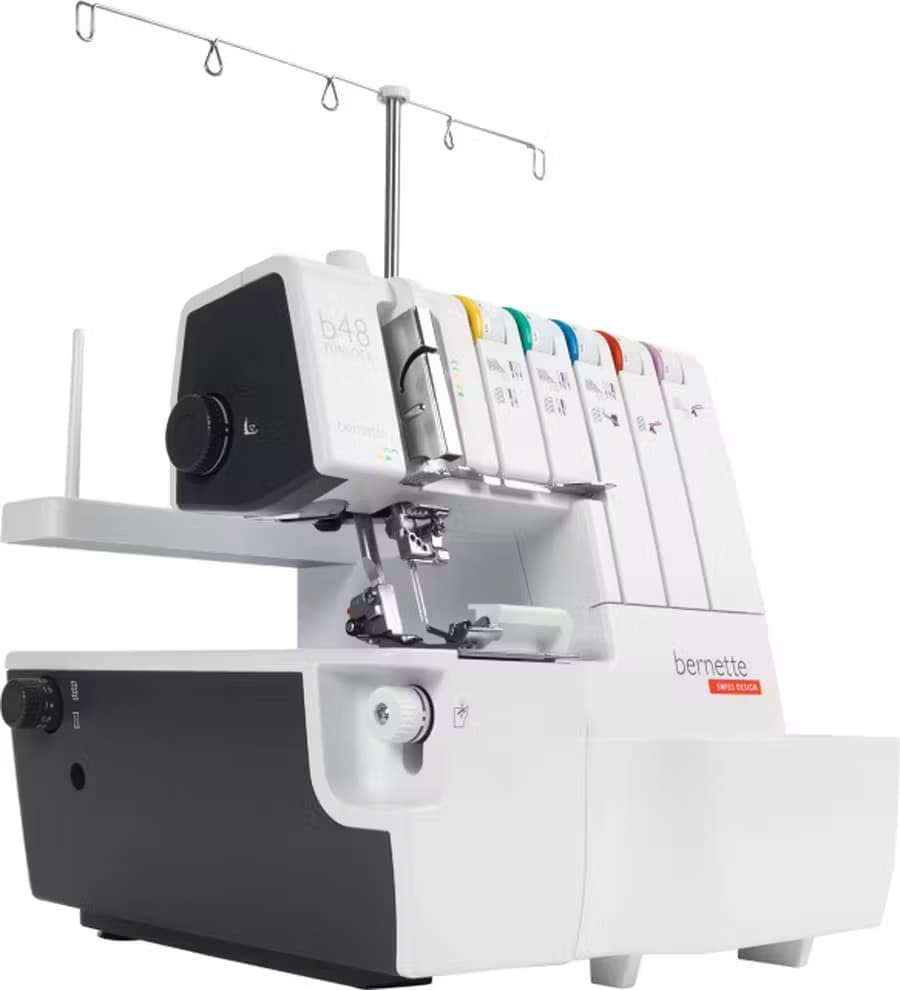
Figure 1: Bernette B48 Funlock Serger Coverstitch Overlock Machine. This image shows the overall machine with its thread stand and tension dials visible.

olusin 2: Ti abẹnu view of the Bernette B48 with the front cover open, revealing the looper area and color-coded threading paths.
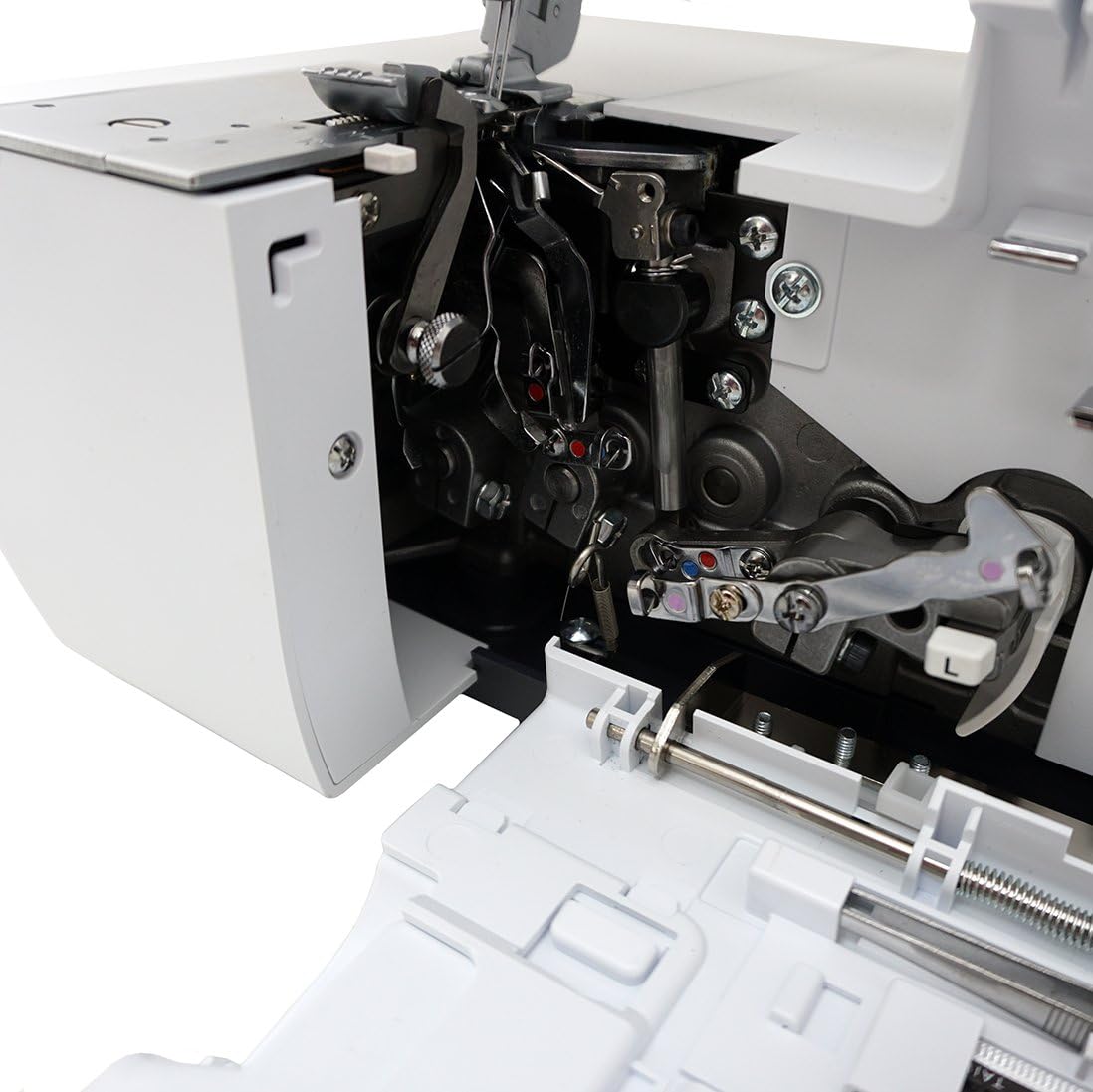
Figure 3: Close-up of the needle plate and feed dogs on the Bernette B48, showing the measurement markings.

Figure 4: A selection of accessories included with the Bernette B48, such as tweezers, needles, and various tools.
Ṣeto
Unpacking ati Placement
- Farabalẹ yọ ẹrọ naa kuro ninu apoti rẹ. Ṣe idaduro gbogbo awọn ohun elo iṣakojọpọ fun irinna ọjọ iwaju tabi ibi ipamọ.
- Place the machine on a sturdy, flat surface with adequate space for fabric handling.
- Ensure the power switch is in the OFF position before connecting the power cord.
- So okùn agbára mọ́ ẹ̀rọ náà, lẹ́yìn náà, so mọ́ ibi tí iná mànàmáná ti lè jáde.
Asapo ẹrọ
Correct threading is crucial for proper stitch formation. The Bernette B48 features color-coded threading paths to simplify this process. Refer to the threading chart provided with your machine for specific stitch types.
Video 1: This video demonstrates the process of setting machine dials and threading the Bernette B48 Funlock Serger. It highlights how to adjust stitch length, differential feed, cutting width, and thread tension according to the threading chart, and then guides through the steps of threading the upper looper using tweezers.
General Threading Steps:
- Gbe ẹsẹ titẹ soke ki o gbe abẹrẹ naa si ipo ti o ga julọ.
- Follow the color-coded guides for each thread path (yellow, green, blue, red, violet).
- Ensure each thread is securely seated in its tension disc and all guides/hooks.
- Use the included tweezers to assist with threading the loopers and needles, especially in tight spaces.
- Once all threads are in place, pull them under the presser foot and to the back of the machine.
Awọn ilana Iṣiṣẹ
Àṣàyàn àti Àtúnṣe Àṣọ
The Bernette B48 offers 23 stitch types, including 4-thread overlock, 3-thread super stretch, 3-thread flatlock, 3-thread narrow seam, and more. Refer to your machine's threading chart for recommended settings for each stitch type.
- Stitch Length (SL): Adjust the dial on the right side of the machine to set the desired stitch length.
- Differential Feed (DF): The differential feed dial, located on the left side, controls the movement of the front and rear feed dogs. Adjust this to prevent stretching or gathering of fabric, or to intentionally create gathering or shirring effects. A setting of '1' is standard.
- Cutting Width (CW): The cutting width dial on the left front of the machine adjusts how much fabric is trimmed by the knife.
- Knife Guard (KG/CSI): Ensure the knife guard is in the correct position for your chosen stitch. 'KG' typically means the knife is engaged.
- Needle Positions (NP): Select the appropriate needle position based on the stitch type.
- Ẹdọfu Opo: Adjust the tension dials for each thread (Yellow, Green, Blue, Red, Violet) according to the threading chart for your selected stitch. Incorrect tension can lead to loose or tight stitches.
Rírán pẹ̀lú ẹ̀rọ náà
- Fi aṣọ rẹ si abẹ ẹsẹ titẹ.
- Isalẹ ẹsẹ titẹ.
- Start sewing slowly, guiding the fabric evenly.
- Always test your stitch settings on a scrap piece of the same fabric before beginning your project.
Itoju
Ninu
Regular cleaning ensures smooth operation and prevents lint buildup from affecting stitch quality.
- Pa a ati yọọ ẹrọ naa.
- Open the front and side covers.
- Use a small brush to remove lint and dust from the looper area, feed dogs, and around the knife.
- Mu ese ita pẹlu asọ ti o gbẹ.
Lubrication
Consult your full Bernette B48 user manual for specific lubrication points and recommended oiling frequency. Generally, a few drops of high-quality sewing machine oil are applied to moving metal parts as indicated in the manual.
Laasigbotitusita
| Isoro | Owun to le Fa | Ojutu |
|---|---|---|
| Skitches Stitches | Abẹ́rẹ́ tí kò tọ́, abẹ́rẹ́ tí ó tẹ̀, okùn tí kò tọ́, ìfúnpọ̀ tí kò tọ́. | Change needle, re-thread machine, adjust tension. |
| Opo Breakage | High thread tension, poor quality thread, incorrect threading, burrs on thread path. | Reduce tension, use quality thread, re-thread carefully, check for burrs. |
| Uneven Seams | Incorrect differential feed setting, uneven fabric feeding. | Adjust differential feed, guide fabric gently and evenly. |
| Ẹrọ Ko Ibẹrẹ | Power cord not connected, power switch off, foot control issue. | Check power connections, ensure switch is ON, inspect foot control. |
Awọn pato
- Awoṣe: Bernette B48 Funlock
- Stitch Types: 23 (including overlock, coverstitch, chain stitch)
- Maximum Sewing Speed: 1300 stitches fun iseju
- Awọn iwọn: 16 x 16 x 16 inches (isunmọ.)
- Ìwọ̀n Nkan: 21 iwon
- Orisun Agbara: Okun Itanna
- Ohun elo: Ṣiṣu
- UPC: 675900960459

Figure 5: Visual representation of the Bernette B48 machine's dimensions, indicating 16 inches for depth, width, and height.
Alaye atilẹyin ọja
Your Bernette B48 Funlock Serger Coverstitch Overlock Machine is covered by a manufacturer's warranty. Please refer to the warranty card included with your product for specific terms, conditions, and registration details. Keep your proof of purchase for warranty claims.
Atilẹyin & Olubasọrọ
For further assistance, technical support, or service inquiries, please contact Bernette customer service or an authorized Bernette dealer. Contact information can typically be found on the Bernette official website or in the documentation included with your machine.