
EARTEC ULSR-HD
EARTEC ULSR-HD Ultralite HD Single Ear Remote Headset User Manual
Model: ULSR-HD
Ọrọ Iṣaaju
The EARTEC ULSR-HD Ultralite HD Single Ear Remote Headset is designed to provide clear, full-duplex wireless communication for professional environments. This headset functions as an add-on or replacement unit for existing UltraLite HD systems, enabling hands-free communication without the need for beltpacks or external transceivers. Its all-in-one design integrates the radio directly into the earcup, offering a compact and efficient solution for team coordination.
Key features include a noise-cancelling microphone with an auto-mute function when pivoted upwards, a long wireless range of up to 1,000 feet line-of-sight, and approximately 6 hours of talk time on a single charge. The pivoting microphone allows for versatile wear on either the left or right ear.
Ibamu
It is crucial to ensure that this Remote headset is compatible with your existing system. The ULSR-HD headset is designed exclusively for use with the HD ẹya of UltraLite systems. It is ko ni ibamu with Classic Ultralite models.

This image illustrates the difference between compatible UltraLite HD models (right, with a checkmark) and incompatible Classic UltraLite models (left, with an X). Always verify your system is UltraLite HD.
Each system containing a Main (no HUB) headset can support up to 4 Remote units. Each HUB-based system (no Main headset) can support up to 8 Remote units.
Ṣeto
1. Ngba agbara si Agbekọri
Before initial use, fully charge the headset's internal battery. The charging time is approximately 3 hours. A full charge provides up to 6 hours of talk time.
- Connect the charging cable (not included, typically comes with the main system) to the charging port on the headset.
- Connect the other end of the charging cable to a compatible USB power source.
- The LED indicator on the headset will show charging status (refer to the LED indications section for details).
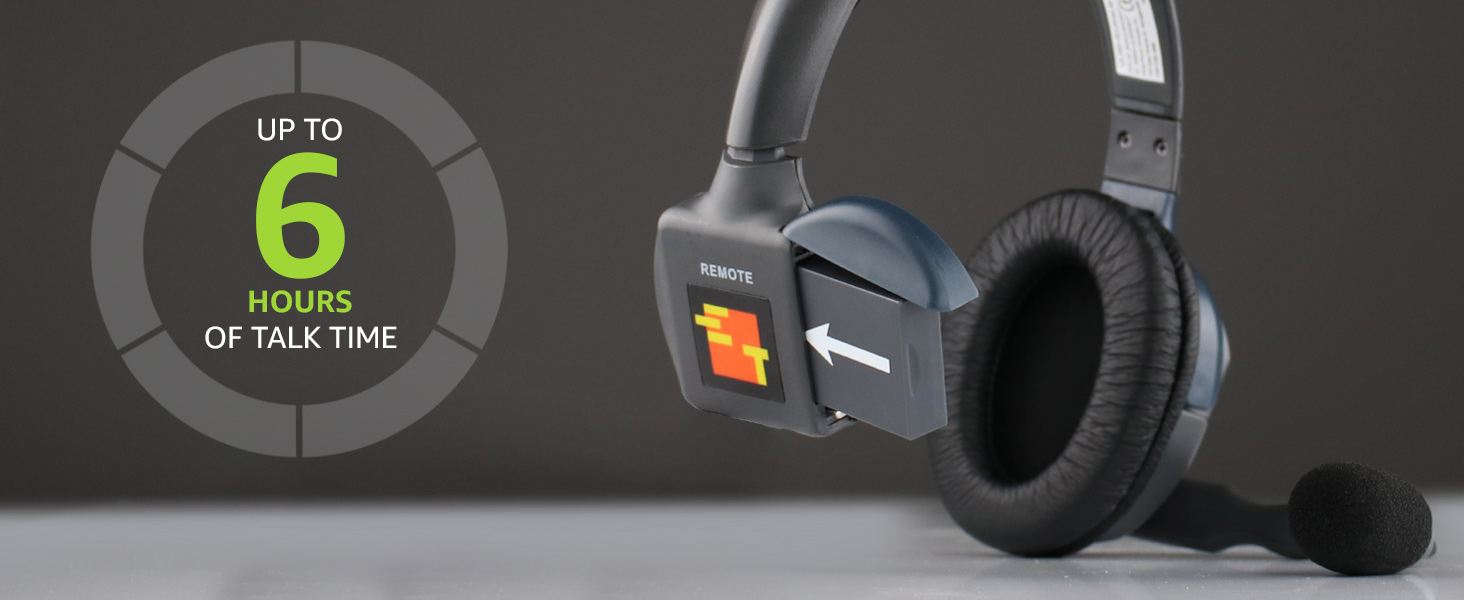
This image highlights the headset's battery life, providing up to 6 hours of talk time on a single charge.
2. Pipọpọ akọkọ (ti o ba nilo)
Remote headsets typically pair automatically with a Main headset or HUB within an UltraLite HD system. If the headset does not connect automatically, ensure it is within range and powered on. For specific pairing procedures, consult the manual for your Main headset or HUB unit.

A alaye view of the EARTEC ULSR-HD Ultralite HD Single Ear Remote Headset, showcasing its design and controls.
Awọn ilana Iṣiṣẹ
1. Agbara lori / Paa
- To power on: Locate the power button (usually integrated with the volume controls or a separate small button) and press and hold until the indicator light illuminates.
- To power off: Press and hold the power button until the indicator light turns off.
2. Wọ Agbekọri
The microphone boom is designed to pivot 270 degrees, allowing the headset to be worn comfortably on either the left or right ear. Adjust the headband for a secure and comfortable fit.
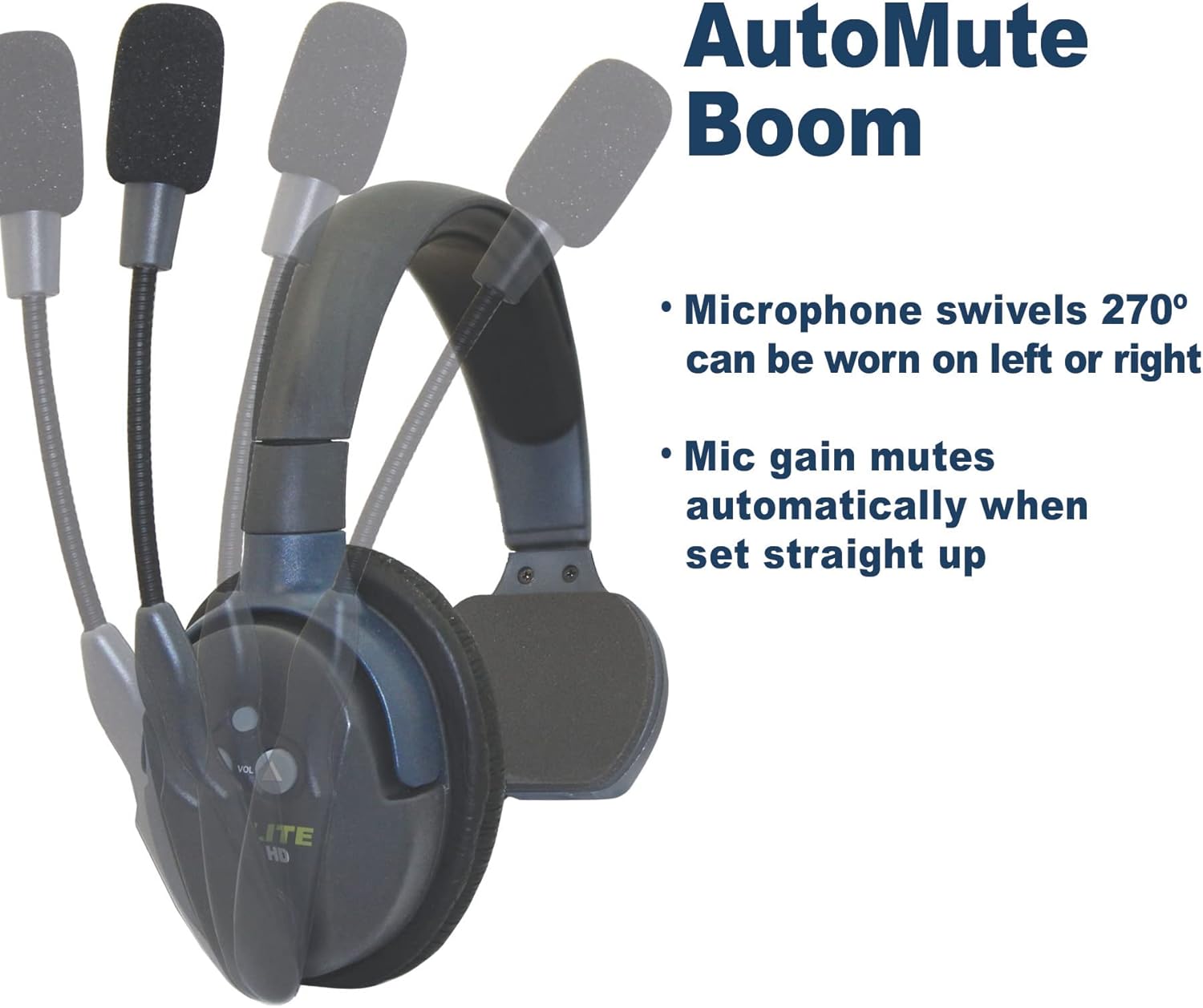
This image illustrates the microphone's 270-degree swivel capability and the automatic mute function when the boom is raised straight up.
3. Microphone Auto-Mute Function
The noise-cancelling microphone features an automatic mute function. When the microphone boom is pivoted upwards (straight up), the microphone gain automatically mutes, preventing unwanted audio transmission. To unmute, simply pivot the microphone boom back down towards your mouth.

A visual representation of the microphone's movement, indicating the active (green microphone icon) and muted (red microphone icon) positions.
4. Iṣakoso iwọn didun
Use the volume up (▲) and volume down (▼) buttons located on the earcup to adjust the listening volume to a comfortable level.
5. Ibiti ibaraẹnisọrọ
The headset provides an effective wireless range of up to 1,000 feet line-of-sight (LOS). Obstructions such as walls, metal structures, and dense foliage can reduce this range. For optimal performance, maintain a clear line of sight between the remote headset and the Main headset or HUB.
Itoju
1. Ninu
- Wipe the headset surfaces with a soft, damp asọ.
- Ma ṣe lo awọn kẹmika lile, awọn nkanmimu, tabi awọn afọmọ abrasive.
- Rii daju pe ibudo gbigba agbara ko ni eruku ati idoti.
2. Itọju batiri
- Recharge the battery regularly, even if the headset is not in frequent use, to maintain battery health.
- Yago fun gbigba agbara si batiri ni kikun fun awọn akoko ti o gbooro sii.
- Tọju agbekari ni itura, aye gbigbẹ nigbati ko si ni lilo.
3. Ibi ipamọ
When storing the headset, especially for long periods, ensure it is powered off and fully charged. Store it in a protective case or a safe environment to prevent physical damage.
Laasigbotitusita
| Isoro | Owun to le Fa | Ojutu |
|---|---|---|
| No audio or intermittent audio. |
|
|
| Short communication range. |
|
|
| Agbekọri ko gba agbara. |
|
|
Awọn pato
| Ẹya ara ẹrọ | Ẹ̀kúnrẹ́rẹ́ |
|---|---|
| Orukọ awoṣe | ULSR-HD |
| Brand | EARTEC |
| Asopọmọra Technology | Ailokun |
| Imọ-ẹrọ Ibaraẹnisọrọ Alailowaya | Ailokun |
| Awọn ẹrọ ibaramu | HD version of UltraLite systems |
| Iwọn Igbohunsafẹfẹ | 1.9 GHz |
| Igbesi aye batiri | Titi di Wakati 6 (Aago Ọrọ) |
| Akoko gbigba agbara | O fẹrẹ to awọn wakati 3 |
| Gbohungbohun Iru | Noise-cancelling, Auto-mute pivoting boom |
| Omi Resistance Ipele | Omi sooro |
| Ohun elo | Ṣiṣu |
| Iwọn Nkan | 6 pounds (Note: This may refer to package weight) |
Atilẹyin ọja ati Support
For detailed warranty information, please refer to the official EARTEC website or the documentation included with your complete UltraLite HD system. Warranty terms and conditions may vary.
Additional support and resources, including a downloadable Instructions for Use (IFU) PDF, may be available from the manufacturer. You can often find these resources on the product support page of the EARTEC webojula.
For technical assistance or further inquiries, please contact EARTEC customer support directly.
Ask a question about this manual
Ask about setup, troubleshooting, compatibility, parts, safety, or missing instructions. Manuals+ will review the question and use this page’s manual context to help answer it.