
1. Ifihan
Thank you for choosing the Amazon Basics Over-Ear Studio Monitor Headphones. These headphones are designed to provide clear audio reproduction and comfort for extended listening sessions, making them suitable for studio monitoring, field recording, and general audio enjoyment. This manual provides essential information for the proper use and care of your headphones.
2. Package Awọn akoonu
- Amazon Basics Over-Ear Studio Monitor Headphones
- Detachable Audio Cable (3.5mm to 3.5mm with 6.35mm adapter)
3. Ọja Ipariview
The Amazon Basics Over-Ear Studio Monitor Headphones feature a robust design with user comfort and audio clarity in mind.
- Apẹrẹ Etí Lori: Helps isolate sound and minimize external noise, ideal for focused listening environments.
- Imudara Itunu: Contoured ear-cups and a self-adjustable, flexible leather headband ensure comfort during prolonged use.
- Swivel Ear-cups: 90-degree swivel functionality allows for single-ear monitoring.
- Apẹrẹ folda: Ear-cups fold inward for compact storage and easy transport.
- High-Quality Drivers: Equipped with 40 mm diameter drivers for clear audio output.
- USB Iyọkuro: Features a DJ-style 9.8-foot coiled cable with a detachable standard 6.3mm plug adapter for versatile connectivity.

olusin 1: Angled view of the Amazon Basics Over-Ear Studio Monitor Headphones.
4. Awọn ilana iṣeto
- Yọ Awọn akoonu: Fi ìṣọ́ra yọ agbekọri ati gbogbo awọn ohun elo miiran kuro ninu apoti naa.
- So okun Olohun so pọ: Insert the smaller 3.5mm end of the detachable audio cable into the audio jack located on the left earcup of the headphones. Ensure it is securely seated.
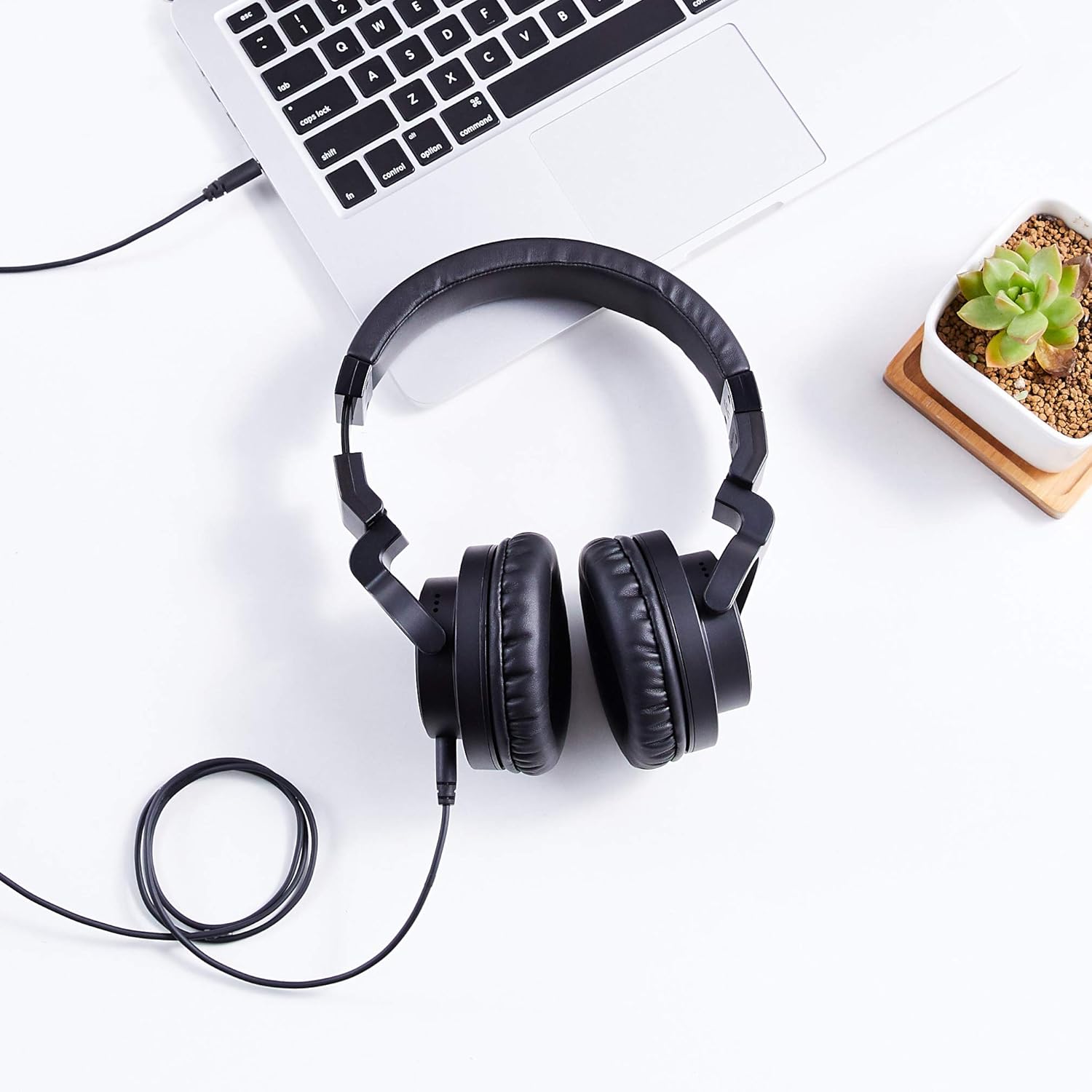
Figure 2: The detachable coiled audio cable with 3.5mm and 6.35mm connectors.
- Sopọ si Orisun Olohun:
- For devices with a 3.5mm audio output (e.g., smartphones, laptops, MP3 players), connect the larger 3.5mm end of the cable directly to the device's audio jack.
- For devices with a 6.35mm audio output (e.g., audio interfaces, mixing consoles, amplifiers), attach the included 6.35mm adapter to the larger 3.5mm end of the cable, then connect it to the device's audio jack.

Figure 3: Headphones connected to a laptop via the audio cable.
- Ṣatunṣe Akọkọ: Place the headphones on your head. Adjust the headband by sliding the earcups up or down until they fit comfortably over your ears. The headband is self-adjustable for optimal fit.
- Àwọn ago etí tó wà ní ipò: Ensure the earcups fully enclose your ears for the best sound isolation and comfort. The earcups are designed to swivel 90 degrees for single-ear monitoring if needed.

Figure 4: Earcup swiveled for single-ear monitoring.
5. Awọn ilana Iṣiṣẹ
- Orisun Ohun Agbára: Ensure your audio source device is powered on and playing audio.
- Ṣatunṣe Iwọn didun: Control the audio volume directly from your connected audio source device. These headphones do not feature inline volume controls.
- Single-Ear Monitoring: For situations requiring awareness of your surroundings or specific audio monitoring techniques, rotate one earcup 90 degrees to listen with a single ear.
- Fífetísílẹ̀ Tó Dáa Jùlọ: For the best audio experience, ensure both earcups are fully covering your ears and the headband is adjusted for a secure yet comfortable fit.
6. Itọju
Ìtọ́jú tó péye ń jẹ́ kí àwọn agbekọri rẹ pẹ́ títí àti iṣẹ́ wọn.
- Cleaning Earcups: Gently wipe the earcups and headband with a soft, dry cloth. For stubborn dirt, a slightly damp Aṣọ le ṣee lo, ṣugbọn yago fun ọrinrin pupọ. Maṣe lo awọn kẹmika ti o lewu tabi awọn afọmọ abrasive.
- Itọju USB: Avoid sharply bending or twisting the audio cable. When storing, coil the cable loosely. The detachable design allows for easy replacement if the cable becomes damaged.
- Ibi ipamọ: When not in use, store the headphones in a clean, dry place. The foldable design allows for compact storage. Avoid exposing them to extreme temperatures, humidity, or direct sunlight.
- Yago fun awọn isọ silẹ: Protect the headphones from drops and impacts, which can damage internal components.
7. Laasigbotitusita
Ti o ba pade awọn ọran pẹlu awọn agbekọri rẹ, tọka si awọn iṣoro ti o wọpọ ati awọn ojutu wọnyi:
| Isoro | Owun to le Fa | Ojutu |
|---|---|---|
| Ko si ohun tabi iwọn didun kekere |
|
|
| Daru tabi ko dara ohun didara |
|
|
| Awọn agbekọri korọrun |
|
|
8. Awọn pato
| Ẹya ara ẹrọ | Ẹ̀kúnrẹ́rẹ́ |
|---|---|
| Brand | Amazon Awọn ipilẹ |
| Nọmba awoṣe | MHP-1190-01A |
| Asopọmọra Technology | Ti firanṣẹ |
| Awọn agbekọri Jack | 3.5 mm (with detachable 6.35 mm adapter) |
| Awakọ Iwon | 40 mm |
| Gbigbe Eti | Lori Eti |
| Fọọmù ifosiwewe | Lori Eti |
| Ohun elo | Leather (earcups and headband) |
| Àwọ̀ | Dudu |
| Iwọn Nkan | 8 iwon (0.5 iwon) |
| Ọja Mefa | 7.88 x 3.78 x 7.09 inches |
| Cable Ẹya | Detachable, Coiled |
9. Atilẹyin ọja ati Support
These Amazon Basics Over-Ear Studio Monitor Headphones are backed by an Amazon Basics 1-year limited warranty. For detailed warranty information or support, please refer to the official Amazon Basics webojula tabi kan si Amazon onibara iṣẹ.
Fun iranlọwọ siwaju sii, jọwọ ṣabẹwo si Amazon Ipilẹ itaja.