
1. Ifihan
O ṣeun fun riraasing the Kiano HD Slim TV 32 Inch. This manual provides essential information for the safe and efficient operation of your television. Please read it thoroughly before using the product and retain it for future reference.
2. Alaye Aabo
Lati rii daju iṣẹ ailewu ati yago fun ibajẹ, jọwọ ṣe akiyesi awọn iṣọra ailewu atẹle:
- Ibi ti ina elekitiriki ti nwa: Ensure the TV is connected to a power source that matches the voltage pato lori awọn Rating aami.
- Afẹfẹ: Ma ṣe dina awọn ṣiṣi atẹgun. Gba aaye to peye ni ayika TV fun sisan afẹfẹ to dara lati ṣe idiwọ igbona.
- Omi ati Ọrinrin: Do not expose the TV to rain, moisture, or place objects filled with liquids on it.
- Ninu: Yọ TV kuro ṣaaju ki o to di mimọ. Lo asọ asọ ti o gbẹ. Ma ṣe lo olomi tabi awọn olutọpa aerosol.
- Ibi: Place the TV on a stable, level surface or mount it securely to a wall using a VESA-compatible bracket.
- Mànàmáná: During lightning storms or when unused for long periods, unplug the TV from the wall outlet.
3. Package Awọn akoonu
Jọwọ ṣayẹwo pe gbogbo awọn nkan wa ninu apoti:
- Kiano HD Slim TV 32 Inch
- Isakoṣo latọna jijin
- Iduro TV (awọn ege 2)
- Okun agbara
- Afowoyi Olumulo (iwe-ipamọ yii)
- Skru fun imurasilẹ ijọ
4. Ọja Ipariview
4.1 Iwaju View
The front of the Kiano HD Slim TV 32 Inch features a sleek design with a narrow bezel, providing an immersive viewiriri iriri.
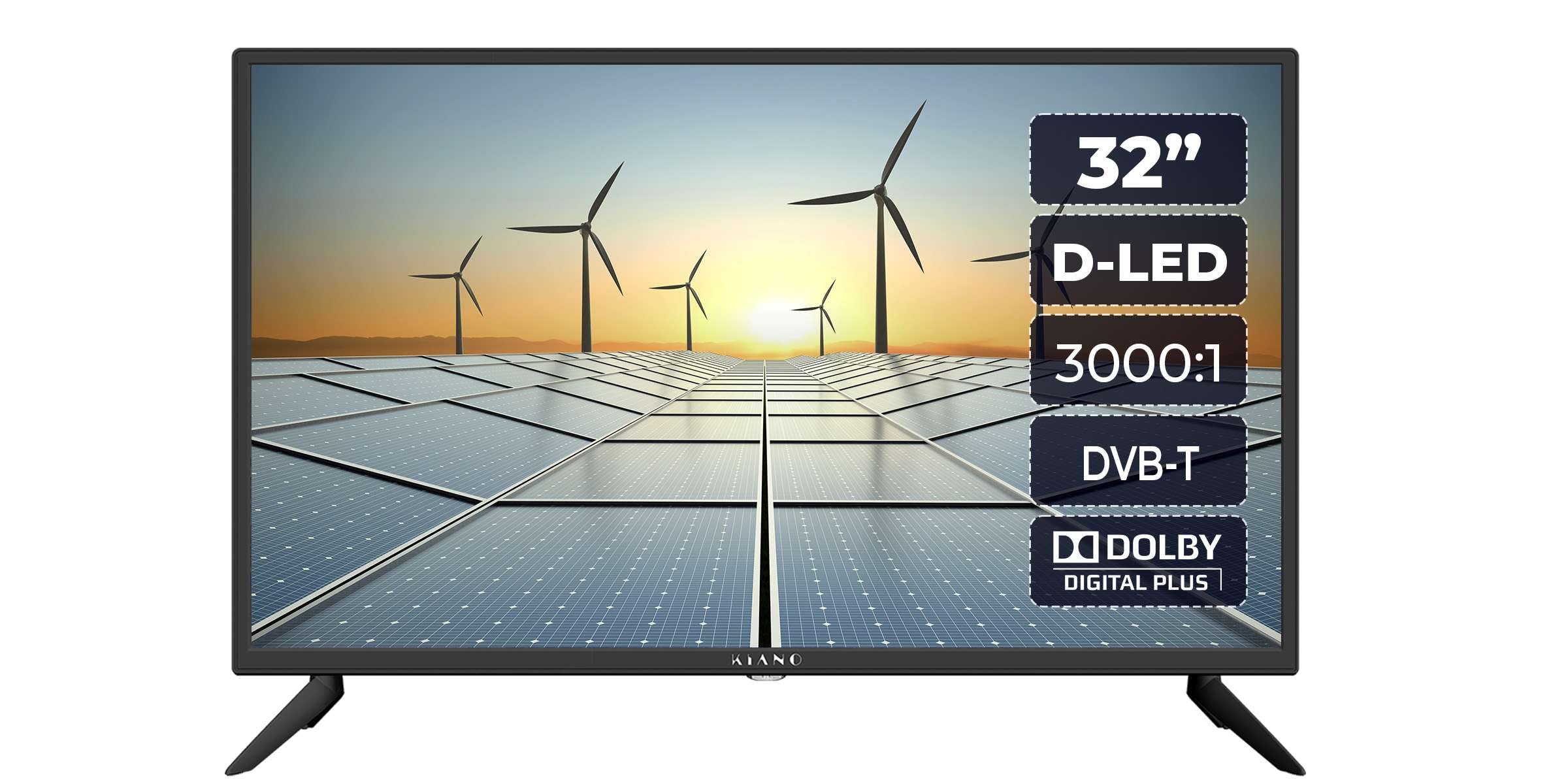
Aworan: Iwaju view of the Kiano HD Slim TV 32 Inch, showcasing its display and slim design.
4.2 Ẹgbẹ View
Awọn tẹẹrẹ Profile of the TV is evident from the side, designed to fit seamlessly into any living space.

Aworan: Apa view of the Kiano HD Slim TV 32 Inch, highlighting its thin profile.
4.3 Ẹyìn View ati Awọn isopọ
Àwọn ibi ìfàsẹ́yìn ní oríṣiríṣi ibi ìfàsẹ́yìn àti ìjáde fún sísopọ̀ àwọn ẹ̀rọ ìta.

Aworan: Ẹyin view of the Kiano HD Slim TV 32 Inch, showing the back panel and general layout.
A alaye view of the connection ports:

Image: Close-up of the TV's rear connection panel, including HDMI, USB, AV, and antenna inputs.
The TV features extensive connectivity options:
- Awọn ibudo HDMI: For high-definition audio and video input from devices like Blu-ray players, game consoles, or set-top boxes.
- Awọn ibudo USB: For connecting USB storage devices for PVR functionality (recording and playback) or media viewing.
- Iṣawọle eriali: For connecting a terrestrial or satellite antenna.
- Iṣawọle AV: Fún sísopọ̀ àwọn ẹ̀rọ àtijọ́ nípa lílo àwọn okùn ohùn fídíò àti sítíréò.
- Ijade Coaxial: Fun ohun oni-nọmba ti o jade.
- Jack agbekari: Fun ikọkọ gbigbọ.
- CI Slot (CI+): For inserting a Conditional Access Module (CAM) to decrypt encrypted channels.
- PC Audio Input: For connecting audio from a PC.
4.4 Iṣakoso latọna jijin
The included remote control allows for convenient operation of all TV functions.

Image: The remote control for the Kiano HD Slim TV 32 Inch, showing various function buttons.
5. Eto
5.1 Ṣíṣe àkójọpọ̀ ìdúró tàbí ìsopọ̀ ògiri
Iduro Iduro: Carefully place the TV screen-down on a soft, flat surface. Attach the two stand pieces to the designated slots on the bottom of the TV using the provided screws. Ensure they are securely fastened.
Iṣagbede ogiri: The TV supports VESA 100x100 mm mounting. Purchase a compatible wall mount bracket separately. Follow the instructions provided with your wall mount bracket for safe installation. Ensure the wall can support the weight of the TV.

Image: The Kiano HD Slim TV 32 Inch securely mounted on a wall, demonstrating VESA compatibility.
5.2 Nsopọ Agbara
Connect the power cable to the TV's power input and then plug it into a wall outlet.
5.3 Connecting Antenna/Cable
Connect your terrestrial antenna or cable TV signal to the 'ANT IN' port on the rear of the TV.
5.4 Nsopọ Awọn ẹrọ ita
- Awọn ẹrọ HDMI: Connect devices like Blu-ray players, game consoles, or streaming boxes to the HDMI ports.
- Awọn ẹrọ USB: Insert USB storage devices into the USB ports for media playback or PVR recording.
- AV Devices: Use the AV input for older devices such as VCRs.
5.5 Olùṣètò Àkọ́kọ́
Nígbà tí o bá ti kọ́kọ́ tan-an, TV náà yóò darí rẹ láti ṣe àtúnṣe sí i ní ìbẹ̀rẹ̀. Èyí sábà máa ń ní nínú:
- Aṣayan ede
- Àṣàyàn orílẹ̀-èdè/Agbègbè
- Channel scanning (DVB-T/T2, DVB-C, DVB-S/S2)
- Awọn eto akoko ati ọjọ
6. Ṣiṣẹ
6.1 Ipilẹ TV Awọn iṣẹ
- Titan/Apapa: Tẹ bọtini agbara lori isakoṣo latọna jijin tabi TV.
- Aṣayan ikanni: Lo awọn bọtini CH+/- tabi awọn bọtini nọmba lori isakoṣo latọna jijin.
- Iṣakoso iwọn didun: Lo awọn bọtini VOL+/- lori isakoṣo latọna jijin.
- Pa ẹnu mọ́: Press the Mute button to temporarily silence the audio.
6.2 Lilọ kiri Akojọ aṣyn
Press the 'MENU' button on the remote to access the main menu. Use the arrow buttons to navigate through options and 'OK' to confirm selections. 'EXIT' or 'BACK' buttons return to the previous screen or exit the menu.
6.3 Orisun Aṣayan
Press the 'SOURCE' button on the remote to switch between different input sources (e.g., TV, HDMI1, HDMI2, AV, USB).
6.4 PVR Functionality (Recording and Playback)
The TV supports USB PVR (Personal Video Recorder) functionality. Connect a USB storage device (e.g., USB flash drive or external hard drive) to one of the USB ports to record live TV programs or play back stored media.

Image: The Kiano HD Slim TV 32 Inch displaying content, with an overlay indicating PVR functionality via USB.
- Gbigbasilẹ: While watching a program, press the 'REC' button on the remote to start recording.
- Sisisẹsẹhin: Access recorded content or other media files through the Media Browser menu.
6.5 Hotel Ipo
This feature allows for customization of TV settings for use in hospitality environments. It can restrict certain functions, set default channels, or limit volume. Consult the advanced settings menu for Hotel Mode configuration.
6.6 Itọsọna Eto Itanna (EPG)
Press the 'EPG' button on the remote to view the Electronic Program Guide, which provides information about current and upcoming TV programs.
6.7 Eto ohun
The TV features 2x8W stereo speakers with Dolby Audio and Dolby Digital Plus for enhanced sound quality. Adjust audio settings, including sound mode and equalizer, through the Audio menu.
7. Itọju
Proper maintenance ensures the longevity of your TV:
- Isọsọ iboju: Rọra nu iboju naa pẹlu asọ ti ko ni lint. Fun awọn ami alagidi, die-die dampfi omi tàbí ohun èlò ìfọmọ́ ìbòjú pàtàkì kan aṣọ náà (fi sí aṣọ náà, kìí ṣe sí aṣọ náà tààrà).
- Ìfọ̀mọ́ ilé iṣẹ́ ilé: Lo asọ asọ ti o gbẹ lati nu minisita TV kuro.
- Eruku: Regularly dust the ventilation openings to prevent dust buildup.
- Ibi ipamọ: Tí o bá ń fi tẹlifíṣọ̀n pamọ́ fún ìgbà pípẹ́, yọ ọ́ kúrò nínú ẹ̀rọ ìdènà kí o sì bò ó láti dáàbò bò ó kúrò lọ́wọ́ eruku.
8. Laasigbotitusita
Ti o ba pade awọn ọran pẹlu TV rẹ, tọka si awọn iṣoro ti o wọpọ ati awọn ojutu wọnyi:
| Isoro | Owun to le Solusan |
|---|---|
| Ko si agbara | Ṣàyẹ̀wò bóyá okùn agbára náà so mọ́ TV àti ibi tí a ti ń ta ohun èlò ìtajà náà dáadáa. Rí i dájú pé ibi tí a ti ń ta ohun èlò ìtajà náà ṣiṣẹ́ dáadáa. |
| Ko si aworan, ṣugbọn ohun wa | Ṣàyẹ̀wò orísun ìtẹ̀wọlé. Rí i dájú pé ẹ̀rọ tí a so pọ̀ náà ti ń ṣiṣẹ́, ó sì ń fi àmì ránṣẹ́. Gbìyànjú okùn HDMI mìíràn. |
| Ko si ohun, ṣugbọn aworan wa | Check the volume level and ensure the TV is not muted. Verify audio settings in the menu. If using external speakers, check their connections. |
| Isakoṣo latọna jijin ko ṣiṣẹ | Rọpo awọn batiri ni isakoṣo latọna jijin. Rii daju pe ko si awọn idena laarin isakoṣo latọna jijin ati sensọ IR ti TV. |
| Didara aworan ti ko dara | Check antenna connection. If using an external device, check its output resolution and cable quality. Adjust picture settings in the TV menu. |
Ti iṣoro naa ba wa lẹhin igbiyanju awọn solusan wọnyi, jọwọ kan si atilẹyin alabara.
9. Awọn pato
Detailed technical specifications for the Kiano HD Slim TV 32 Inch:
| Ẹya ara ẹrọ | Sipesifikesonu |
|---|---|
| Iwon iboju | 32 Inches (31.5" onígun mẹ́rìndínlọ́gọ́ta) |
| Ipinnu | 1366x768 (HD) |
| Ifihan ọna ẹrọ | LED (DLED) |
| Oṣuwọn sọtun | 60 Hz |
| Imọlẹ | 200 cd/m² |
| Ipin Itansan | 3500:1 |
| Viewigun igun | 178° |
| Apakan Ipin | 16:9 |
| Ijade ohun | 2x8W Stereo Speakers |
| Ohun Technology | Dolby Audio, Dolby Digital Plus |
| Tuners | DVB-S/S2, ATV/DVB-C/T/T2 |
| Asopọmọra | 2x HDMI, 2x USB, AV, Coaxial, Headphone Jack, CI Slot (CI+), PC Audio Input, TV Antenna |
| Pataki Awọn ẹya ara ẹrọ | USB PVR Playback/Recording, Hotel Mode, EPG Guide |
| Agbara agbara | 60W |
| Voltage | 220-240V AC, 50 Hz |
| Iwọn (D x W x H) | 18.5D x 11.5W x 38H centimetres (with stand) |
| Iwọn | 3.5 kilo |
| Boṣewa VESA Mount | 100 x 100 mm |
10. Atilẹyin ọja ati Support
The Kiano HD Slim TV 32 Inch comes with a limited warranty. Please refer to the warranty card included in your package for specific terms and conditions. For technical support, service, or warranty claims, please contact Kiano customer service through their official webaaye tabi alaye olubasọrọ ti a pese pẹlu iwe rira rẹ.