
Ọrọ Iṣaaju
This manual provides instructions for the setup, operation, maintenance, and troubleshooting of your new replacement remote control for Optoma projectors. This remote is designed to be compatible with a wide range of Optoma projector models, offering a convenient and reliable control solution.
Compatible Optoma Projector Models:
- HD26, X412, HD26B, HD26BR, UHD300X
- GT1080, GT1080E, GT1080DARBEE, GT1070X, VDGTGZBZ, GT1070Xe
- HD141X, HD143X, H181X, DH1008, DH1009
- HD37, UHD60, HDF536, HDF537ST, HD200D
- HD39DARBEE, VDHDNBDSE, UHD65, HD27, HD27E, HD27HDR, HD29DARBEE
- EH200ST, EH412ST, GT5600, VDHDNL, HD142X, HD144X, HD152X
- UHD550X, HD28HDR, HD28DSE, UHD40, UHD50, UHZ65, VDUHDLZ, ZH403, HD39HDR, UHD35
Please verify that your original remote control is identical to this replacement model for full functionality. If your original remote differs, some functions may not be fully compatible.
Ṣeto
Fifi sori batiri
The remote control requires two (2) AA batteries for operation. Batteries are not included with the remote control.
- Wa yara batiri ni ẹhin isakoṣo latọna jijin.
- Gbe ideri apo batiri naa si isalẹ tabi tẹ ideri naa ki o gbe soke lati ṣii.
- Fi awọn batiri AA meji sii, ki o rii daju pe awọn ebute rere (+) ati odi (-) ba awọn ami inu yara naa mu deede.
- Rọpo ideri iyẹwu batiri nipa gbigbe pada si aaye titi yoo fi tẹ ni aabo.

The remote control's rear panel, with the battery cover removed, revealing the battery compartment and regulatory markings.

The remote control's front, highlighting the requirement for two AA batteries for operation.
Isẹ
Awọn iṣẹ ipilẹ
Point the remote control directly at the infrared receiver on your Optoma projector. The maximum effective range is approximately 10 meters (33 feet).
A ko o view of the remote control's front face, displaying all functional buttons including power, menu, volume, and source selection.
- TAN/PA: Press the 'ON' button to power on the projector. Press the 'OFF' button to power off the projector.
- Akojọ: Access the projector's on-screen display (OSD) menu.
- Awọn bọtini lilọ kiri (Soke, Isalẹ, Osi, Ọtun, Tẹ sii): Use these buttons to navigate through menu options and confirm selections.
- Iwọn didun +/-: Ṣatunṣe ipele iṣelọpọ ohun.
- Orisun: Cycle through available input sources (e.g., HDMI1, HDMI2, VGA1, VGA2, Video, YPbPr).
- Pa ẹnu mọ́: Mu ohùn náà dẹ́kun tàbí kí o yọ ohùn náà kúrò.
- Imọlẹ: Adjust the projector's brightness setting.
- Iyatọ: Adjust the projector's contrast setting.
- Okuta okuta: Access keystone correction settings to adjust image geometry.
- Ipin Ipin: Change the image aspect ratio.
- Ipo: Select different display modes.
- Ọdun 3: Activate or deactivate 3D mode (if supported by projector).
- Akoko oorun: Set a timer for the projector to automatically power off.
- Àtún-múṣiṣẹ́pọ̀: Re-synchronize the input signal.
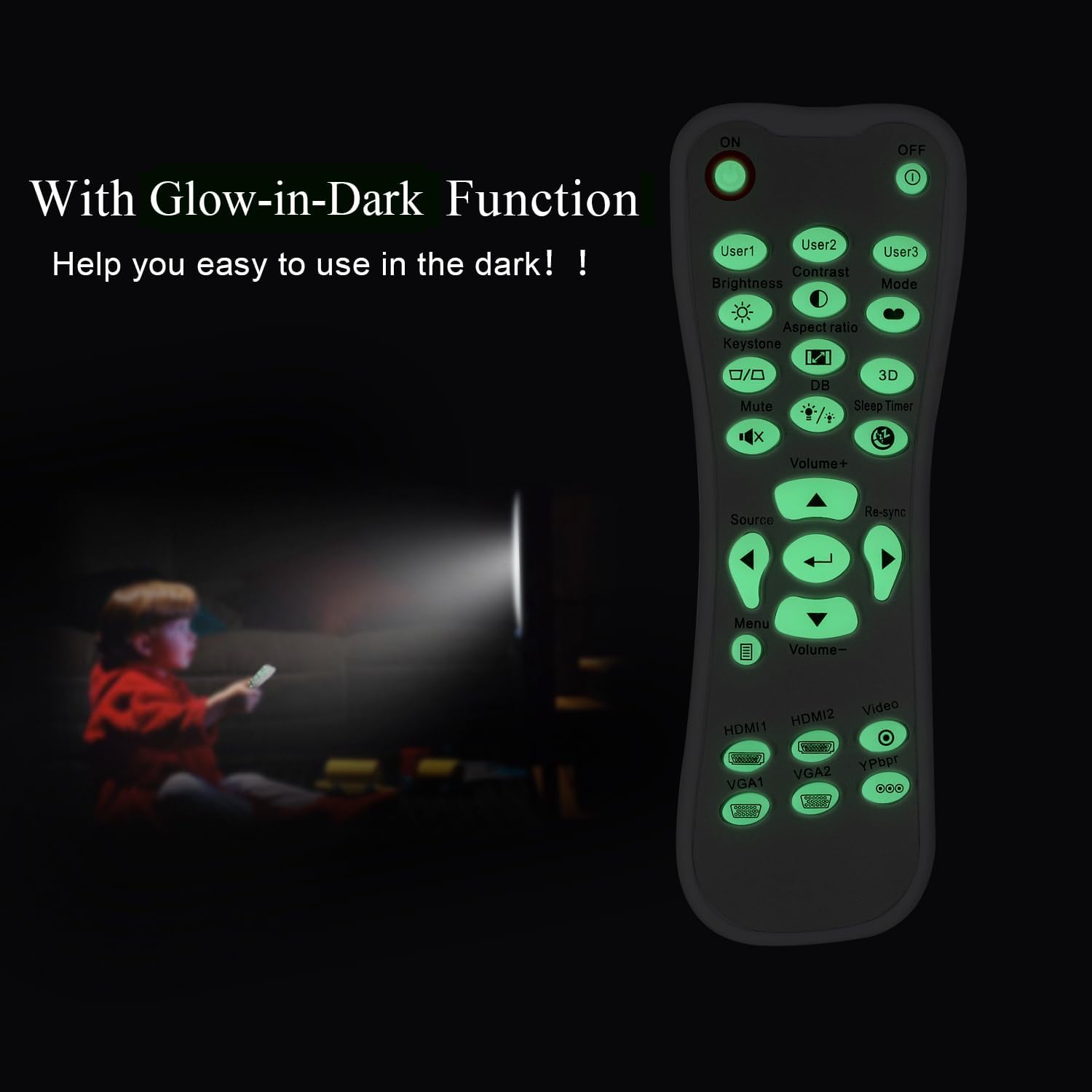
Glow-in-Dark Function
Certain buttons on this remote control are designed to glow in the dark, enhancing visibility and ease of use in low-light conditions. For optimal luminous effect, expose the remote control to bright light for a period before use in the dark.

The remote control features glow-in-the-dark buttons, making it visible and easy to use in low-light environments, such as a darkened room during projector use.
Ibiti nṣiṣẹ
The remote control operates using infrared (IR) technology. Ensure a clear line of sight between the remote control and the projector's IR receiver. The effective operating distance is up to 10 meters (approximately 33 feet).
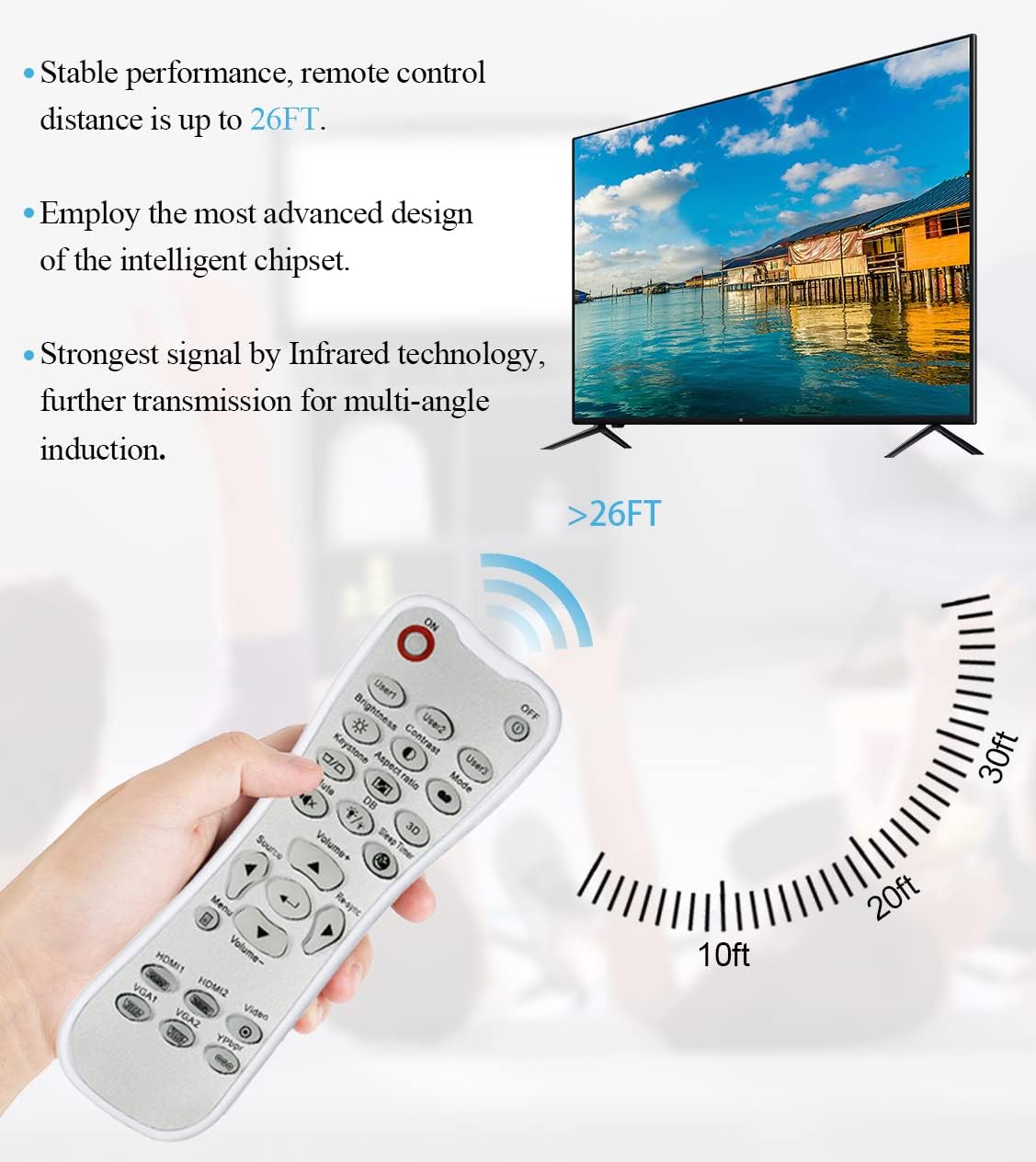
The remote control utilizes infrared technology for signal transmission, offering a reliable operating range of up to 26 feet (approximately 8 meters) for controlling your projector.
Itoju
Ninu
To clean the remote control, use a soft, dry cloth. Do not use liquid cleaners, abrasive pads, or chemical solvents, as these may damage the surface or internal components.
Batiri Rirọpo
Rọpo awọn batiri nigbati idahun isakoṣo latọna jijin di onilọra tabi da iṣẹ duro. Nigbagbogbo rọpo awọn batiri mejeeji ni akoko kanna pẹlu awọn batiri AA tuntun. Maṣe dapọ atijọ ati awọn batiri titun, tabi awọn oriṣiriṣi awọn batiri.
Ibi ipamọ
Tọ́jú ẹ̀rọ amúṣẹ́dá latọna jijin sí ibi tí ó tutù tí ó sì gbẹ, tí kò sí ìmọ́lẹ̀ oòrùn tààrà tàbí ooru tó le koko. Tí a kò bá lo ẹ̀rọ amúṣẹ́dá latọna jijin náà fún ìgbà pípẹ́, a gbani nímọ̀ràn láti yọ àwọn bátìrì náà kúrò kí ó má baà jò.
Laasigbotitusita
- Latọna jijin ko dahun:
- Rii daju pe awọn batiri ti fi sori ẹrọ ni deede pẹlu polarity to pe.
- Rọpo awọn batiri atijọ pẹlu awọn tuntun.
- Check for any obstructions between the remote control and the projector's IR receiver.
- Ensure you are within the effective operating range (up to 10 meters).
- Buttons are stiff or unresponsive:
- Ensure the remote control is clean and free from debris that might impede button movement.
- If buttons are consistently stiff, this may indicate a manufacturing issue.
- Glow-in-dark function is weak:
- Expose the remote control to bright light for a longer duration to charge the luminous material.
Awọn pato
| Ẹya ara ẹrọ | Sipesifikesonu |
|---|---|
| Orukọ awoṣe | L-27-5KEY |
| Brand Ibamu | Optoma Projectors |
| Pataki Ẹya | Universal Replacement, Glow-in-Dark Buttons |
| Àwọ̀ | Funfun |
| Asopọmọra Technology | Infurarẹẹdi (IR) |
| Bọtini opoiye | 5 (referring to the main function keys, though more buttons are present) |
| Adarí Iru | Iṣakoso bọtini |
| Ibiti o pọju | 10 Meters (approximately 33 feet) |
| Batiri Iru | Awọn batiri 2 x AA (kii ṣe pẹlu) |
| Ohun elo | Ṣiṣu |
| Awọn Iwọn Nkan (L x W x H) | 14.9 cm (5.9 in) x 5.3 cm (2.1 in) x 2.5 cm (1 in) |

A dimensional diagram illustrating the compact size of the remote control, measuring approximately 14.9 cm (5.9 inches) in length, 5.3 cm (2.1 inches) in width, and 2.5 cm (1 inch) in thickness.
Atilẹyin ọja ati Support
For any issues not covered in this manual, or for warranty inquiries, please contact the seller or manufacturer directly through your purchase platform. Keep your purchase receipt as proof of purchase.