
MEE audio EP-X5G2-GM
MEE audio X5-G2-2019 Wireless In-Ear Sport Headphones
Itọsọna olumulo
Model: EP-X5G2-GM
1. Eto
1.1 Package Awọn akoonu
Daju pe gbogbo awọn ohun kan wa ninu apoti ọja rẹ:
- X5 Wireless In-Ear Headset
- Micro-USB Ngba agbara USB
- Eartips (4 sizes)
- Eti Ikun
- Itọsọna olumulo

Image: Retail packaging of the MEE audio X5-G2-2019 headphones, showing the product and accessories.
1.2 Ngba agbara si awọn Agbekọri
Before first use, fully charge the headphones. Connect the supplied Micro-USB charging cable to the charging port on the control module and plug the other end into a USB power source (e.g., computer USB port or wall adapter). The LED indicator will show charging status.
1.3 Wọ Awọn Agbekọri
The X5-G2-2019 headphones are designed for a secure and comfortable fit. Experiment with the different sizes of eartips and ear fins to find the best seal and stability for your ears. The ergonomic design ensures they stay in place during physical activity.
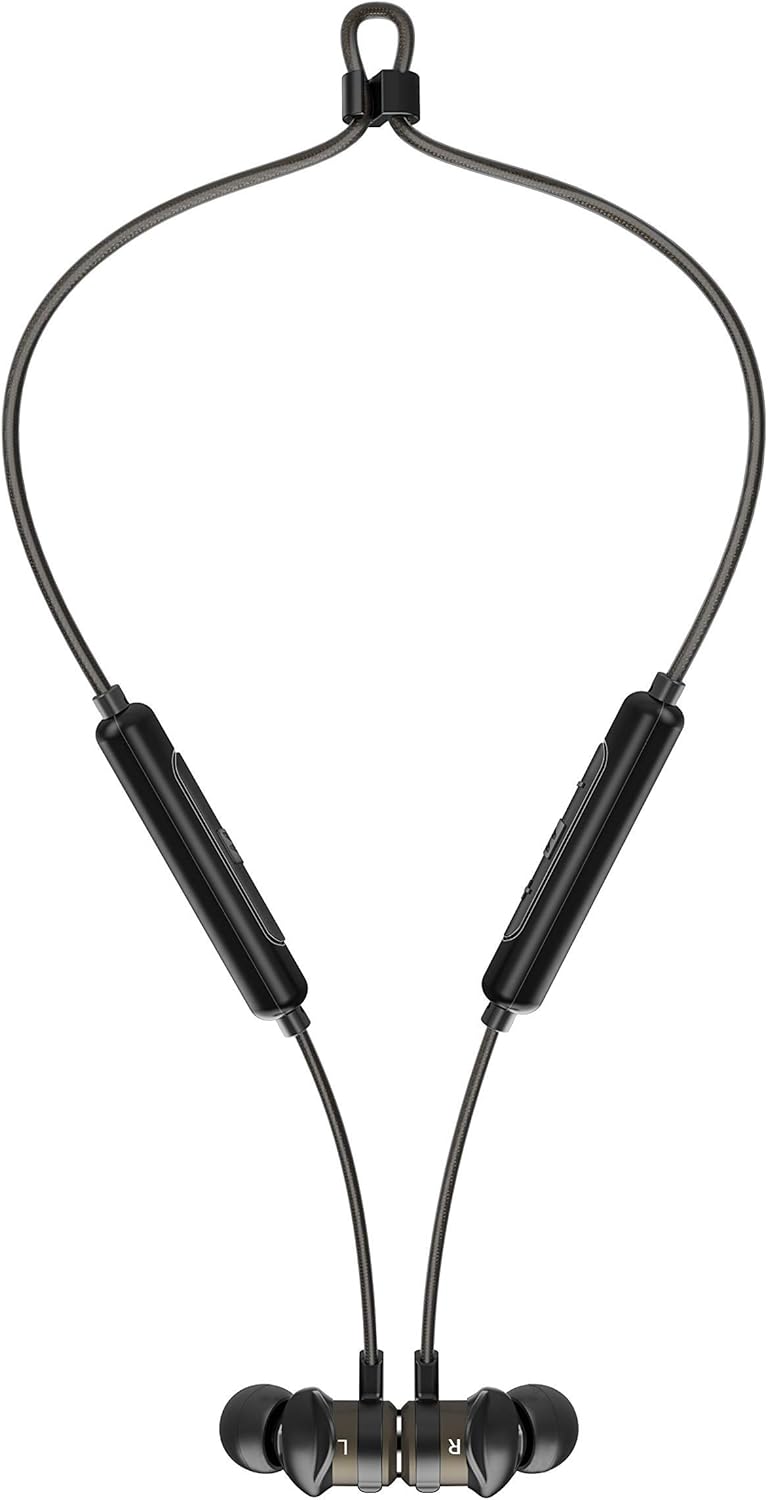

Image: The headphones shown worn around the neck and with earpieces magnetically connected for secure storage.
1.4 Sisopọ Bluetooth
- Rii daju pe awọn agbekọri ti gba agbara ati pipa.
- Press and hold the multi-function button on the control module until the LED indicator flashes blue and red, indicating pairing mode.
- Lori ẹrọ rẹ (foonuiyara, tabulẹti, ati bẹbẹ lọ), mu Bluetooth ṣiṣẹ ki o wa awọn ẹrọ titun.
- Select "MEE audio X5-G2-2019" from the list of available devices.
- Ni kete ti a ti sopọ, Atọka LED yoo tan bulu lorekore.
2. Ṣiṣẹ awọn Agbekọri
2.1 Iṣakoso Pariview
The X5-G2-2019 features an integrated remote and microphone for convenient control of calls and music playback.

Image: Close-up of the MEE audio X5-G2-2019 headphones showing the inline control module with volume and multi-function buttons.
- Bọtini iṣẹ-pupọ: Tan-an/pa a, mu ṣiṣẹ/duro, dahun/pari awọn ipe.
- Iwọn didun soke (+): Mu iwọn didun pọ si, orin ti o tẹle (tẹ ni gigun).
- Iwọn didun isalẹ (-): Dín iwọn didun kù, orin ti o ti kọja (tẹ ni gígùn).
2.2 Agbara Tan / Pa
- Agbara Tan: Tẹ ki o si mu bọtini iṣẹ-pupọ naa titi ti LED yoo fi tan imọlẹ buluu.
- Agbara Pa: Press and hold the multi-function button until the LED flashes red and turns off.
2.3 Sisisẹsẹhin Orin
- Ṣiṣẹ/Daduro: Tẹ bọtini iṣẹ-ọpọlọpọ lẹẹkan.
- Orin t’okan: Tẹ bọtini iwọn didun Up (+) gun.
- Tẹlẹ Orin: Tẹ bọtini Iwọn didun isalẹ (-) gun.
2.4 ipe Management
- Idahun/Ipe Ipari: Tẹ bọtini iṣẹ-ọpọlọpọ lẹẹkan.
- Kọ Ipe: Tẹ mọlẹ bọtini iṣẹ-ọpọlọpọ.
3. Itọju
3.1 Ninu
Clean the headphones regularly with a soft, damp cloth. Do not use harsh chemicals or abrasive materials. Remove eartips and clean them separately with mild soap and water if necessary, ensuring they are completely dry before reattaching.
3.2 Ibi ipamọ
When not in use, store the headphones in a cool, dry place away from direct sunlight and extreme temperatures. The magnetic earpieces allow for tangle-free storage around your neck or in a pouch.
3.3 Omi ati lagun Resistance
The MEE audio X5-G2-2019 headphones feature an IPX5 sweat and weather-resistant design, protecting them from splashes and sweat. Do not submerge the headphones in water or expose them to running water.
4. Laasigbotitusita
4.1 Wọpọ Oran ati Solusan
- Ko si Agbara: Rii daju pe awọn agbekọri ti gba agbara ni kikun. Sopọ si orisun agbara ati ṣayẹwo itọkasi gbigba agbara.
- Ko le So pọ: Ensure the headphones are in pairing mode (flashing blue and red). Turn off and on your device's Bluetooth. Try forgetting the device on your phone and re-pairing.
- Ko si Ohun: Check the volume level on both the headphones and your connected device. Ensure the headphones are properly paired and connected.
- Didara Ohun Ko dara: Ensure the eartips provide a good seal in your ear. Move closer to your connected device to avoid interference.
5. Awọn pato
| Brand | Ohun orin MEE |
| Orukọ awoṣe | EP-X5G2-GM |
| Nọmba awoṣe | EP-X5G2-GM |
| Asopọmọra Technology | Ti firanṣẹ, Alailowaya |
| Imọ-ẹrọ Ibaraẹnisọrọ Alailowaya | Bluetooth |
| Gbigbe Eti | Ninu Eti |
| Fọọmù ifosiwewe | Ninu Eti |
| Jack agbekọri | Micro USB |
| Àwọ̀ | Gunmetal |
| Ọja Mefa | 2 x 2 x 2 cm; 50 giramu |
| Awọn batiri | 1 Lithium-Polymer Battery required (included) |
| Igbesi aye batiri (Sisisẹsẹhin Orin) | Titi di wakati 8.5 |
| Igbesi aye batiri (Aago Ọrọ) | Titi di wakati 9 |
| Omi Resistance Rating | IPX5 (Oògùn tó ń dènà òógùn àti ojú ọjọ́) |
| Awọn irinše to wa | X5 Wireless In-Ear Headset, Micro-USB charging cable, Eartips (4 sizes), Ear fins, User Manual |
6. Atilẹyin ọja ati Support
6.1 atilẹyin ọja Alaye
MEE audio products are covered by a manufacturer's warranty. Please refer to the warranty card included in your product packaging or visit the official MEE audio webAaye fun awọn ofin atilẹyin ọja alaye ni pato si agbegbe rẹ.
6.2 Onibara Support
For technical assistance, troubleshooting, or warranty claims, please contact MEE audio customer support through their official website. Have your product model number (EP-X5G2-GM) and purchase information ready when contacting support.
Ask a question about this manual
Ask about setup, troubleshooting, compatibility, parts, safety, or missing instructions. Manuals+ will review the question and use this page’s manual context to help answer it.