
Vivanco 25175
Vivanco MOOOVE AIR 25175 Bluetooth HiFi On-Ear Foldable Headphones User Manual
1. Ifihan
Thank you for choosing the Vivanco MOOOVE AIR 25175 Bluetooth HiFi On-Ear Foldable Headphones. This manual provides essential information for the proper setup, operation, and maintenance of your new headphones. Please read it carefully before use and retain it for future reference.
2. Package Awọn akoonu
Rii daju pe gbogbo awọn nkan wa ninu package:
- Vivanco MOOOVE AIR 25175 Bluetooth Headphones (1 piece)
- Okun gbigba agbara (USB)
- Audio Cable (3.5mm Jack) (Assumed based on connectivity specifications)
- Iwe afọwọkọ olumulo (iwe yii)
3. Ọja Ipariview
Familiarize yourself with the components of your Vivanco MOOOVE AIR 25175 headphones.
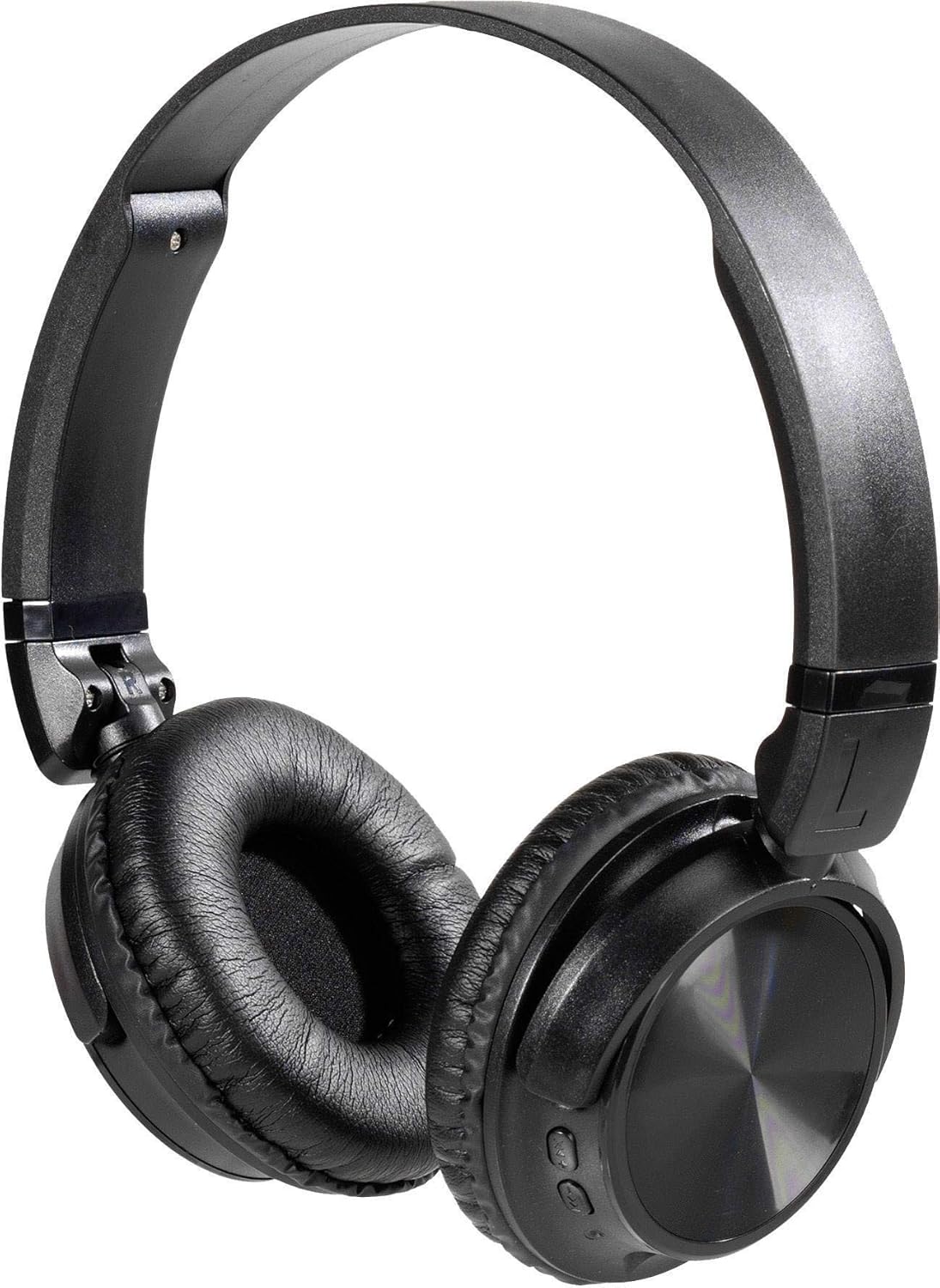
Apejuwe aworan: A pair of black Vivanco MOOOVE AIR 25175 headphones, featuring an adjustable headband, soft cushioned earcups, and control buttons visible on the right earcup. The headphones are shown in an unfolded, ready-to-use position.
Awọn eroja pataki:
- Akọkọ ti o le ṣatunṣe: Fun kan itunu fit.
- Cushioned Earcups: Pèsè ìtùnú fún fífetísílẹ̀ fún ìgbà pípẹ́.
- Awọn bọtini Iṣakoso: Typically located on one earcup for power, volume, playback, and call management.
- Gbohungbohun: Fun awọn ipe laisi ọwọ.
- Charging Port (USB): Fun gbigba agbara ti abẹnu batiri.
- Audio Input Port (3.5mm/2.5mm Jack): Fun asopọ onirin.
4. Eto
4.1. Ngba agbara si awọn Agbekọri
- So opin kekere ti okun gbigba agbara USB pọ si ibudo gbigba agbara lori awọn agbekọri.
- So opin nla ti okun gbigba agbara USB pọ si ohun ti nmu badọgba agbara USB (kii ṣe pẹlu) tabi ibudo USB ti kọnputa kan.
- The LED indicator on the headphones will illuminate, typically red, to show that charging is in progress.
- Once fully charged, the LED indicator will change color (e.g., turn blue or off). A full charge usually takes approximately 2-3 hours.
Akiyesi: For optimal battery life, fully charge the headphones before first use.
4.2. Agbara lori / Paa
- Lati Fi agbara: Press and hold the Power button (usually marked with a power symbol) for approximately 3-5 seconds until the LED indicator flashes and you hear an audible prompt.
- Lati Paarẹ: Press and hold the Power button for approximately 3-5 seconds until the LED indicator turns off and you hear an audible prompt.
5. Asopọmọra
5.1. Sisopọ Bluetooth
- Rii daju pe awọn agbekọri ti gba agbara ni kikun ati agbara ni pipa.
- Tẹ bọtini agbara ki o si dimu fun bii awọn aaya 5-7 titi ti ifihan LED yoo fi tan pupa ati buluu ni ọna miiran, ti o fihan ipo isopọmọ.
- Lori ẹrọ Bluetooth ti o ṣiṣẹ (foonuiyara, tabulẹti, kọmputa), lọ si awọn eto Bluetooth.
- Wa fun available devices. The headphones should appear as "Vivanco MOOOVE AIR" or a similar name.
- Select the headphones from the list to connect. Once connected, the LED indicator will typically flash blue slowly or remain solid blue, and you may hear a confirmation tone.
- Tí a bá béèrè fún ọ̀rọ̀ìpamọ́, tẹ "0000" (odò mẹ́rin).
Akiyesi: The headphones will automatically attempt to reconnect to the last paired device when powered on, if that device's Bluetooth is active and within range.
5.2. Asopọ onirin (Aṣayan)
The Vivanco MOOOVE AIR 25175 headphones can also be used with a wired connection, even if the battery is depleted.
- Connect one end of the 3.5mm audio cable (or 2.5mm if applicable) to the audio input jack on the headphones.
- Connect the other end of the audio cable to the audio output jack of your device (e.g., smartphone, MP3 player, computer).
- The headphones will operate in passive mode, meaning Bluetooth functions and built-in controls may be disabled, and audio will be controlled directly from your connected device.
6. Ṣiṣẹ awọn Agbekọri
6.1. Sisisẹsẹhin Orin
- Ṣiṣẹ/Daduro: Tẹ bọtini Multi-function (nigbagbogbo bọtini Power tabi bọtini Play/Duro ti a yasọtọ) lẹẹkan.
- Orin t’okan: Press and hold the Volume Up button or a dedicated "Next" button. (Specific button functions may vary; refer to device markings).
- Tẹlẹ Orin: Press and hold the Volume Down button or a dedicated "Previous" button. (Specific button functions may vary; refer to device markings).
6.2. Iṣakoso iwọn didun
- Mu iwọn didun pọ si: Tẹ bọtini Iwọn didun Up (+).
- Din iwọn didun silẹ: Tẹ bọtini Iwọn didun isalẹ (-).
6.3. Iṣakoso ipe
- Idahun/Ipe Ipari: Press the Multi-function button once during an incoming call or an active call.
- Kọ Ipe: Press and hold the Multi-function button for approximately 2 seconds during an incoming call.
- Nọmba Ikẹhin Tun Tun: Double-press the Multi-function button when no call is active.
7. Itọju
- Ninu: Mu awọn agbekọri nu pẹlu asọ, gbẹ, asọ ti ko ni lint. Maṣe lo awọn afọmọ abrasive, ọti-lile, tabi awọn nkan ti kemikali.
- Ibi ipamọ: Nigbati o ko ba wa ni lilo, tọju awọn agbekọri naa ni itura, aye gbigbẹ, kuro lati orun taara ati awọn iwọn otutu to gaju. Apẹrẹ ti a ṣe pọ gba laaye fun ibi ipamọ iwapọ.
- Omi Resistance: The headphones are rated as waterproof. However, avoid prolonged submersion or exposure to high-pressure water jets. Ensure charging ports are dry before connecting cables.
8. Laasigbotitusita
| Isoro | Owun to le Fa | Ojutu |
|---|---|---|
| Awọn agbekọri ko ṣiṣẹ. | Batiri kekere. | Gba agbara si awọn agbekọri ni kikun. |
| Ko le so pọ nipasẹ Bluetooth. | Àwọn agbekọri kò sí ní ipò ìsopọ̀; Bluetooth ẹ̀rọ náà ti pa; ó jìnnà jù. | Ensure headphones are in pairing mode (flashing red/blue). Turn on Bluetooth on your device. Keep devices within 1 meter during pairing. Forget previous pairings on your device and try again. |
| Ko si ohun. | Volume too low; headphones not connected; incorrect audio source. | Increase volume on both headphones and connected device. Verify Bluetooth connection or wired connection. Check audio output settings on your device. |
| Didara ohun ti ko dara. | Àmì Bluetooth tí kò lágbára; ìdènà; orísun ohùn tí kò ní ìdàgbàsókè. | Move closer to the connected device. Avoid obstacles. Try a different audio source. |
9. Awọn pato
| Brand | Vivanco |
| Orukọ awoṣe | 25175 |
| Asopọmọra Technology | Wireless (Bluetooth), Wired |
| Fọọmù ifosiwewe | Supra-aural (On-Ear) |
| Gbigbe Eti | Extra-aural |
| Ipalara | 32 ohms |
| Pataki Awọn ẹya ara ẹrọ | Ìwúwo Fúyẹ́, Tí A Ṣe pọ̀ |
| Ohun elo | Ṣiṣu |
| Iṣakoso Iru | Atunṣe iwọn didun |
| USB Išė | Amupadabọ (Refers to included audio cable) |
| Omi Resistance Ipele | Mabomire |
| Jack agbekọri | USB, 3.5mm Jack, 2.5mm Jack (USB primarily for charging, 3.5mm/2.5mm for audio input) |
| Awọn irinše to wa | 1 piece (headphones) |
10. Atilẹyin ọja ati Support
Information regarding specific warranty terms and customer support for the Vivanco MOOOVE AIR 25175 headphones is not available in this document. Please refer to the product packaging or the Vivanco official webaaye fun alaye atilẹyin ọja alaye ati awọn olubasọrọ atilẹyin.
Ask a question about this manual
Ask about setup, troubleshooting, compatibility, parts, safety, or missing instructions. Manuals+ will review the question and use this page’s manual context to help answer it.