
Hoco CW13
Hoco CW13 Wireless Charger User Manual
Ọrọ Iṣaaju
Welcome to the Hoco CW13 Wireless Charger user manual. This guide provides detailed instructions on how to set up, operate, maintain, and troubleshoot your new wireless charger. Please read this manual carefully before using the product to ensure optimal performance and safety.
Ọja Pariview
The Hoco CW13 is a universal portable wireless charger designed for fast charging of mobile devices. Its compact and lightweight design makes it an ideal companion for home and travel.
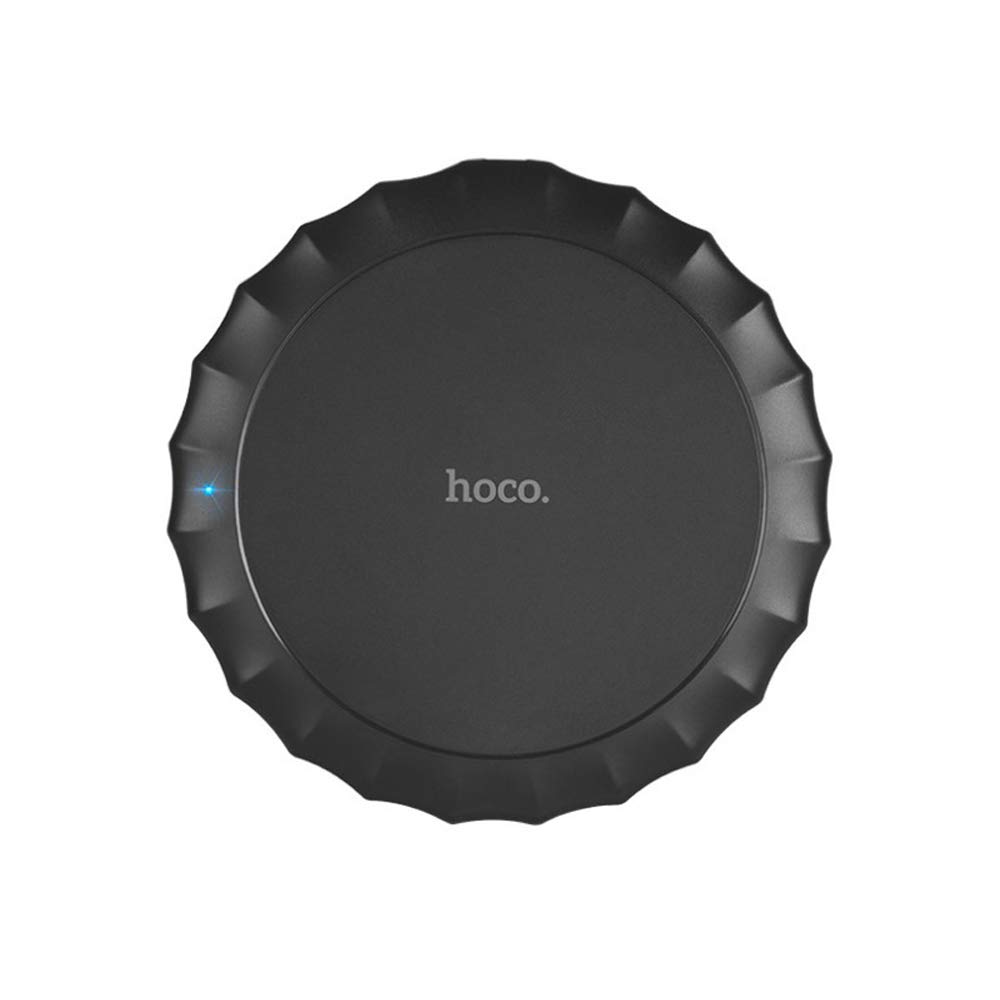
Aworan yii fihan oke view of the Hoco CW13 wireless charger. It features a sleek, black circular design with a corrugated edge, resembling a bottle cap. The "hoco." logo is prominently displayed in the center, and a small blue LED indicator light is visible on the left side, indicating power or charging status.
Awọn ẹya ara ẹrọ
- Brand: Hoco
- Awoṣe: CW13
- Àwọ̀: Dudu
- Iru: Alailowaya Ṣaja
- Ijade Alailowaya: 5W
- Ijinna Gbigbe: 5-8mm
- Iwọn Iwapọ: Diameter 100mm, Thickness 10mm
- Ìwúwo Fúyẹ́: 62 giramu
- Gbigba agbara yara agbara
- Gbigbe oniru
Eto Itọsọna
Package Awọn akoonu
Ṣaaju ki o to bẹrẹ, rii daju pe gbogbo awọn nkan wa ninu package:
- Hoco CW13 Wireless Charger
- Okun Ngba agbara USB
- Afowoyi Olumulo (iwe-ipamọ yii)
Nsopọ Ṣaja
- Connect the USB cable to the charging port on the Hoco CW13 wireless charger.
- Plug the other end of the USB cable into a compatible power adapter (e.g., wall charger, computer USB port) with a 5V input.
- The indicator light on the charger will illuminate, indicating it is powered on and ready for use.
Awọn ilana Iṣiṣẹ
Gbigba agbara ẹrọ rẹ
- Ensure your mobile device is compatible with Qi wireless charging.
- Place your Qi-enabled device directly onto the center of the Hoco CW13 wireless charger.
- The indicator light on the charger may change color or blink to confirm that charging has begun. Your device's screen will also show a charging icon.
- For optimal charging, ensure the device is centered on the charging pad. Misalignment may reduce charging efficiency or prevent charging.
- Ni kete ti ẹrọ rẹ ba ti gba agbara ni kikun, yọ kuro lati paadi gbigba agbara.
Awọn akọsilẹ pataki
- Do not place metal objects, credit cards, or other foreign objects between the device and the charging pad, as this may interfere with charging or cause damage.
- Avoid using thick phone cases (over 3mm) as they might hinder wireless charging.
- The charger may become slightly warm during charging; this is normal.
Itoju
Ninu
To clean the charger, disconnect it from the power source. Use a soft, dry cloth to wipe the surface. Do not use harsh chemicals or abrasive cleaners.
Ibi ipamọ
Tọ́jú charger náà sí ibi tí ó tutù tí ó sì gbẹ, tí kò sí ìmọ́lẹ̀ oòrùn tààrà àti ooru tó le koko nígbà tí o kò bá lò ó.
Laasigbotitusita
| Isoro | Owun to le Fa | Ojutu |
|---|---|---|
| Ẹrọ ko gba agbara | Ẹrọ ko ni ibamu daradara | Tun ẹrọ naa si aarin ti paadi gbigba agbara. |
| Phone case is too thick | Yọ apoti foonu kuro ki o tun gbiyanju lẹẹkansi. | |
| Charger not powered on | Ensure the USB cable is securely connected to a working power source and the indicator light is on. | |
| Gbigba agbara lọra | Using a non-fast charging adapter | Use a Quick Charge (QC) 2.0/3.0 or Power Delivery (PD) compatible adapter for faster charging. |
| Background apps running on device | Pa awọn ohun elo ti ko wulo lori ẹrọ rẹ. | |
| Charger getting hot | Iṣiṣẹ deede | Slight warmth is normal. If it becomes excessively hot, disconnect immediately and contact support. |
Awọn pato
| Ẹya ara ẹrọ | Ẹ̀kúnrẹ́rẹ́ |
|---|---|
| Brand | Hoco |
| Awoṣe | CW13 |
| Àwọ̀ | Dudu |
| Iṣagbewọle Voltage | 5V |
| Ailokun o wu | 5W |
| Ijinna gbigbe | 5-8mm |
| Awọn iwọn (Opin x Sisanra) | 100mm x 10mm |
| Iwọn | 62 giramu |
| Awọn ẹrọ ibaramu | Mobile Phones (Qi-enabled) |
| Pataki Awọn ẹya ara ẹrọ | Fast Charging, Lightweight Design |
| Awọn irinše to wa | Ṣaja |
| Lapapọ Awọn ibudo USB | 1 (fún ìtẹ̀síwájú agbára) |
Atilẹyin ọja ati Support
Alaye atilẹyin ọja
This Hoco CW13 Wireless Charger comes with a standard manufacturer's warranty. Please refer to the warranty card included in your product packaging for specific terms and conditions, or visit the official Hoco webojula fun alaye sii.
Onibara Support
If you encounter any issues or have questions regarding your Hoco CW13 Wireless Charger, please contact your retailer or the manufacturer's customer support. Contact information can typically be found on the product packaging or the official Hoco webojula.
For online support, you may visit the Hoco official webojú-òpó wẹ́ẹ̀bù tàbí ojú-ìwé ìrànlọ́wọ́ olùtajà náà.
Ask a question about this manual
Ask about setup, troubleshooting, compatibility, parts, safety, or missing instructions. Manuals+ will review the question and use this page’s manual context to help answer it.