
Ọrọ Iṣaaju
The Senville Smart WiFi Kit USB enables remote control and programming of your compatible Senville mini split air conditioner using an iOS or Android application. This kit enhances the functionality of your mini split system, allowing for convenient management of climate settings from any location with internet access.
Ṣeto
1. Awọn akoonu Kit
Verify that your package contains the Senville Smart WiFi Kit USB adapter.
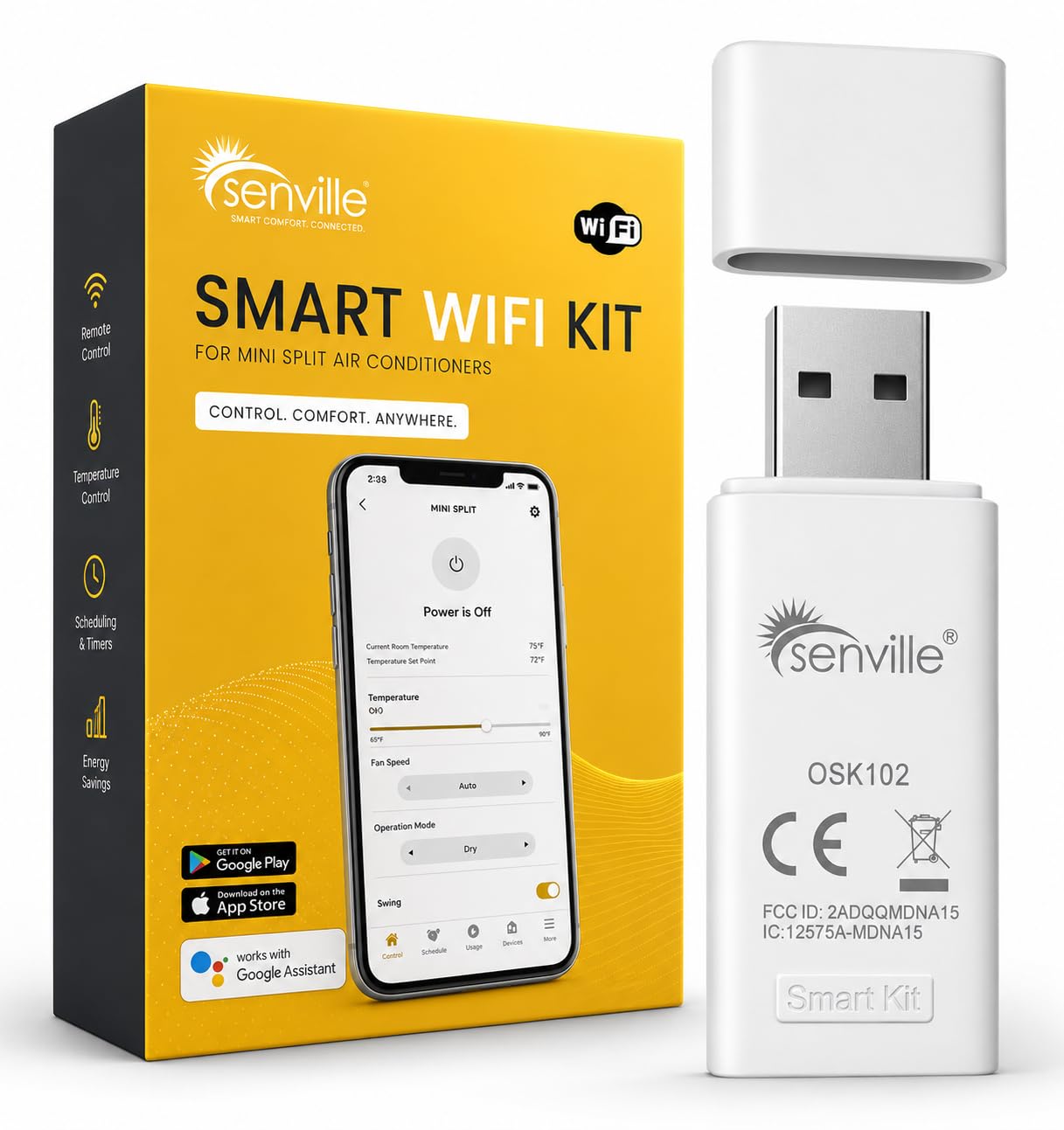
Image: Senville Smart WiFi Kit USB adapter.
2. Fifi sori ti ara
- Locate the USB port on your compatible Senville mini split air conditioner unit. This port is typically found on the indoor unit. Refer to your mini split's manual for the exact location.
- Carefully insert the Senville Smart WiFi Kit USB adapter into the designated USB port. Ensure it is securely connected.

Image: Close-up of the Senville Smart WiFi Kit USB adapter, showing its compact design.

Aworan: Apa view of the Senville Smart WiFi Kit USB adapter, highlighting its connection interface.
3. Mobile Application Download and Pairing
- Download the official Senville app from the Apple App Store (for iOS devices) or Google Play Store (for Android devices). Wa fun "Senville".
- Open the Senville app and follow the on-screen instructions to create an account and add your device.
- Ensure your mobile device is connected to a 2.4 GHz Wi-Fi network during the pairing process. The Senville Smart WiFi Kit USB requires a 2.4 GHz Wi-Fi connection.
- The app will guide you through connecting the WiFi kit to your home network. This typically involves selecting your Wi-Fi network and entering the password.

Image: Screenshot of the Senville mobile app displaying temperature control and various modes.
Awọn ilana Iṣiṣẹ
Once the Senville Smart WiFi Kit USB is installed and paired with the app, you can control your mini split air conditioner remotely.
Awọn iṣẹ iṣakoso latọna jijin
- Titan/Apapa: Turn your mini split unit on or off from anywhere.
- Atunṣe iwọn otutu: Precisely set your desired temperature.
- Aṣayan Ipo: Choose between cooling, heating, fan, dry, and auto modes.
- Iṣakoso Iyara Fan: Ṣe àtúnṣe iyàrá afẹ́fẹ́ sí bí o ṣe fẹ́.
- Iṣeto: Create custom schedules for your mini split to operate automatically, optimizing comfort and energy efficiency.
- Fifipamọ Agbara (Ipo ECO): Activate ECO mode to reduce energy consumption.
- System Insights: Access detailed performance analytics and system status.

Image: The Senville app interface demonstrating smart home integration capabilities.
Itoju
The Senville Smart WiFi Kit USB requires minimal maintenance. To ensure optimal performance:
- Awọn imudojuiwọn sọfitiwia: Regularly check for and install updates for the Senville mobile application to benefit from new features and performance improvements.
- Asopọ Wi-Fi: Ensure your home Wi-Fi network remains stable and provides adequate signal strength to the mini split unit where the USB kit is installed.
- Ayewo ti ara: Periodically check that the USB adapter is securely plugged into the mini split unit.
Laasigbotitusita
| Isoro | Owun to le Fa | Ojutu |
|---|---|---|
| Device Offline in App | No Wi-Fi connection, incorrect Wi-Fi password, or app permissions issue. |
|
| App Ko fesi | Outdated app version, temporary software glitch, or insufficient phone resources. |
|
| Cannot Connect to Wi-Fi during Setup | Incorrect Wi-Fi band (5 GHz instead of 2.4 GHz), weak signal, or network interference. |
|
Awọn pato
- Brand: Senville
- Awoṣe: Smart WiFi Kit USB
- Ni wiwo Hardware: USB
- Àwọ̀: Funfun
- Ilana Ọna asopọ Data: USB
- Ibamu Ile Smart: Smart Home Compatible
- Awọn ẹrọ ibaramu: Senville Mini Split Air Conditioners (WiFi Ready models), iOS and Android mobile devices.
- Compatible Operating System Family: Android, iOS
- Minimum Required Operating System Version: Android 11.0, iOS 14
- Olupese: Senville
Alaye atilẹyin ọja
For detailed warranty information regarding your Senville Smart WiFi Kit USB, please refer to the documentation included with your original mini split air conditioner unit or visit the official Senville webojula. Awọn ofin atilẹyin ọja le yatọ.
Atilẹyin
If you encounter any issues or require assistance with your Senville Smart WiFi Kit USB, please contact Senville customer support. Support contact details can typically be found on the official Senville webaaye tabi ninu iwe ti a pese pẹlu ọja rẹ.
Senville offers 24/7 customer support for setup, maintenance, and troubleshooting.