
GBC SX20-08
GBC ShredMaster SX20-08 Cross-Cut Paper Shredder
Model: SX20-08 (1758502)
Ọrọ Iṣaaju
The GBC ShredMaster SX20-08 is a high-performance cross-cut paper shredder designed for secure disposal of sensitive documents. It offers a P-4 security level, shredding documents into small 5/32" x 1 1/2" pieces. With a capacity to shred up to 20 sheets at a time and an 8-gallon pull-out bin, it is suitable for home offices and small business environments. Key features include a long 240-minute run time, auto-reverse jam prevention, Whisper Shred Technology for quiet operation, and an Eco Power Save function for energy efficiency.
Alaye Aabo pataki
Please read all safety instructions carefully before operating the shredder. Failure to follow these instructions may result in injury or damage to the unit.
- Keep hands, hair, loose clothing, and jewelry away from the paper entry slot.
- Do not insert more than the maximum recommended sheet capacity (20 sheets) at one time.
- Unplug the shredder when not in use or before cleaning, moving, or emptying the waste bin.
- Maṣe fun awọn aerosols tabi awọn lubricants sinu shredder.
- This shredder is intended for indoor use only.
- Ma ṣe gba awọn ọmọde tabi ohun ọsin laaye nitosi shredder.
- Ṣiṣẹ shredder lori alapin, dada iduroṣinṣin.
- IKILO: Ọja yii le fi ọ han si awọn kemikali pẹlu asiwaju, eyiti o mọ si Ipinle California lati fa akàn ati awọn abawọn ibimọ tabi ipalara ibisi miiran. Fun alaye diẹ sii lọ si www.P65Warnings.ca.gov.
Package Awọn akoonu
Jẹrisi pe gbogbo awọn ohun kan wa ninu package:
- GBC ShredMaster SX20-08 Paper Shredder Unit
- Egbin Bin
- Ilana Afowoyi (iwe yii)
Ṣeto
- Ṣii silẹ: Farabalẹ yọ shredder kuro ninu apoti rẹ. Ṣe idaduro apoti fun irinna ọjọ iwaju tabi ibi ipamọ.
- Ibi: Position the shredder on a level, stable surface near a standard electrical outlet. Ensure adequate ventilation around the unit.
- Fifi sori ẹrọ Egbin: Ensure the 8-gallon waste bin is correctly inserted into the shredder cabinet. The shredder will not operate if the bin is not properly seated.
- Asopọ agbara: Pulọọgi okun agbara sinu iṣan itanna ti ilẹ.

Figure 1: GBC ShredMaster SX20-08 ready for setup.
Awọn ilana Iṣiṣẹ
Isẹ ipilẹ
- Agbara Tan: Press the power button on the control panel. The shredder will enter standby mode, indicated by an LED light.
- Àwọn Ìwé Ìfúnni: Insert paper directly into the paper entry slot. The shredder will automatically detect the paper and begin shredding. Do not exceed the 20-sheet capacity. The shredder can also handle staples and paperclips.
- Akoko Ilọsiwaju: The shredder is designed for a 240-minute continuous run time, making it suitable for large shredding tasks. Allow the unit to cool down if it reaches its thermal limit.
- Auto Reverse Jam Prevention: In case of an overload or jam, the shredder features an auto-reverse function to clear the jam. If a jam persists, manually reverse the shredder using the control panel.
- Whisper Shred Technology: This technology ensures quiet operation, maintaining noise levels below 58 dB to minimize disruptions in office environments.
- Eco Power Save: To conserve energy, the shredder will automatically turn off after 2 minutes of inactivity.

Figure 2: Feeding documents into the shredder.
LED Ifi
The control panel features LED indicator lights to provide operational status:
- Bin Full: Ó máa ń tànmọ́lẹ̀ nígbà tí àpótí ìdọ̀tí bá kún tí ó sì nílò láti dànù.
- Ilẹkun Ṣii: Indicates that the waste bin is not properly closed or seated. The shredder will not operate until the bin is correctly positioned.
- Ooru: Lights up if the shredder has been used continuously for too long and needs to cool down. Allow the unit to rest before resuming operation.
- Lori Ẹrù: Activates if too many sheets are inserted at once, triggering the auto-reverse function.
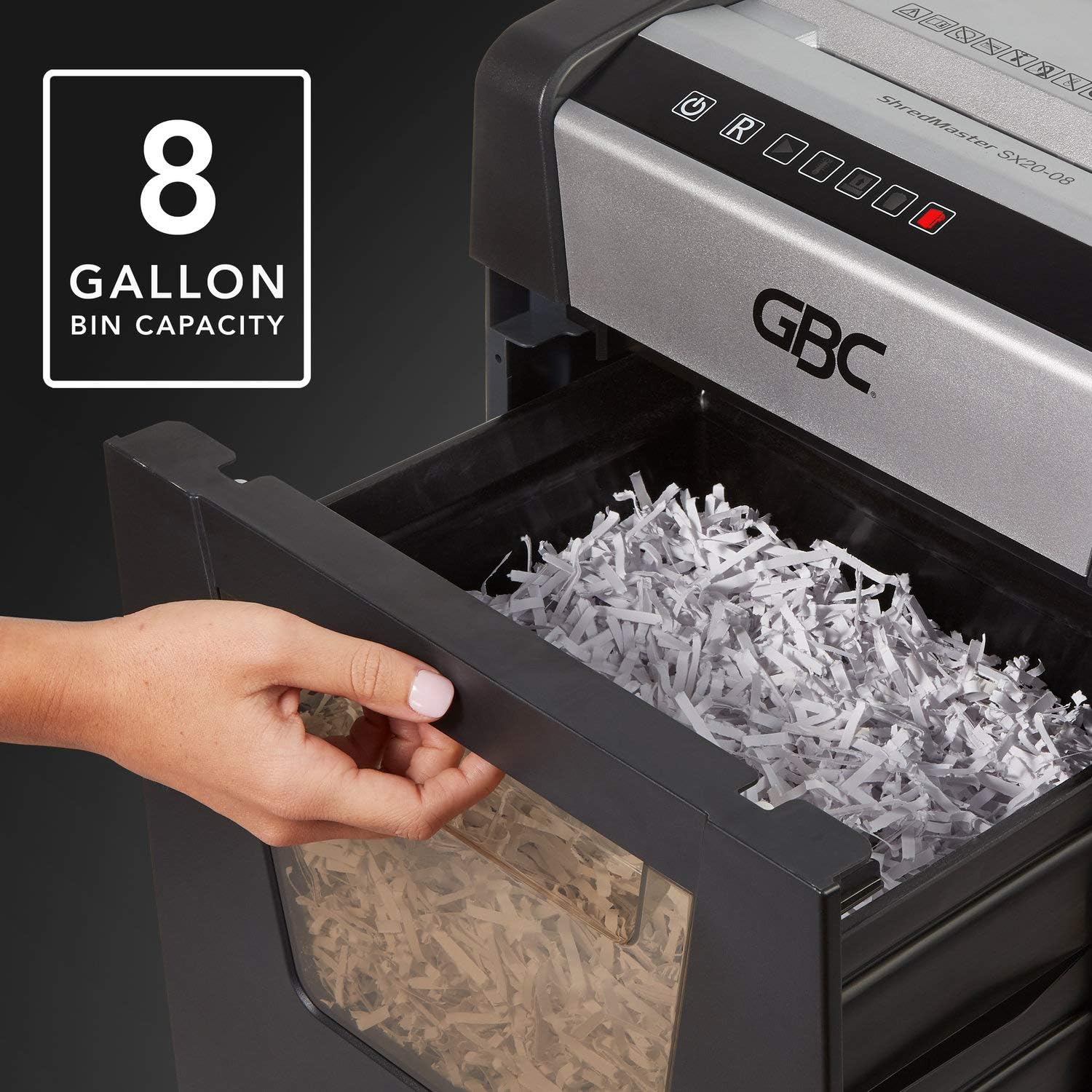
Figure 3: The 8-gallon pull-out waste bin.

Figure 4: The P-4 security level ensures confidential shredding.
Itoju
Ṣofo awọn Egbin Bin
When the "Bin Full" indicator illuminates, the waste bin needs to be emptied. Simply pull out the bin from the front of the shredder, dispose of the shredded material, and slide the bin back into place until it clicks securely.
Ninu
- Nigbagbogbo yọọ shredder ṣaaju ki o to sọ di mimọ.
- Mu ese ita ti shredder pẹlu asọ ti o gbẹ. Ma ṣe lo abrasive ose tabi epo.
- Periodically clean the paper entry area to remove any paper dust or debris.
Oiling the Shredder
For optimal performance and longevity, it is recommended to oil the shredder blades regularly, especially after emptying the waste bin or after heavy use. Use shredder oil specifically designed for paper shredders. Apply a thin line of oil across the paper entry slot and then run a few sheets of paper through the shredder to distribute the oil.
Laasigbotitusita
| Isoro | Owun to le Fa | Ojutu |
|---|---|---|
| Shredder ko tan. | Kò sí agbára; A kò fi àpótí ìdọ̀tí sí i dáadáa; A ti mú ààbò ooru púpọ̀ ṣiṣẹ́. | Check power cord connection and outlet; Ensure waste bin is fully inserted and "Door Open" indicator is off; Allow shredder to cool down if "Over Heat" indicator is on. |
| Jam iwe. | Too many sheets inserted; Paper not fed straight. | Utilize the auto-reverse function or manually reverse the shredder; Remove excess paper; Feed paper straight. |
| Shredder duro lakoko iṣẹ. | Waste bin full; Overheat protection activated; Bin not properly seated. | Empty waste bin; Allow shredder to cool down; Re-insert waste bin securely. |
| Shredder jẹ alariwo. | Blades require oiling; Debris in cutting mechanism. | Oil the shredder blades as per maintenance instructions; Unplug and carefully inspect for debris. |
Awọn pato
| Ẹya ara ẹrọ | Ẹ̀kúnrẹ́rẹ́ |
|---|---|
| Awoṣe | SX20-08 (1758502) |
| Shred Iru | Agbeke |
| Aabo Ipele | P-4 (awọn patikulu 5/32" x 1 1/2") |
| Agbara dì | Up to 20 sheets (20 lb bond paper) |
| Bin Agbara | 8 galonu |
| Ṣiṣe Aago | 240 iṣẹju lemọlemọfún |
| Cool Down Time | Not specified, allow adequate time after overheat. |
| Ariwo Ipele | Below 58 dB (Whisper Shred Technology) |
| Awọn iwọn (L x W x H) | 26.97 x 18.5 x 14.76 inches |
| Iwọn Nkan | 0.01 iwon (Note: The provided weight of 0.01 ounces may be a data entry error. Actual weight is typically much higher for a shredder of this capacity.) |
| Awọn shred | Paper, staples, paperclips |
Atilẹyin ọja ati Support
GBC products are manufactured to high-quality standards and are backed by a manufacturer's warranty. For specific warranty details, including duration and coverage, please refer to the warranty card included with your product or visit the official GBC webojula.
For technical support, troubleshooting assistance, or to inquire about replacement parts, please contact GBC Customer Service. Contact information can typically be found on the GBC webaaye tabi lori apoti ọja rẹ.
You can also visit the official GBC Store on Amazon for more product information and support: GBC Store
Awọn iwe aṣẹ ti o jọmọSX20-08


Ask a question about this manual
Ask about setup, troubleshooting, compatibility, parts, safety, or missing instructions. Manuals+ will review the question and use this page’s manual context to help answer it.