
1. Ifihan
The TP-Link TL-SG108 is an 8-Port Gigabit Desktop Switch designed to expand your network capacity with minimal effort. This unmanaged switch offers a simple, plug-and-play solution for connecting multiple wired devices, such as computers, gaming consoles, printers, and smart TVs, to your network. Its sturdy metal casing ensures durability, and its fanless design provides quiet operation. This manual provides essential information for setting up, operating, and maintaining your TL-SG108 switch.
2. Package Awọn akoonu
Jẹrisi pe package rẹ ni awọn nkan wọnyi ninu:
- TP-Link 8-Port Gigabit Desktop Switch (TL-SG108)
- Adapter agbara
- Ẹsẹ̀ Rọ́bà (fún gbígbé kọ̀ǹpútà)

Image: The retail packaging for the TP-Link TL-SG108 switch, showing the device and its accessories.
3. Awọn ẹya Ọja
- 8 Awọn ibudo Ethernet Gigabit: Provides 8 10/100/1000 Mbps auto-negotiation RJ45 ports for high-speed wired connections.
- Plug-and-Play: Requires no configuration or software installation for immediate use.
- Apo Irin Alagbara: Durable metal housing with a fanless design for quiet operation.
- Traffic Optimization (QoS): Supports 802.1p and DSCP QoS for smooth handling of latency-sensitive traffic like voice and video.
- Gbigbe Data Gbẹkẹle: IEEE 802.3x flow control ensures dependable data transmission.
- Lilo Agbara: Features Green Technology for up to 80% power saving by automatically adjusting power consumption based on link status and cable length.
- Idunadura-laifọwọyi: Supports Auto-MDI/MDIX, eliminating the need for crossover cables.
- Ibi Iwapọ: Designed for desktop use or wall-mounting.

Image: Diagram illustrating the advanced functions of the TL-SG108 switch, including QoS for fluent online experience and IGMP Snooping for traffic optimization in IPTV.

Image: The TP-Link TL-SG108 switch with icons representing its energy-saving 'Green Tech' and 'Energy Conversion' features.
4. Eto
The TL-SG108 switch is designed for easy installation. Follow these steps to set up your device:
- Place the Switch: Choose a stable, flat surface for the switch, or mount it to a wall using appropriate hardware (not included). Ensure adequate ventilation around the device.
- So Ẹsẹ Rọba: If placing on a desktop, attach the included rubber feet to the bottom of the switch to prevent scratching and provide stability.
- So agbara: Plug the power adapter into the switch's power port and then into a standard electrical outlet. The Power LED on the switch should illuminate.
- Awọn ẹrọ Sopọ: Connect your network devices (e.g., router, computer, gaming console, printer, smart TV) to any of the 8 RJ45 ports on the switch using Ethernet cables. The Link/Act LEDs for connected ports will light up, indicating an active connection.
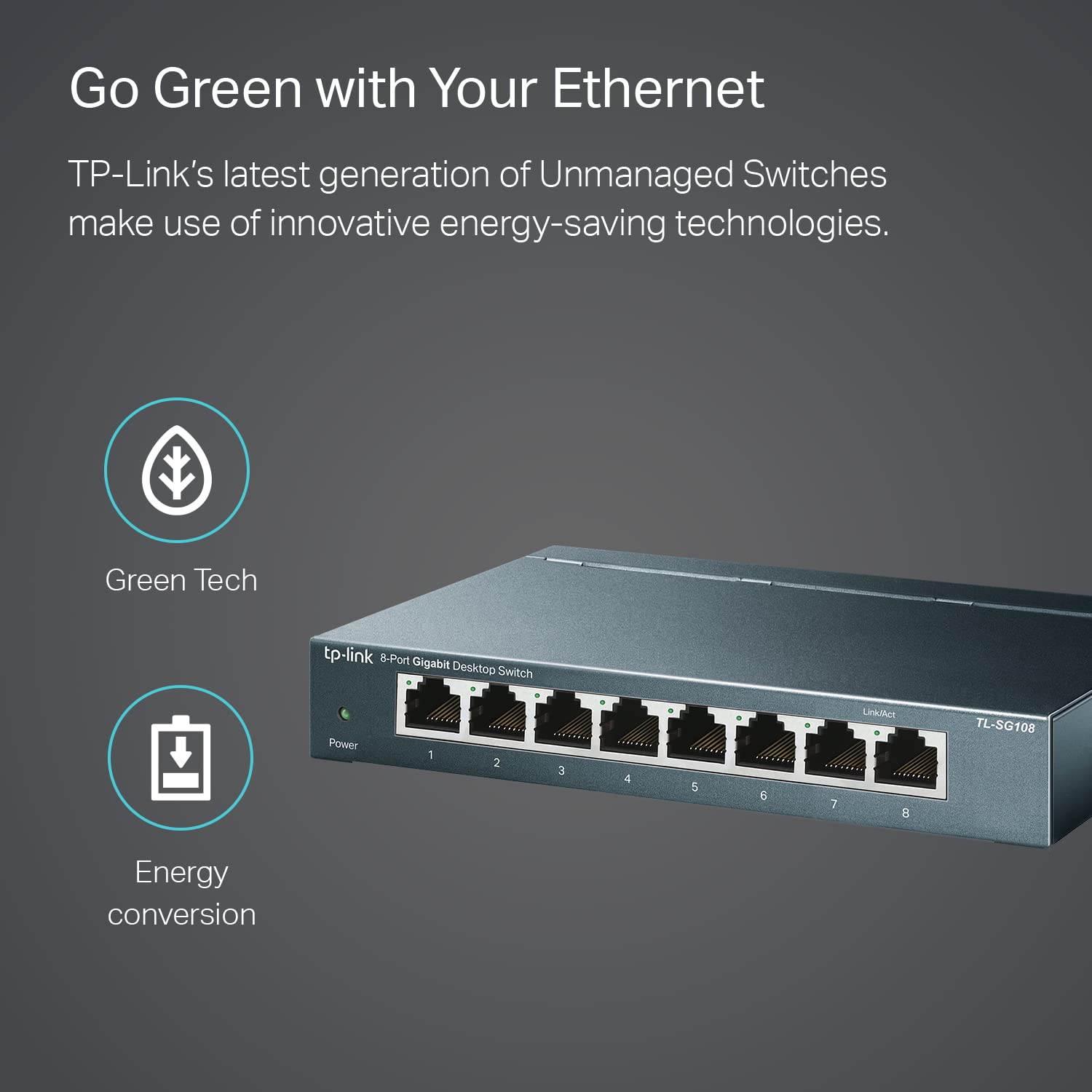
Image: The TP-Link TL-SG108 switch demonstrating its role in expanding network connectivity, showing connections to a computer, gaming console, printer, and smart TV.

Image: Visual representation of the TP-Link TL-SG108 switch's versatility in different environments: home, gaming setups, and business offices.
5. Awọn ilana Iṣiṣẹ
The TL-SG108 is an unmanaged switch, meaning it operates automatically without requiring user configuration. Once powered on and connected, it will begin forwarding data between connected devices.
- LED agbara: A green LED indicates the switch is powered on. If this LED is off, check the power connection.
- Awọn LED ọna asopọ/Ofin (fun ibudo): Each RJ45 port has an associated LED. A solid green light indicates a stable link, while a blinking green light indicates data activity (transmitting or receiving data).

Aworan: Igun iwaju view of the TP-Link TL-SG108 8-Port Gigabit Desktop Switch, showing its power indicator and eight RJ45 ports with their respective Link/Act LEDs.
6. Itọju
To ensure optimal performance and longevity of your TL-SG108 switch, follow these maintenance guidelines:
- Ninu: Lo asọ ti o tutu, ti o gbẹ lati nu ode ti yipada. Ma ṣe lo olomi tabi awọn olutọpa aerosol.
- Afẹfẹ: Ensure the switch is placed in a well-ventilated area to prevent overheating. Do not block the ventilation holes.
- Awọn ipo Ayika: Operate the switch within the specified temperature range of 0°C to 40°C (32°F to 104°F) and avoid environments with high humidity.
- Yiyipo Agbara: If the switch experiences issues, try power cycling it by unplugging the power adapter, waiting a few seconds, and then plugging it back in.
7. Laasigbotitusita
If you encounter problems with your TL-SG108 switch, refer to the following common issues and solutions:
- Ko si Agbara:
- Rí i dájú pé ohun tí a fi ń so agbára pọ̀ mọ́ ìyípadà àti ibi tí iná mànàmáná ti ń ṣiṣẹ́ dáadáa.
- Rii daju pe iṣan agbara n ṣiṣẹ nipa pilogi sinu ẹrọ miiran.
- Ko si Ọna asopọ/Iṣẹ lori Ibudo kan:
- Ṣàyẹ̀wò pé okùn Ethernet náà so mọ́ ibi tí a lè yí i padà àti ẹ̀rọ náà dáadáa.
- Gbiyanju okun Ethernet ti o yatọ lati ṣe akoso okun USB ti ko tọ.
- Rii daju pe ẹrọ ti a ti sopọ ti wa ni titan ati pe ohun ti nmu badọgba nẹtiwọọki rẹ n ṣiṣẹ ni deede.
- Gbiyanju lati so ẹrọ pọ si ibudo ti o yatọ lori iyipada.
- Iyara Nẹtiwọọki o lọra:
- Ensure all connected devices and cables support Gigabit Ethernet (Cat5e or higher cables are recommended for Gigabit speeds).
- Ṣàyẹ̀wò fún ìrìnàjò nẹ́tíwọ́ọ̀kì tó pọ̀ jù tàbí àwọn ohun èlò tó lágbára láti lo bandwidth tó ń ṣiṣẹ́ lórí nẹ́tíwọ́ọ̀kì rẹ.
- Verify that your internet service provider (ISP) is delivering the expected speeds to your router.
8. Awọn pato
| Ẹya ara ẹrọ | Apejuwe |
|---|---|
| Awoṣe | TL-SG108 |
| Nọmba ti Ports | 8 x 10/100/1000 Mbps RJ45 Ports |
| Data Gbigbe Oṣuwọn | 1000 Megabits fun iṣẹju keji (Mbps) |
| Ni wiwo Iru | RJ45 |
| Ohun elo ọran | Irin |
| Awọn iwọn (L x W x H) | 5.91 x 3.15 x 5.91 inches |
| Iwọn Nkan | 13.8 iwon (0.86 lbs) |
| Awọn iwọn otutu ti nṣiṣẹ | 0°C si 40°C (32°F si 104°F) |
| Ibi ipamọ otutu | -40°C si 70°C (-40°F si 158°F) |
| Voltage | 220 Volts (Input for Power Adapter) |
| Agbara agbara | O pọju: 3.97W (220V/50Hz) |
9. Atilẹyin ọja ati Support
TP-Link provides a limited lifetime warranty for this product. For technical assistance, unlimited 24/7 technical support is available free of charge. Please refer to the TP-Link official website for detailed warranty terms and contact information for support services.