
Ọrọ Iṣaaju
Thank you for choosing the Edifier TWS1 True Wireless Stereo Earbuds. This manual provides essential information for the proper use and maintenance of your device. The TWS1 earbuds offer a wire-free audio experience with dynamic stereo sound. They feature an impressive 32-hour total playtime with the charging case and are designed with an IPX5 rating for splash and sweat resistance, making them suitable for various activities.
Please read this manual thoroughly before operating the earbuds to ensure optimal performance and longevity.
Package Awọn akoonu
Daju pe gbogbo awọn nkan ti a ṣe akojọ rẹ si isalẹ wa ninu package rẹ:
- Edifier TWS1 True Wireless Stereo Earbuds (Left and Right)
- Ngba agbara Case
- Okun Ngba agbara USB
- Awọn Iwọn Italolobo Eti lọpọlọpọ (Kekere, Alabọde, Nla)
- Itọsọna olumulo
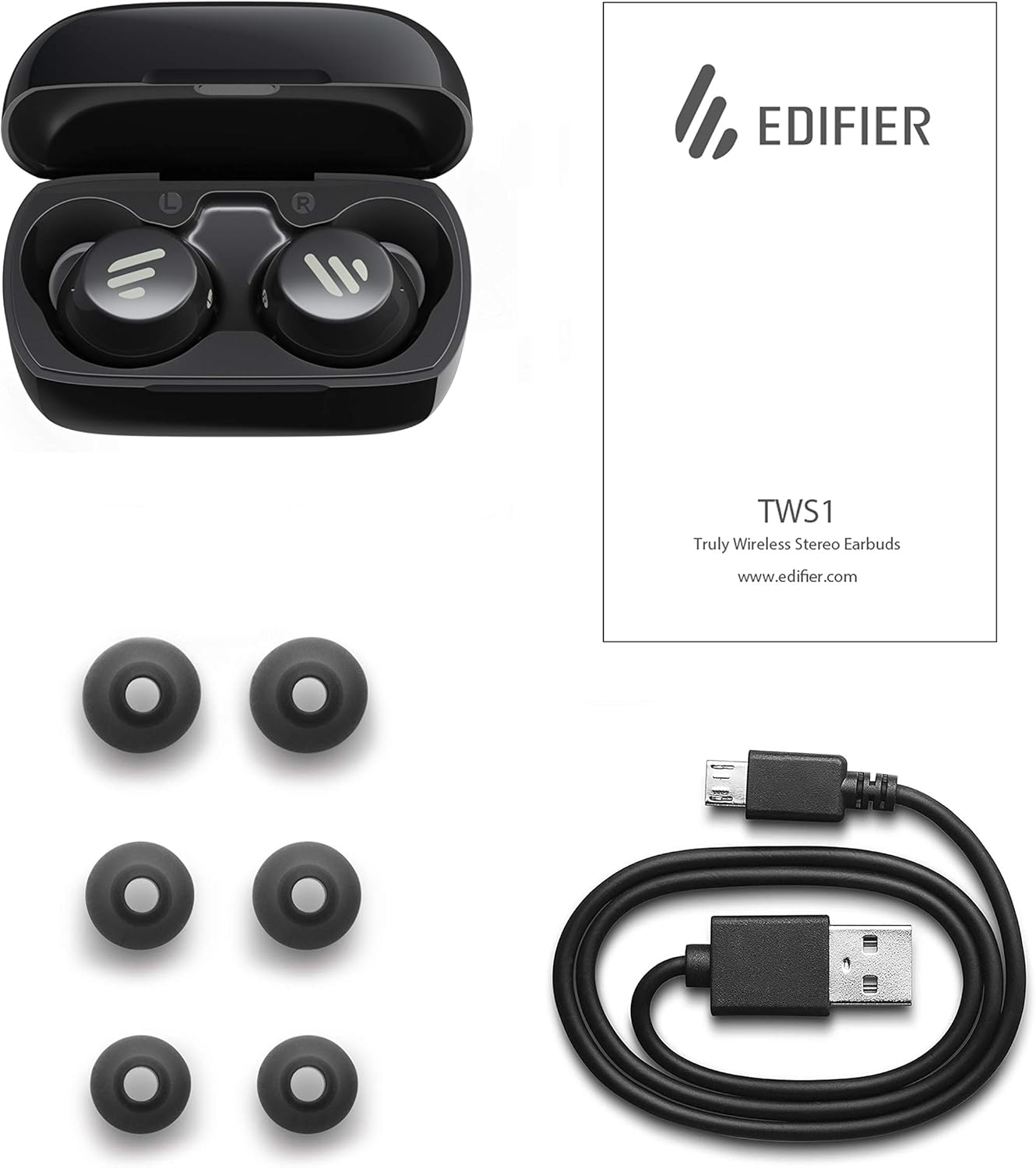
Image: The Edifier TWS1 earbuds, charging case, USB charging cable, and various sizes of ear tips are displayed alongside the user manual, illustrating the complete package contents.
Ṣeto
1. Ngba agbara si Earbuds ati Ọran
Before first use, fully charge the earbuds and the charging case. Place the earbuds into the charging case. Connect the USB charging cable to the charging port on the case and a power source. The indicator light on the case will show charging status. Once fully charged, the indicator will change or turn off.
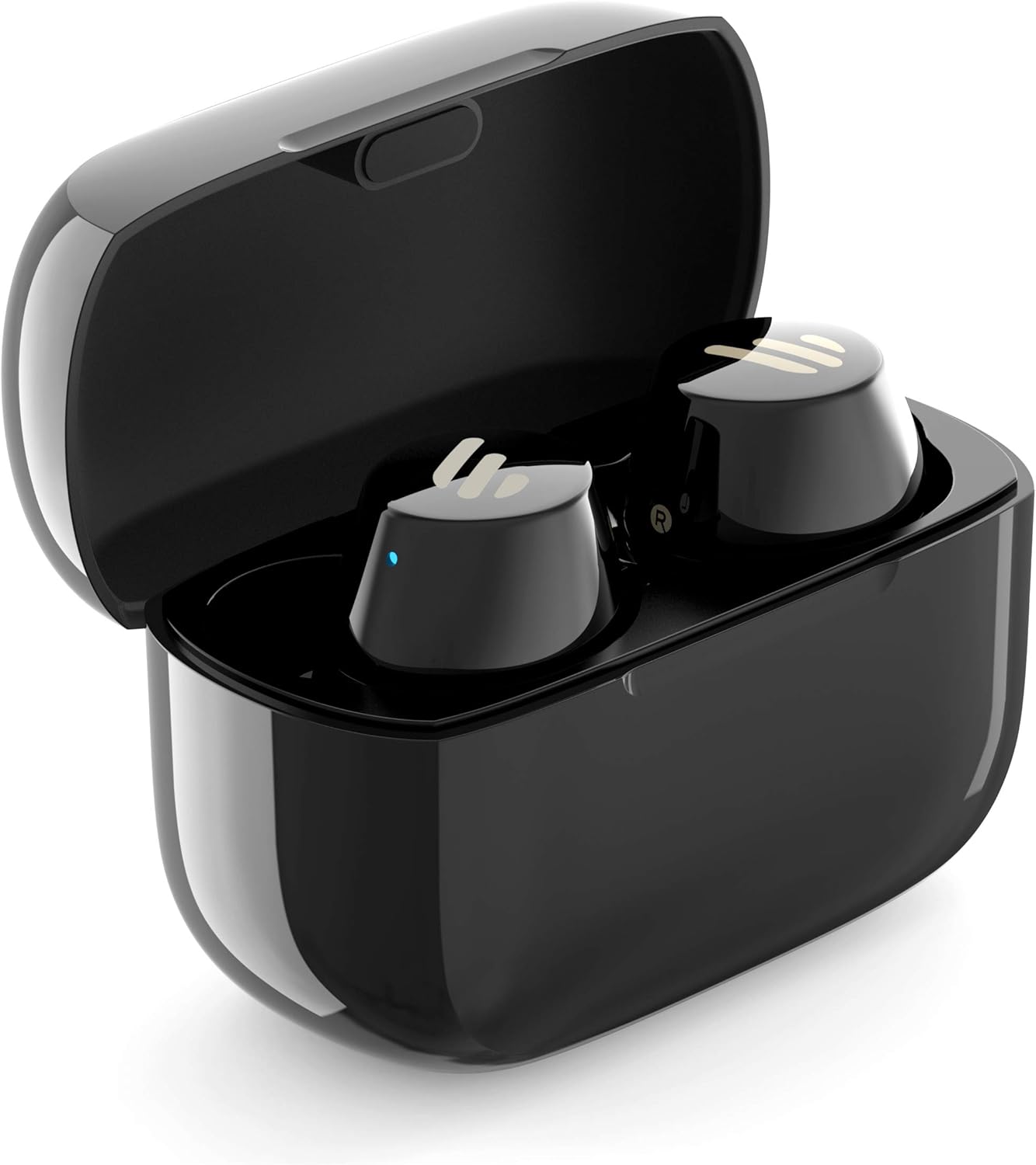
Image: The Edifier TWS1 earbuds are shown nestled within their open charging case, with a blue indicator light visible, signifying charging or power status.
2. Sisopọ pẹlu Ẹrọ kan
- Rii daju pe awọn agbekọri ti gba agbara.
- Open the charging case. The earbuds will automatically enter pairing mode, and the indicator light on one earbud will flash rapidly.
- Lori ẹrọ rẹ (foonuiyara, tabulẹti, kọǹpútà alágbèéká), mu Bluetooth ṣiṣẹ ki o wa awọn ẹrọ titun.
- Select "EDIFIER TWS1" from the list of available devices.
- Ni kete ti a ti sopọ, ina Atọka lori awọn agbekọri yoo da ikosan duro.
3. Ibamu awọn Earbuds
Choose the ear tips that provide the most comfortable and secure fit for your ears. Insert the earbuds into your ear canals and gently twist them until they feel snug and stable. A proper fit is crucial for optimal sound quality and noise isolation.
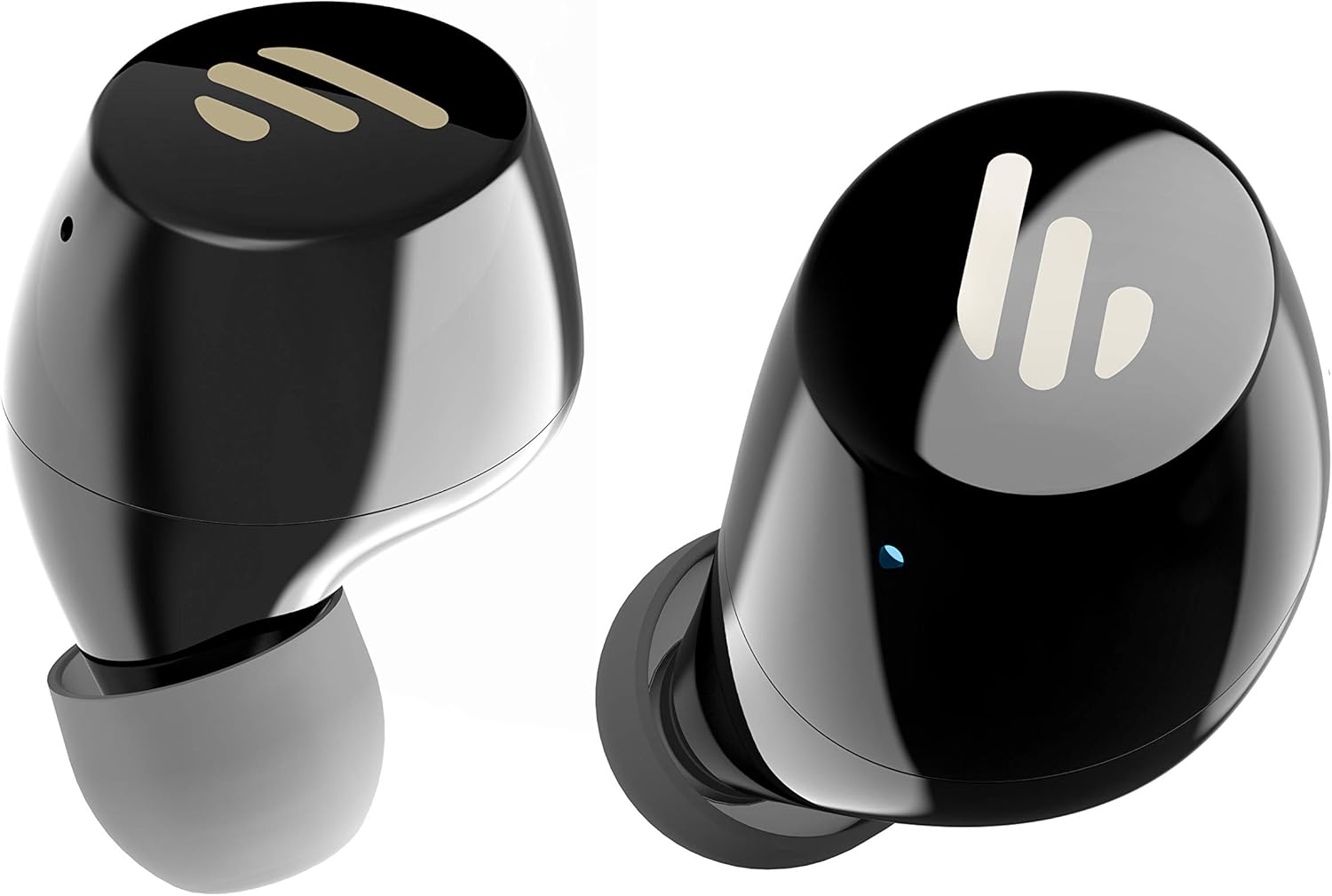
Aworan: A alaye view of the Edifier TWS1 earbuds, highlighting their ergonomic shape and the silicone ear tips designed for a comfortable and secure in-ear fit.
Awọn ilana Iṣiṣẹ
The Edifier TWS1 earbuds feature touch controls for easy operation.
- Agbara Tan: Àwọn etí agbọ́tí máa ń ṣiṣẹ́ láìfọwọ́sí nígbà tí a bá yọ wọ́n kúrò nínú àpótí ìgbara.
- Agbara Pa: Fi awọn agbekọri pada sinu apoti gbigba agbara lati pa ina laifọwọyi.
- Ṣiṣẹ/Daduro: Double-tap the touch panel on either earbud.
- Orin t’okan: Triple-tap the touch panel on the right earbud.
- Tẹlẹ Orin: Triple-tap the touch panel on the left earbud.
- Idahun/Ipe Ipari: Double-tap the touch panel on either earbud.
- Kọ Ipe: Tẹ mọlẹ ifọwọkan nronu lori boya agbekọri fun iṣẹju-aaya 2.
- Mu Oluranlọwọ Ohun ṣiṣẹ: Press and hold the touch panel on the left earbud for 2 seconds.
Itoju
- Ninu: Nigbagbogbo nu afikọti ati apoti gbigba agbara pẹlu asọ ti o gbẹ. Ma ṣe lo abrasive ose tabi epo.
- Omi Resistance: The earbuds are IPX5 rated, meaning they are resistant to splashes and sweat. Do not submerge them in water or expose them to heavy rain. Ensure the charging port is dry before charging.
- Ibi ipamọ: Nigbati o ko ba si ni lilo, tọju awọn afikọti sinu apoti gbigba agbara wọn lati daabobo wọn ki o jẹ ki wọn gba agbara. Tọju ni itura, ibi gbigbẹ kuro lati awọn iwọn otutu to gaju.
- Itọju Batiri: Lati tọju igbesi aye batiri, yago fun gbigba agbara ni kikun awọn agbekọri ati ọran gbigba agbara nigbagbogbo. Gba agbara si wọn nigbagbogbo, paapaa ti kii ṣe ni lilo igbagbogbo.
Laasigbotitusita
If you encounter issues with your Edifier TWS1 earbuds, please refer to the following common solutions:
| Isoro | Ojutu |
|---|---|
| Earbuds ko ni agbara lori. | Ensure the earbuds and charging case are fully charged. Place earbuds in the case and close it, then open to power on. |
| Ko le so pọ pẹlu ẹrọ. | Make sure Bluetooth is enabled on your device. Ensure earbuds are in pairing mode (flashing indicator). Try forgetting the device in your Bluetooth settings and re-pairing. |
| Agbekọri agbekọri kan ṣoṣo ti n ṣiṣẹ. | Place both earbuds back into the charging case, close the lid, and then open it again. This should re-sync them. If the issue persists, try resetting the earbuds. |
| Ko si ohun tabi iwọn kekere. | Check the volume level on both your device and the earbuds. Ensure earbuds are properly seated in your ears. Try cleaning the ear tips and speaker mesh. |
| Awọn ọran gbigba agbara. | Ensure the charging cable is securely connected. Try a different USB port or power adapter. Clean the charging contacts on the earbuds and inside the case. |
Atunto ile-iṣẹ
If problems persist, a factory reset may resolve them:
- Gbe awọn afikọti mejeeji sinu ọran gbigba agbara.
- Press and hold the touch panel on both earbuds simultaneously for approximately 8 seconds until the indicator lights flash rapidly, then release.
- Remove the earbuds from the case and attempt to re-pair them with your device.
Awọn pato
| Ẹya ara ẹrọ | Ẹ̀kúnrẹ́rẹ́ |
|---|---|
| Orukọ Brand | Atunṣe |
| Orukọ awoṣe | TWS1 BK |
| Nọmba Awoṣe Nkan | TWS1_BK |
| Àwọ̀ | Dudu |
| Awọn ohun elo | Ṣiṣu |
| Asopọmọra Technology | Ailokun |
| Imọ-ẹrọ Ibaraẹnisọrọ Alailowaya | Bluetooth |
| Agbekọri Fọọmù ifosiwewe | Ninu Eti |
| Gbigbe Eti | Ninu Eti |
| Jack agbekọri | Ko si Jack |
| Ọna Iṣakoso | Fọwọkan |
| Omi Resistance Ipele | Alatako omi (IPX5) |
| Awọn ẹrọ ibaramu | Foonuiyara, Awọn tabulẹti, Kọǹpútà alágbèéká, Kọǹpútà alágbèéká |
| Awọn Lilo Ni pato Fun Ọja | Ibaraẹnisọrọ |
| Ọja Mefa | 2.32 x 1.72 x 2.04 cm; 130 giramu |
| Awọn irinše to wa | TWS1 Earbuds |
| Ọjọ ori Range Apejuwe | Agbalagba |
Atilẹyin ọja ati Support
Edifier products are designed and manufactured to the highest quality standards. For information regarding warranty coverage, please refer to the warranty card included with your product or visit the official Edifier website. For technical support or further assistance, please contact Edifier customer service through their official channels.