
1. Ifihan
Thank you for choosing the QPAD QH-92 Stereo Gaming Headset. This headset is designed to provide high-quality audio and clear communication across multiple platforms, including PC, PlayStation 4, Xbox One, Nintendo Switch, and mobile devices. Please read this manual carefully to ensure proper setup and optimal performance.
Awọn akoonu idii:
- QPAD QH-92 Stereo Gaming Headset
- Gbohungbohun yiyọ kuro
- PC Splitter Cable (for separate audio/mic jacks)
2. Eto
2.1 So Gbohungbohun
The QPAD QH-92 features a flexible, detachable microphone. To attach, align the microphone connector with the port on the left earcup and push firmly until it clicks into place. To detach, gently pull the microphone straight out from the port.

Figure 2.1: QPAD QH-92 Headset with the detachable microphone connected to the left earcup.
2.2 Nsopọ si Awọn ẹrọ
The headset connects via a 3.5mm jack. The included cable features an in-line control unit and terminates in a single 4-pole 3.5mm jack, suitable for most modern consoles, laptops, and mobile devices. A PC splitter cable is provided for computers with separate audio input and output ports.
2.2.1 Connecting to PC (Separate Audio/Mic Jacks)
- Connect the headset's single 3.5mm jack into the female end of the PC splitter cable.
- Plug the green-colored jack of the splitter cable into your PC's audio output (headphone) port.
- Plug the pink-colored jack of the splitter cable into your PC's microphone input port.
2.2.2 Connecting to Consoles, Laptops, and Mobile Devices (Combined Audio/Mic Jack)
- Plug the headset's single 4-pole 3.5mm jack directly into the combined audio/microphone port on your device.
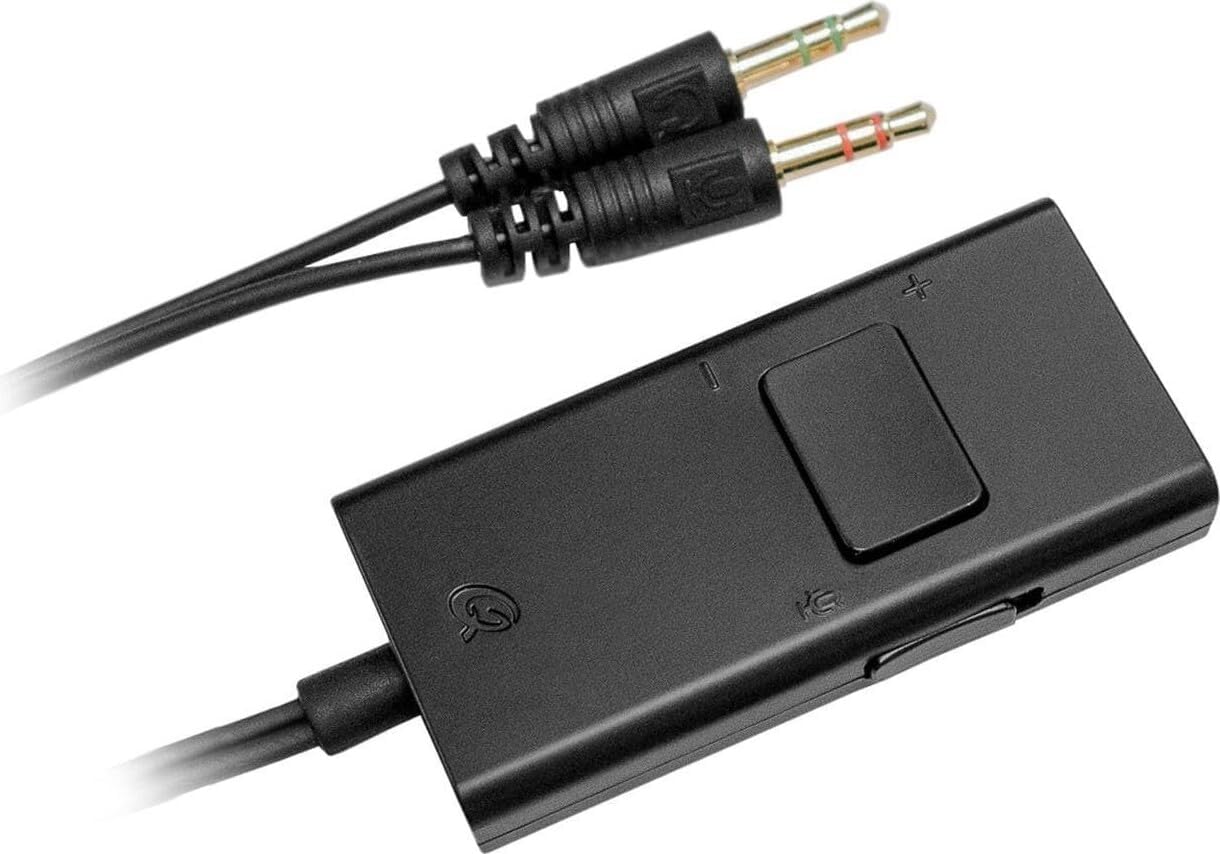
Figure 2.2: The in-line control unit and the PC splitter cable with separate audio and microphone jacks.
3. Awọn ilana Iṣiṣẹ
3.1 Wọ Agbekọri
Adjust the headband to comfortably fit your head. The earcups are designed to fully cover your ears for optimal sound isolation and comfort. The soft, padded leather headband and memory foam earcups ensure extended comfort during use.

olusin 3.1: Top view of the QPAD QH-92 Headset, illustrating the adjustable headband and comfortable earcups.
3.2 Iṣakoso iwọn didun
The headset features an integrated in-line volume control unit on the cable. Use the slider or wheel on this unit to adjust the audio volume to your preferred level. Ensure your device's volume is also set appropriately.
3.3 Gbohungbohun Lilo
Once attached, position the flexible microphone approximately 1-2 inches from your mouth for clear voice pickup. If the microphone is not needed, it can be easily detached.
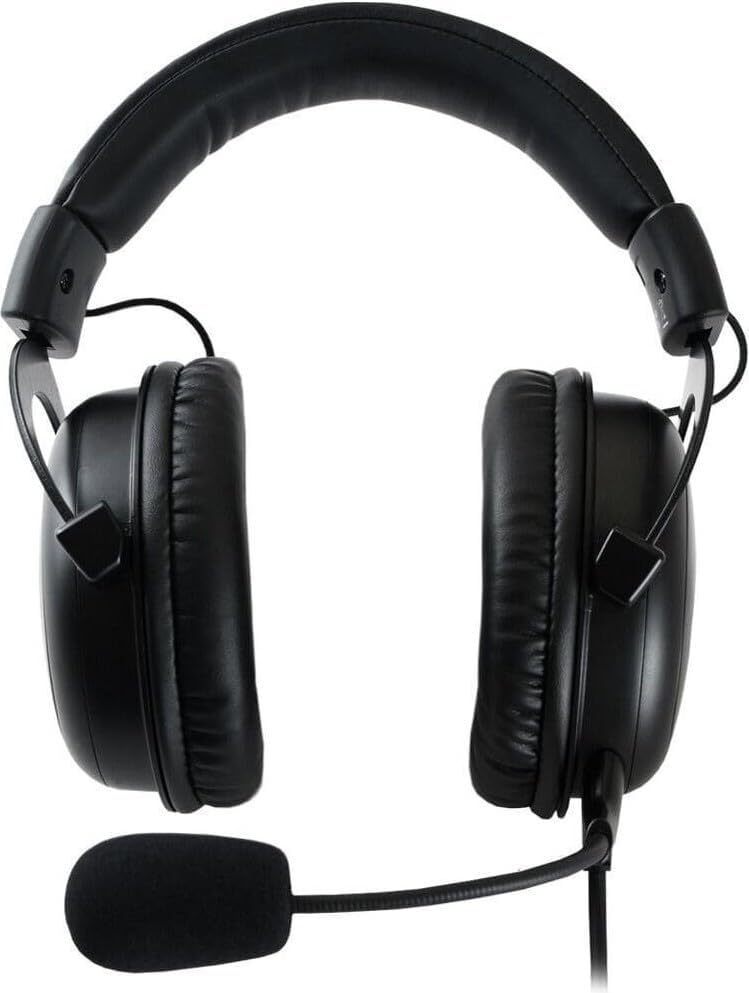
olusin 3.2: Apa view of the QPAD QH-92 Headset, showing the position of the flexible microphone.
4. Itọju
4.1 Ninu
- Lo aṣọ rírọrùn tí ó gbẹ láti nu ojú agbekọri náà.
- Fun awọn afikọti, rọra mu ese pẹlu die-die damp asọ ati gba laaye lati gbẹ patapata ṣaaju lilo.
- Maṣe lo awọn kemikali lile tabi awọn afọmọ abrasive.
4.2 Ibi ipamọ
When not in use, store the headset in a clean, dry place away from extreme temperatures and direct sunlight. Avoid wrapping the cable tightly to prevent damage.
5. Laasigbotitusita
5.1 Ko si Ohun lati Agbekọri
- Ensure the 3.5mm jack(s) are fully inserted into the correct ports on your device.
- Check the in-line volume control on the headset cable and increase the volume.
- Verify that your device's audio output settings are configured to use the headset.
- Ṣe idanwo agbekari pẹlu ẹrọ miiran lati ṣe akoso ọran-ẹrọ kan pato.
5.2 Gbohungbohun Ko Ṣiṣẹ
- Rii daju pe gbohungbohun ti o yọkuro ti wa ni asopọ ni aabo si agbekari.
- If using a PC, confirm the pink microphone jack of the splitter cable is connected to the correct microphone input port.
- Ṣayẹwo awọn eto igbewọle gbohungbohun ẹrọ rẹ ki o rii daju pe agbekari ti yan bi ẹrọ titẹ sii aiyipada.
- Verify that the microphone is not muted in your device's settings or within the application you are using.
5.3 Ko dara Ohun Didara
- Rii daju pe gbogbo awọn asopọ wa ni aabo ati ofe lati idoti.
- Ṣe idanwo pẹlu oriṣiriṣi awọn orisun ohun tabi awọn ẹrọ lati pinnu boya ọrọ naa wa pẹlu agbekari tabi orisun.
- Adjust audio settings on your device, such as equalizer settings, if available.
6. Awọn pato
| Orukọ awoṣe | QH-92 |
| Asopọmọra Technology | Ti firanṣẹ |
| Jack agbekọri | 3.5 mm Jack |
| Awakọ Iwon | 53 mm High-Fidelity |
| Ohun elo | Aluminum, Leather |
| Iwọn | 350 giramu |
| Pataki Awọn ẹya ara ẹrọ | Integrated Volume Control, Detachable Microphone, Closed-Cup Design, Padded Headband |
| Awọn ẹrọ ibaramu | PC, PS4, Xbox One, Nintendo Switch, Mobile Devices, Laptop, Tablet |
7. Atilẹyin ọja ati Support
For warranty information and technical support, please refer to the documentation provided with your purchase or visit the official QPAD webojula. Jeki ẹri rira rẹ fun eyikeyi awọn ibeere atilẹyin ọja.