
Ọrọ Iṣaaju
Thank you for choosing the GameMax H605 Micro ATX Gaming Tower Case. This manual provides essential information for the proper installation, operation, and maintenance of your new PC case. Please read this manual thoroughly before beginning assembly to ensure optimal performance and safety.
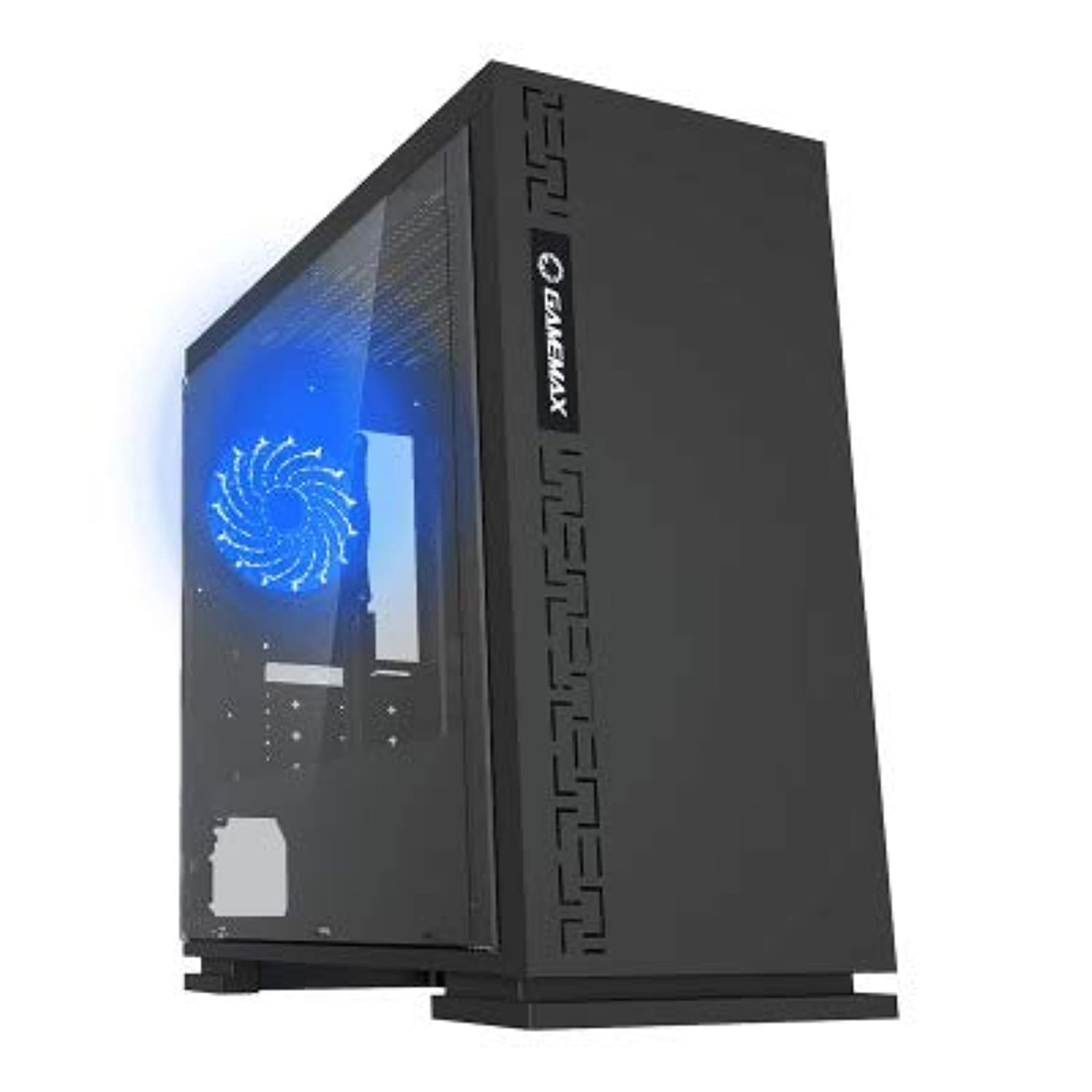
olusin 1: Iwaju view of the GameMax H605 Micro ATX Gaming Tower Case, showcasing its sleek design and front panel.
The GameMax H605 is designed for Micro ATX motherboards and features a compact yet efficient layout for gaming components. It includes one pre-installed LED fan at the rear for immediate cooling. The case is constructed from steel and plastic, offering a balance of durability and aesthetics.
Alaye Aabo
Please observe the following safety guidelines during installation and operation:
- Nigbagbogbo ge asopọ ipese agbara lati inu iṣan ogiri ṣaaju fifi sori ẹrọ tabi yiyọ awọn paati eyikeyi kuro.
- Wọ okun ọwọ-atako-aimi lati ṣe idiwọ isọjade elekitirotatiki (ESD) ibajẹ si awọn paati ifura.
- Mu awọn paati farabalẹ lati yago fun ibajẹ ti ara.
- Pa ọran naa kuro ninu awọn olomi ati ọriniinitutu ti o pọ julọ.
- Rí i dájú pé afẹ́fẹ́ tó yẹ wà ní àyíká àpótí náà kí ó má baà gbóná jù.
Package Awọn akoonu
Verify that all the following items are present in your GameMax H605 package:
- GameMax H605 Micro ATX Gaming Tower Case
- Apoti ẹya ẹrọ (awọn skru, awọn iduro, awọn asopọ okun)
- Afowoyi Olumulo (iwe-ipamọ yii)
If any items are missing or damaged, please contact your retailer or GameMax support.
Ṣeto
1. Ngbaradi Ọran naa
- Gbe ọran naa sori alapin, dada iduroṣinṣin.
- Yọ awọn panẹli ẹgbẹ kuro nipa ṣi awọn skru atanpako ni ẹhin apoti naa ki o si yi awọn panẹli pada sẹhin.

olusin 2: inu ilohunsoke view of the GameMax H605 case with the side panel removed, showing the motherboard tray and drive bays.
2. Modaboudu fifi sori
- Fi I/O shield sinu ẹhin šiši ọran naa.
- Align your Micro ATX motherboard with the standoffs inside the case. Ensure the standoffs match the screw holes on your motherboard.
- Ṣe aabo modaboudu pẹlu awọn skru ti a pese.
3. Fifi sori ẹrọ Awakọ Ibi ipamọ
- For 3.5-inch HDDs, slide the drive into the designated drive cage bays and secure with screws if necessary.
- For 2.5-inch SSDs, mount them onto the dedicated SSD brackets or trays and secure with screws.
4. Fifi sori Ipese Agbara
- Position the power supply unit (PSU) in the bottom rear compartment of the case.
- Secure the PSU to the case using the screws provided with your power supply.
5. Fifi Kaadi Aworan ati Kaadi Imugboroosi sori ẹrọ
- Yọ awọn ideri aaye imugboroosi pataki kuro ni ẹhin apoti naa.
- Insert your graphics card or other expansion cards into the appropriate PCIe slots on your motherboard.
- So awọn kaadi naa mọ pẹlu awọn skru.

olusin 3: Ẹyìn view of the GameMax H605 case, showing expansion slots and I/O shield opening.
6. Iṣakoso USB
Lo àwọn ibi tí a ti gé àwọn okùn ìtọ́sọ́nà àti àwọn ibi tí a ti so mọ́ ẹ̀yìn àtẹ motherboard láti ṣàkóso àwọn okùn. Èyí mú kí afẹ́fẹ́ àti ẹwà wọn sunwọ̀n síi.
Ṣiṣẹ
Once all components are installed and connected, replace the side panels and connect your peripherals (monitor, keyboard, mouse) to the motherboard's I/O ports. Connect the power cable to the PSU and a wall outlet. Press the power button on the front panel to start your system.

olusin 4: Top-iwaju view of the GameMax H605 case, highlighting the front panel I/O ports and power button.
Itoju
Regular maintenance helps ensure the longevity and optimal performance of your PC case and components:
- Pipa eruku: Periodically clean dust from the case interior, fans, and filters using compressed air or a soft brush. Ensure the system is powered off and unplugged before cleaning.
- Ṣíṣàyẹ̀wò Ìṣàkóso Okùn: Occasionally check cable routing to ensure no cables are obstructing airflow or fan operation.
- Ayewo Olufẹ: Verify that all fans are spinning freely and are free from obstructions.
Laasigbotitusita
Tí o bá ní ìṣòro pẹ̀lú ìkọ́lé PC rẹ, ronú nípa àwọn ìgbésẹ̀ tí ó wọ́pọ̀ láti yanjú ìṣòro wọ̀nyí:
- Ko si Agbara: Ensure all power cables (24-pin ATX, 8-pin CPU, GPU power) are securely connected. Check if the PSU switch is in the 'ON' position.
- Ko si Ifihan: Verify that the monitor cable is connected to the graphics card (not the motherboard I/O) and that the monitor is powered on and set to the correct input.
- Igbóná púpọ̀: Check fan connections and ensure they are spinning. Clean any dust buildup. Verify proper airflow within the case.
- Awọn isopọ alaimuṣinṣin: Re-seat RAM modules, graphics card, and all power/data cables to ensure they are firmly in place.
Awọn pato
| Ẹya ara ẹrọ | Ẹ̀kúnrẹ́rẹ́ |
|---|---|
| Brand | GameMax |
| Nọmba Awoṣe Nkan | H605 BLK |
| Olupese | GameMax |
| jara | H605 BLK |
| Àwọ̀ | Dudu |
| Hardware Platform | Windows 7 |
| Awọn batiri To wa | Rara |
| Iwọn Nkan | 7.53 giramu |
| Modaboudu Ibamu | Micro ATX |
| Iru Irú | Ile-iṣọ Mid |
| Niyanju Lilo Fun Ọja | Ere |
| Ohun elo | Solid Plastic Alloy |
| Ọna Itutu | Water (Implies compatibility for water cooling solutions) |
| Orukọ awoṣe | H605 BLK |
| Fan Iwon | 120 milimita |
| Lapapọ Awọn ibudo USB | 1 |
| Ọjọ Akọkọ Wa | Oṣu Keje 9, Ọdun 2019 |
Atilẹyin ọja ati Support
GameMax products are designed for reliability and performance. For warranty information, please refer to the warranty card included with your purchase or visit the official GameMax website. If you require technical assistance or have questions regarding your GameMax H605 case, please contact GameMax customer support through their official channels.
Jọwọ ṣe idaduro ẹri rira rẹ fun awọn iṣeduro atilẹyin ọja.