
MIFA c83f75c5-7cb7-4e77-95fa-c3cb222b6413
MIFA A4 Bluetooth Shower Speaker User Manual
Model: c83f75c5-7cb7-4e77-95fa-c3cb222b6413 | Brand: MIFA
1. Ifihan
Thank you for choosing the MIFA A4 Bluetooth Shower Speaker. This manual provides essential information for the proper use, maintenance, and troubleshooting of your device. Please read it thoroughly before operation.
The MIFA A4 is a compact and powerful portable Bluetooth speaker designed for various environments, including bathrooms, pools, and outdoor settings, thanks to its IPX7 waterproof rating. It features a 5W speaker driver, hands-free calling, and supports True Wireless Stereo (TWS) for connecting two A4 speakers for enhanced sound. It also incorporates built-in BassUp technology for improved audio quality.

Figure 1: MIFA A4 Bluetooth Shower Speaker, showcasing awọn oniwe-mabomire oniru pẹlu omi splashing ni ayika ti o.

Figure 2: Internal components of the MIFA A4 speaker, highlighting its built-in BassUp technology for enhanced bass.
2. Ọja Ipariview
2.1 Package Awọn akoonu
- MIFA A4 Bluetooth Shower Speaker
- Okun Ngba agbara USB
- Itọsọna olumulo
2.2 Àwọn Ẹ̀yà Agbọrọsọ

olusin 3: Oke ati ẹgbẹ view of the MIFA A4 speaker, indicating the Power button, Volume-/Previous, Volume+/Next, Mode key, Charging port, and Suction cup.
- Bọtini agbara: Tẹ mọlẹ lati fi agbara tan/pa a.
- Iwọn-/Ti tẹlẹ: Tẹ kukuru fun iwọn didun isalẹ, gun tẹ fun orin iṣaaju.
- Iwọn didun +/Tẹle: Tẹ kukuru fun iwọn didun soke, tẹ gun fun orin atẹle.
- Mode Key (M): Press to switch between Bluetooth and Micro SD card modes.
- Ibudo gbigba agbara: USB port for charging the speaker.
- Ifi-funfun: For attaching the speaker to smooth surfaces.
3. Eto ati First Lo
3.1 Gbigba agbara si Agbọrọsọ
Before first use, it is recommended to fully charge the speaker. Connect the provided USB charging cable to the speaker's charging port and the other end to a USB power adapter (not included) or a computer's USB port. The charging indicator light will show the charging status.
3.2 Attaching the Suction Cup
To use the suction cup, ensure the surface (e.g., wall, glass, refrigerator) is clean and dry. Press the speaker firmly against the surface to create a vacuum seal. This allows for convenient placement in various locations.

Olusin 4: Example of the MIFA A4 speaker attached to a smooth surface using its suction cup.
4. Awọn ilana Iṣiṣẹ
4.1 Agbara Tan / Pa
- Agbara Tan: Tẹ bọtini agbara ki o si di mu titi ti ina ifihan naa yoo fi tan.
- Agbara Pa: Tẹ mọlẹ Bọtini Agbara titi ti ina Atọka yoo wa ni pipa.
4.2 Sisopọ Bluetooth
The MIFA A4 offers universal compatibility with various Bluetooth-enabled devices.

Figure 5: The MIFA A4 speaker demonstrating its universal compatibility with various devices.
- Ensure the speaker is powered on and in Bluetooth mode (indicator light blinking).
- Mu Bluetooth ṣiṣẹ lori ẹrọ rẹ (foonuiyara, tabulẹti, ati bẹbẹ lọ).
- Wa fun "MIFA A4" in your device's Bluetooth settings.
- Select "MIFA A4" to connect. Once connected, the indicator light will become solid.
4.3 Otitọ Alailowaya Sitẹrio (TWS) iṣẹ
The MIFA A4 supports TWS, allowing two MIFA A4 speakers to connect wirelessly for a stereo sound experience.

Figure 6: Illustration of two MIFA A4 speakers paired together for True Wireless Stereo sound.
- Ensure both MIFA A4 speakers are powered on and not connected to any other Bluetooth device.
- Lórí agbọ́hùnsọ̀kan (èyí ni yóò jẹ́ agbọ́hùnsọ̀kan àkọ́kọ́), tẹ bọ́tìnnì Agbára lẹ́ẹ̀mejì. Yóò wọ inú ipò ìsopọ̀ TWS.
- The two speakers will automatically connect to each other. Once connected, the primary speaker's indicator light will blink, and the secondary speaker's light will be solid.
- Connect your device to the primary speaker via Bluetooth as described in section 4.2.
4.4 Micro SD Kaadi Sisisẹsẹhin
Insert a Micro SD card (up to 32GB, not included) with audio files into the card slot. The speaker will automatically switch to Micro SD card mode and begin playback. Press the 'M' (Mode) button to switch between Bluetooth and Micro SD card modes.
4.5 Ọwọ-Ọfẹ Npe
- Idahun Ipe: Kukuru tẹ bọtini agbara.
- Ipe Ipari: Kukuru tẹ bọtini agbara nigba ipe kan.
- Kọ Ipe: Tẹ bọtini agbara fun igba pipẹ.

Figure 7: The MIFA A4 speaker in use for hands-free calling, placed on a car dashboard.
5. Itọju ati Itọju
Proper maintenance ensures the longevity and optimal performance of your MIFA A4 speaker.
- Ninu: Lo asọ, damp cloth to clean the speaker. Do not use organic solvents or other chemicals, as they may damage the product.
- Ifihan omi: While the speaker is IPX7 waterproof, avoid prolonged submersion. Ensure the charging port cover is securely closed before exposing it to water.
- Ibi ipamọ: Store the product at room temperature. Avoid exposing the product to rain, humid conditions, direct sunlight, or high temperatures.
- Mimu: Do not drop the product or subject it to strong impacts to prevent damage.
- Disas Karo: Do not disassemble or modify the structure of the product or any part of it.
- Awọn ọmọde: Jeki ọja naa kuro ni arọwọto awọn ọmọde.
- Iwọn didun: Maintain moderate speaker volumes to prevent temporary or permanent hearing problems.
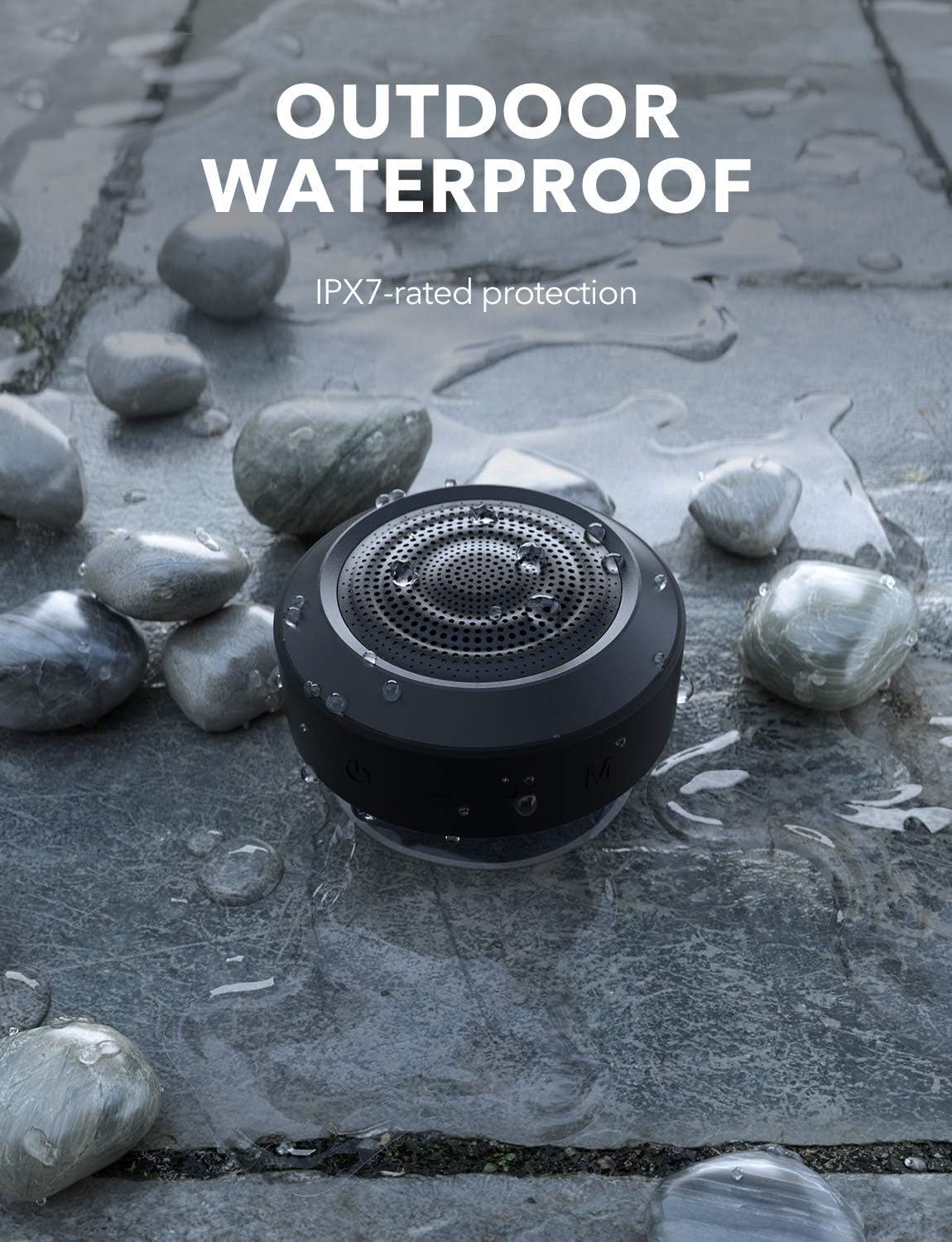
Figure 8: The MIFA A4 speaker demonstrating its IPX7 waterproof rating in an outdoor setting.
6. Laasigbotitusita
| Isoro | Owun to le Fa | Ojutu |
|---|---|---|
| Agbọrọsọ ko ni agbara lori. | Batiri kekere. | Gba agbara si agbọrọsọ ni kikun. |
| Ko le so pọ pẹlu ẹrọ Bluetooth. | Agbọrọsọ ko si ni ipo sisopọ; ẹrọ Bluetooth wa ni pipa; ju jina lati agbọrọsọ. | Ensure speaker is in pairing mode (blinking light); turn on device Bluetooth; move device closer to speaker (within 10 meters). |
| Ko si ohun. | Volume too low; incorrect mode; speaker not connected. | Increase volume on both speaker and device; press 'M' button to switch modes; re-establish Bluetooth connection. |
| Sisopọ TWS kuna. | Awọn agbohunsoke tẹlẹ ti sopọ si awọn ẹrọ miiran; ilana sisopọ ti ko tọ. | Disconnect speakers from all devices; ensure both are powered on and follow TWS pairing steps carefully. |
7. Awọn pato
| Brand | MIFA |
| Nọmba awoṣe | c83f75c5-7cb7-4e77-95fa-c3cb222b6413 |
| Ọja Mefa | 8.7 x 8.7 x 5.4 cm |
| Iwọn | 315 g |
| Agbọrọsọ o wu Power | 5 Watts (single speaker), up to 10 Watts (TWS) |
| Idahun Igbohunsafẹfẹ | 18 kHz |
| Asopọmọra Technology | Bluetooth |
| Ipo Ijade Ohun | Sitẹrio (pẹlu TWS) |
| Batiri | 1200mAh Litiumu polima (pẹlu) |
| Akoko Sisisẹsẹhin | Titi di awọn wakati 8 (ni iwọn alabọde) |
| Mabomire Rating | IPX7 |

Figure 9: The MIFA A4 speaker held in a hand, illustrating its compact dimensions (87mm x 87mm x 53.8mm).
8. Atilẹyin ọja ati Support
For warranty information and technical support, please refer to the warranty card included with your product or visit the official MIFA webojula. Tọju iwe-ẹri rira rẹ bi ẹri rira.
If you encounter any issues not covered in this manual, please contact MIFA customer service for assistance.
Ask a question about this manual
Ask about setup, troubleshooting, compatibility, parts, safety, or missing instructions. Manuals+ will review the question and use this page’s manual context to help answer it.