
COROS WAPX-BLK-2
COROS APEX Premium Multisport GPS Watch - 46mm
Model: WAPX-BLK-2
Ọrọ Iṣaaju
The COROS APEX Premium Multisport GPS Watch is designed for athletes and active individuals seeking comprehensive performance tracking and smart features. This manual provides essential information on setting up, operating, maintaining, and troubleshooting your device to ensure optimal performance and longevity.
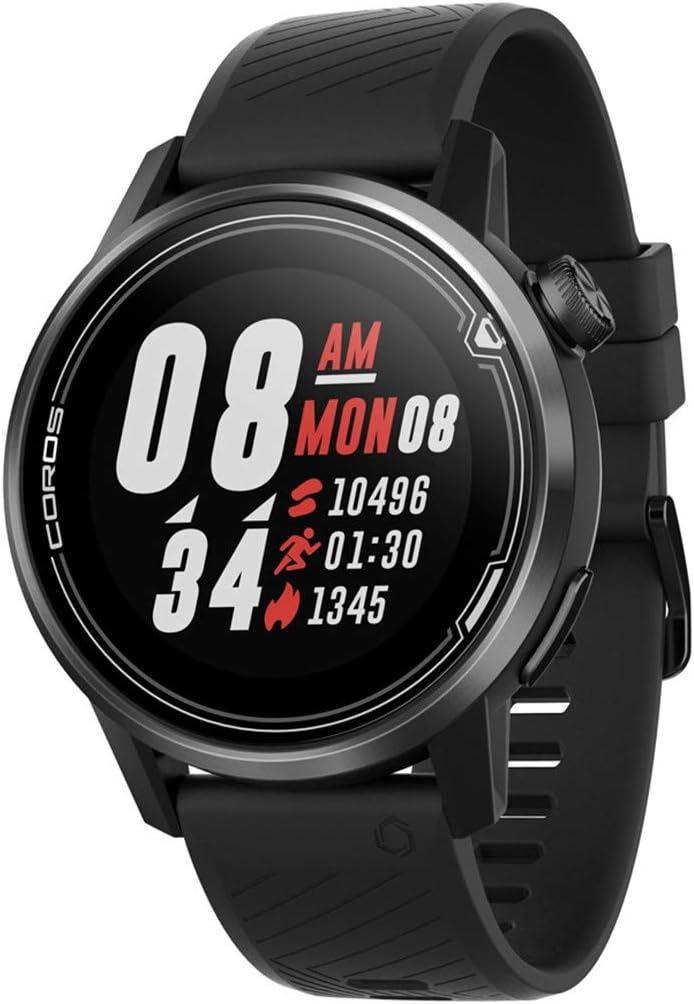
olusin 1: Iwaju view of the COROS APEX watch displaying time, steps, active minutes, and calories.
Ṣeto
Eto Ibẹrẹ
Upon first use, ensure your COROS APEX watch is fully charged. Download the COROS app on your smartphone and follow the on-screen instructions to pair your watch. This process will synchronize time, date, and personal settings, and allow for data transfer.
Ngba agbara si Ẹrọ
The COROS APEX watch features a charging port located on the back of the device. To charge, connect the provided charging cable to the port and a USB power source. A full charge can provide up to 30 days of battery life in regular use or 35 hours in full GPS mode.

olusin 2: Ẹyìn view of the COROS APEX watch, highlighting the optical heart rate sensor and the covered charging port.
Ṣiṣẹ awọn Watch
Ipilẹ Lilọ kiri
The COROS APEX watch is primarily navigated using the digital dial and a single button on the side. Rotate the digital dial to scroll through menus and data screens. Press the digital dial to select an option or confirm an action. The additional button typically serves as a back or lap button, depending on the context.

olusin 3: Ẹgbẹ profile of the COROS APEX watch, illustrating the digital dial and the additional button for navigation.
Titele aṣayan iṣẹ-ṣiṣe
The watch supports various multisport activities. From the main watch face, rotate the digital dial to access the activity menu. Select your desired activity (e.g., Run, Strength, Hike, Bike, Pool Swim, Open Water, Mtn Climb, Rowing) and press the digital dial to start. The COROS Trainer feature can structure workouts based on your fitness level.
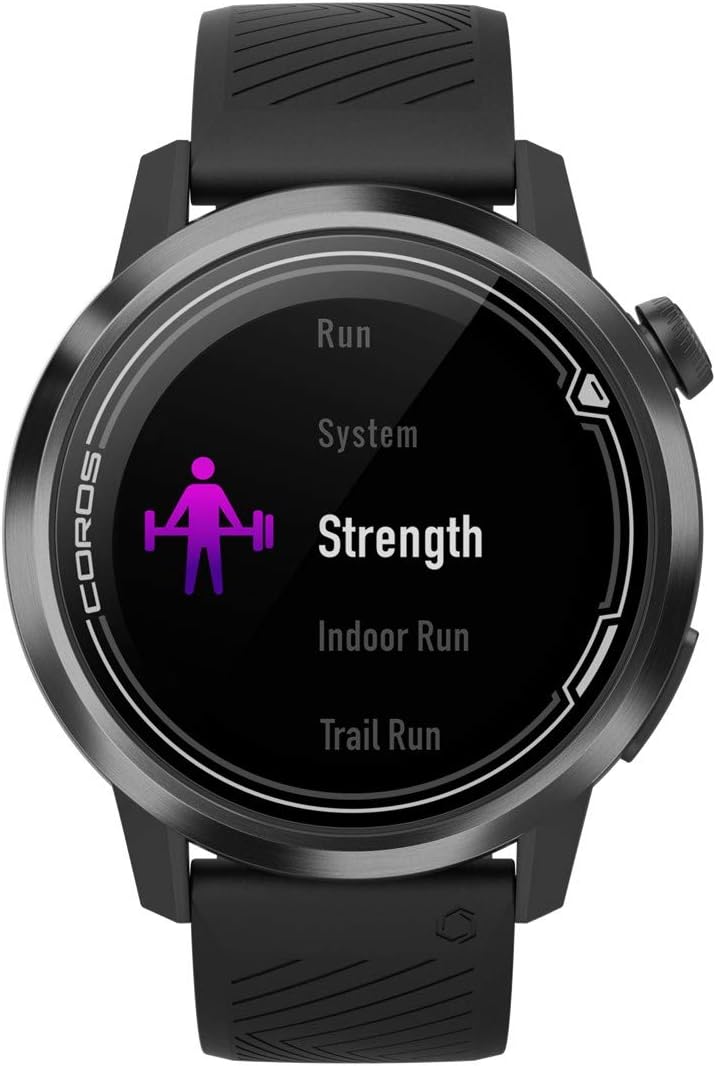
Figure 4: The watch screen displaying the activity selection menu, with "Strength" highlighted.
GPS àti Ìlọsíwájú
The integrated GPS provides accurate tracking for outdoor activities. You can view your route and progress directly on the watch screen. For advanced navigation, courses can be added via the COROS app.

Figure 5: The watch display showing a simplified map with a tracked route, indicating current position.
Abojuto Oṣuwọn Ọkàn
The watch continuously monitors your heart rate using an optical sensor on the back. This data is used for training intensity, recovery tracking, and overall health insights. You can view real-time heart rate and historical data on the watch or in the app.
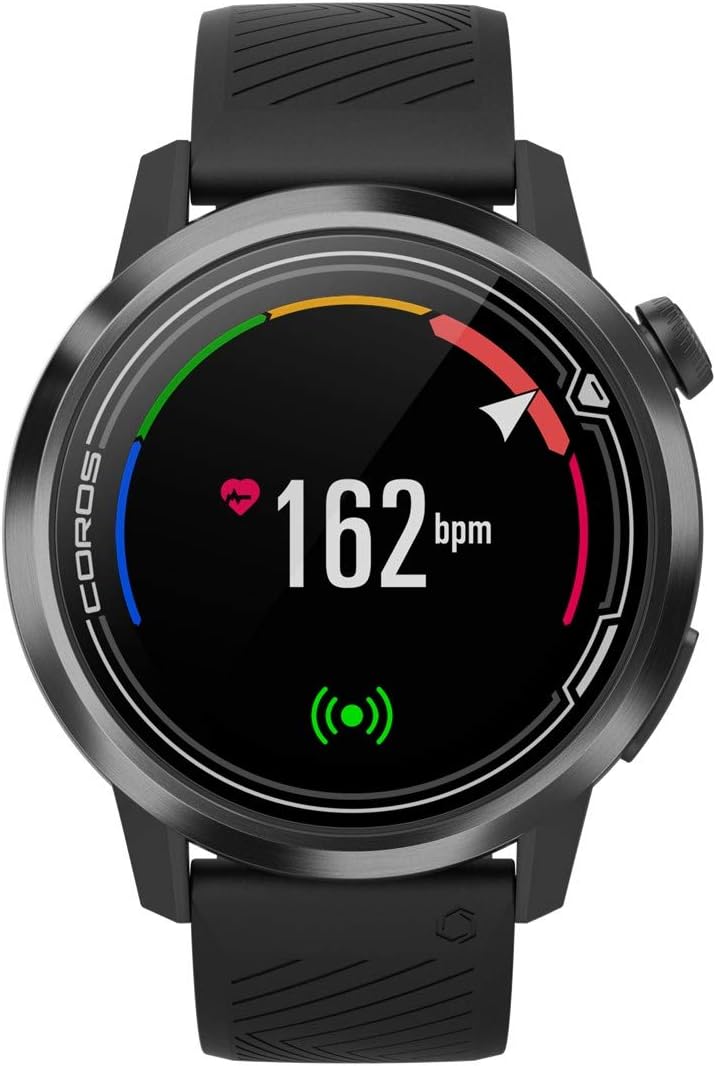
Figure 6: The watch screen displaying a real-time heart rate reading of 162 beats per minute (bpm).
Daily Metrics and Notifications
The COROS APEX tracks daily metrics such as calories burned, steps taken, active minutes, and flights climbed. It also provides smart notifications from your paired smartphone, including text messages and other alerts.

Figure 7: The watch screen showing a "Nutrition Alert" with a timer, indicating a reminder for hydration or fuel.

Figure 8: The watch screen displaying "Battery Usage" with 78% remaining, along with icons for various tracked metrics.
Alarms, Timers, and Stopwatch
Access these utility features by holding down the main button (digital dial). You can set alarms, use a stopwatch for precise timing, and set countdown timers for various purposes.
Itoju
Ninu
Regularly clean your watch, especially the back sensor and charging contacts, with a soft, damp cloth to prevent buildup and ensure accurate readings. Avoid harsh chemicals or abrasive materials.
Rirọpo Band
The watch bands are designed for easy replacement, allowing you to customize your watch or replace worn bands. Refer to the COROS website or authorized retailers for compatible band options and instructions.
Laasigbotitusita
- Wo ti ko tan: Ensure the watch is fully charged. If the issue persists, try a soft reset by holding down the digital dial for 15 seconds.
- GPS kò sopọ̀ mọ́ ara wọn: Rii daju pe o wa ni agbegbe ti o ṣii pẹlu mimọ view of the sky. Check for any obstructions. Syncing with the COROS app regularly can help update satellite data.
- Inaccurate heart rate: Ensure the watch is worn snugly on your wrist, about one finger-width above your wrist bone. Clean the sensor regularly.
- Awọn iwifunni ko han: Check your phone's Bluetooth connection and ensure notifications are enabled for the COROS app in your phone's settings.
Awọn pato
| Brand | COROS |
| Awoṣe | WAPX-BLK-2 |
| Àwọ̀ | Dudu |
| Iwọn | 46mm |
| Iwọn Nkan | 0.05 kilo |
| Ọja Mefa | 1.91"L x 1.91"W x 0.54"H |
| Iwon iboju | 1.2 inches |
| Asopọmọra Technology | Bluetooth |
| Battery Life (Standard Use) | Titi di ọjọ mẹwa 30 |
| Battery Life (Full GPS Mode) | Awọn wakati 35 |
| Omi Resistance | 100M |
| Awọn irinše to wa | Heart rate monitor, Wrist band |
Atilẹyin ọja ati Support
For detailed warranty information and customer support, please visit the official COROS webojula tabi kan si wọn onibara iṣẹ. Jeki ẹri rira rẹ fun awọn iṣeduro atilẹyin ọja.
Official COROS Store: COROS Store on Amazon
Ask a question about this manual
Ask about setup, troubleshooting, compatibility, parts, safety, or missing instructions. Manuals+ will review the question and use this page’s manual context to help answer it.