
1. Ifihan
The Unitek Y-3036 is a tool-free external enclosure designed for 2.5-inch SATA I/II/III Hard Disk Drives (HDDs) and Solid State Drives (SSDs). It provides a convenient solution for connecting your 2.5-inch drives to a computer via USB 3.0, offering fast data transfer speeds and easy portability. This manual provides detailed instructions for the proper installation, operation, and maintenance of your Unitek Y-3036 enclosure.
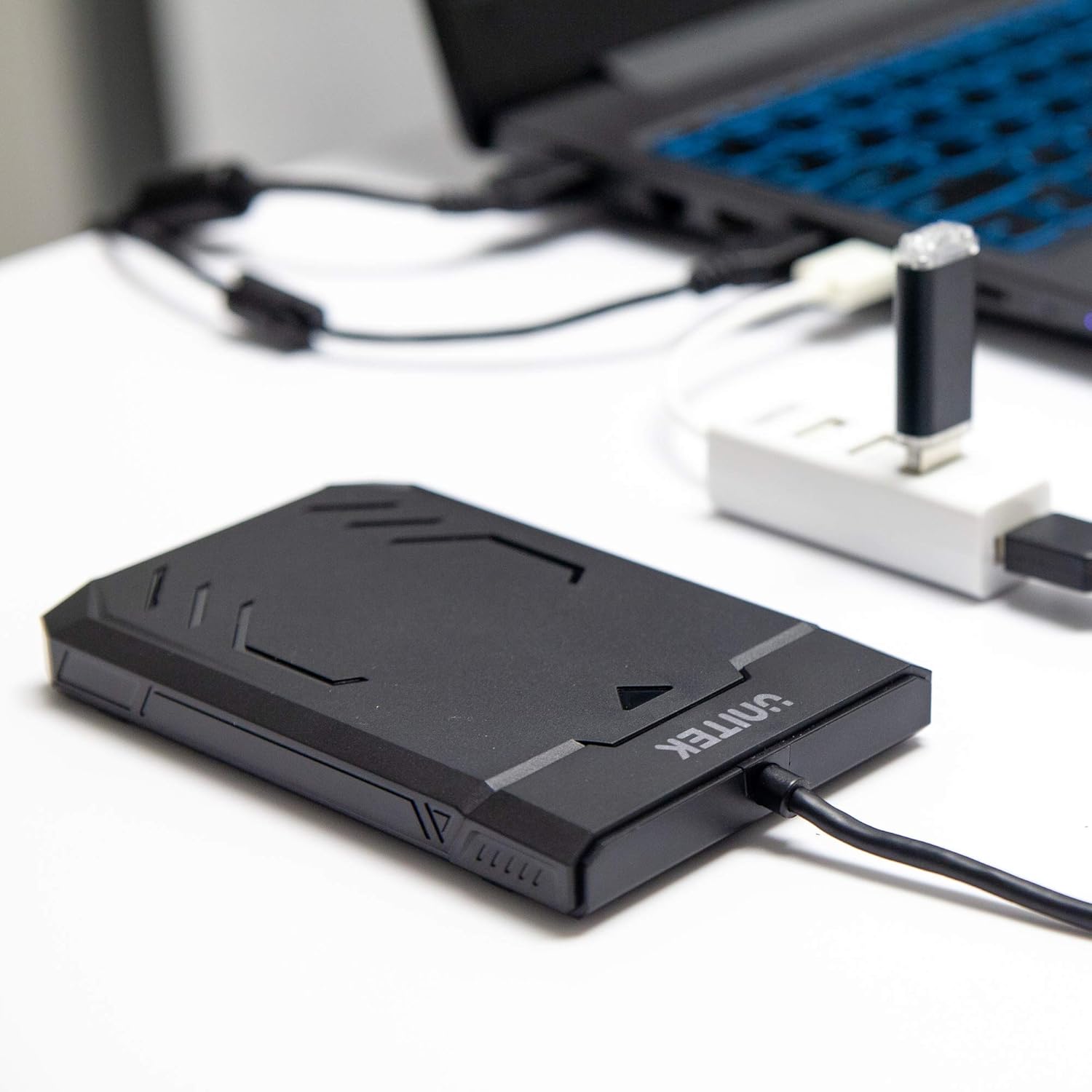
Image 1.1: Unitek Y-3036 enclosure connected to a laptop.
2. Package Awọn akoonu
Jọwọ rii daju pe gbogbo awọn ohun kan wa ninu apo rẹ:
- Unitek Y-3036 2.5-inch Hard Drive Enclosure with integrated USB 3.0 cable
- Foam pad for drive stability
- Ilana Afowoyi (iwe yii)

Image 2.1: Enclosure with integrated cable and foam pad.
3. Awọn pato
| Awoṣe | Unitek Y-3036 |
| Iru Iru Drive | 2.5-inch SATA I/II/III HDD/SSD (up to 9.5mm thickness) |
| Ni wiwo | USB 3.0 (ibaramu sẹhin pẹlu USB 2.0) |
| Data Gbigbe Oṣuwọn | Up to 6Gbps (SATA III), supports UASP |
| Awọn iwọn (L x W x H) | 130mm x 85mm x 15mm (5.12" x 3.27" x 0.59") |
| Ohun elo | Ṣiṣu |
| Awọn ẹya ara ẹrọ | Tool-free assembly, Plug & Play, LED indicator, Sleep function, Built-in USB cable |

Aworan 3.1: Awọn iwọn ọja.
4. Eto ati fifi sori
The Unitek Y-3036 enclosure features a tool-free design for easy installation of your 2.5-inch HDD or SSD.
- Ṣii Apoti naa: Gently slide the top cover of the enclosure to open it.
- Fi Drive sii: Align your 2.5-inch SATA HDD or SSD with the SATA connector inside the enclosure. Carefully push the drive into the connector until it is firmly seated. Ensure the drive is oriented correctly.
- Add Foam Pad (Optional): If your drive is thinner than 9.5mm, you may use the included foam pad to secure it snugly within the enclosure and prevent movement. Place the foam pad on top of the drive before closing the cover.
- Pa Apoti naa: Slide the top cover back into place until it clicks securely.

Image 4.1: Enclosure open with a 2.5-inch HDD inserted.

Aworan 4.2: alaye view of drive insertion.
5. Awọn ilana Iṣiṣẹ
Once your drive is installed in the enclosure, follow these steps to use it with your computer:
- Sopọ si Kọmputa: Plug the integrated USB 3.0 cable from the enclosure into an available USB port on your computer. For optimal performance, use a USB 3.0 port.
- Atọka LED: The enclosure features an LED indicator. When connected, the LED will illuminate, indicating power. It will flash during data transfer activity.
- Idanimọ Drive: Your operating system should automatically detect the new drive. If it's a new drive, you may need to initialize and format it through your operating system's disk management utility before it appears in 'My Computer' or 'Finder'.
- Yiyọ kuro lailewu: Always safely eject the drive from your operating system before disconnecting the USB cable to prevent data corruption.
6. Itọju
To ensure the longevity and optimal performance of your Unitek Y-3036 enclosure:
- Ninu: Lo aṣọ rírọrùn tí ó gbẹ láti nu ìta àpò náà. Yẹra fún lílo àwọn ohun ìfọṣọ omi tàbí àwọn ohun èlò ìfọṣọ.
- Ibi ipamọ: Nigbati o ko ba si ni lilo, tọju apade naa ni itura, aye gbigbẹ kuro lati orun taara ati awọn iwọn otutu to gaju.
- Mimu: Handle the enclosure with care to avoid drops or impacts, which could damage the internal drive or the enclosure itself.
7. Laasigbotitusita
If you encounter issues with your Unitek Y-3036 enclosure, refer to the following common problems and solutions:
- Wakọ Ko ṣe awari:
- Rii daju pe okun USB ti sopọ ni aabo si apade mejeeji ati kọnputa naa.
- Gbiyanju lati sopọ si ibudo USB ti o yatọ lori kọnputa rẹ.
- Verify that the 2.5-inch HDD/SSD is properly seated in the enclosure's SATA connector.
- Ṣàyẹ̀wò Disk Management (Windows) tàbí Disk Utility (macOS) ti kọ̀ǹpútà rẹ láti mọ̀ bóyá drive náà jẹ́ èyí tí a mọ̀ ṣùgbọ́n tí kò ní ìbẹ̀rẹ̀ tàbí tí kò ní ìṣètò.
- Test the enclosure with a different 2.5-inch SATA drive, or test your drive directly with another enclosure/adapter if available.
- Awọn iyara Gbigbe lọra:
- Rí i dájú pé o so mọ́ ibudo USB 3.0 lórí kọ̀ǹpútà rẹ. Àwọn ibudo USB 2.0 yóò ṣiṣẹ́ ní iyàrá díẹ̀díẹ̀.
- Rí i dájú pé ẹ̀rọ ìṣiṣẹ́ àti àwọn awakọ̀ rẹ ti ṣe déédé.
- The actual speed depends on the performance of the installed HDD/SSD.
- Atọka LED Ko Ina Soke:
- Confirm the USB cable is fully plugged into a powered USB port.
- Gbiyanju ibudo USB ti o yatọ.
8. Alaye Aabo
Jọwọ tẹle awọn itọnisọna ailewu wọnyi:
- Do not expose the enclosure to water, moisture, or extreme temperatures.
- Avoid dropping or subjecting the enclosure to severe impacts.
- Do not attempt to open or modify the enclosure beyond the intended drive installation. This may void any warranty and could cause damage.
- Jeki kuro ni arọwọto awọn ọmọde.
9. Atilẹyin ọja ati Support
Unitek products are designed for reliability and performance. For warranty information or technical support, please refer to the official Unitek webAaye ayelujara tabi kan si alagbata agbegbe rẹ. Pa iwe-ẹri rira rẹ mọ gẹgẹbi ẹri rira fun awọn ẹtọ atilẹyin ọja.