
Ọrọ Iṣaaju
This manual provides essential instructions for the safe and efficient operation, maintenance, and troubleshooting of your Fellowes Powershred LX220 Micro-Cut Paper Shredder. Please read this manual thoroughly before using the shredder and retain it for future reference.
1. Eto
- Ṣii silẹ: Carefully remove the shredder from its packaging. Ensure all packing materials are removed from the shredder and the waste bin.
- Ibi: Place the shredder on a flat, stable surface. Ensure adequate space around the unit for ventilation and operation. The shredder is equipped with wheels for easy mobility.
- Asopọ agbara: Plug the power cord into a standard electrical outlet. Ensure the power switch, located at the back of the unit, is in the 'ON' position. The control panel will illuminate, indicating the shredder is ready for use.
Video: Official Fellowes LX22M Paper Shredder overview, demonstrating setup and features. This video provides a visual guide to the shredder's operation and design.
2. Awọn ilana Iṣiṣẹ
2.1 Ipilẹ shredding
- Agbara Tan: Ensure the shredder is plugged in and the power switch is 'ON'. The control panel will show a blue light.
- Fi ohun elo sii: Insert up to 20 sheets of paper into the paper entry slot. The shredder will automatically detect the paper and begin shredding.
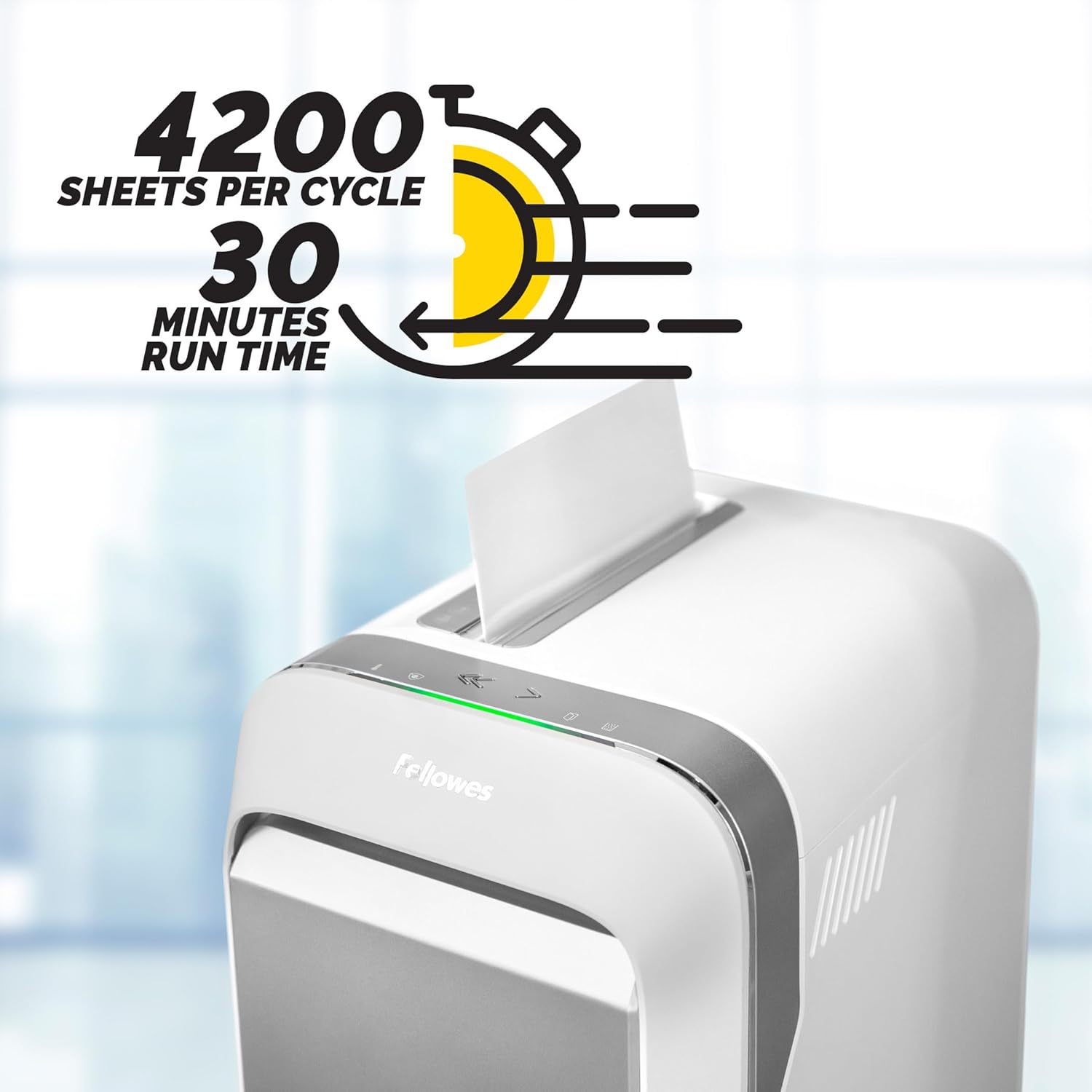
Image: The Fellowes Powershred LX220 in operation, showing paper being fed into the shredder. The image highlights the 30-minute run time and 4200 sheets per cycle capacity.
- Acceptable Materials: The LX220 can shred paper, staples, paper clips, plastic credit cards, and unopened junk mail.

Image: A stack of documents, a CD, and paper clips, illustrating the variety of materials the shredder can process.
- Aabo-Ge kekere: Documents are shredded into tiny micro-cut particles (Security Level P-4) for enhanced security.

Image: A hand holding a small pile of micro-cut paper shreds, emphasizing the P-4 security level and small particle size for ultimate security and less bin emptying.
2.2 To ti ni ilọsiwaju Awọn ẹya ara ẹrọ
- 100% Jam Proof System: The shredder automatically detects and powers through tough jobs, preventing jams. If too many sheets are inserted, the IntelliBAR will turn red, indicating to reduce the number of sheets.
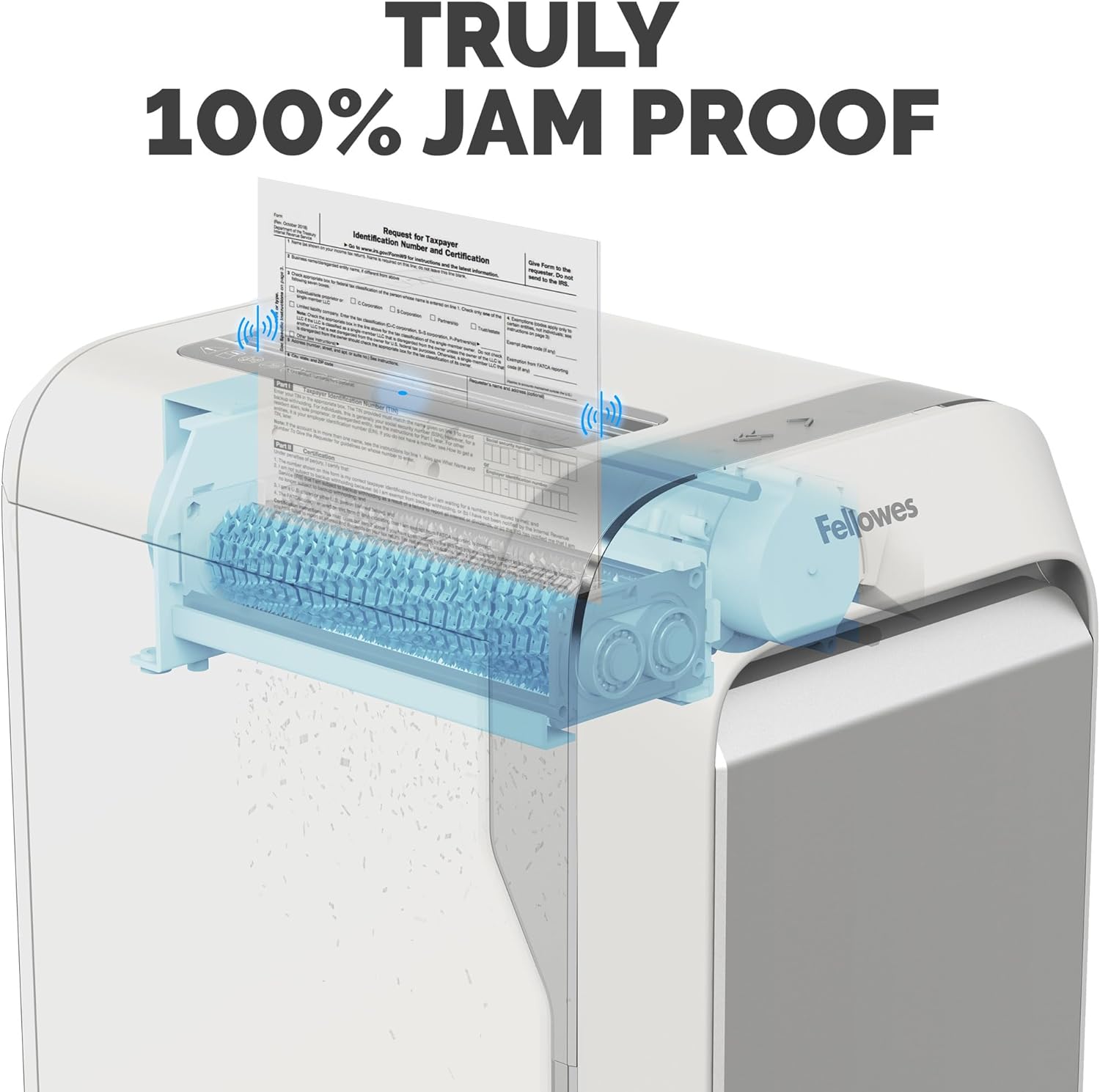
Aworan: X-ray view of the shredder's internal mechanism, illustrating the "Truly 100% Jam Proof" technology in action.
- Efficiency Meter: This feature indicates the potential for increased sheet capacity in real-time, helping you maximize productivity.
- Safe Sense Technology: For safety, the shredder stops automatically when hands or paws touch the paper entry opening. The IntelliBAR will turn yellow to indicate this safety feature is active.
- Akoko Ilọsiwaju: The shredder can operate continuously for up to 30 minutes before a 15-minute cool-down period is needed. The Run Time Indicator will alert you when it approaches the limit and when it needs to cool down.
3. Itọju
- Gbigbe Ibi Idọti naa di ofo: The Bin Full Indicator will notify you when the 8-gallon waste bin is near capacity or full. To empty, pull out the front drawer.

Image: A hand opening the waste bin of the shredder, illustrating its large capacity (8-gallon bin holds 750 sheets) and ease of emptying.
- Oiling the Shredder: Regularly oiling the shredder blades is crucial for optimal performance and longevity. Apply shredder oil across the paper entry slot after every bin emptying or as needed.
- Ninu: Keep the shredder's exterior clean with a soft, dry cloth. Do not use abrasive cleaners or solvents.
4. Laasigbotitusita
| Isoro | Owun to le Fa | Ojutu |
|---|---|---|
| Shredder ko tan. | Power cord not properly plugged in; Power switch is OFF. | Ensure power cord is securely plugged in. Turn the power switch to 'ON'. |
| Shredder duro lakoko iṣẹ. | Overheating (Run Time Indicator is red); Waste bin is full (Bin Full Indicator is red); Safe Sense activated. | Allow shredder to cool down for 15 minutes. Empty the waste bin. Remove hands/objects from paper entry. |
| Jam iwe. | Ju ọpọlọpọ awọn sheets fi sii; Ohun elo ko dara fun shredding. | Reduce the number of sheets. Use the reverse function to clear the jam. Refer to acceptable materials. |
5. Awọn pato
- Awoṣe: LX220 (5263201)
- Irisi gige: Micro-Cut (P-4 Security)
- Dì dì: 20 sheets fun kọja
- Agbara Bin: 8 galonu
- Akoko Ilọsiwaju: Titi di iṣẹju 30
- Akoko Tutu: 15 iṣẹju
- Awọn iwọn: 1 x 3 x 32 inches
- Ìwúwo: 39.8 iwon
- Awọn ẹya: 100% Jam Proof System, Efficiency Meter, Safe Sense Technology
6. Atilẹyin ọja & Atilẹyin
The Fellowes Powershred LX220 comes with a manufacturer's warranty. For specific warranty details, registration, or technical support, please refer to the official Fellowes webojula tabi kan si wọn onibara iṣẹ. Tọju iwe-ẹri rira rẹ fun awọn ẹtọ atilẹyin ọja.
Fun atilẹyin afikun, ṣabẹwo si Awọn ẹlẹgbẹ itaja lori Amazon.