
HyperGear 15127
Ìwé Ìtọ́sọ́nà Olùlò Àwọn Agbọ́rọ̀ Bluetooth Active True Wireless HyperGear
Awoṣe: 15127 | Brand: HyperGear
Ọrọ Iṣaaju
This manual provides comprehensive instructions for the HyperGear Active True Wireless Bluetooth Earbuds, Model 15127. These earbuds are designed for an active lifestyle, featuring a secure-fit, sweat-proof design, and a portable pocket-sized charging case. They offer quick-pair technology, HD stereo sound, and built-in touch controls for music and calls.
Ohun ti o wa ninu Apoti
Upon opening your HyperGear Active True Wireless Earbuds package, you should find the following items:
- Àwọn Etí Aláìlókùn HyperGear Active True Wireless (Òsì àti Ọ̀tún)
- Ọran Gbigba agbara to šee gbe
- Okun Ngba agbara USB
- Afowoyi Olumulo (iwe-ipamọ yii)
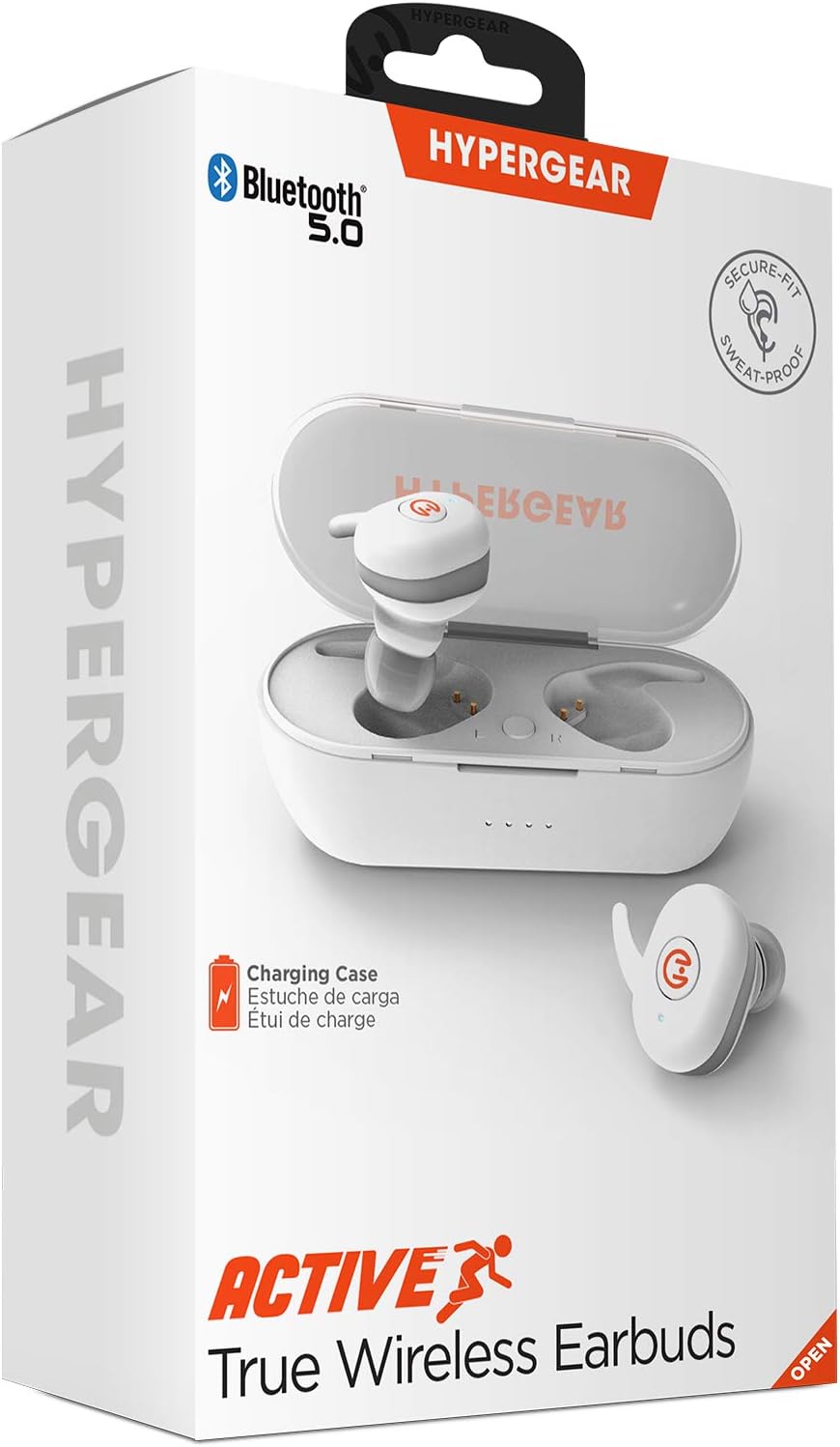
Ọja Pariview
Familiarize yourself with the components of your HyperGear Active True Wireless Earbuds and their charging case.

The earbuds feature a compact design with touch control surfaces. The charging case is designed to be pocket-sized for easy portability and provides additional battery life.
Ṣeto
Ngba agbara si Earbuds ati Ọran
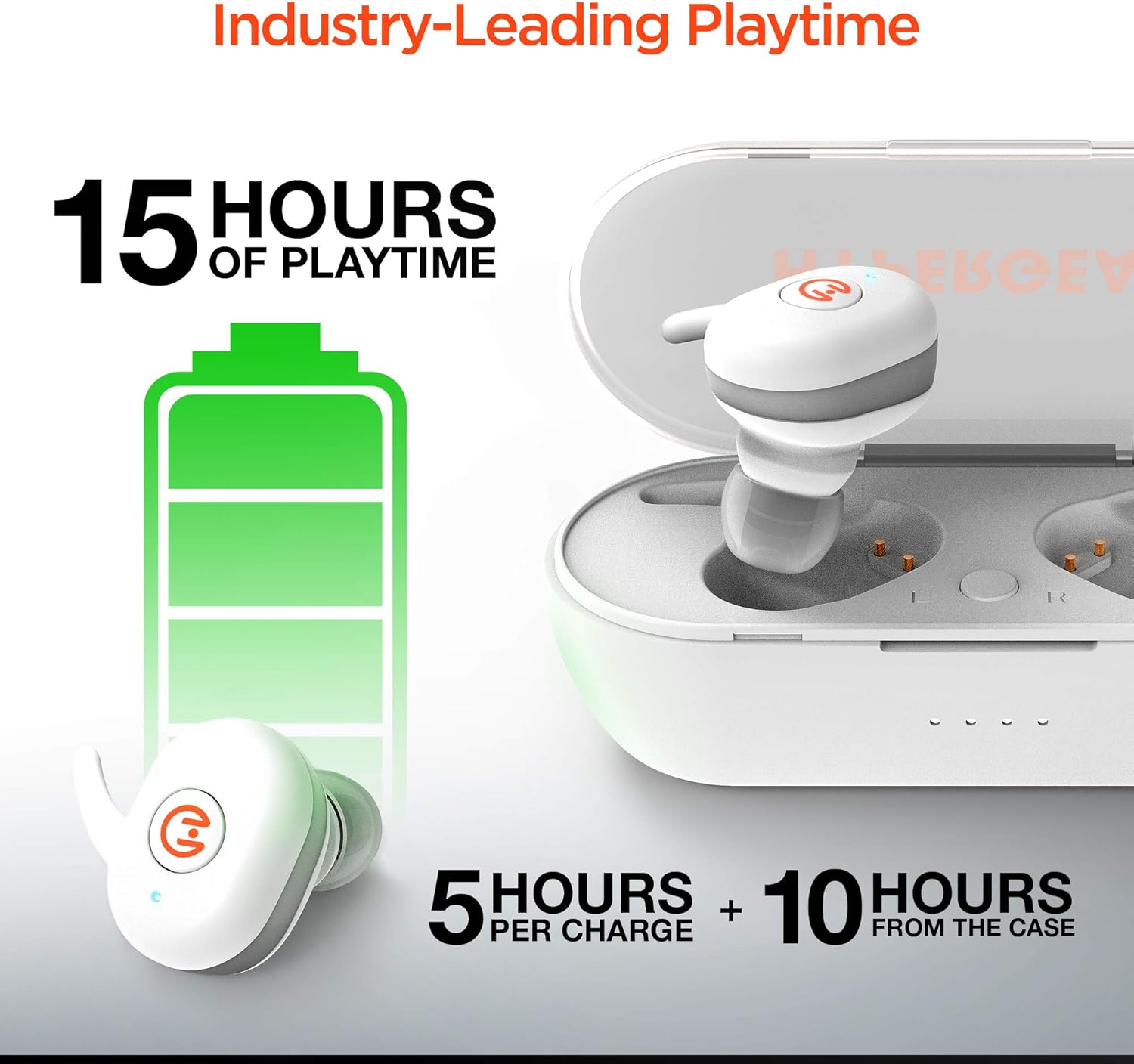
Before first use, ensure both the earbuds and the charging case are fully charged. The earbuds provide up to 5 hours of playtime on a single charge, with the charging case offering an additional 10 hours of battery life, totaling up to 15 hours of use.
- Place the earbuds into the charging case. Ensure they are properly seated in their respective slots (L for left, R for right).
- So apoti gbigba agbara pọ mọ orisun agbara nipa lilo okun gbigba agbara USB ti a pese.
- Indicator lights on the case will show charging status. Refer to the specific light patterns in your product's quick start guide for detailed information.
Sisopọ pẹlu Ẹrọ Rẹ
The HyperGear Active Earbuds feature quick-pair technology for seamless connection.
- Rii daju pe awọn agbekọri ti gba agbara ati gbe sinu apoti gbigba agbara.
- Ṣii apoti gbigba agbara. Awọn agbekọri yoo tẹ ipo isọpọ sii laifọwọyi.
- Lori ẹrọ rẹ (foonuiyara, tabulẹti, ati be be lo), jeki Bluetooth.
- Wa fun "HyperGear Active" in the list of available Bluetooth devices.
- Select "HyperGear Active" to connect. A voice prompt or indicator light will confirm successful pairing.

Thanks to Bluetooth 5.0, the connection is designed to be rock solid, delivering clear, skip-free calls and music.

Awọn ilana Iṣiṣẹ
Wọ awọn Earbuds
The earbuds are designed for a secure-fit. Gently insert each earbud into your ear canal and twist slightly to ensure a snug and comfortable fit. This helps optimize sound quality and noise cancellation.
Awọn iṣakoso ifọwọkan
The HyperGear Active Earbuds feature built-in touch controls for easy management of your audio and calls.

| Iṣe | Išẹ |
|---|---|
| Fọwọ ba Nikan | Mu orin ṣiṣẹ/Danuduro, Dahun/Pari ipe |
| Tẹ ni kia kia lẹẹmeji (Agbohun Akọkọ osi) | Ti tẹlẹ Track |
| Tẹ ni kia kia lẹẹmeji (Ẹkọ Atẹti ọtun) | Next Track |
| Gun Tẹ (awọn aaya 2) | Muu Iranlọwọ ohun ṣiṣẹ (Siri, Iranlọwọ Google) |
| Gun Tẹ (awọn aaya 3) | Kọ Ipe |
The earbuds deliver HD Stereo Sound, amplifying your day with full, balanced audio.

Itoju
To ensure the longevity and optimal performance of your HyperGear Active Earbuds, follow these maintenance guidelines:
- Ninu: Mọ awọn afikọti nigbagbogbo ati apoti gbigba agbara pẹlu asọ ti o gbẹ, asọ ti ko ni lint. Yago fun lilo awọn ohun elo abrasive tabi awọn kemikali lile.
- Omi Resistance: The earbuds are IPX5 waterproof, meaning they are resistant to sweat and light splashes. Do not submerge them in water or expose them to heavy rain. Dry them thoroughly before placing them back in the charging case.
- Ibi ipamọ: Tí o kò bá lò ó, fi àwọn ètí ìgbọ́rọ̀ sí inú àpótí ìgbóná wọn láti dáàbò bò wọ́n kúrò lọ́wọ́ eruku àti ìbàjẹ́. Tọ́jú sí ibi tí ó tutù tí ó sì gbẹ, tí kò sí ìmọ́lẹ̀ tààrà àti ooru tó le koko.
- Awọn olubasọrọ gbigba agbara: Periodically check and gently clean the charging contacts on both the earbuds and inside the case to ensure a good connection.
Laasigbotitusita
If you encounter issues with your HyperGear Active Earbuds, try the following common troubleshooting steps:
- Awọn agbekọri ti ko so pọ:
- Rii daju pe awọn agbekọri mejeeji ti gba agbara.
- Place them back in the case, close the lid, wait a few seconds, then open the lid again to re-enter pairing mode.
- Forget "HyperGear Active" from your device's Bluetooth settings and attempt to pair again.
- Ko si ohun lati inu agbekọri agbekọri kan:
- Ṣàyẹ̀wò bóyá àwọn ètí àgbélébù méjèèjì ti gba agbára.
- Ensure they are properly seated in the charging case to make contact with the charging pins.
- Try resetting the earbuds (refer to the product's quick start guide for specific reset instructions, if available).
- Apo gbigba agbara ko gba agbara:
- Rí i dájú pé okùn USB náà so mọ́ àpótí àti orísun agbára dáadáa.
- Gbiyanju okun USB ti o yatọ tabi ohun ti nmu badọgba agbara.
- Didara ohun ti ko dara tabi awọn asopọ:
- Rii daju pe awọn agbekọri ti gba agbara ni kikun.
- Sunmọ ẹrọ ti o sopọ lati dinku kikọlu.
- Ṣàyẹ̀wò fún àwọn ìdènà láàárín àwọn agbekọri àti ẹ̀rọ rẹ.
- Nu eyikeyi idoti kuro lati awọn agbohunsoke agbekọri.
If problems persist, please contact HyperGear customer support.
Awọn pato
| Ẹya ara ẹrọ | Ẹ̀kúnrẹ́rẹ́ |
|---|---|
| Nọmba awoṣe | 15127 |
| Asopọmọra Technology | Ailokun (Bluetooth 5.0) |
| Fọọmù ifosiwewe | Ninu Eti |
| Ariwo Iṣakoso | Iyasọtọ ohun |
| Àwọ̀ | Funfun |
| Ohun elo | Silicone (ear tips), Hard Plastic (case) |
| Iwọn Nkan | 6 Grams (earbuds), 0.212 ounces (total product weight) |
| Ọja Mefa | 2.36 x 2.36 x 2.36 inches |
| Omi Resistance Ipele | IPX5 (Mabomire) |
| Iwọn Igbohunsafẹfẹ | 20 Hz - 20,000 Hz |
| Igbesi aye batiri (Earbuds) | Titi di awọn wakati 5 |
| Total Playtime pẹlu Case | Titi di awọn wakati 15 |
| Iṣakoso Iru | Iṣakoso ifọwọkan |
| Olupese | HYPERGEAR |
| UPC | 633755151279 |
Alaye Aabo
Jọwọ ka ki o si tẹle awọn itọsona aabo lati yago fun ibaje si ẹrọ rẹ tabi ipalara si ara rẹ:
- Ma ṣe tuka, tunṣe, tabi tun ọja naa pada.
- Pa ọja naa mọ kuro ninu iwọn otutu ti o ga, oorun taara, ati ọriniinitutu giga.
- Avoid exposing the product to fire or placing it near heat sources.
- Do not use the product in environments where it could interfere with medical devices.
- Sọ ọja naa ni ifojusọna ni ibamu si awọn ilana agbegbe.
- This product complies with RoHS, FCC, and CE standards.
- Ikilọ 65: Ọja yii le ni awọn kemikali ti a mọ si Ipinle California lati fa akàn ati awọn abawọn ibimọ tabi ipalara ibisi miiran.
Atilẹyin ọja ati Support
For warranty information, product support, or to register your product, please visit the official HyperGear webojula ni myhypergear.com. You may also find FAQs and additional resources there.
For customer service inquiries, please refer to the contact information provided on the HyperGear webaaye tabi apoti ọja rẹ.
Ask a question about this manual
Ask about setup, troubleshooting, compatibility, parts, safety, or missing instructions. Manuals+ will review the question and use this page’s manual context to help answer it.