
1. Ifihan
This manual provides essential information for the safe and effective operation of your SHARP FPK50UW Plasmacluster Air Purifier. This air purifier is designed to improve indoor air quality through a triple filtration system and Plasmacluster Ion Technology, covering areas up to 1,253 sq. ft. (based on 1 air change per hour).
Please read this manual thoroughly before using the appliance and retain it for future reference.
2. Awọn Ilana Aabo pataki
- Máa yọ ẹ̀rọ ìfọṣọ afẹ́fẹ́ kúrò kí o tó sọ ọ́ di mímọ́, kí o tó ṣe àtúnṣe, tàbí nígbà tí o kò bá lò ó.
- Do not operate the unit with a damaged cord or plug. If the cord or plug is damaged, contact customer support for assistance.
- Ma ṣe dina awọn ẹnu-ọna afẹfẹ tabi awọn ita. Rii daju pe aaye to peye ni ayika ẹyọ naa fun ṣiṣan afẹfẹ to dara.
- Keep the unit away from water or other liquids. Do not use in wet environments such as bathrooms.
- Ohun elo yii kii ṣe ipinnu fun lilo nipasẹ awọn eniyan (pẹlu awọn ọmọde) pẹlu idinku ti ara, imọlara, tabi awọn agbara ọpọlọ, tabi aini iriri ati imọ, ayafi ti wọn ba ti fun wọn ni abojuto tabi itọnisọna nipa lilo ohun elo nipasẹ eniyan ti o ni iduro fun aabo wọn. .
- Use only genuine SHARP replacement filters.
3. Ọja irinše
Familiarize yourself with the main parts of your SHARP FPK50UW Air Purifier.
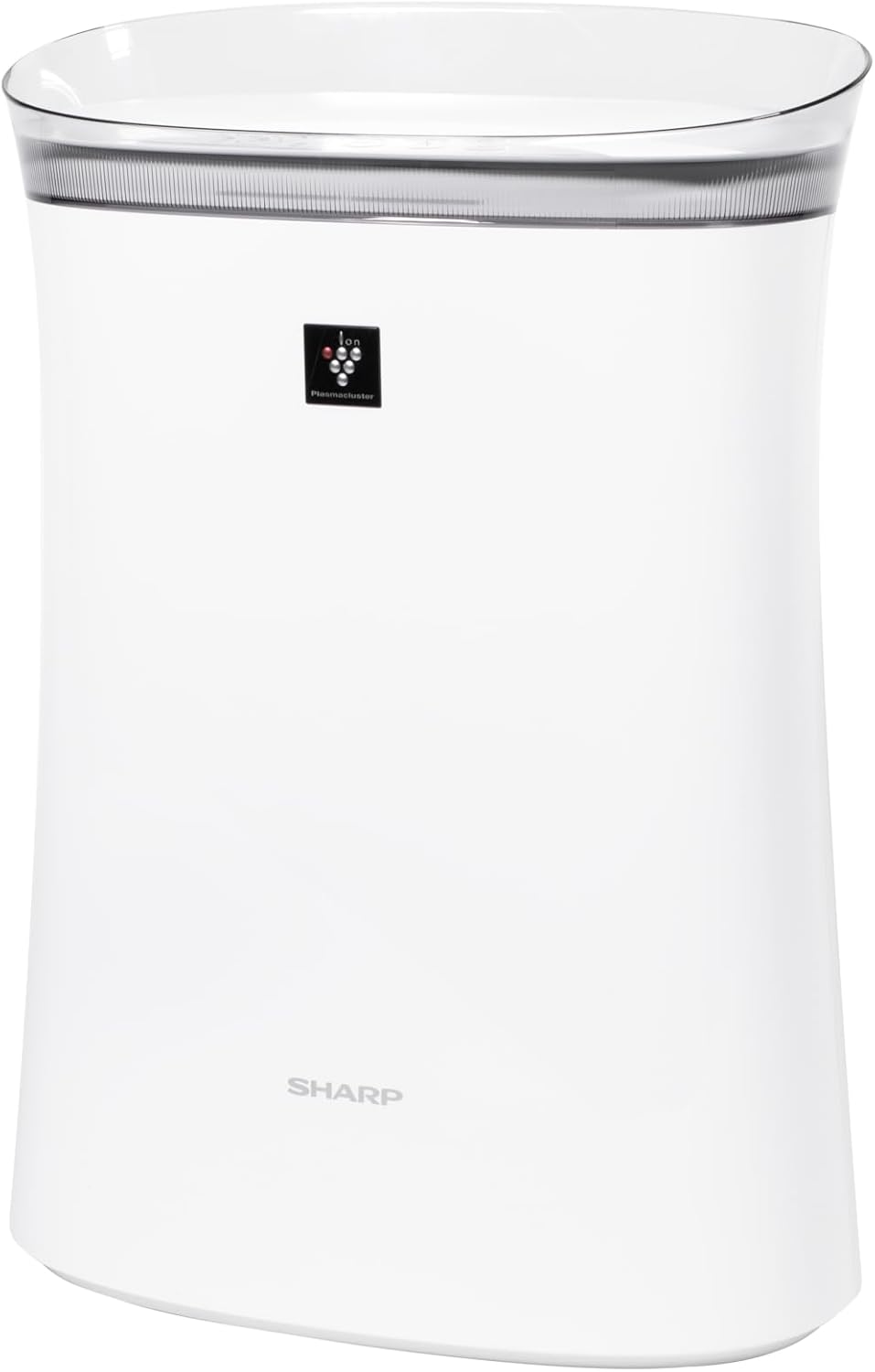
Nọmba 3.1: Iwaju view of the SHARP FPK50UW Air Purifier. This image displays the sleek, white design of the unit with the SHARP logo and Plasmacluster indicator on the front panel.

Nọmba 3.2: Pada view of the SHARP FPK50UW Air Purifier. The rear panel features the air intake grille and the power cord.

Nọmba 3.3: Control Panel. This image shows the touch-sensitive buttons for power, fan speed, Plasmacluster, Express Clean, and timer functions.
Akojọ Awọn eroja:
- Ẹgbẹ akọkọ
- Washable Microscreen Pre-filter (installed)
- Activated Carbon Deodorizing Filter (installed)
- Àlẹ̀mọ́ HEPA tòótọ́ (tí a fi sori ẹrọ)
- Okun agbara (so)
4. Ṣíṣeto ati Fifi sori ẹrọ Àlẹ̀mọ́
Before operating your air purifier, ensure all filters are properly installed and packaging removed.
Awọn Igbesẹ Iṣeto Ibẹrẹ:
- Yọ Ẹka naa kuro: Fara yọ afẹfẹ purifier kuro ninu apoti rẹ.
- Yọ Pẹpẹ Ẹ̀yìn kúrò: Gently pull the back panel of the unit to detach it.
- Yọ Awọn Ajọ kuro: Take out the pre-filter, activated carbon filter, and True HEPA filter.
- Remove Plastic Packaging: Remove all plastic bags and protective wrapping from the activated carbon filter and True HEPA filter. The pre-filter does not have plastic wrapping.
- Tun awọn Ajọ sori ẹrọ: Insert the True HEPA filter first, followed by the activated carbon filter, and then the pre-filter. Ensure they are oriented correctly as indicated on the filters or unit.
- Reattach Back Panel: Securely reattach the back panel.
- Ibi: Place the air purifier on a firm, level surface, ensuring at least 8 inches of clearance from walls or furniture for optimal airflow.
- Wọle: So okun agbara pọ si itanna eletiriki boṣewa.

Nọmba 4.1: Ẹyìn view with the back panel removed, revealing the pre-filter and main filters inside the unit.

Nọmba 4.2: The True HEPA filter and Activated Carbon filter are shown removed from the air purifier, with the internal fan visible.
5. Isẹ
The control panel allows you to manage the air purifier's functions.
Awọn iṣẹ igbimọ Iṣakoso:
- ON/OFF Button (Power): Tẹ lati tan-an tabi paa kuro.
- Bọtini Iyara Fan: Cycles through fan speeds: Max, Med, and Sleep.
- Plasmacluster ON/OFF Button: Activates or deactivates the Plasmacluster Ion Technology.
- Express Clean Button: Initiates a 60-minute high-speed cleaning cycle before returning to the previous setting.
- Bọtini Aago: Sets the operating timer for 2, 4, or 8 hours. The unit will automatically turn off after the selected time.
- Light ON/OFF (Press 3 sec.): Press and hold the Timer button for 3 seconds to turn the display lights on or off.
- Filter Reset (Press 3 sec.): After replacing filters, press and hold the Plasmacluster button for 3 seconds to reset the filter indicator.
6. Itọju
Itọju deede ṣe idaniloju iṣẹ ṣiṣe ti o dara julọ ati fa igbesi aye ti purifier afẹfẹ rẹ.
Itọju Ajọ:
- Àlẹmọ-tẹlẹ: The washable microscreen pre-filter should be cleaned regularly (e.g., monthly) by vacuuming or rinsing with water. Ensure it is completely dry before reinstalling.
- Activated Carbon Deodorizing Filter & True HEPA Filter: These filters are designed for long life, lasting up to 2 years depending on the environment and usage. Replace them when the filter indicator light illuminates or when you notice a decrease in performance or increased odors. These filters are not washable.
Ninu Ẹka:
- Òde: Wipe the exterior of the unit with a soft, dry cloth. For stubborn stains, use a damp asọ pẹlu kan ìwọnba detergent, ki o si mu ese gbẹ.
- Air Outlets/Inlets: Periodically vacuum or wipe the air outlets and inlets to remove dust accumulation.
7. Laasigbotitusita
Ti o ba ba pade awọn ọran pẹlu olutọpa afẹfẹ rẹ, tọka si tabili atẹle fun awọn iṣoro ati awọn solusan ti o wọpọ.
| Isoro | Owun to le Fa | Ojutu |
|---|---|---|
| Ẹka ko ni tan-an | Kò sí okùn agbára tí a so mọ́; Agbára outage; Àìṣiṣẹ́ ẹ̀rọ náà | Ensure power cord is securely plugged in; Check household circuit breaker; Contact customer support if issue persists. |
| Afẹfẹ alailagbara | Filters are dirty or clogged; Air inlets/outlets blocked | Clean or replace filters; Ensure no obstructions around the unit. |
| Òórùn asán | Activated carbon filter needs replacement; New unit odor | Replace activated carbon filter; New unit odor typically dissipates within a few days of use. |
| Plasmacluster indicator not lit | Plasmacluster function is off; Ion generator needs cleaning | Press the Plasmacluster button to activate; Refer to maintenance section for ion generator cleaning (if applicable to model). |
If the problem persists after attempting these solutions, please contact SHARP customer support.
8. Awọn pato
| Ẹya ara ẹrọ | Ẹ̀kúnrẹ́rẹ́ |
|---|---|
| Nọmba awoṣe | FPK50UW |
| Brand | Dinku |
| Ọja Mefa | 8.2"D x 15.1"W x 21.3"H |
| Pakà Area Ideri | Up to 1,253 sq. ft. (1 air change/hr); 259 sq. ft. (4.8 air changes/hr) |
| Ariwo Ipele | 22 dB (Sleep mode) |
| Adarí Iru | Iṣakoso bọtini |
| Wattage | 50 watt |
| Iwọn Nkan | 11 iwon |
| Sisẹ System | Washable Pre-filter, Activated Carbon Filter, True HEPA Filter |
| Pataki Awọn ẹya ara ẹrọ | Plasmacluster Ion Technology, Express Clean Mode, Timer Function |
| Awọn iwe-ẹri | ENERGY STAR Rated, AHAM Verifide Tested, CARB Certified |
| UPC | 074000663794 |
9. Atilẹyin ọja ati Onibara Support
Your SHARP FPK50UW Air Purifier comes with a 1-odun lopin awọn ẹya ara ati laala atilẹyin ọja.
For warranty claims, technical assistance, or to purchase replacement filters, please contact SHARP customer support:
- Webojula: Visit the official SHARP webaaye fun awọn orisun atilẹyin ati alaye olubasọrọ.
- Foonu: Refer to your product registration card or the SHARP website for the appropriate customer service number.
Please have your model number (FPK50UW) and proof of purchase ready when contacting support.