
Ọrọ Iṣaaju
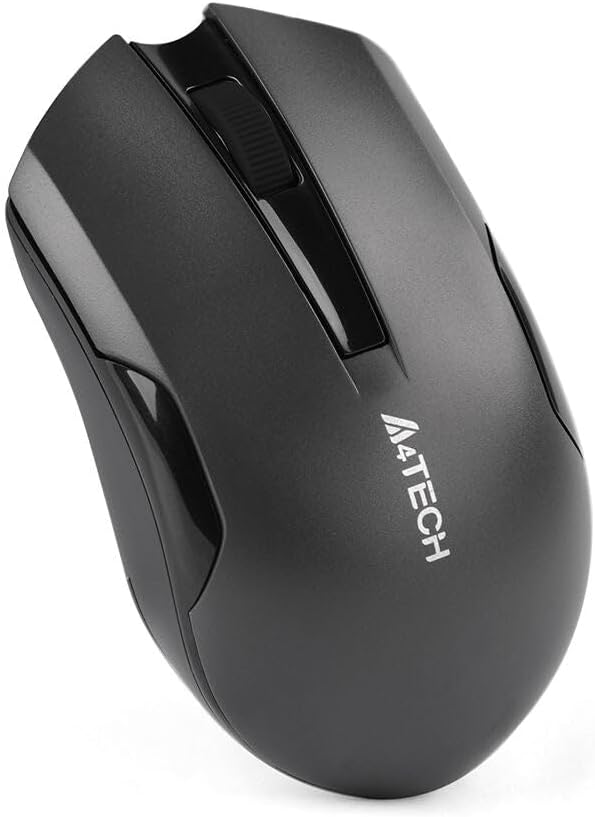
Thank you for choosing the A4tech G3-200NS Silent Wireless Mouse. This manual provides detailed instructions for setting up, operating, and maintaining your new wireless mouse. Designed for comfort and efficiency, this optical mouse offers silent clicks and reliable wireless connectivity for both PC and laptop use.
Package Awọn akoonu
Jọwọ ṣayẹwo awọn akoonu package lati rii daju pe gbogbo awọn ohun kan wa:
- A4tech G3-200NS Silent Wireless Mouse
- Olugba USB
- Afowoyi Olumulo (iwe-ipamọ yii)
- (Note: 1 AA battery required, not included)
Ṣeto
1. Fifi Batiri naa sori ẹrọ
- Wa yara batiri ni isalẹ ti Asin.
- Ṣii ideri iyẹwu batiri naa.
- Fi batiri AA kan sii, ni idaniloju polarity ti o pe (+/-).
- Pa ideri batiri naa ni aabo.
Àwòrán 1: Abẹ́ ẹ̀rọ asin pẹ̀lú ibi tí a fi batiri sí.
2. Nsopọ Olugba USB
- Locate the USB receiver, typically stored within the mouse's battery compartment or packaged separately.
- Pulọọgi olugba USB sinu ibudo USB ti o wa lori kọnputa tabi kọǹpútà alágbèéká rẹ.
- Eto iṣiṣẹ naa yoo ṣe awari ati fi awọn awakọ ti o yẹ sori ẹrọ laifọwọyi. Eyi le gba iṣẹju diẹ.
- Nígbà tí a bá ti fi kọ̀ǹpútà náà sílẹ̀, a ti ṣetán láti lò ó.
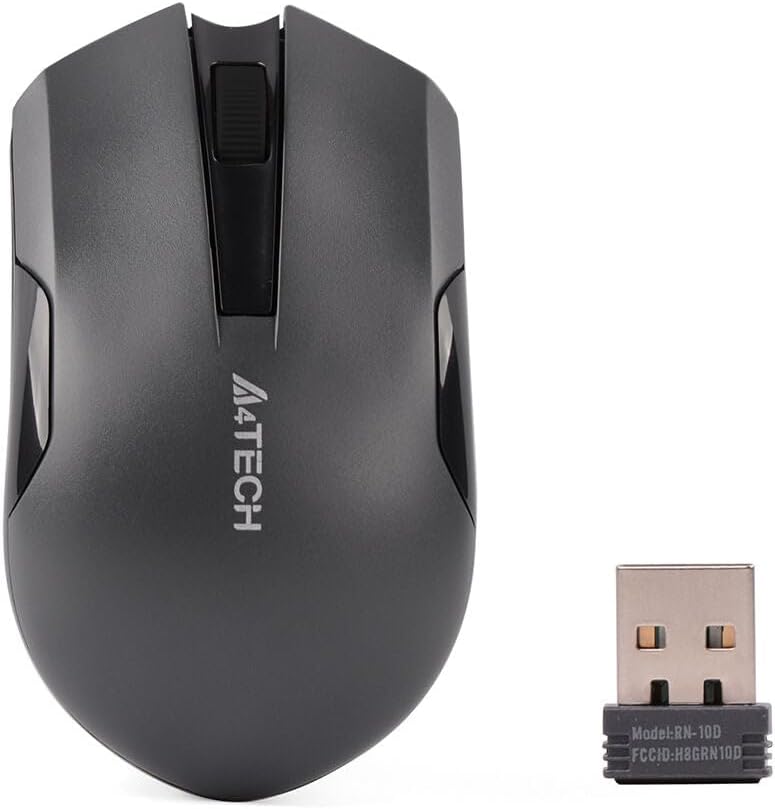
Figure 2: A4tech G3-200NS mouse and its USB receiver.
Ṣiṣẹ Asin
Awọn iṣẹ ipilẹ
- Tẹ osi: Primary action, selection, opening items.
- Tẹ-ọtun: Ṣii awọn akojọ aṣayan ọrọ-ọrọ.
- Yi lọ Kẹkẹ: Yi lọ awọn iwe aṣẹ ati web awọn oju-iwe ni inaro. Yiyi kẹkẹ tun awọn iṣẹ bi a arin tẹ bọtini.
Ipalọlọ Tẹ Technology
The A4tech G3-200NS features silent click technology, significantly reducing click noise for a quieter working environment.
Alailowaya Ibiti
The mouse operates within a wireless range of approximately 10 to 15 meters from the USB receiver, depending on environmental conditions and obstacles.
Itoju
Batiri Rirọpo
When the mouse performance degrades or stops responding, it is likely time to replace the AA battery. Follow the battery installation steps outlined in the "Setup" section.
Ninu
Láti nu eku náà, lo aṣọ rírọrùn tí ó gbẹ. Fún eruku líle, afẹ́fẹ́ díẹ̀.amp cloth can be used, ensuring no moisture enters the internal components. Avoid using harsh chemicals or abrasive cleaners.
Laasigbotitusita
| Isoro | Ojutu |
|---|---|
| Asin ko dahun |
|
| Iṣipopada kọsọ aiṣedeede |
|
| Iwọn alailowaya kukuru |
|
Awọn pato
- Brand: A4tech
- Awoṣe: G3-200NS
- Asin Iru: Opitika Asin
- Asopọmọra: Alailowaya (2.4 GHz)
- Àwọ̀: Dudu
- Ni ibamu pẹlu: PC & Kọǹpútà alágbèéká
- Eto isesise: Lainos, Windows XP (ati awọn ẹya tuntun)
- Orisun Agbara: 1 x AA Batiri (ko si)
- Igbesi aye Batiri Apapọ: Approximately 6 months (may vary with usage)
- Iwọn Alailowaya: 10-15 mita
- Awọn ẹya pataki: Ipalọlọ Tẹ Technology
Atilẹyin ọja ati Support
For warranty information or technical support, please refer to the warranty card included with your purchase or visit the official A4tech webojula. Jeki ẹri rira rẹ fun awọn iṣeduro atilẹyin ọja.