
1. Ifihan
This manual provides essential instructions for the safe and effective use of your PPLEE Emergency Solar Hand Crank Radio, Model 1009Pro. This multifunctional device is designed to provide critical information and utility during emergencies and outdoor activities.
The PPLEE weather radio is engineered to keep your family safe during natural disasters such as hurricanes, earthquakes, wildfires, and snowstorms. By tuning into your local weather station, this emergency radio can timely report various life-threatening severe weather alerts issued by the National Weather Service. It will alert you with a loud siren and a flashing red light, ensuring you are prepared even during the night.
Awọn ẹya pataki:
- Emergency survival kit for natural disasters, featuring NOAA weather alert and SOS alarm for family safety.
- Multifunctional radio with flashlight, reading lamp, USB mobile phone charger, and a 5000 mAh rechargeable battery.
- Five charging modes: internal rechargeable battery, solar power, hand crank, 5V USB input, and 3 AAA batteries (not included) for continuous use.
2. Alaye Aabo
Please do not listen to the radio while charging to avoid static interference.
Always ensure the device is kept away from extreme temperatures, direct sunlight for prolonged periods, and water. Do not attempt to disassemble or modify the radio, as this may void the warranty and pose safety risks.
3. Eto
3.1 Ṣiṣii silẹ
Ni ifarabalẹ yọ gbogbo awọn paati kuro ninu apoti. Rii daju pe awọn nkan wọnyi wa:
- PPLEE Emergency Weather Radio with built-in 5000 mAh rechargeable battery
- USB gbigba agbara USB
- Portable braided belt
- Carabiner and compass
- Afowoyi eni
3.2 Agbara ẹrọ naa
Your radio offers five sustainable power options:
- Batiri Gbigba agbara ti inu: The radio comes with a built-in 5000 mAh rechargeable battery.
- Ngba agbara USB: Connect the supplied USB cable to the DC 5V input port on the radio and a USB power adapter (not included) or computer. The charging indicator will illuminate.
- Ibẹrẹ Ọwọ: Rotate the hand crank clockwise or counter-clockwise at a steady pace (approximately 130-150 RPM) for 3-5 minutes to generate power for short-term use or to initiate charging.
- Igbimọ oorun: Place the radio in direct sunlight. The solar panel will slowly charge the internal battery. This method is ideal for maintaining charge or for very slow charging.
- Awọn batiri AAA: For backup power, insert 3 AAA batteries (not included) into the battery compartment. Ensure correct polarity.

Figure 1: A detailed diagram showcasing the five sustainable power sources for the PPLEE Emergency Radio. These include a DC 5V USB input for charging, an internal rechargeable battery, a compartment for 3 AAA batteries (not included), a hand crank for manual power generation, and a solar panel for charging via sunlight.
4. Awọn ilana Iṣiṣẹ
4.1 Radio Function (AM/FM/SW/NOAA)

Figure 2: A comprehensive labeled diagram of the PPLEE Emergency Radio, pointing out its various components and functions: solar panel, crank handle, LED reading lamp, USB port, flashlight button, reading lamp button, SOS control button, LED flashlight, and the SW/AM/FM/WB tuning display.
- Titan/Apapa: Rotate the VOLUME knob clockwise to turn the radio on and counter-clockwise to turn it off.
- Aṣayan Ẹgbẹ: Use the BAND switch to select between AM, FM, SW (Shortwave), or WB (Weather Band/NOAA).
- Yiyi: Rotate the TUNING knob to scan for stations. Extend the telescopic antenna for better reception, especially for FM and SW bands.
- Itaniji Oju-ọjọ NOAA: In WB mode, the radio can receive NOAA weather alerts. It is designed to report life-threatening severe weather issued by the National Weather Service.
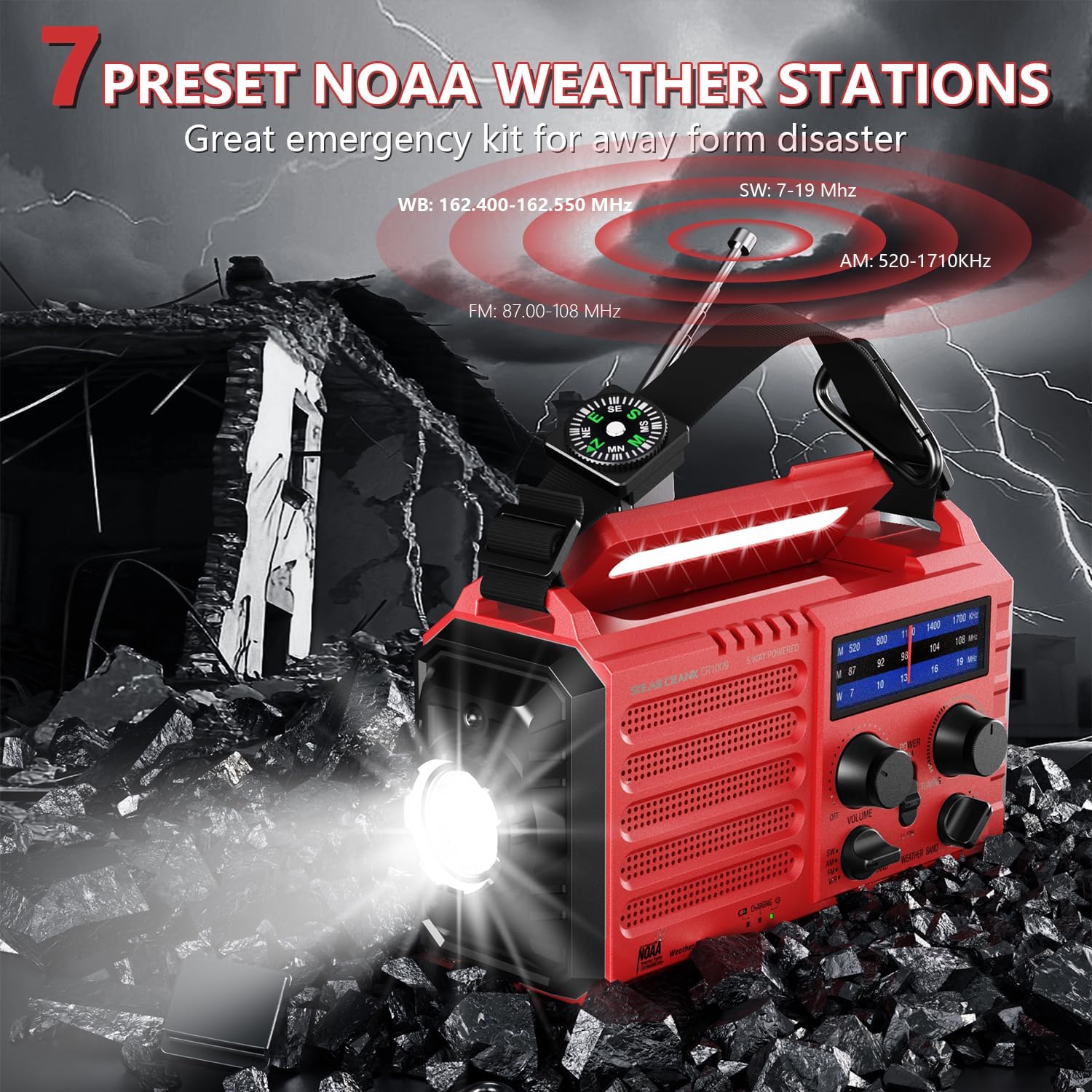
Figure 3: This image illustrates the PPLEE Emergency Radio in a simulated disaster environment, with debris and lightning. It highlights the radio's capability to receive 7 preset NOAA weather stations (WB: 162.400-162.550 MHz), AM (520-1710KHz), FM (87.00-108 MHz), and SW (7-19 MHz) bands, crucial for emergency information.

Figure 4: The PPLEE Emergency Radio is shown with its display indicating weather band frequencies, alongside small images depicting various natural hazards like floods, fires, snowstorms, and tornadoes. This emphasizes its role in providing timely weather alerts across WB (162.400-162.550 MHz), AM (520-1710KHz), FM (87.00-108 MHz), and SW (7-19 MHz) bands.
4.2 Fìlàṣì àti Kíkà Lamp
- Imọlẹ ina: Press the flashlight button to turn on the LED flashlight. Press again to cycle through brightness levels (typically two levels) or turn off.
- Kika Lamp: Tẹ kika lamp button to activate the LED reading lamp. Awọn lamp can be adjusted from 0° to 90° for optimal illumination.

Figure 5: This image illustrates the lighting capabilities of the PPLEE Emergency Radio. It shows the two levels of brightness for the LED flashlight and the adjustable reading lamp, which can be angled from 0° to 90° for optimal illumination.
4.3 SOS Itaniji
To activate the SOS alarm, press the SOS control button. The radio will emit a loud 116dB siren and a flashing red light to attract attention in emergency situations. Press the button again to deactivate the alarm.

Figure 6: The PPLEE Emergency Radio is depicted in an emergency scenario with first responders, illustrating its SOS alarm feature. When activated, the radio emits a loud 116dB siren and a flashing red light to signal for help.
4.4 Emergency Power Bank
The built-in 5000 mAh rechargeable battery allows the radio to function as an emergency power bank. Connect your smartphone or other USB-powered devices to the USB output port using your device's charging cable. The radio can provide power to your devices when other power sources are unavailable.

Figure 7: The PPLEE Emergency Solar Hand Crank Radio, Model 1009Pro, is shown in red, actively charging a smartphone via its USB output port. The radio features a clear display, tuning knobs, and a built-in flashlight.
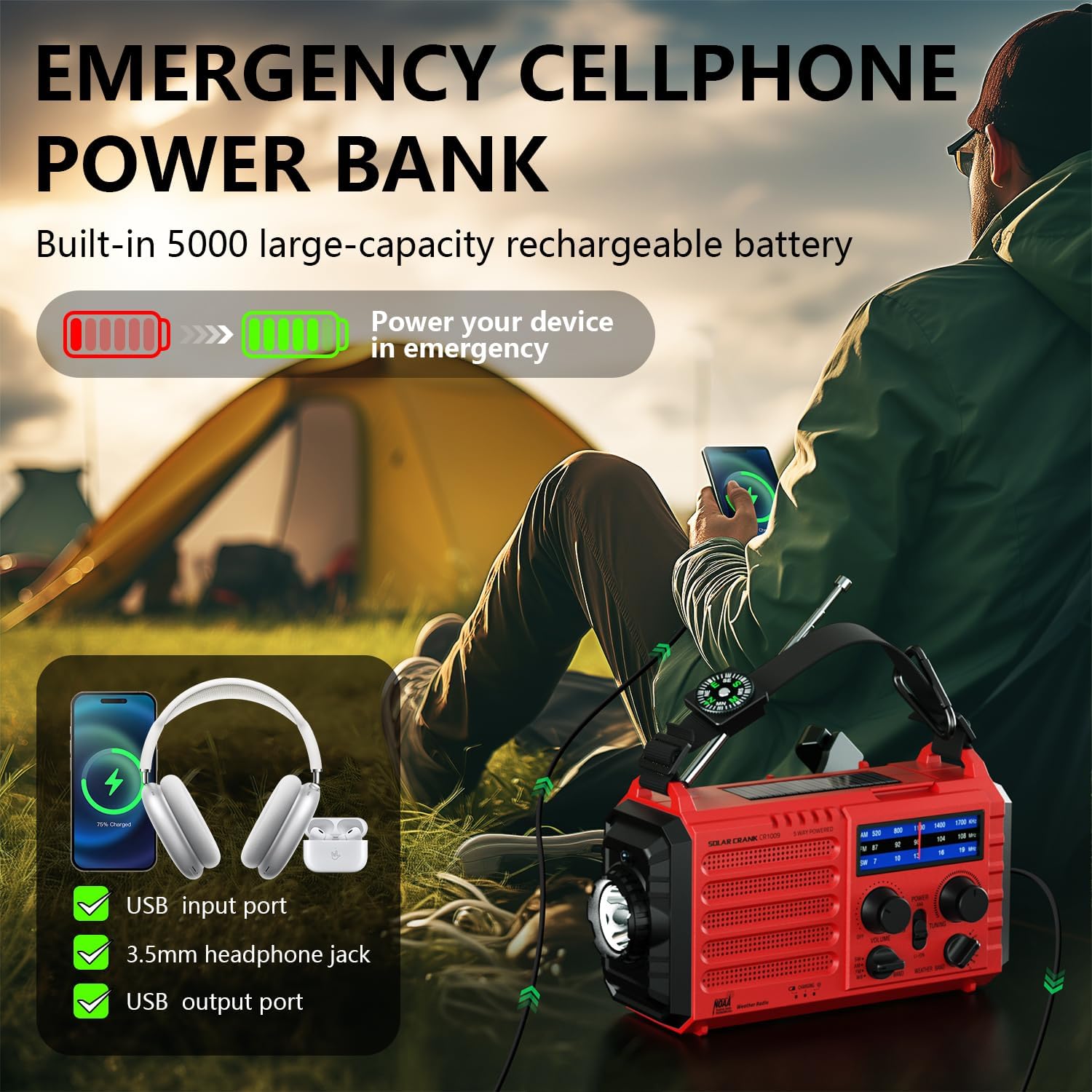
Figure 8: This image demonstrates the PPLEE Emergency Radio's function as an emergency power bank. It shows the radio charging a smartphone and headphones, highlighting its USB input port, 3.5mm headphone jack, and USB output port, powered by its built-in 5000 mAh rechargeable battery.
5. Itọju
- Ninu: Lo aṣọ rírọrùn tí ó gbẹ láti nu ìta rédíò náà. Má ṣe lo àwọn ohun ìfọṣọ tàbí àwọn ohun èlò ìfọṣọ.
- Ibi ipamọ: Tọ́jú rédíò náà sí ibi gbígbẹ tí ó tutù, tí kò sí ìmọ́lẹ̀ oòrùn tààrà àti igbóná tó le koko. Tí o bá ń tọ́jú rẹ̀ fún ìgbà pípẹ́, rí i dájú pé batiri inú rẹ̀ ti gba agbára díẹ̀ (ní nǹkan bí 50%) kí o sì tún gba agbára padà ní gbogbo oṣù mẹ́ta sí mẹ́fà láti lè mú kí batiri náà ní ìlera tó dára.
- Itọju Batiri: Tí o bá ń lo bátìrì AAA, yọ wọ́n kúrò tí wọn kò bá lo rédíò náà fún ìgbà pípẹ́ láti dènà jíjá.
6. Laasigbotitusita
- Ko si Agbara: Check the battery level. Ensure the internal battery is charged, or insert fresh AAA batteries. If using the hand crank, ensure consistent rotation.
- Gbigba Redio ti ko dara: Extend the telescopic antenna fully. Try repositioning the radio. For AM, rotating the radio might improve reception.
- Awọn ọran gbigba agbara: Ensure the USB cable is securely connected. Try a different USB power source or cable. If using solar, ensure direct sunlight.
- Flashlight/Lamp Ko ṣiṣẹ: Check power source. Ensure the buttons are pressed firmly.
- Unstable Circuit/Unexpected Activation: If the flashlight or SOS alarm activates unexpectedly, ensure buttons are not being accidentally pressed or obstructed. If the issue persists, contact customer support.
7. Awọn pato
| Ẹya ara ẹrọ | Sipesifikesonu |
|---|---|
| Brand | PPLEE |
| Orukọ awoṣe | 1009Pro |
| Nọmba awoṣe | PPLEE-CR1009-R |
| Tuner Technology | AM/FM/SW/NOAA Weather Radio |
| Compatible Radio Bands | AM/FM/SW/NOAA Weather Radio |
| Pataki Awọn ẹya ara ẹrọ | USB mobile phone charger, flashlight, reading campohun lamp, shortwave AM FM SW radio, NOAA weather alert, rechargeable battery, SOS alarm, emergency lights for home power failure, headphone jack |
| Agbara Orisun Oriṣi | Solar panel, manual hand crank, 5000 mAh rechargeable battery, 3 AAA batteries, micro USB input |
| Voltage | 5 Volts |
| Peak Speaker Power | 5 watt |
| Igbohunsafẹfẹ | 108 MHz (FM o pọju) |
| Total USB Inputs | 2 (Ìbáṣepọ̀/Ìbáṣepọ̀) |
| Asopọmọra Technology | USB |
| Ni wiwo Hardware | USB, 3.5 mm Audio |
| Ifihan ọna ẹrọ | LCD / LED |
| Iwọn Ọja | 454 g (isunmọ 1 lb) |
| Ọja Mefa | 16.99 x 9.5 x 5.99 cm (isunmọ. 6.69 x 3.74 x 2.36 inches) |
| Awọn batiri ti a beere | 3 AAA (ko si) |
| Batiri gbigba agbara | Yes (built-in 5000 mAh) |