
SUNLU Not applicable-6714159
Ìwé Ìtọ́sọ́nà Olùlò SUNLU FilaDryer S1 Plus
Comprehensive guide for setup, operation, and maintenance of your SUNLU FilaDryer S1 Plus.
Ọrọ Iṣaaju
The SUNLU FilaDryer S1 Plus is an essential accessory for 3D printing enthusiasts, designed to efficiently dry 3D printer filaments. This device helps remove moisture from hygroscopic filaments, which can significantly improve print quality, prevent stringing, clogging, and poor layer adhesion. It functions both as a drying unit and a convenient filament holder, allowing you to print directly from the dried material.

olusin 1: Iwaju view of the SUNLU FilaDryer S1 Plus, showcasing its transparent lid and integrated display.
Ọja Pariview ati Key Awọn ẹya ara ẹrọ
The FilaDryer S1 Plus is engineered for versatility and ease of use. It can handle various filament types, from common PLA to highly hygroscopic materials like Nylon and BVOH. Its design incorporates features that ensure optimal drying and seamless integration into your 3D printing workflow.
- Efficient Drying System: Effectively removes moisture from a wide range of 3D printing filaments.
- Iṣakoso iwọn otutu to peye: Allows users to set specific drying temperatures suitable for different filament materials.
- Dual Spool Capacity: Capable of drying up to two standard filament spools simultaneously.
- Direct Printing Capability: Designed with smooth rollers and filament output holes, enabling continuous printing while the filament is being dried.
- Built-in Fan: Ensures even heat distribution and consistent temperature balance inside the drying chamber.
- Iṣẹ Aago: Allows setting a specific drying duration for automated operation.

Olusin 2: Pariview of key features including multi-coil compatibility, adjustable temperature, rapid heating, and timer function.
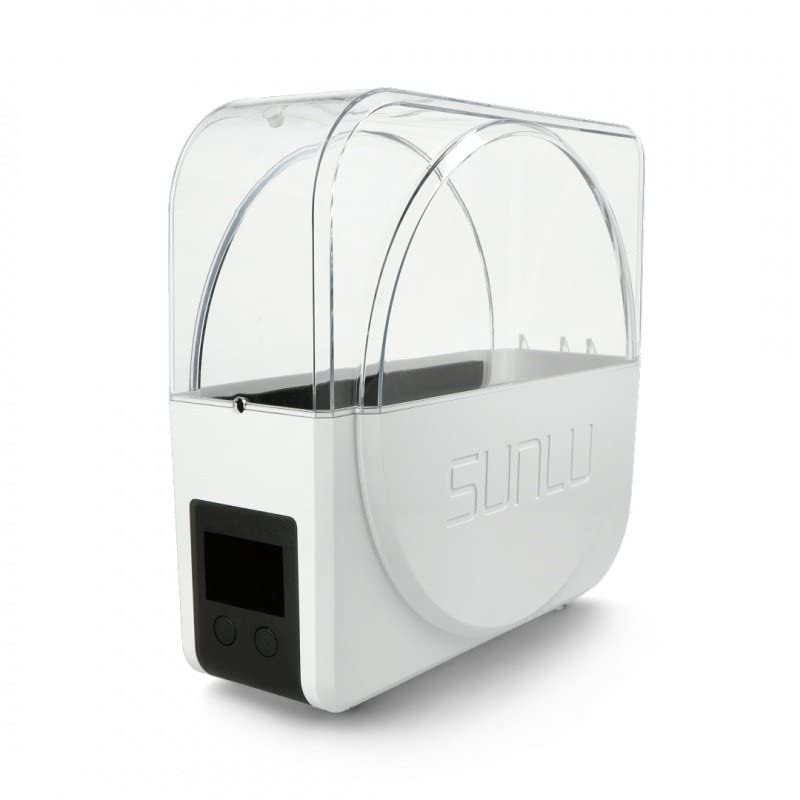
olusin 3: Ẹgbẹ profile of the FilaDryer S1 Plus, illustrating its compact and functional design.
Eto Itọsọna
- Ṣii silẹ: Carefully remove the FilaDryer S1 Plus from its packaging. Verify that all components are present: the dryer unit, power adapter, and this user manual.
- Ibi: Position the dryer on a stable, flat, and heat-resistant surface. Ensure it is placed in a well-ventilated area, away from direct sunlight, excessive humidity, and other heat sources.
- Asopọ agbara: Connect the provided power adapter to the DC input port on the back of the FilaDryer S1 Plus. Then, plug the adapter into a standard electrical outlet.
- Ngba Filamenti: Open the transparent top lid. Place one or two filament spools onto the internal rollers. Ensure the filament unwinds smoothly from the spool. The rollers are designed to facilitate easy rotation during drying and printing.
- Routing Filament (for direct printing): If you intend to print directly from the dryer, guide the filament through one of the designated output holes located on the side or top of the unit. Ensure the filament path is clear and free of obstructions.
Awọn ilana Iṣiṣẹ
Titan / Pipa agbara
To power on the FilaDryer S1 Plus, press and hold the power button (usually located near the display) for a few seconds until the screen illuminates. To power off, press and hold the same button until the display turns off.
Eto iwọn otutu
Use the control buttons (typically labeled '+' and '-') to adjust the desired drying temperature. The display will show the current temperature (PV) and the set temperature (SV). Refer to the filament manufacturer's recommendations for optimal drying temperatures. Common temperature ranges include:
- PLA: 45-50°C
- PETG: 55-60°C
- ABS: 60-65°C
- Ọra: 70-80°C
- PVA/BVOH: 60-70°C
Eto Aago
Press the timer button (if available) and use the '+' and '-' buttons to set the desired drying duration. Drying times can vary significantly based on filament type, initial moisture content, and ambient humidity. Typical drying times range from 2 to 6 hours, but heavily saturated filaments may require longer.
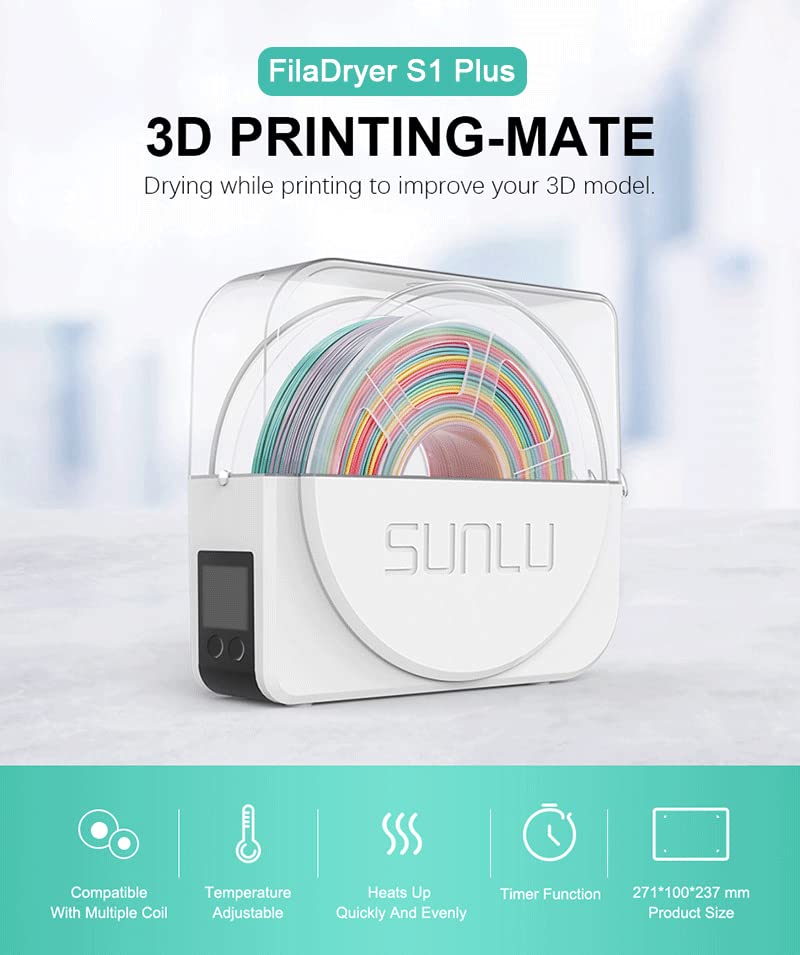
Figure 4: The FilaDryer S1 Plus display showing current temperature and humidity readings.
Drying Process and Monitoring
Once the temperature and timer are set, the dryer will begin its heating cycle. The built-in fan actively circulates warm air to ensure uniform drying throughout the filament spool. Monitor the display for current temperature and humidity readings (if applicable) to ensure optimal conditions are maintained.
Itoju
Proper maintenance ensures the longevity and optimal performance of your FilaDryer S1 Plus.
- Ode Ninu: Regularly wipe the exterior surfaces of the dryer with a soft, dry, lint-free cloth. Avoid using abrasive cleaners, solvents, or harsh chemicals, as these can damage the plastic.
- Isọmọ inu: Periodically inspect the inside of the drying chamber for any dust, filament debris, or residue. If necessary, gently clean with a soft brush or a can of compressed air. Always ensure the device is unplugged from the power outlet before performing any internal cleaning.
- Ibi ipamọ: When the FilaDryer S1 Plus is not in use for extended periods, store it in a cool, dry environment, away from direct sunlight and extreme temperatures.
Laasigbotitusita
This section addresses common issues you might encounter with your FilaDryer S1 Plus.
| Isoro | Owun to le Fa | Ojutu |
|---|---|---|
| Togbe ko titan | No power supply; loose power connection; faulty outlet. | Check if the power cable is securely plugged into both the dryer and the electrical outlet. Test the outlet with another device. Ensure the power button is pressed correctly. |
| Filament not drying effectively | Incorrect temperature setting; insufficient drying time; lid not properly closed; extremely high ambient humidity. | Increase the drying temperature or extend the drying time. Ensure the transparent lid is fully closed and sealed. Consider pre-drying heavily saturated filaments for longer durations. |
| Filament snagging or not feeding smoothly | Improper spool placement on rollers; tangled filament on spool; obstruction in output hole. | Ensure the filament spool is correctly seated on the internal rollers and rotates freely. Untangle any knots or overlaps on the filament spool. Check the filament output hole for any debris. |
Imọ ni pato
| Sipesifikesonu | Ẹ̀kúnrẹ́rẹ́ |
|---|---|
| Package Mefa | 28.4 x 26.8 x 10.5 cm |
| Iwọn Nkan | 1.19 kilo |
| Olupese | Sunlu |
| ASIN | B08259X5S5 |
| Olupese Reference | Not applicable-6714159 |
Atilẹyin ọja ati Support
For detailed warranty information, terms, and conditions, please refer to the warranty card or documentation included with your SUNLU FilaDryer S1 Plus purchase. In case of technical issues, questions, or to request support, please contact SUNLU customer service through their official website or the contact information provided in your product packaging. Please have your purchase receipt and product model number (Not applicable-6714159) ready when contacting support.
Ask a question about this manual
Ask about setup, troubleshooting, compatibility, parts, safety, or missing instructions. Manuals+ will review the question and use this page’s manual context to help answer it.