
Ọrọ Iṣaaju
This manual provides essential instructions for the safe and efficient use of your Redmi 10000mAh Power Bank (Model PB100LZm). Please read this manual thoroughly before using the product and retain it for future reference.
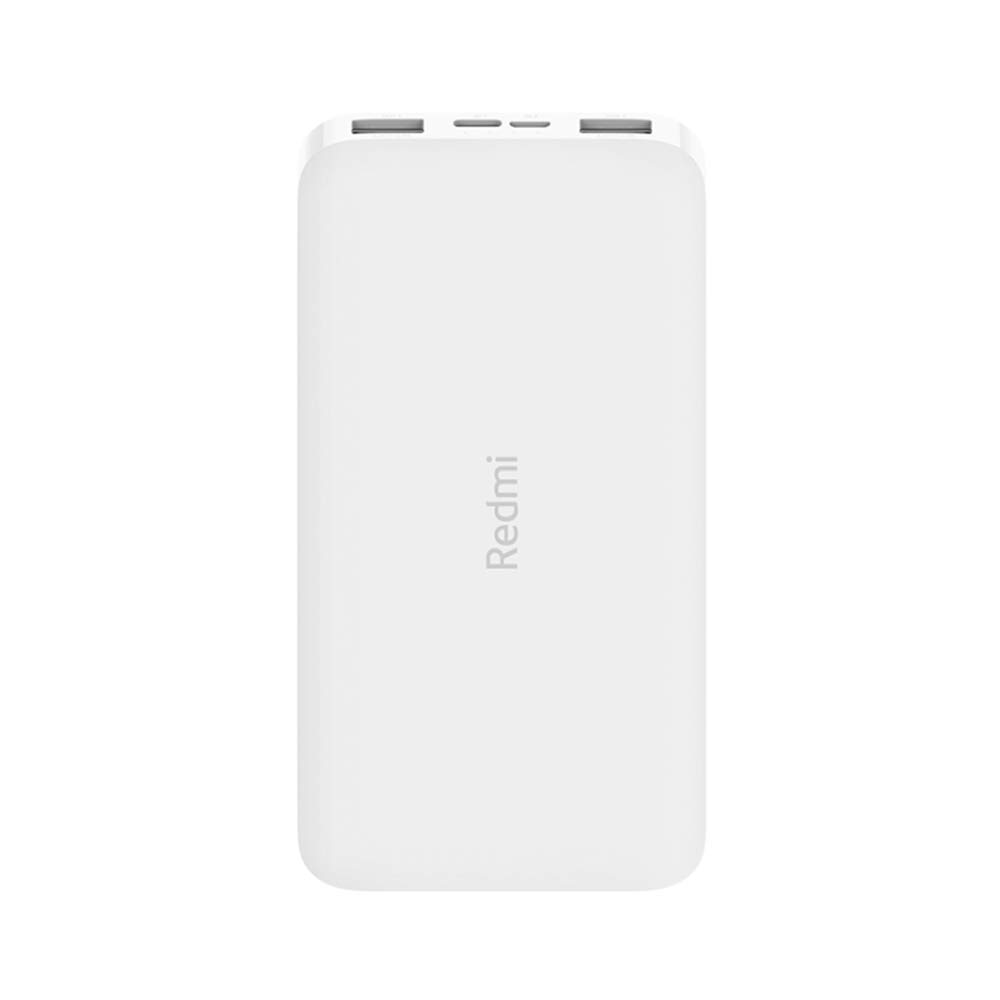
Aworan: Angled view of the white Redmi 10000mAh Power Bank.
Alaye Aabo
To prevent injury, damage to the product, or damage to property, observe the following safety precautions:
- Do not disassemble, repair, or modify the power bank.
- Má ṣe fi iná, ooru gíga, tàbí oòrùn tààrà sí ibi tí iná bá ń jó.
- Yago fun olubasọrọ pẹlu omi tabi awọn omi miiran.
- Do not drop, impact, or subject the power bank to strong vibrations.
- Jeki kuro ni arọwọto awọn ọmọde.
- Lo awọn kebulu gbigba agbara ibaramu nikan ati awọn oluyipada.
- Sọ banki agbara kuro ni ibamu si awọn ilana agbegbe.
Ọja Pariview
Familiarize yourself with the components of your Redmi 10000mAh Power Bank.

Image: Close-up of the power bank's top edge showing two USB-A output ports (OUT1, OUT2), one Micro-USB input port (IN1), one USB-C input port (IN2), and four LED battery level indicators.
- USB-A Output Ports (OUT1, OUT2): Lo lati gba agbara si ita awọn ẹrọ.
- Micro-USB Input Port (IN1): Ti a lo lati gba agbara si banki agbara.
- USB-C Input Port (IN2): Ti a lo lati gba agbara si banki agbara.
- Awọn itọkasi LED: Four small lights indicating the remaining battery level.
- Bọtini agbara: Located on the side, used to check battery level or activate charging.

Aworan: Apa view of the power bank highlighting the power button.
Ṣeto
Gbigba agbara akọkọ ti Bank Power
Before first use, fully charge your Redmi 10000mAh Power Bank.
- Connect a compatible USB cable to either the Micro-USB (IN1) or USB-C (IN2) input port on the power bank.
- So opin okun miiran pọ si ohun ti nmu badọgba agbara USB (kii ṣe pẹlu) tabi ibudo USB ti kọnputa kan.
- The LED indicators will light up, showing the charging progress. All four LEDs will be solid when fully charged.
Awọn ẹrọ Nsopọ
The power bank is compatible with mobile phones and other USB-powered devices.
- Use the appropriate charging cable for your device.
- Connect one end of the cable to one of the USB-A output ports (OUT1 or OUT2) on the power bank.
- So opin keji okun naa pọ mọ ibudo gbigba agbara ẹrọ rẹ.
Awọn ilana Iṣiṣẹ
Ngba agbara si Awọn ẹrọ Ita
Once a device is connected, the power bank should automatically begin charging. If not, press the power button once to initiate charging.

Image: The power bank connected via a USB cable to charge a mobile phone, resting on a wooden table.
- The LED indicators will show the power bank's remaining battery level during charging.
- You can charge two devices simultaneously using both USB-A output ports.
Ṣiṣayẹwo Ipele Batiri
Press the power button once to check the remaining battery level. The LED indicators will light up for a few seconds:
- 1 LED: 0-25% batiri ti o ku
- Awọn LED 2: 25-50% batiri ti o ku
- Awọn LED 3: 50-75% batiri ti o ku
- Awọn LED 4: 75-100% batiri ti o ku
Itoju
- Ninu: Fi aṣọ rírọrùn, gbígbẹ, nu bank power. Má ṣe lo àwọn kẹ́míkà líle tàbí àwọn ohun èlò ìpalára.
- Ibi ipamọ: Tọju banki agbara ni itura, aye gbigbẹ kuro lati orun taara ati awọn iwọn otutu to gaju.
- Itọju Batiri: For optimal battery life, avoid fully discharging the power bank frequently. Recharge it when the battery level is low. If not used for extended periods, charge it to about 50% every three months.
Laasigbotitusita
| Isoro | Owun to le Solusan |
|---|---|
| Bank agbara ko gba agbara. |
|
| Ẹrọ naa ko gba agbara lati banki agbara. |
|
| Gbigba agbara lọra. |
|
Awọn pato
| Brand | Xiaomi |
| Nọmba awoṣe | PB100LZm |
| Agbara | 10000 mAh |
| Àwọ̀ | Funfun |
| Batiri Iru | Litiumu polima |
| Awọn ibudo igbewọle | 1x Micro-USB, 1x USB-C |
| Awọn ibudo ti njade | 2x USB-A (5.1V=2.4A each) |
| Awọn ẹrọ ibaramu | Mobile Phones and other USB-powered devices |
| Awọn iwọn | 15.8 x 8 x 2 cm |
| Iwọn | 276 giramu |
Atilẹyin ọja ati Support
Based on the provided product information, this product is indicated as having ko si atilẹyin ọja. For any product-related inquiries or technical support, please refer to the official Xiaomi support channels or your point of purchase.