
1. Ifihan
This manual provides comprehensive instructions for the safe and effective use of your Sinocare Body Fat Scale, Model SN-0114. Please read this manual thoroughly before using the device and retain it for future reference.
2. Alaye Aabo
- Má ṣe lò ó tí o bá ní ẹ̀rọ ìtọ́jú ara tàbí ẹ̀rọ ìṣègùn mìíràn.
- Maṣe lo ti o ba loyun.
- Place the scale on a hard, flat surface for accurate measurements. Avoid carpets.
- Keep the scale dry. Do not immerse in water.
- Mọ pẹlu ipolowoamp aṣọ; maṣe lo abrasive ose.
- Agbara iwuwo to pọ julọ: 180 kg (400 lbs).
3. Package Awọn akoonu
- Sinocare Body Fat Scale (Model SN-0114)
- Awọn Batiri AAA (3 ninu)
- Itọsọna olumulo
4. Ọja Ipariview
The Sinocare Body Fat Scale is a smart digital scale designed to measure various body composition metrics. It features a tempered glass surface, an LED display, and four high-precision sensors.

Nọmba 1: Sinocare Body Fat Scale (Model SN-0114) with batteries.
Awọn ẹya pataki:
- Bluetooth Asopọmọra
- Measures 13 body composition indicators
- Multi-user monitoring
- Ga konge sensosi
- LED display for weight and temperature
5. Eto
5.1 Fifi sori batiri
- Ṣii yara batiri ni isalẹ ti iwọn.
- Fi awọn batiri AAA meji sii, ki o rii daju pe polarity ti o tọ (+/-).
- Pa yara batiri naa ni aabo.
5.2 App Download ati fifi sori
The Sinocare Body Fat Scale works with the "Fitdays" app, available for both Android and iOS devices.
- Scan the QR code provided in the packaging or search for "Fitdays" in your device's app store (App Store for iOS, Google Play for Android).
- Download and install the "Fitdays" app.
- Register an account and create your user profile laarin app.
Nọmba 2: Download the "Fitdays" app from App Store or Google Play.
5.3 Sisopọ Bluetooth
- Ensure Bluetooth is enabled on your smartphone and the "Fitdays" app is open.
- Step onto the scale barefoot. The scale will automatically turn on and display your weight.
- The app should automatically detect and connect to the scale. If not, follow the in-app instructions to manually add the device.
- For some Android devices, location services may also need to be enabled for Bluetooth pairing.
6. Awọn ilana Iṣiṣẹ
6.1 Gbigba Idiwon
- Place the scale on a hard, flat, and stable surface.
- Open the "Fitdays" app on your smartphone.
- Step onto the scale barefoot, ensuring your feet are centered on the metal electrodes.
- Stand still until your weight is displayed on the scale's LED screen and all body composition data is synchronized with the app.
- Iwọn naa yoo pa a laifọwọyi lẹhin iṣẹju diẹ ti aiṣiṣẹ.

Nọmba 3: Taking a measurement with the Sinocare Body Fat Scale and Fitdays app.
6.2 Iṣẹ́ Oníṣe-pupọ
The "Fitdays" app supports multiple user profiles, allowing families or groups to track their individual progress.
- Within the app, navigate to the user management section.
- Add new users by entering their details (age, height, gender).
- The app will automatically recognize the user based on their weight and body composition data, assigning measurements to the correct profile.

Nọmba 4: The Fitdays app supports unlimited users for family and friends.
7. Understanding Your Measurements
The Sinocare Body Fat Scale, in conjunction with the "Fitdays" app, provides 13 body composition indicators. These measurements are estimates and should be used for reference and tracking progress, not for medical diagnosis.
Common Indicators:
- Ìwúwo: Gbogbo ara rẹ.
- BMI (Atọka Iwọn Ara): Ìwọ̀n ọ̀rá ara tí a gbé karí gíga àti ìwúwo.
- Ara Ọra Ogoruntage: Ìpín ọ̀rá sí gbogbo ìwọ̀n ara.
- Ibi isan: Àpapọ̀ ìwọ̀n iṣan ara nínú ara rẹ.
- Omi ara: The total amount of fluid in your body.
- Ibi Egungun: Iwọn nkan ti o wa ni erupe ile egungun ninu ara rẹ.
- Ọra Visceral: Fat stored around the organs in your abdomen.
- BMR (Oṣuwọn Metabolic Basal): Iye awọn kalori ti ara rẹ nilo lati ṣiṣẹ ni isinmi.
- Amuaradagba: Awọn ogoruntagti amuaradagba ninu ara rẹ.
- Ọjọ ori Metabolic: Compares your BMR to the average BMR of your chronological age group.

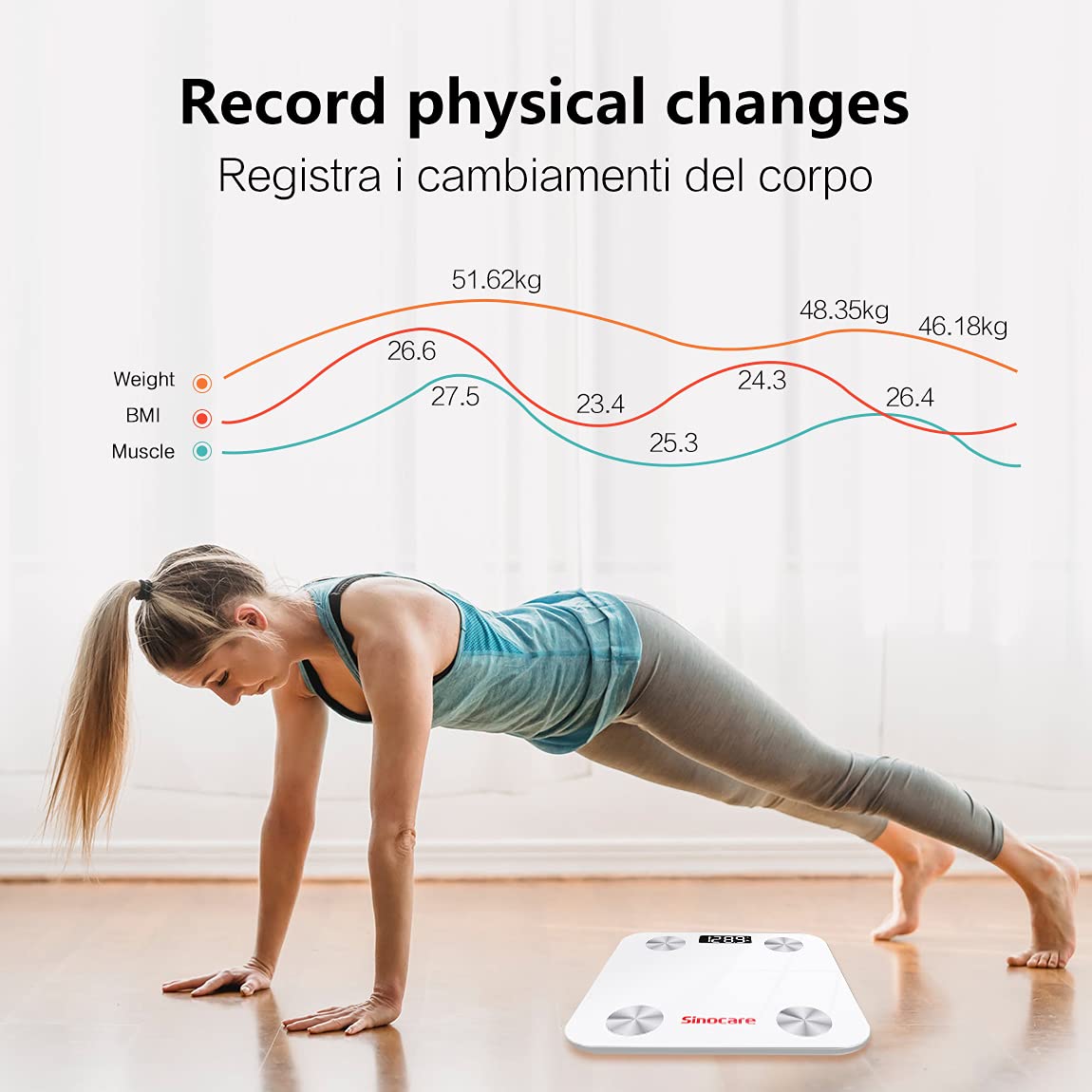
Nọmba 5: Track physical changes and progress over time using the Fitdays app.
8. Itọju
8.1 Ninu
- Pa dada asekale nu pẹlu asọ, damp asọ.
- Do not use chemical cleaning agents or abrasive materials.
- Rii daju pe iwọn naa ti gbẹ patapata ṣaaju ibi ipamọ tabi lilo atẹle.
8.2 Ibi ipamọ
- Tọju iwọn naa ni itura, ibi gbigbẹ.
- Yẹra fún àwọn iwọn otutu tó le koko tàbí oòrùn tààrà.
- If not in use for an extended period, remove the batteries to prevent leakage.
9. Laasigbotitusita
| Isoro | Owun to le Fa | Ojutu |
|---|---|---|
| Iwọn ko ni tan-an. | Awọn batiri ti ku tabi ti fi sori ẹrọ ti ko tọ. | Rọpo awọn batiri tabi ṣayẹwo polarity. |
| Ohun elo naa ko sopọ mọ iwọn. | Bluetooth is off; app not open; location services off (Android). | Ensure Bluetooth is on, app is open, and location services are enabled on Android. Re-pair if necessary. |
| Awọn kika ti ko pe. | Scale on uneven surface; not standing still; feet not bare. | Place on a hard, flat surface. Stand still and barefoot. |
| Measurements not syncing to specific user. | Olumulo profile not set up correctly; app not recognizing user. | Verify user profile details in the app. Ensure you are selecting the correct user before weighing. |
| Unit of measurement changed (kg/lb/st). | Accidental change or app setting. | Check the unit settings within the "Fitdays" app. Some scales may have a physical button on the back to change units. |
10. Awọn pato
- Awoṣe: SN-0114
- Brand: Sinocare
- Awọn iwọn: 26 x 26 x 1.8 cm
- Ìwúwo: 1.23 kg
- Opin iwuwo: 180 kg (400 lbs)
- Orisun Agbara: 3 x AAA batiri
- Iru ifihan: LED
- Asopọmọra: Bluetooth
- Awọn ẹya pataki: 13 health indicators, multi-user monitoring
11. Atilẹyin ọja ati Support
Sinocare products are manufactured to high-quality standards. For warranty information, technical support, or customer service inquiries, please refer to the contact information provided with your purchase or visit the official Sinocare webojula. Jọwọ ṣe idaduro ẹri rira rẹ fun awọn iṣeduro atilẹyin ọja.