
1. Ifihan
O ṣeun fun riraasing the boAt Stone 190 Bluetooth Speaker. This manual provides essential information for setting up, operating, and maintaining your speaker. Please read it carefully before use to ensure optimal performance and longevity of your device.

Image: The boAt Stone 190 speaker showcasing its portable and lightweight design, ideal for on-the-go use.
2. Package Awọn akoonu
Jọwọ ṣayẹwo apoti fun awọn nkan wọnyi:
- boAt Stone 190 Bluetooth Agbọrọsọ
- Okun Ngba agbara USB
- Itọsọna olumulo
3. Ọja Ipariview ati Awọn iṣakoso
Familiarize yourself with the speaker's layout and control buttons.

Aworan: Oke-isalẹ view of the boAt Stone 190 speaker, highlighting its integrated control buttons for easy operation.
- Bọtini agbara: Tẹ mọlẹ lati fi agbara tan/pa a.
- Bọ́tìnnì Ṣíṣe/Sánu duro: Tẹ lati mu ṣiṣẹ tabi daduro orin duro.
- Iwọn didun soke (+): Tẹ lati mu iwọn didun pọ si. Tẹ mọlẹ fun orin atẹle.
- Iwọn didun isalẹ (-): Tẹ lati dinku iwọn didun. Tẹ mọlẹ fun orin iṣaaju.
- Bọtini Ipo (M): Press to switch between modes (if applicable).
- Ibudo gbigba agbara: Fun sisopọ okun gbigba agbara USB.
4. Gbigba agbara Agbọrọsọ
Kí o tó lo ó fún ìgbà àkọ́kọ́, gba agbára sí agbọ́hùnsọ̀ náà pátápátá. Lo okùn USB tí a pèsè.
- Connect the small end of the USB cable to the charging port on the speaker.
- So opin okun USB ti o tobi ju mọ adapter agbara USB (ko si ninu rẹ) tabi ibudo USB kọmputa kan.
- Atọka LED yoo fihan ipo gbigba agbara. Yoo paa tabi yi awọ pada nigbati o ba gba agbara ni kikun.
A full charge provides up to 4 hours of playback time with its 800mAh battery capacity.

Image: The boAt Stone 190 speaker, illustrating its 800mAh battery capacity and up to 4 hours of playback time.
5. Sisopọ Bluetooth
Follow these steps to connect your boAt Stone 190 speaker to a Bluetooth-enabled device.

Image: The boAt Stone 190 speaker, highlighting its instant wireless connectivity via Bluetooth V5.0.
- Agbara Tan: Press and hold the Power button on the speaker until you hear an audible prompt and the LED indicator flashes, indicating it's in pairing mode.
- Mu Bluetooth ṣiṣẹ: On your smartphone, tablet, or other Bluetooth device, go to the Bluetooth settings and enable Bluetooth.
- Yan Ẹrọ: In the list of available devices, search for and select "boAt Stone 190".
- Jẹrisi Asopọmọra: Once paired, you will hear a confirmation tone, and the LED indicator will stop flashing and remain solid.
- Tun sopọ: Agbọrọsọ naa yoo gbiyanju lati tun so mọ ẹrọ ti a so pọ mọ nikẹhin nigbati o ba tan ina.
6. Ṣiṣẹ Agbọrọsọ
Sisisẹsẹhin Orin
- Ṣiṣẹ/Daduro: Tẹ bọtini Play/Sinmi.
- Iwọn didun Up: Kukuru tẹ bọtini '+'.
- Iwọn didun isalẹ: Kukuru tẹ bọtini '-'.
- Orin t’okan: Tẹ bọtini '+' gun.
- Tẹlẹ Orin: Tẹ bọtini '-' gun.
Awọn iṣẹ ipe
- Idahun/Ipe Ipari: Tẹ bọtini Play/Sinmi.
- Kọ Ipe: Tẹ mọlẹ bọtini Dun/Sinmi.
7. Omi Resistance (IPX7)
The boAt Stone 190 speaker features an IPX7 water resistance rating.
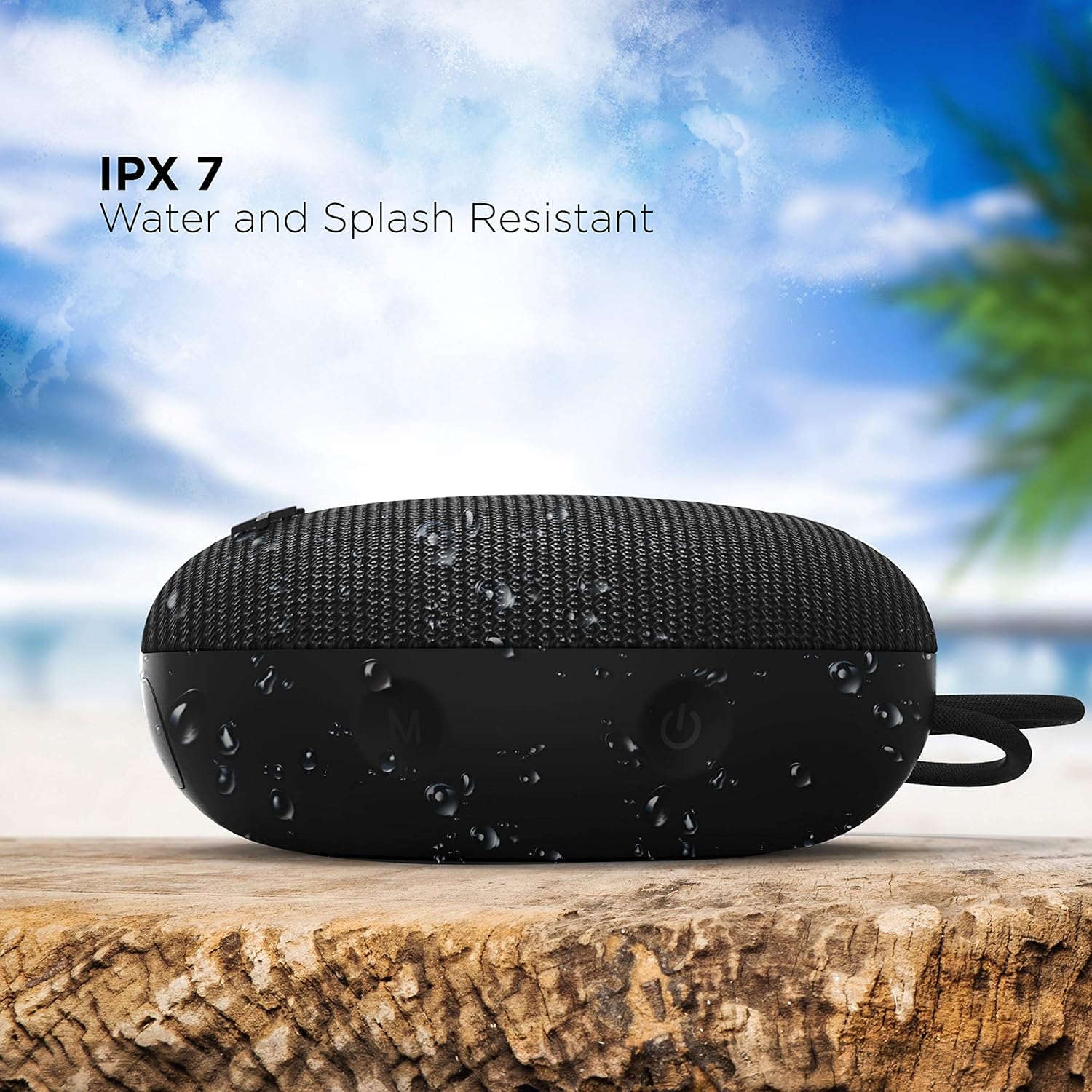
Image: The boAt Stone 190 speaker, demonstrating its IPX7 water and splash resistant capabilities, suitable for outdoor use.
- IPX7 means the speaker can be immersed in water up to 1 meter for 30 minutes.
- It is resistant to splashes, rain, and accidental submersion.
- Rí i dájú pé a ti ti ibora ibudo gbigba agbara pa dáadáa kí a tó fi omi sí agbọ́hùnsọ̀ náà.
- Do not intentionally submerge the speaker for extended periods or in water deeper than 1 meter.
8. Itọju ati Itọju
- Ninu: Nu agbọrọsọ nu pẹlu asọ, damp asọ. Maṣe lo awọn kẹmika ti o lewu tabi awọn afọmọ abrasive.
- Ibi ipamọ: Tọju agbohunsoke ni itura, ibi gbigbẹ kuro lati awọn iwọn otutu ti o pọju ati imọlẹ orun taara.
- Ibudo gbigba agbara: Pa ibudo gbigba agbara mọ kuro ninu eruku ati idoti.
- Batiri: Lati tọju igbesi aye batiri, gba agbara si agbọrọsọ o kere ju lẹẹkan ni gbogbo oṣu mẹta ti ko ba si ni lilo deede.
9. Laasigbotitusita
| Isoro | Ojutu |
|---|---|
| Agbọrọsọ ko ni agbara lori. | Rí i dájú pé a ti gba agbára sí agbọ́hùnsọ̀ náà. So ó pọ̀ mọ́ orísun agbára kí o sì tún gbìyànjú lẹ́ẹ̀kan sí i. |
| Ko le so pọ pẹlu ẹrọ Bluetooth. | Make sure the speaker is in pairing mode (flashing LED). Turn off and on Bluetooth on your device. Ensure the speaker is within range (10 meters). Forget previous pairings on your device and try again. |
| Ko si ohun tabi iwọn kekere. | Increase volume on both the speaker and your connected device. Ensure the speaker is properly paired. Check if the audio source is playing. |
| Iparun ohun. | Move the speaker closer to your device. Reduce volume on either the speaker or the connected device. Ensure there are no obstructions causing interference. |
10. Awọn pato
Technical details of the boAt Stone 190 Bluetooth Speaker.

Image: The boAt Stone 190 speaker, highlighting its 5 Watt audio output and 52mm full-range driver for clear sound.
| Ẹya ara ẹrọ | Ẹ̀kúnrẹ́rẹ́ |
|---|---|
| Brand | boAt |
| Orukọ awoṣe | Okuta 190 |
| Agbọrọsọ Agbara Ijade ti o pọju | 5 Wattis |
| Asopọmọra Technology | Bluetooth |
| Ẹya Bluetooth | V5.0 (Inferred from image) |
| Ipo Ijade Ohun | Mono |
| Agbọrọsọ Iru | Ita gbangba |
| Omi Resistance Ipele | IPX7 (Mabomire) |
| Iwọn Agbọrọsọ | 52 Milimita |
| Agbara Batiri | 800mAh (Inferred from image) |
| Batiri Apapọ Life | Awọn wakati 4 |
| Orisun agbara | Agbara Batiri |
| Awọn iwọn Nkan (D x W x H) | 4.9D x 12.5W x 12.5H |
| Iwọn Nkan | 150 giramu |
| Awọn ẹrọ ibaramu | Tabili Kọmputa, Kọǹpútà alágbèéká, Ẹrọ orin MP3, Foonuiyara, Tabulẹti |
11. Alaye Aabo
- Do not disassemble, repair, or modify the speaker. This may cause fire, electric shock, or complete damage to the product.
- Do not expose the speaker to extreme temperatures (above 45°C or below -10°C).
- Jeki agbọrọsọ kuro lọdọ awọn ọmọde ati awọn ohun ọsin.
- Yago fun gbigbọ ni awọn ipele iwọn didun giga fun awọn akoko gigun lati dena ibajẹ igbọran.
- Lo okun gbigba agbara ti a pese nikan tabi iwe-ẹri deede.
12. Customer Support & Warranty
For product-related queries, support, or warranty information, please contact boAt customer service.
- Olubasọrọ Support: + 91 (022) 69181920
- Imeeli: info@imaginemarketingindia.com
- Olupese: Imagine Marketing Ltd.
- Adirẹsi: Unit no. 204 & 205, 2nd floor, D-wing & E-wing, Corporate Avenue, Andheri Ghatkopar Link Road, Mumbai, Maharashtra-400093, India.