
1. Ifihan
The Alphacool HDX M.2 SSD Cooler M02-110mm is designed to provide passive cooling for M.2 Solid State Drives. This cooler helps to dissipate heat generated by the SSD, which can contribute to maintaining optimal performance and longevity of the drive. Its compact design ensures compatibility with various system configurations.
2. Alaye Aabo
- Always handle electronic components with care to avoid damage.
- Ensure your system is powered off and unplugged before installation.
- Discharge any static electricity from your body before handling the SSD or cooler components.
- Keep small parts, such as clips, away from children.
- Tí o bá ní iyèméjì nípa àwọn ìgbésẹ̀ ìfisílé, kan sí onímọ̀ ẹ̀rọ tó mọ̀ nípa rẹ̀.
3. Package Awọn akoonu
Jọwọ rii daju pe gbogbo awọn eroja ti a ṣe akojọ si isalẹ wa ninu package rẹ:
- Two (2) Cooling Plates (Aluminium, Black)
- Thermal Pads (various sizes for chips)
- Awọn agekuru iṣagbesori

Image 3.1: Contents of the Alphacool HDX M.2 SSD Cooler package.
4. Eto ati fifi sori
Follow these steps to properly install the Alphacool HDX M.2 SSD Cooler onto your M.2 SSD:
- Prepare the SSD: Gently remove your M.2 SSD from its slot or packaging. Ensure the SSD surface is clean and free of dust or debris.
- Lo awọn paadi gbona: Carefully peel the protective film from both sides of the thermal pads. Place the thermal pads directly onto the memory chips and controller chip of your M.2 SSD. Ensure good contact and coverage over the heat-generating components.
- Position Cooling Plates: Place one cooling plate on top of the thermal pads on the upper side of the SSD. Place the second cooling plate on the underside of the SSD, aligning it with the top plate.
- Ni aabo pẹlu awọn agekuru: Use the provided mounting clips to secure the two cooling plates together, sandwiching the M.2 SSD and thermal pads firmly in place. Ensure the clips are securely fastened but do not apply excessive force.
- Fi SSD sori ẹrọ: Carefully re-insert the M.2 SSD with the installed cooler into its designated M.2 slot on your motherboard. Secure the SSD with the motherboard's retaining screw, if applicable.
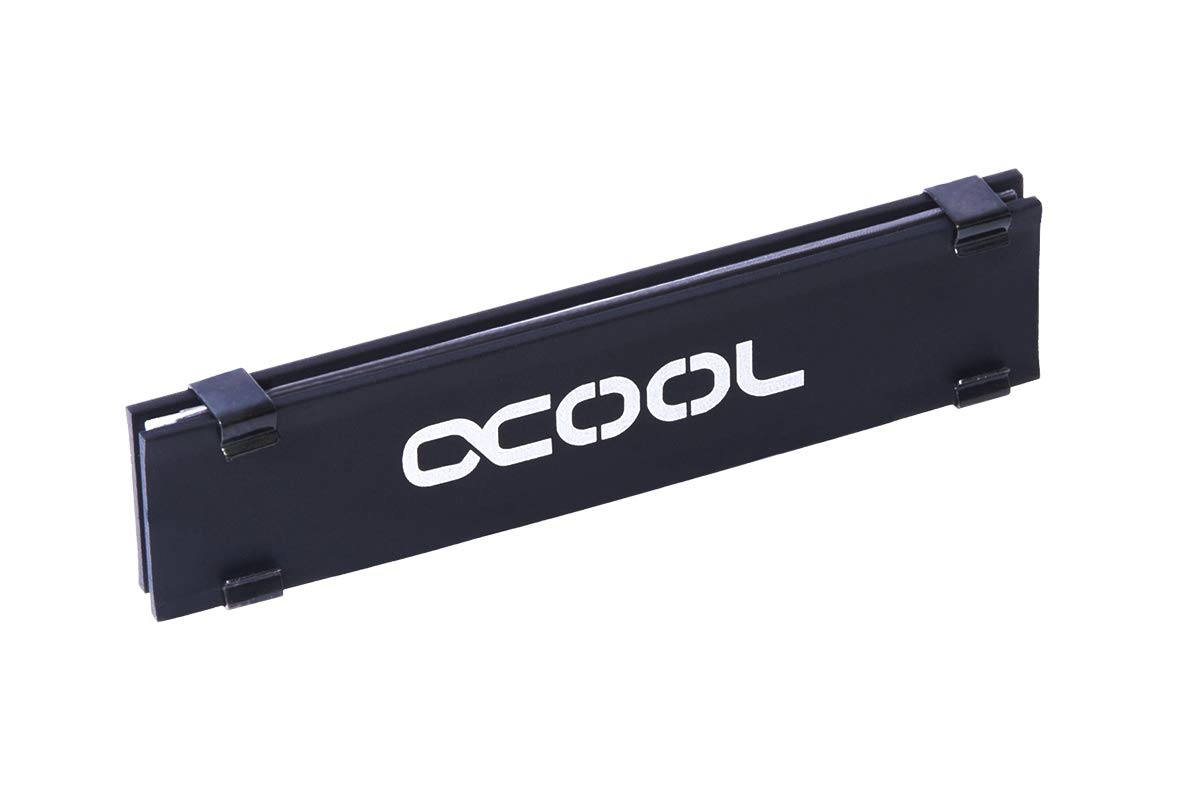
Image 4.1: Alphacool HDX M.2 SSD Cooler fully assembled on an M.2 SSD.
5. Ṣiṣẹ
The Alphacool HDX M.2 SSD Cooler is a passive cooling solution. Once installed, it operates continuously without requiring any user intervention or power connection. It works by drawing heat away from the M.2 SSD components through the thermal pads and dissipating it into the surrounding air via the aluminum cooling plates. This passive heat exchange helps to maintain lower operating temperatures for your SSD.
6. Itọju
Minimal maintenance is required for the Alphacool HDX M.2 SSD Cooler:
- Yiyọ eruku kuro: Periodically inspect the cooling plates for dust accumulation. Use a soft brush or compressed air to gently remove any dust, ensuring optimal airflow around the cooler.
- Ninu: If necessary, wipe the exterior of the cooling plates with a soft, dry, lint-free cloth. Do not use harsh chemicals or abrasive materials.
7. Laasigbotitusita
If you experience issues after installing the cooler, consider the following:
- SSD Overheating: Ensure the thermal pads are correctly placed and making full contact with the SSD chips and cooling plates. Verify that the clips are securely fastened to provide adequate pressure.
- Ibamu ti ko tọ: Double-check that the cooler is correctly aligned with the M.2 SSD and that no components are obstructing its proper seating in the M.2 slot.
- Aiduroṣinṣin eto: If system instability occurs after installation, re-verify all connections and ensure the SSD is properly recognized by the system BIOS/UEFI.
8. Awọn pato
| Ohun elo | Aluminiomu |
| Àwọ̀ | Dudu |
| Cooling Plate Dimensions (LxW) | 98 x 22 mm |
| Iwọn | 29g |
9. Atilẹyin ọja ati Support
For warranty information and technical support, please refer to the official Alphacool webojula tabi kan si alagbata rẹ. Jeki ẹri rira rẹ fun awọn iṣeduro atilẹyin ọja.
