
WORKPRO W125042
WORKPRO 20V Cordless Impact Wrench User Manual
Awoṣe: W125042
1. Alaye Aabo
Nigbagbogbo ka ati loye gbogbo awọn ikilọ aabo, awọn itọnisọna, awọn apejuwe, ati awọn pato ti a pese pẹlu ohun elo agbara yii. Ikuna lati tẹle gbogbo awọn ilana ti a ṣe akojọ rẹ si isalẹ le ja si mọnamọna, ina, ati/tabi ipalara nla.
Awọn Ikilọ Aabo Irinṣẹ Agbara Gbogbogbo:
- Aabo Agbegbe Iṣẹ: Jeki agbegbe iṣẹ mọ ki o si tan daradara. Awọn agbegbe idamu tabi awọn agbegbe dudu n pe awọn ijamba. Ma ṣe ṣiṣẹ awọn irinṣẹ agbara ni awọn bugbamu bugbamu, gẹgẹbi niwaju awọn olomi ina, gaasi tabi eruku. Awọn irinṣẹ agbara ṣẹda awọn ina ti o le tan eruku tabi eefin.
- Aabo Itanna: Awọn pilogi irinṣẹ agbara gbọdọ baramu iṣan. Maṣe yi plug naa pada ni ọna eyikeyi. Ma ṣe lo awọn pilogi ohun ti nmu badọgba eyikeyi pẹlu awọn irinṣẹ agbara ilẹ (ti ilẹ). Awọn pilogi ti a ko yipada ati awọn iÿë ti o baamu yoo dinku eewu ina-mọnamọna.
- Aabo ti ara ẹni: Duro ni iṣọra, wo ohun ti o n ṣe ki o lo ọgbọn ti o wọpọ nigbati o nṣiṣẹ ohun elo agbara kan. Maṣe lo ohun elo agbara nigba ti o rẹrẹ tabi labẹ ipa ti oogun, oti tabi oogun. Akoko ti aibikita lakoko ti o nṣiṣẹ awọn irinṣẹ agbara le ja si ipalara ti ara ẹni pataki.
- Lilo ati Itọju: Maṣe fi agbara mu ohun elo agbara. Lo ohun elo agbara ti o pe fun ohun elo rẹ. Ọpa agbara ti o tọ yoo ṣe iṣẹ naa dara julọ ati ailewu ni iwọn fun eyiti a ṣe apẹrẹ rẹ.
- Lilo ati Itọju Ohun elo Batiri: Gba agbara nikan pẹlu ṣaja pato nipasẹ olupese. Ṣaja ti o dara fun iru idii batiri kan le ṣẹda eewu ina nigba lilo pẹlu idii batiri miiran.
2. Ọja Ipariview
The WORKPRO 20V Cordless Impact Wrench is designed for efficient tightening and loosening of various nuts and bolts, suitable for automotive repairs, construction projects, and general maintenance.
Awọn ẹya pataki:
- Iwapọ ati Alagbara: Delivers 320 ft-lbs of max torque and a max speed of 3200 RPM.
- Infinitely Variable Speeds: Speed control via the On/Off switch for precise operation.
- Fast Charger & Power Indicator: 20V 2.0 Ah lithium-ion battery fully charges in 1 hour. Integrated power indicator.
- Ohun elo jakejado: 1/2'' chuck suitable for various tasks.
- Awọn imọlẹ LED ti a ṣe sinu: Three LED lamps illuminate the work area for improved visibility.
Awọn Irinṣẹ Ọja:

The WORKPRO 20V Cordless Impact Wrench kit, including the wrench, 2.0Ah battery, fast charger, and belt clip.
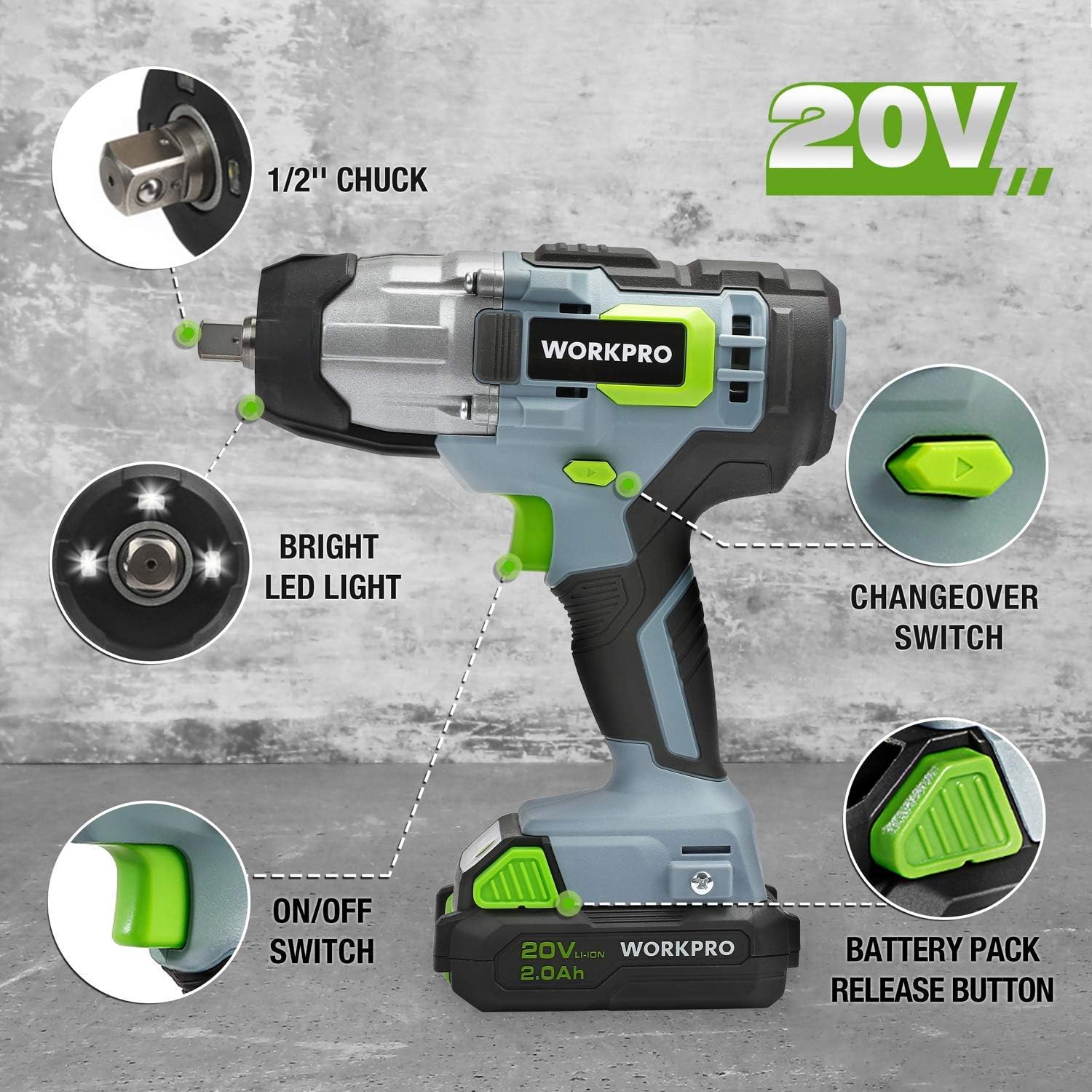
Alaye view of the impact wrench highlighting key components: 1/2" chuck, bright LED light, changeover switch, ON/OFF switch, and battery pack release button.
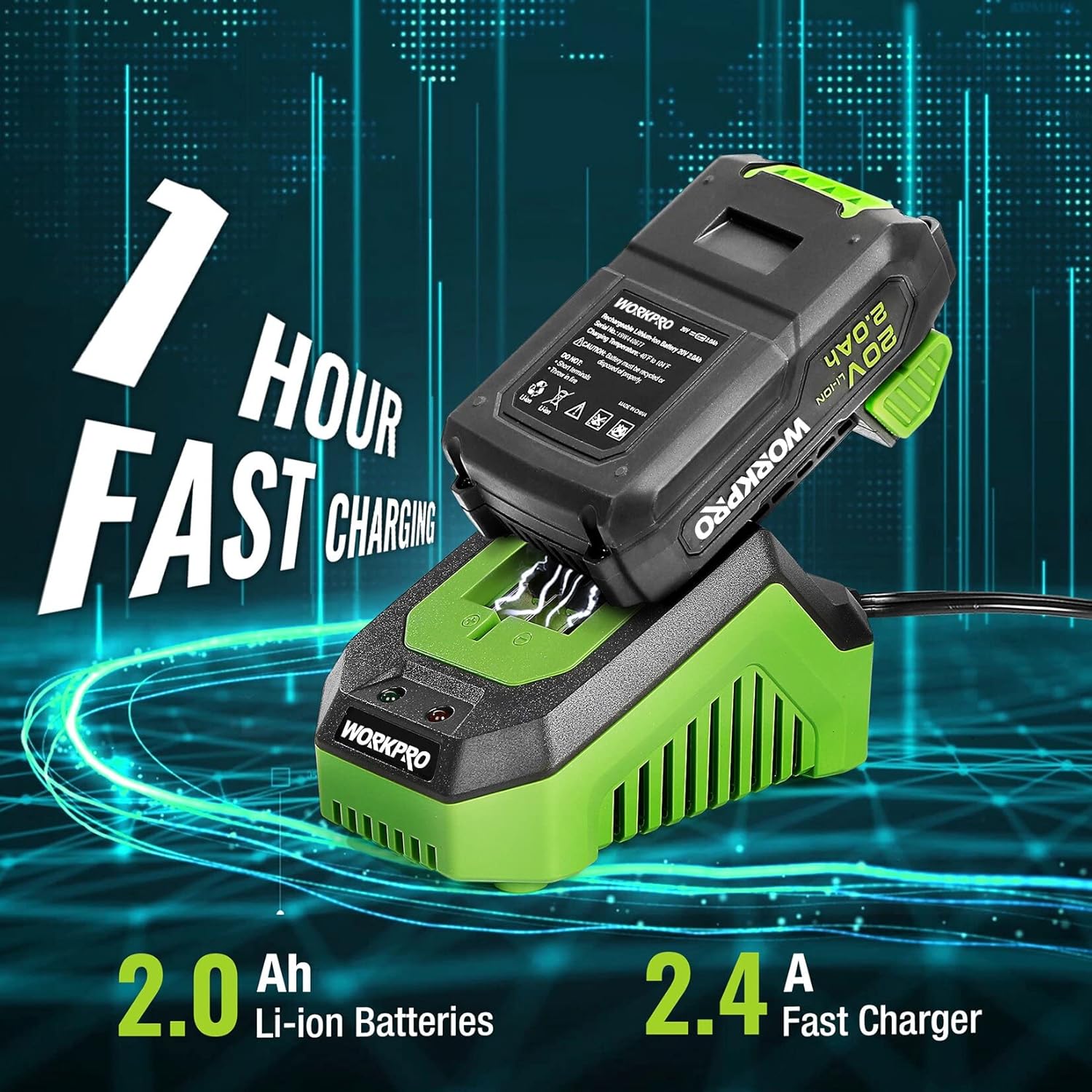
The 2.0Ah Li-ion battery being fast charged by the 2.4A charger, indicating a 1-hour charging time.
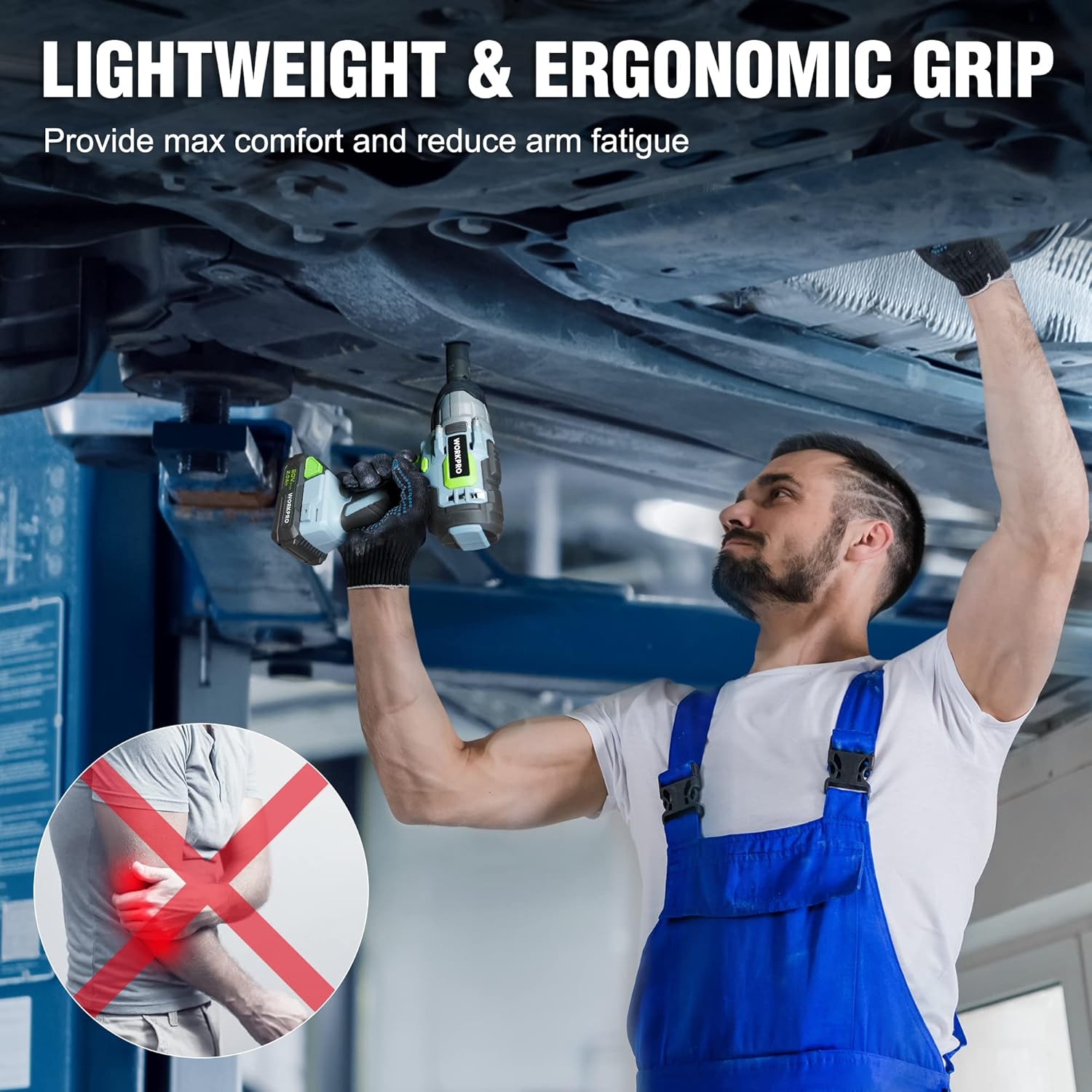
A mechanic demonstrating the lightweight and ergonomic grip of the impact wrench while working under a vehicle, designed for maximum comfort and reduced arm fatigue.

The impact wrench shown with debris, illustrating its robust construction and reliable protection against impacts.

A visual representation of the infinitely variable speed control, indicating the tool's 320 ft-lbs torque and 3200 RPM capabilities.
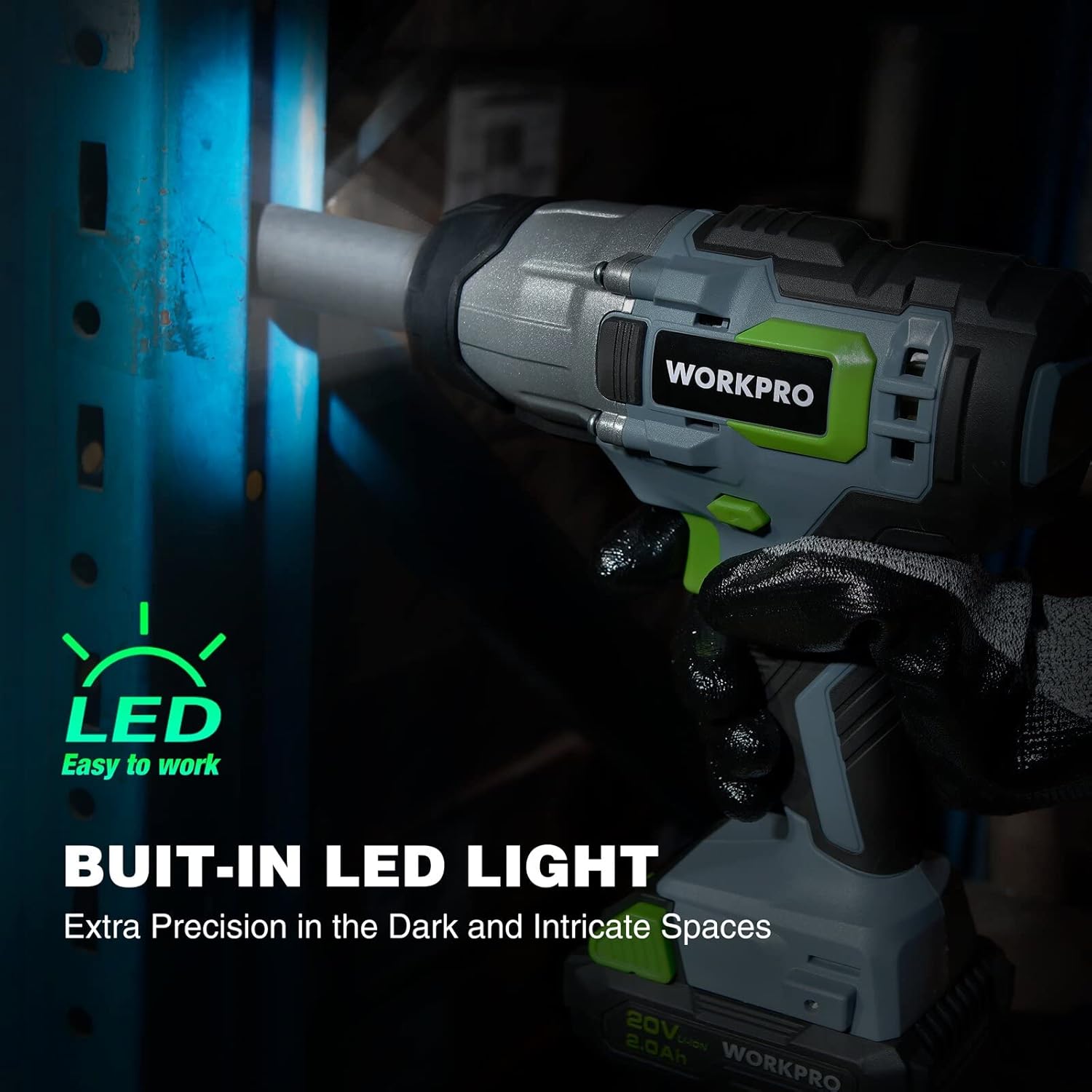
The impact wrench with its built-in LED light activated, demonstrating its ability to provide extra precision in dark and intricate spaces.
Fidio ọja:
Ifihan fidio ọja osiseasing the WORKPRO 20V Cordless Impact Wrench, highlighting its features such as the 1/2" chuck, forward/reverse button, variable speed trigger, anti-slip grip, belt clip, battery pack release button, bright LED lights, and the 20V 1-hour quick charge battery with indicator lights.
3. Eto
Ngba agbara si Batiri naa:
- Connect the fast charger to a standard electrical outlet.
- Slide the 20V 2.0Ah Li-ion battery pack onto the charger until it clicks into place.
- The charger indicator light will show the charging status. A full charge typically takes 1 hour.
- Ni kete ti o ti gba agbara ni kikun, yọ batiri kuro lati ṣaja.
Attaching/Removing Battery:
- Sisopọ: Mú kí àpò bátìrì náà tò pẹ̀lú ìsàlẹ̀ ìdènà ìkọlù náà kí o sì fà á sínú rẹ̀ títí tí yóò fi ti ìdènà náà dáadáa.
- yiyọ: Press the battery pack release button (located on the battery pack) and slide the battery out from the tool.
Installing/Removing Sockets:
- Fifi sori ẹrọ: Push the desired 1/2" drive socket firmly onto the square drive anvil until it snaps into place.
- yiyọ: Pull the socket directly off the square drive anvil.
4. Awọn ilana Iṣiṣẹ
Titan / Pipa:
- To turn the tool ON, press the ON/OFF switch (trigger).
- To turn the tool OFF, release the ON/OFF switch.
Isẹ siwaju/ Yipada:
- Locate the forward/reverse button above the trigger.
- Push the button to the left for forward rotation (tightening).
- Push the button to the right for reverse rotation (loosening).
- Ensure the button is in the center position for trigger lock when not in use.
Iṣakoso Iyara Ayipada:
- The speed of the impact wrench is controlled by how far you depress the ON/OFF switch.
- Pressing the trigger further increases the speed and torque.
Using the Impact Wrench:
- Select the appropriate socket for the fastener.
- Rí i dájú pé batiri náà ti gba agbára dáadáa, ó sì so mọ́ ara rẹ̀ dáadáa.
- Set the forward/reverse switch to the desired direction.
- Place the socket onto the fastener, ensuring a firm grip.
- Depress the trigger to begin operation. Adjust pressure for desired speed.
- For tightening, always finish with a torque wrench to ensure proper torque specifications are met, especially for critical applications like lug nuts.
5. Itọju
Ninu:
- Jeki awọn šiši atẹgun ti ọpa naa di mimọ ati laisi idoti lati ṣe idiwọ igbona.
- Lo asọ, damp asọ lati nu ode ti awọn ọpa. Ma ṣe lo awọn kẹmika lile tabi awọn afọmọ abrasive.
Itọju Batiri:
- Tọju awọn batiri ni itura, aye gbigbẹ kuro lati orun taara ati awọn iwọn otutu to gaju.
- Ma ṣe fi awọn batiri pamọ si ipo idasilẹ fun awọn akoko ti o gbooro sii. Saji wọn lorekore ti ko ba si ni lilo.
- Yago fun sisi awọn batiri si omi tabi ọrinrin.
Ibi ipamọ:
- When not in use, store the impact wrench and battery in a secure, dry place out of reach of children.
- Yọ batiri kuro lati ọpa ṣaaju ibi ipamọ.
6. Laasigbotitusita
| Isoro | Owun to le Fa | Ojutu |
|---|---|---|
| Irinṣẹ ko bẹrẹ. | Batiri ko gba agbara tabi ko fi sii daradara. | Rii daju pe batiri ti gba agbara ni kikun ati ti tẹ ni aabo si aaye. |
| Reduced power/torque. | Low battery charge; worn carbon brushes (for brush motor); excessive load. | Recharge battery. If issue persists, contact customer support for brush inspection/replacement. Reduce load. |
| Ọpa overheats. | Dina awọn Iho fentilesonu; lemọlemọfún eru lilo. | Pa awọn ihò afẹ́fẹ́ mọ́. Jẹ́ kí ohun èlò náà tutù nígbà tí a bá ń lò ó fún ìgbà pípẹ́. |
| Batiri ko ngba agbara. | Charger not plugged in; faulty battery or charger. | Check power connection. Test with another battery/charger if available. Contact customer support. |
7. Awọn pato
| Ẹya ara ẹrọ | Sipesifikesonu |
|---|---|
| Nọmba awoṣe | W125042 |
| Voltage | 20 Volts |
| Max Maxi | 320 ft-lbs (approx. 300 Newton Meters) |
| Max No-Load Speed | 3200 RPM |
| Iwọn Chuck | 1/2-inch Square Drive |
| Batiri Iru | Litiumu Iwon |
| Agbara Batiri | 2.0 Ah |
| Ṣaja Iru | Fast Charger (2.4A) |
| Akoko gbigba agbara | Isunmọ. 1 wakati |
| Iwọn Nkan | 6.5 iwon |
| Ohun elo | Irin, Ṣiṣu |
| UPC | 820909759805 |
8. Atilẹyin ọja ati Support
WORKPRO products are manufactured to high-quality standards and are guaranteed against defects in materials and workmanship. For specific warranty details, please refer to the warranty card included with your product or visit the official WORKPRO webojula.
If you encounter any issues or require technical assistance, please contact WORKPRO customer support. Have your model number (W125042) and purchase information ready when contacting support.
You can also refer to the official User Manual PDF for additional details: Ṣe igbasilẹ Itọsọna olumulo (PDF)
Ask a question about this manual
Ask about setup, troubleshooting, compatibility, parts, safety, or missing instructions. Manuals+ will review the question and use this page’s manual context to help answer it.