
1. Ọja Ipariview
This manual provides instructions for the Senville 42-inch Oscillating Tower Fan, Model SENTF-19JRA. This appliance is designed to provide cooling airflow in indoor environments.
Awọn ẹya pataki:
- Iga adijositabulu: The fan's height can be adjusted from 36 inches to 42 inches.
- Isakoṣo latọna jijin: Includes a remote for convenient operation.
- Iṣẹ Aago: Features a built-in timer for scheduled operation.
- Awọn Eto Iyara pupọ: Offers 3 fan speed settings.
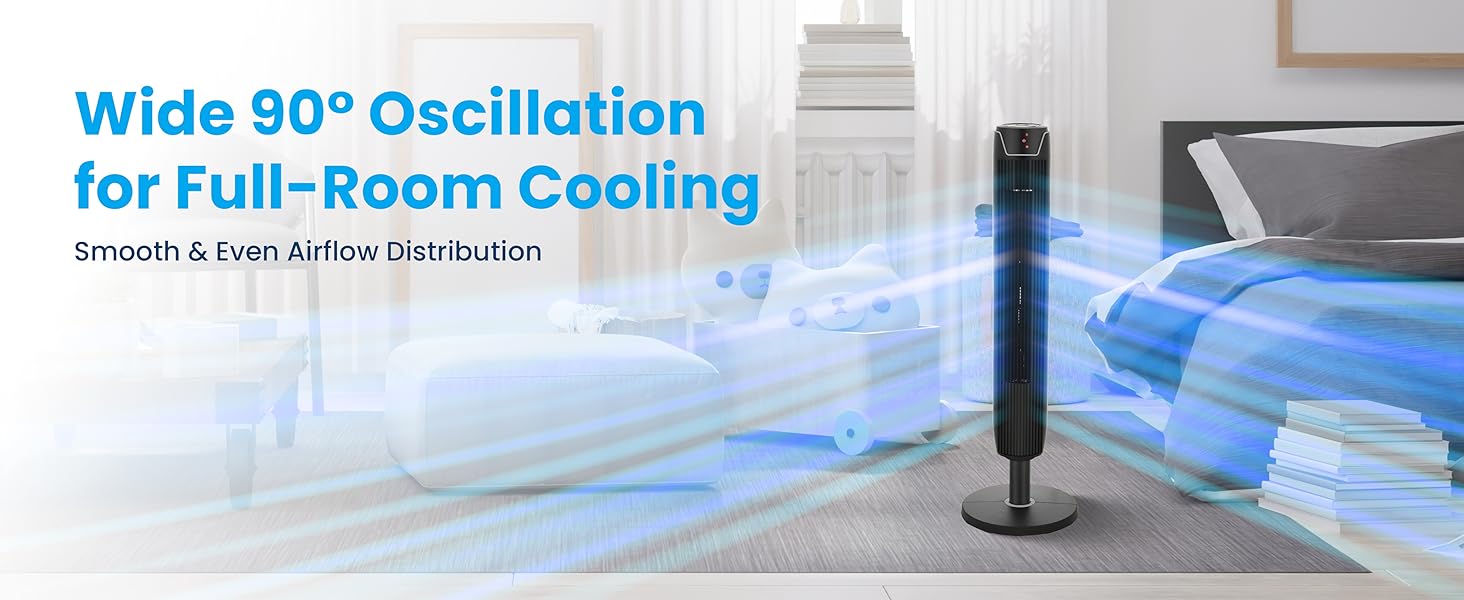
- Oscillation: Provides wide oscillation for broad air distribution.
2. Awọn Ilana Aabo pataki
Ka gbogbo awọn itọnisọna ṣaaju lilo ohun elo yii. Ikuna lati tẹle awọn ilana wọnyi le ja si mọnamọna, ina, tabi ipalara nla.
Awọn iṣọra Aabo Gbogbogbo:
- Always unplug the fan before cleaning, servicing, or relocating.
- Do not operate the fan with a damaged cord or plug. If the cord or plug is damaged, contact customer support.
- Pa awọn ọmọde ati awọn ohun ọsin kuro lati inu afẹfẹ nigba iṣẹ.
- Má ṣe fi ìka tàbí àwọn nǹkan míìrán sínú iná nígbà tí afẹ́fẹ́ bá ń ṣiṣẹ́.
- Place the fan on a stable, level surface to prevent tipping.
- Maṣe lo afẹfẹ ninu tutu tabi damp awọn ipo, gẹgẹ bi awọn balùwẹ.
- Rii daju pe ipese agbara ibaamu voltage specified on the fan's rating label (110 Volts).
- Ọja yii ni awọn kemikali ti a mọ si Ipinle California lati fa akàn ati awọn abawọn ibimọ tabi ipalara ibisi miiran (Ikilọ 65 Ilana).
3. Package Awọn akoonu
Rii daju pe gbogbo awọn paati wa ninu apoti:
- Tower Fan Unit
- Ipilẹ mimọ
- Iṣakoso latọna jijin (awọn batiri AAA 2 ko si)
- Itọsọna olumulo
4. Ọja irinše

Figure 4.1: Senville Tower Fan and Remote Control.
Ibi iwaju alabujuto
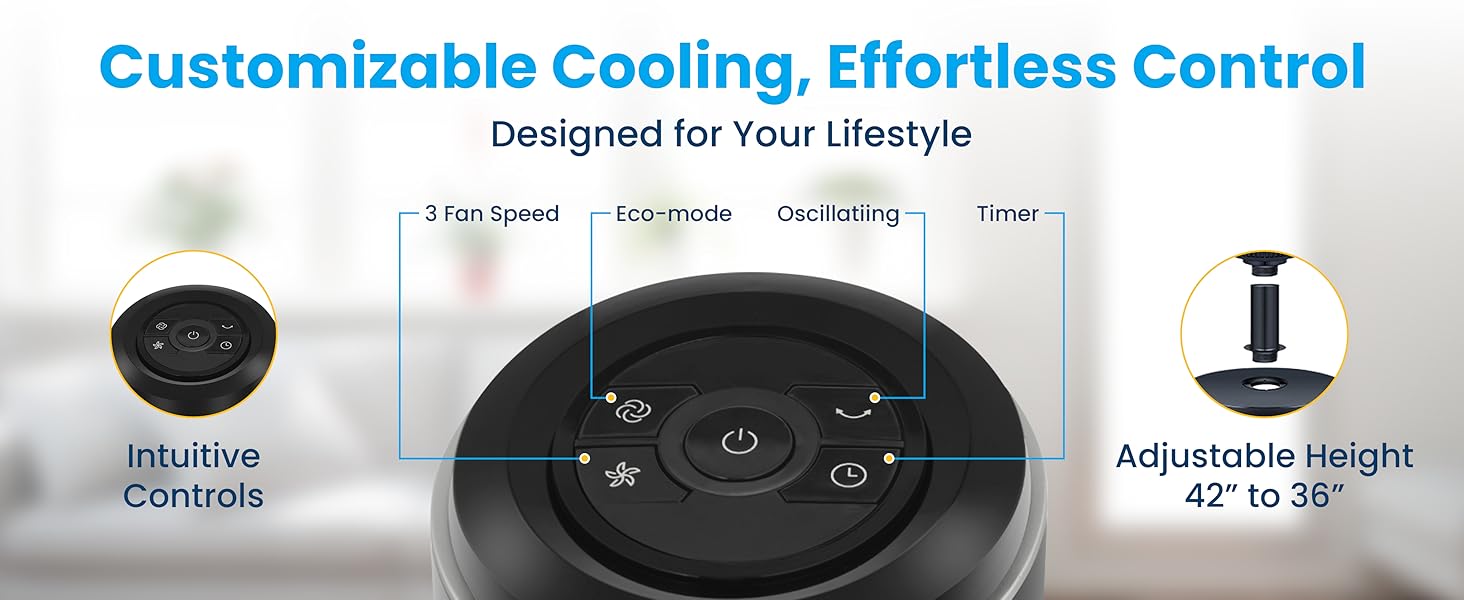
Figure 4.2: Top-mounted control panel with touch buttons for various functions.
Isakoṣo latọna jijin
Àwòrán 4.3: Ìṣàkóso láti ọ̀nà jíjìn fún ìṣiṣẹ́ tó rọrùn.
5. Apejọ Awọn ilana
Follow these steps to assemble your Senville Tower Fan:
- Ni ifarabalẹ yọ gbogbo awọn paati kuro ninu apoti.
- Locate the large plastic nut on the bottom of the tower fan unit. Pataki: This nut must be removed before attaching the base. Twist counter-clockwise to remove.
- Align the tower fan unit with the base plate. Ensure the power cord passes through the center hole of the base plate.
- Secure the base plate to the tower fan unit using the large plastic nut previously removed. Twist clockwise until securely tightened.
- Adjust the fan's height if desired. The fan can be set to either 36 inches or 42 inches. To adjust, gently pull the upper section upwards or push downwards until it clicks into the desired position.
Figure 5.1: Adjustable height mechanism.
6. Awọn ilana Iṣiṣẹ
Titan / Pipa agbara
- Pulọọgi okun agbara sinu boṣewa 110V AC iṣan.
- Tẹ awọn Bọtini agbara () lori igbimọ iṣakoso tabi isakoṣo latọna jijin lati tan-an tabi pa afẹfẹ naa.
Awọn Eto Iyara Fan
The fan has 3 speed settings: Low, Medium, and High.
- Tẹ awọn Bọtini iyara (
 ) repeatedly to cycle through the speed settings. The LED display will indicate the current speed.
Oscillation Išė
The fan can oscillate to distribute air across a wider area.
- Tẹ awọn Bọtini oscillation () to start or stop the oscillation.

Figure 6.1: Wide 90-degree oscillation for broad coverage.
Aago Išė
Set the fan to automatically turn off after a specified period (up to 7 hours).
- Tẹ awọn Bọtini aago () repeatedly to select the desired operating time in 1-hour increments. The LED display will show the set time.
Ipo Eco
The fan features an Eco Mode for energy efficiency.
- Tẹ awọn Bọtini Ipo Eco () to activate or deactivate Eco Mode. In this mode, the fan adjusts its speed automatically to optimize energy consumption.
7. Itọju ati Itọju
Fífọmọ́ déédéé àti ìtọ́jú tó péye yóò ran àwọn afẹ́fẹ́ lọ́wọ́ láti máa ṣiṣẹ́ dáadáa, yóò sì mú kí wọ́n pẹ́ sí i.
Ninu:
- Yọọ igbafẹfẹ nigbagbogbo ṣaaju ṣiṣe mimọ.
- Lo asọ, damp asọ lati mu ese awọn ita ita ti awọn àìpẹ. Ma ṣe lo abrasive ose tabi epo.
- Lo ẹ̀rọ ìfọṣọ pẹ̀lú ohun èlò ìfọmọ́ra láti mú eruku kúrò nínú àwọn ohun èlò ìfàfẹ́ afẹ́fẹ́ àti àwọn ohun èlò ìtújáde.
- Rii daju pe afẹfẹ naa ti gbẹ patapata ṣaaju pilọọgi pada sinu ati ṣiṣẹ.
Ibi ipamọ:
- If storing the fan for an extended period, unplug it and clean it thoroughly.
- Store the fan in its original packaging or a protective cover in a cool, dry place.
8. Itọsọna Laasigbotitusita
Tọkasi tabili ni isalẹ fun awọn ọran ti o wọpọ ati awọn ojutu wọn.
| Isoro | Owun to le Fa | Ojutu |
|---|---|---|
| Fan ko ni tan-an. | Ko si ipese agbara. | Rii daju pe okun agbara ti wa ni edidi ni aabo sinu iṣan-iṣẹ iṣẹ. Ṣayẹwo awọn Circuit fifọ. |
| Afẹ́fẹ́ ń pariwo àrà ọ̀tọ̀. | Dust accumulation or loose parts. | Unplug the fan and clean the grilles. Ensure the base is securely attached. If rattling persists, apply a small amount of lubricant (e.g., WD-40) to the top and bottom spinning posts. |
| Isakoṣo latọna jijin ko ṣiṣẹ. | Awọn batiri ti o ku tabi idilọwọ. | Replace the 2 AAA batteries in the remote control. Ensure there are no obstructions between the remote and the fan's sensor. |
| Afẹfẹ alailagbara. | Fan speed too low or blocked grilles. | Increase the fan speed setting. Clean any dust or debris from the air intake and exhaust grilles. |
9. Imọ ni pato
| Sipesifikesonu | Ẹ̀kúnrẹ́rẹ́ |
|---|---|
| Brand | Senville |
| Orukọ awoṣe | SENTF-19JRA |
| Àwọ̀ | Dudu |
| Ọja Mefa | 7"D x 7"W x 42"H |
| Adijositabulu Giga | 36" si 42" |
| Orisun agbara | AC |
| Voltage | 110 Volts |
| Wattage | 50 watt |
| Nọmba ti Awọn ipele Iyara | 3 |
| Aago | Titi di wakati 7 |
| Ọna Iṣakoso | Remote, Touch Panel |
| Iwọn Nkan | 11 iwon (5 kilo) |
| inu ile / ita gbangba Lilo | Ninu ile |
| Ijẹrisi | ETL |
10. atilẹyin ọja Information
The Senville SENTF-19JRA Tower Fan is backed by a 1-odun olupese atilẹyin ọja. Atilẹyin ọja yi ni wiwa awọn abawọn ninu awọn ohun elo ati iṣẹ ṣiṣe labẹ lilo deede. Jọwọ ṣe idaduro ẹri rira rẹ fun awọn iṣeduro atilẹyin ọja.
For additional protection, extended protection plans may be available for purchase:
- 3-odun Idaabobo Eto
- 4-odun Idaabobo Eto
- Complete Protect (covers multiple eligible purchases)
11. Onibara Support
For technical support, warranty inquiries, or assistance with your Senville Tower Fan, please contact Senville customer service. Complimentary technical support is available.
Visit the official Senville website for contact information or refer to your purchase documentation.
Senville Store: Senville Amazon Store