
1. Ifihan
The i-Star Portable DAB/DAB+/FM Radio offers a versatile listening experience with clear digital and analog radio reception. Designed for portability, it features a built-in rechargeable battery and a compact design, making it suitable for use at home or on the go. This manual provides essential information for setting up, operating, and maintaining your radio.

Nọmba 1: Iwaju view of the i-Star Portable DAB/DAB+/FM Radio, highlighting its compact design and user interface.
2. Eto
2.1 Unpacking ati Ni ibẹrẹ idiyele
- Carefully remove the radio and all accessories from the packaging.
- Connect the supplied USB charging cable to the radio's Micro USB port and to a compatible USB power adapter (not included) or a computer's USB port.
- Allow the radio to charge fully before first use. The charging indicator will typically change or turn off when charging is complete. A full charge provides up to 4 hours of playback.
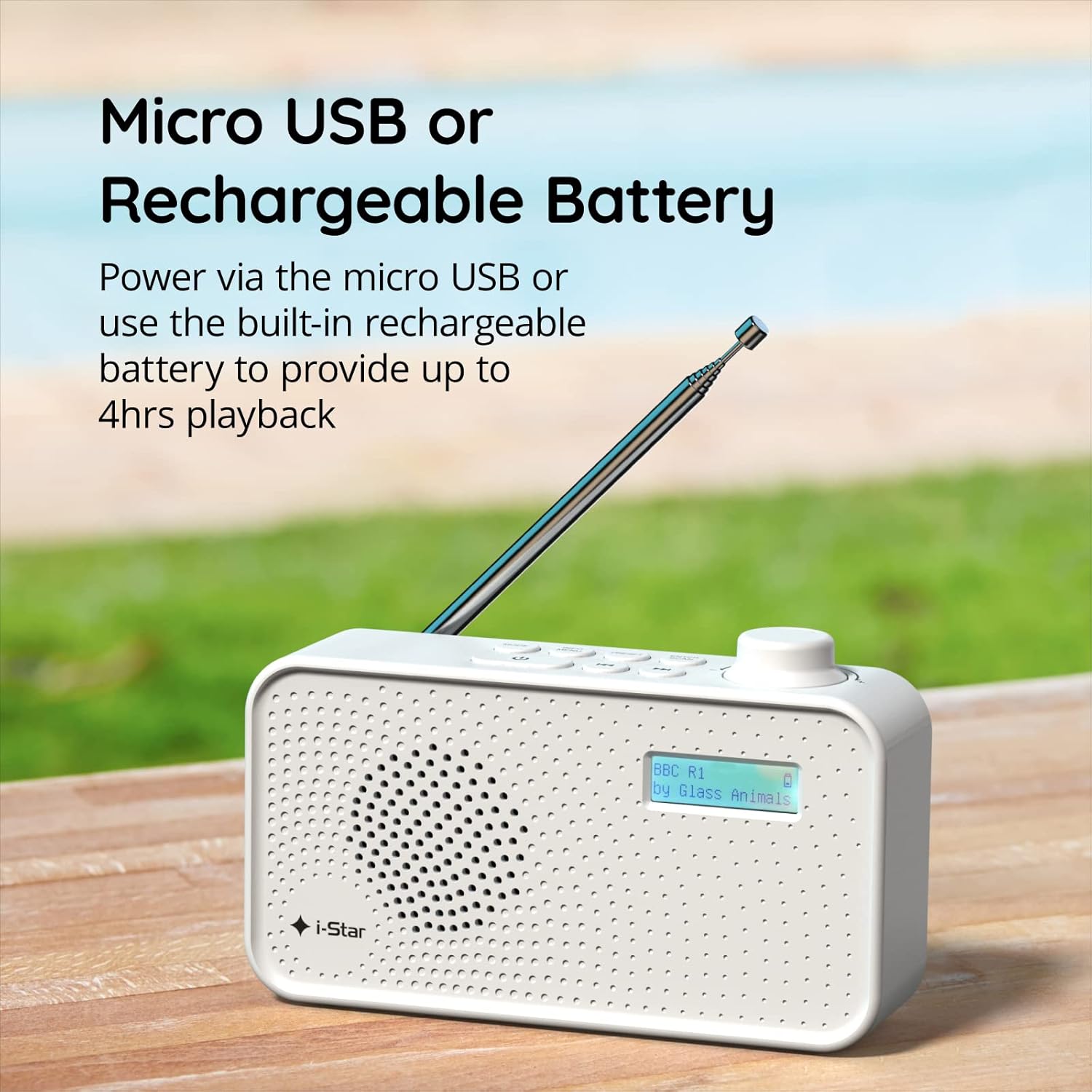
Nọmba 2: The radio powered via Micro USB or its built-in rechargeable battery.
2.2 First Power On and Automatic Scan
- Fa eriali telescopic ni kikun fun gbigba ti o dara julọ.
- Tẹ mọlẹ DURO DIE bọtini lati tan redio.
- Nígbà tí a bá kọ́kọ́ tan rédíò náà, rédíò náà yóò ṣe àyẹ̀wò fún àwọn ibùdó DAB/DAB+ tó wà. Ìlànà yìí lè gba ìṣẹ́jú díẹ̀.
- Ni kete ti ọlọjẹ ba ti pari, redio yoo tune si ibudo akọkọ ti o wa.
3. Awọn ilana Iṣiṣẹ
3.1 Switching Between DAB/DAB+ and FM Modes
- Tẹ awọn MODE button repeatedly to switch between DAB/DAB+ and FM radio modes. The current mode will be displayed on the LCD screen.

Nọmba 3: The radio supports DAB, DAB+, and FM for a wide range of listening options.
3.2 Tuning Stations
- DAB/DAB+ Ipo: Lo awọn TẸTẸ or TUNE buttons (left/right arrows) to navigate through the list of available stations. Press Tẹ/YỌWỌWỌRỌ lati yan ibudo kan.
- Ipo FM: Tẹ awọn Tẹ/YỌWỌWỌRỌ button to automatically scan for the next available FM station. Alternatively, use the TUNE buttons for manual fine-tuning.
3.3 Nfipamọ ati Awọn Tito Tito Npe
- Tune si ibudo ti o fẹ.
- Tẹ mọlẹ TẸTẸ bọtini titi 'Tọto itaja' han lori ifihan.
- Lo awọn TUNE awọn bọtini lati yan nọmba tito tẹlẹ (1-60).
- Tẹ Tẹ/YỌWỌWỌRỌ láti jẹ́rìísí àti láti fi ibùdó náà pamọ́.
- To recall a saved station, briefly press the TẸTẸ bọtini, lẹhinna lo awọn TUNE buttons to select the desired preset number, and press Tẹ/YỌWỌWỌRỌ.
3.4 Iṣakoso iwọn didun
- Yiyi awọn Iwọn didun knob (located on the right side) clockwise to increase volume and counter-clockwise to decrease volume.
3.5 Sleep Timer Function
- To activate the sleep timer, press the INFO / MENU button repeatedly until 'Sleep' appears.
- Lo awọn TUNE buttons to select the desired sleep duration (e.g., 15, 30, 45, 60, 90 minutes).
- Tẹ Tẹ/YỌWỌWỌRỌ to confirm. The radio will automatically turn off after the set time.

Nọmba 4: The sleep timer feature allows the radio to automatically switch off after a set period.
3.6 Headphone Listening
- Connect standard 3.5mm headphones (not included) to the headphone jack located on the side of the radio for private listening. The internal speaker will be muted automatically.

Nọmba 5: Connect headphones for personal listening without disturbing others.
4. Itọju
4.1 Itọju Gbogbogbo
- Pa redio naa mọ kuro ninu oorun taara, awọn orisun ooru, ati ọrinrin.
- Yẹra fún pípa rédíò náà tàbí fífi agbára rẹ̀ hàn sí i.
- Do not attempt to disassemble the radio; this will void the warranty.
4.2 Ninu
- Wipe the radio's exterior with a soft, dry cloth.
- Ma ṣe lo abrasive Cleaners, waxes, tabi epo bi wọn ṣe le ba ipari jẹ.
5. Laasigbotitusita
- Ko si Agbara: Ensure the radio is charged or connected to a power source via the USB cable. Check if the STANDBY button has been pressed.
- Ko si Ohun: Check the volume level. Ensure headphones are not connected if you intend to use the speaker.
- Poor Reception (DAB/DAB+ or FM): Fully extend the telescopic antenna. Try repositioning the radio. Perform a full scan for DAB/DAB+ stations. In FM mode, try manual tuning.
- Radio Freezes/Unresponsive: Turn the radio off and on again. If the issue persists, allow the battery to fully discharge and then recharge it.
6. Awọn pato
| Ẹya ara ẹrọ | Sipesifikesonu |
|---|---|
| Brand | i-Star |
| Nọmba awoṣe | 90059PI |
| Àwọ̀ | Funfun |
| Awọn ẹgbẹ Redio Atilẹyin | DAB, DAB +, FM |
| Ìmọ̀-ẹ̀rọ Àtúnṣe | Digital (DAB/DAB+), Analog (FM) |
| Asopọmọra | USB (for charging), 3.5mm Headphone Jack |
| Orisun agbara | Rechargeable Lithium-ion Battery (1200 mAh), USB Power |
| Igbesi aye batiri | Titi di wakati 4 (lori idiyele ẹyọkan) |
| Pataki Awọn ẹya ara ẹrọ | Portable, Sleep Timer, 60 Station Presets |
| Awọn irinše to wa | USB Charging Cable, User Manual |
| Iwọn Nkan | 440 giramu |
7. Atilẹyin ọja ati Support
This product is covered by a standard manufacturer's warranty. Please refer to the warranty card included in your packaging for specific terms and conditions. For technical support, troubleshooting assistance, or warranty claims, please contact your retailer or the i-Star customer service department. Contact details can typically be found on the product packaging or the official i-Star webojula.