
1. Ifihan
Thank you for choosing the EDM KOMA TOOLS 08773 125W Fast Charger. This manual provides essential information for the safe and efficient operation, maintenance, and troubleshooting of your charger. Please read this manual thoroughly before first use and keep it for future reference.
2. Awọn ilana aabo
Nigbagbogbo ṣe akiyesi awọn iṣọra aabo ipilẹ nigba lilo awọn ohun elo itanna lati dinku eewu ina, mọnamọna, ati ipalara ti ara ẹni.
- Ka gbogbo awọn ilana: Ṣaaju lilo ṣaja, ka gbogbo awọn ilana ati awọn ami akiyesi lori ṣaja, batiri, ati ọja nipa lilo batiri naa.
- Lilo ile nikan: A ṣe ẹ̀rọ amúṣẹ́ yìí fún lílo nínú ilé nìkan. Má ṣe fi í hàn sí òjò tàbí òjò.
- Afẹfẹ ti o tọ: Rí i dájú pé afẹ́fẹ́ ń yọ́ dáadáa nígbà tí o bá ń gba agbára. Má ṣe bo charger náà.
- Lo ti o tọ voltage: Connect the charger to a power supply with the correct voltage as indicated on the charger label.
- Avoid charging damaged batteries: Do not attempt to charge damaged or non-rechargeable batteries.
- Yọọ kuro nigbati ko si ni lilo: Disconnect the charger from the power outlet when not in use or before cleaning.
- Jeki kuro lati awọn ọmọde: Ohun elo yii kii ṣe ipinnu fun lilo nipasẹ awọn eniyan (pẹlu awọn ọmọde) pẹlu idinku ti ara, imọlara tabi awọn agbara ọpọlọ, tabi aini iriri ati imọ, ayafi ti wọn ba ti fun wọn ni abojuto tabi itọnisọna nipa lilo ohun elo nipasẹ eniyan ti o ni iduro fun aabo wọn.
- Maṣe ṣe atunṣe: Never attempt to open or modify the charger. Refer all servicing to qualified service personnel.
3. Package Awọn akoonu
Daju pe gbogbo awọn nkan wa lori ṣiṣi package naa:
- 1 x EDM KOMA TOOLS 08773 125W Fast Charger

Image: The EDM KOMA TOOLS 08773 Fast Charger shown in its retail packaging, indicating the product as it appears when purchased.
4. Awọn ẹya Ọja
The EDM KOMA TOOLS 08773 is a high-performance fast charger designed for 20V Li-Ion batteries, offering efficient and quick charging capabilities.
- Ijade Agbara giga: 125W charging power for rapid battery replenishment.
- Fast Charging Times: Charges 2.0Ah batteries in approximately 30 minutes and 4.0Ah batteries in approximately 60 minutes.
- 20V Li-Ion Technology: Specifically designed for KOMA TOOLS 20V Lithium-Ion battery series.
- Ibamu: Compatible with various KOMA TOOLS 20V Li-Ion battery models, including 08770, 08772, 08773, 08771, and 08774.
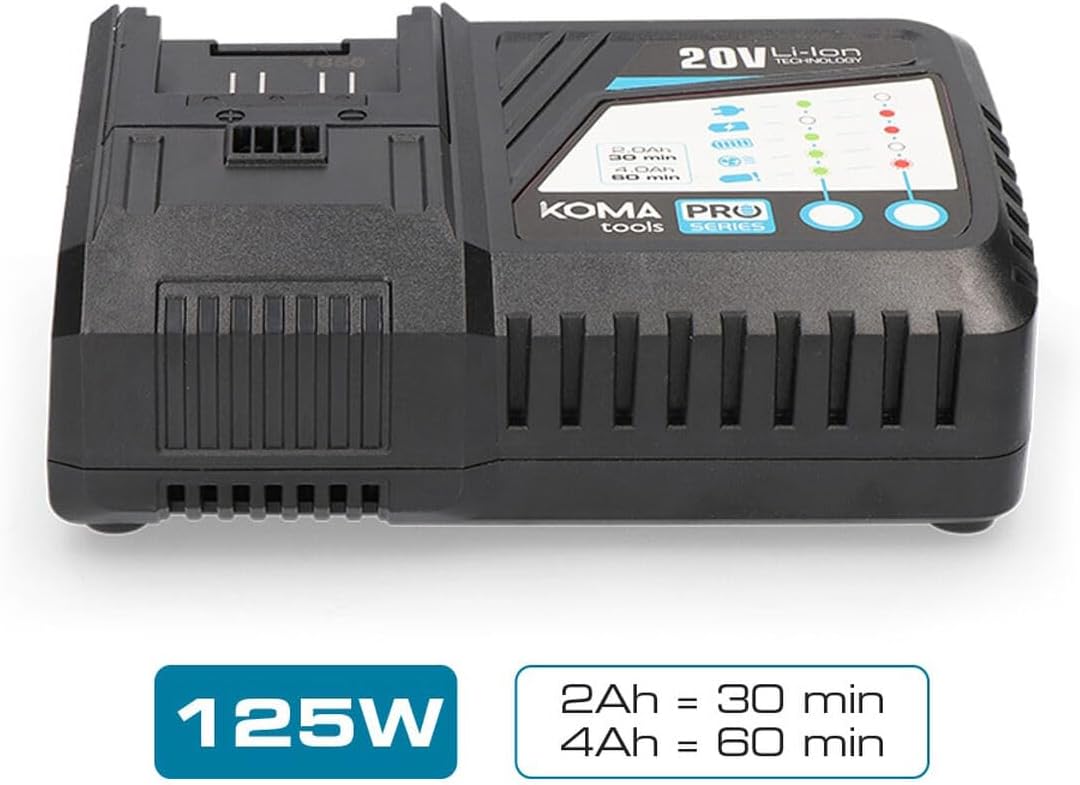
Image: The EDM KOMA TOOLS 08773 Fast Charger, highlighting its 125W power and approximate charging times for 2Ah (30 min) and 4Ah (60 min) batteries.

Image: A diagram illustrating the compatibility of the KOMA TOOLS 08773 charger with various 20V Li-Ion battery models (08770, 08772, 08773, 08771/08774) and their respective charging durations.
5. Eto
Follow these steps to set up your fast charger:
- Yọọ kuro: Fara yọ ṣaja kuro ninu apoti rẹ.
- Ibi: Place the charger on a stable, flat, and dry surface in a well-ventilated area. Ensure there is sufficient space around the charger for heat dissipation.
- Asopọ agbara: Plug the charger's power cord into a standard electrical outlet (100-240V AC, 50/60Hz). The charger is designed to operate within this voltage ibiti.
6. Awọn ilana Iṣiṣẹ
To charge a KOMA TOOLS 20V Li-Ion battery:
- Fi Batiri sii: Align the battery with the charging slot on the charger. Slide the battery firmly into the slot until it clicks into place.
- Atọka gbigba agbara: The charger features LED indicators to show the charging status. Refer to the diagram on the charger for specific indicator meanings (e.g., charging, fully charged, error). Typically, a blinking light indicates charging, and a solid light indicates a full charge.
- Akoko gbigba agbara: Charging times vary depending on the battery capacity. For example, a 2.0Ah battery will charge in approximately 30 minutes, and a 4.0Ah battery in approximately 60 minutes.
- Yọ Batiri kuro: Once the battery is fully charged (indicated by the LED), press the battery release button (if present) and slide the battery out of the charger.
- Yọ Ṣaja kuro: For energy saving and safety, unplug the charger from the power outlet when not in use.
7. Itọju
Itọju to dara ṣe idaniloju igbesi aye gigun ati iṣẹ to dara julọ ti ṣaja rẹ.
- Ninu: Yọ ṣaja kuro ninu ipese agbara ṣaaju ki o to nu. Lo aṣọ rirọ ati gbigbẹ lati nu ita ṣaja naa. Maṣe lo awọn ohun elo fifọ tabi awọn ohun elo olomi.
- Ibi ipamọ: Store the charger in a clean, dry place, away from direct sunlight, moisture, and extreme temperatures.
- Ṣayẹwo: Periodically inspect the charger and its power cord for any signs of damage. If any damage is found, discontinue use and contact customer support.
8. Laasigbotitusita
Ti o ba pade awọn ọran pẹlu ṣaja rẹ, tọka si awọn iṣoro ti o wọpọ ati awọn ojutu wọnyi:
| Isoro | Owun to le Fa | Ojutu |
|---|---|---|
| Ṣaja ko ṣiṣẹ lori | No power from outlet; loose connection; damaged cord. | Check power outlet with another device; ensure cord is securely plugged in; inspect cord for damage. |
| Batiri ko ngba agbara | Battery not properly inserted; battery is faulty; charger is faulty; battery too hot/cold. | Re-insert battery firmly; try charging a different battery; allow battery to reach room temperature. |
| Charging indicator shows error | Battery fault; charger fault; extreme battery temperature. | Remove and re-insert battery; allow battery to cool down or warm up; if error persists, battery or charger may be faulty. |
Ti iṣoro naa ba wa lẹhin igbiyanju awọn iṣeduro wọnyi, jọwọ kan si atilẹyin alabara.
9. Awọn pato
| Sipesifikesonu | Iye |
|---|---|
| Nọmba awoṣe | 8773 |
| Ijade agbara | 125 W |
| Iṣagbewọle Voltage | 100-240V AC, 50/60Hz (Standard) |
| O wujade Voltage (for battery) | 20V DC (Nominal for Li-Ion batteries) |
| Ibamu Batiri Iru | 20V Li-Ion (KOMA TOOLS PRO Series) |
| Approx. Charging Time (2.0Ah) | 30 iṣẹju |
| Approx. Charging Time (4.0Ah) | 60 iṣẹju |
| Ọja Mefa | 3.94 x 0.79 x 1.06 inches |
| Iwọn Nkan | 1.72 iwon (0.78 kilo) |
| Ijẹrisi | CE |
| Olupese | KOMA TOOLS |
10. Atilẹyin ọja ati Support
For warranty information, technical support, or service inquiries, please refer to the warranty card included with your product or contact your retailer. Keep your purchase receipt as proof of purchase.