
SEMIER SM-226
Portable Cassette Player Recorder AM FM Radio User Manual
Brand: SEMIER | Awoṣe: SM-226
1. Ifihan
Thank you for choosing the SEMIER Portable Cassette Player Recorder AM FM Radio. This compact and versatile device allows you to enjoy your favorite cassette tapes, record audio, and tune into AM/FM radio stations. Designed for portability and ease of use, it offers a nostalgic audio experience with modern convenience.
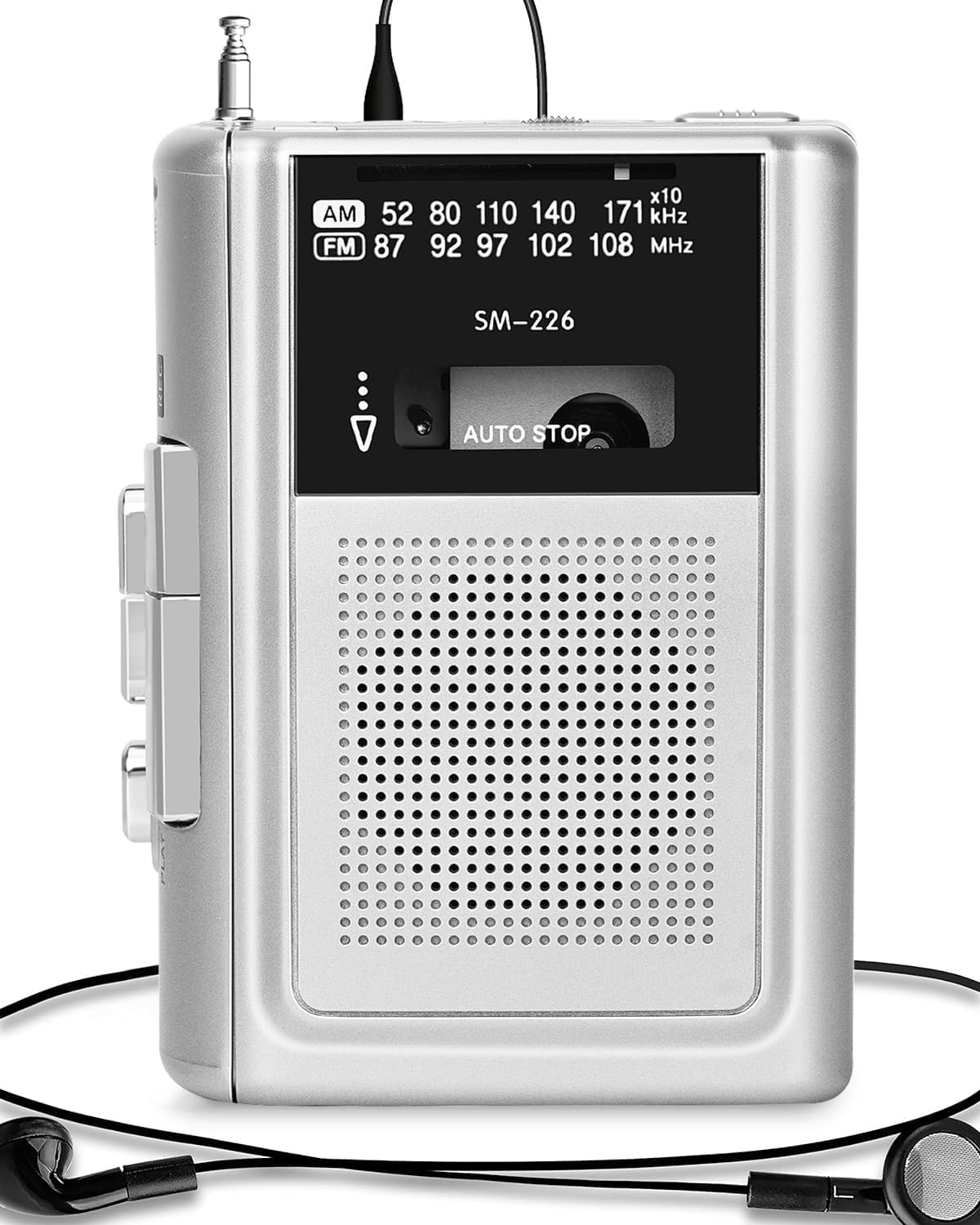
Figure 1: SEMIER Portable Cassette Player Recorder (Model SM-226)
2. Eto
2.1 Agbara ẹrọ naa
Your cassette player offers dual power options:
- Agbara Batiri: For portable use, insert two (2) AA batteries into the battery compartment located on the back of the unit. Ensure correct polarity (+/-).
- DC 5V Power: For indoor use, connect a DC 5V wall adapter (not included, but a compatible USB cable is provided) to the DC 5V input jack on the side of the unit.

Figure 2: Dual Power Options (Battery and DC 5V)
Video 1: Demonstrating battery insertion and power connection for the SEMIER Cassette Player.
2.2 Inserting and Removing Cassettes
- To open the cassette compartment, slide the OPEN/CLOSE button located on the side of the unit.
- Gently insert your cassette tape with the open side facing the playback head.
- Close the compartment firmly until it clicks into place.
- To remove, slide the OPEN/CLOSE button again and carefully lift out the cassette.
3. Awọn ilana Iṣiṣẹ
3.1 Playing Cassettes
Once a cassette is inserted and the unit is powered on:
- Tẹ awọn ERE bọtini lati bẹrẹ ṣiṣiṣẹsẹhin.
- Tẹ awọn DURO button to halt playback.
- Lo awọn FWD (Yára síwájú) àti REW (Sún padà) awọn bọtini lati lọ kiri nipasẹ teepu naa.
- The unit features an Idaduro-laifọwọyi function, which automatically stops playback when the tape reaches its end.

Figure 3: Auto-Stop Cassette Feature
3.2 Gbigbasilẹ Audio
The SEMIER cassette player allows you to record audio from its built-in microphone or an external microphone, as well as directly from AM/FM radio:
- Fi teepu kasẹti ti ko ni ṣofo sii.
- To record from the built-in microphone, simply press the ERE ati REC (Record) buttons simultaneously.
- For enhanced sound quality, connect an external microphone (not included) to the MIC jaki.
- To record from AM/FM radio, switch the mode to AM or FM, tune to your desired station, and then press ERE ati REC nigbakanna.
- Tẹ DURO lati pari gbigbasilẹ.
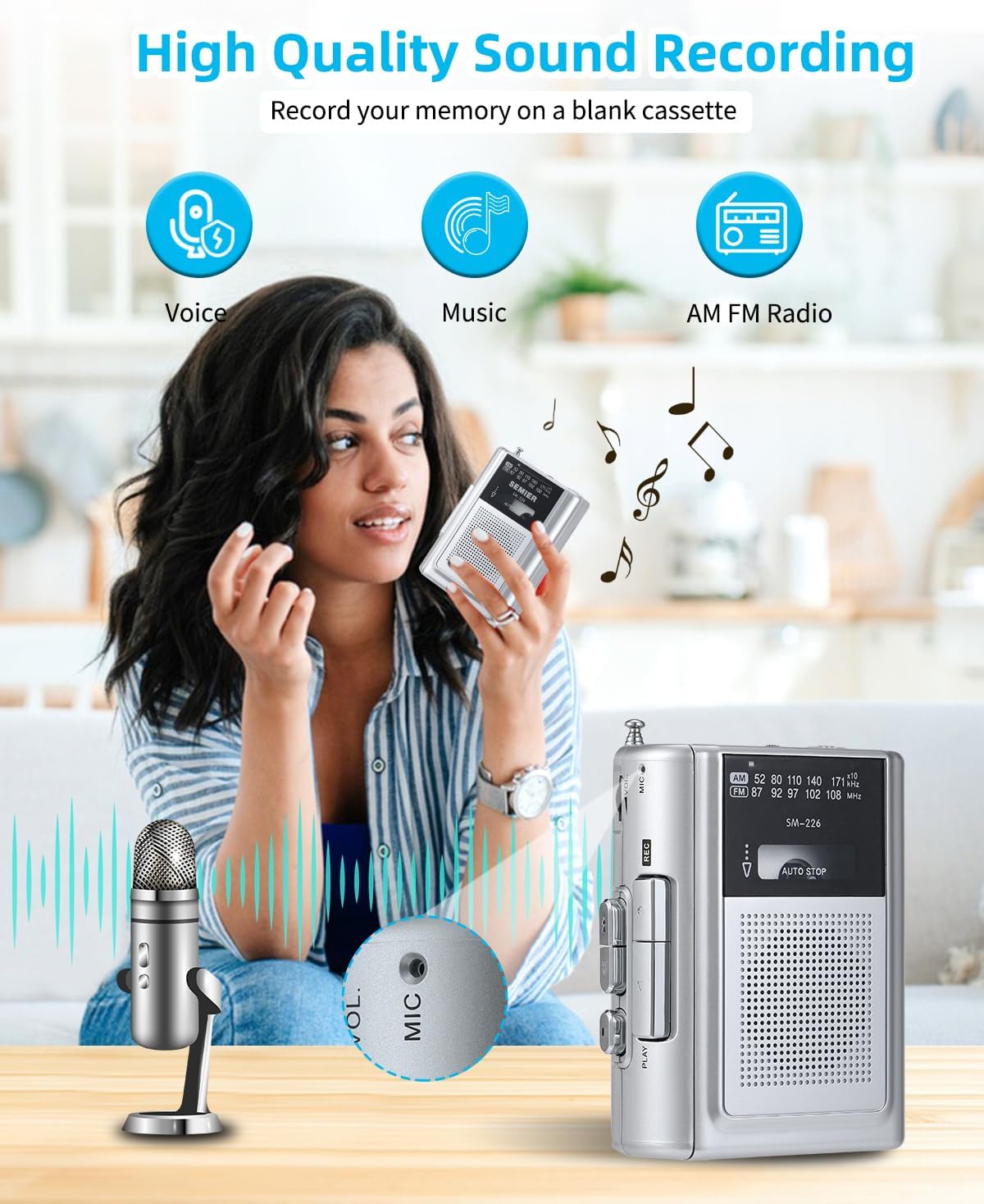
Figure 4: High Quality Sound Recording Capabilities
Video 2: Demonstration of recording and radio functions on the SEMIER Portable Cassette Player.
3.3 Listening to AM/FM Radio
To enjoy radio broadcasts:
- Slide the mode switch to either AM or FM.
- Extend the metal antenna for optimal reception.
- Lo awọn Atunse dial to find your desired radio station. The wide frequency range (FM 87-108MHz, AM 520-1710kHz) ensures excellent reception.

Figure 5: Excellent AM/FM Radio Reception
3.4 Using the Earphone Jack
For private listening, plug your headphones into the 3.5mm earphone jack located on the side of the unit. The built-in 3 Watts loudspeaker provides clear sound for general listening.

Figure 6: 3.5mm Audio Port for Private Listening
4. Itọju
- Ninu: Lo aṣọ rírọrùn tí ó gbẹ láti nu ìta ẹ̀rọ náà. Má ṣe lo àwọn ohun èlò ìfọmọ́ omi tàbí àwọn ohun èlò ìpara.
- Awọn ori teepu: Fọ àwọn orí teepu náà lẹ́ẹ̀kọ̀ọ̀kan pẹ̀lú owú díẹ̀díẹ̀.ampened pẹlu isopropyl oti lati rii daju didara ohun didara ati idilọwọ ibaje teepu.
- Rirọpo Batiri: If using batteries, replace them when the sound becomes distorted or the unit stops functioning. Remove batteries if the unit will not be used for an extended period.
- Ibi ipamọ: Store the unit in a cool, dry place away from direct sunlight, extreme temperatures, and humidity.
5. Laasigbotitusita
| Isoro | Owun to le Fa | Ojutu |
|---|---|---|
| No power / Unit not turning on | Dead batteries; Power adapter not connected properly. | Replace batteries; Ensure power adapter is securely connected. |
| Ko dara ohun didara / Iparun | Dirty tape heads; Worn-out tape; Low battery power. | Clean tape heads; Try a different tape; Replace batteries. |
| Tape not playing / Tape jammed | Tape incorrectly inserted; Tape mechanism issue. | Re-insert tape correctly; Gently remove any jammed tape (if visible). |
| Gbigba redio ti ko dara | Eriali ko tesiwaju; Agbegbe ifihan agbara ti ko lagbara. | Fully extend the antenna; Try moving to a different location. |
6. Awọn pato
| Ẹya ara ẹrọ | Ẹ̀kúnrẹ́rẹ́ |
|---|---|
| Ọja Mefa | 4.6 x 3.4 x 1.3 inches (11.68 x 8.64 x 3.3 cm) |
| Iwọn Nkan | 7.2 iwon (204.12 Giramu) |
| Nọmba awoṣe | SM-226 |
| Brand | Ọ̀PỌ̀ |
| Orisun agbara | Battery Powered (2 AA batteries) / DC 5V |
| Tuner Technology | FM, AM |
| Awọn ẹgbẹ Redio Atilẹyin | FM (87-108MHz), AM (520-1710kHz) |
| Asopọmọra Technology | USB (for power), 3.5mm Audio (earphone/mic) |
| Pataki Ẹya | Portable, Lightweight, Recording Function, Built-in Speaker |
| Olupese | Ọ̀PỌ̀ |
| Ilu isenbale | China |
7. Atilẹyin ọja ati Support
For warranty inquiries or technical support, please contact SEMIER customer service directly via email:
Please provide your product model (SM-226) and a detailed description of your issue for prompt assistance.
Ask a question about this manual
Ask about setup, troubleshooting, compatibility, parts, safety, or missing instructions. Manuals+ will review the question and use this page’s manual context to help answer it.