
Micool 52161554
Micool Bluetooth Headset V5.0 Instruction Manual
Awoṣe: 52161554
1. Ifihan
Thank you for choosing the Micool Bluetooth Headset V5.0. This manual provides detailed instructions for setting up, operating, and maintaining your new headset. Designed for clear communication and comfort, this headset features advanced noise cancellation, long-lasting battery life, and multi-device connectivity.
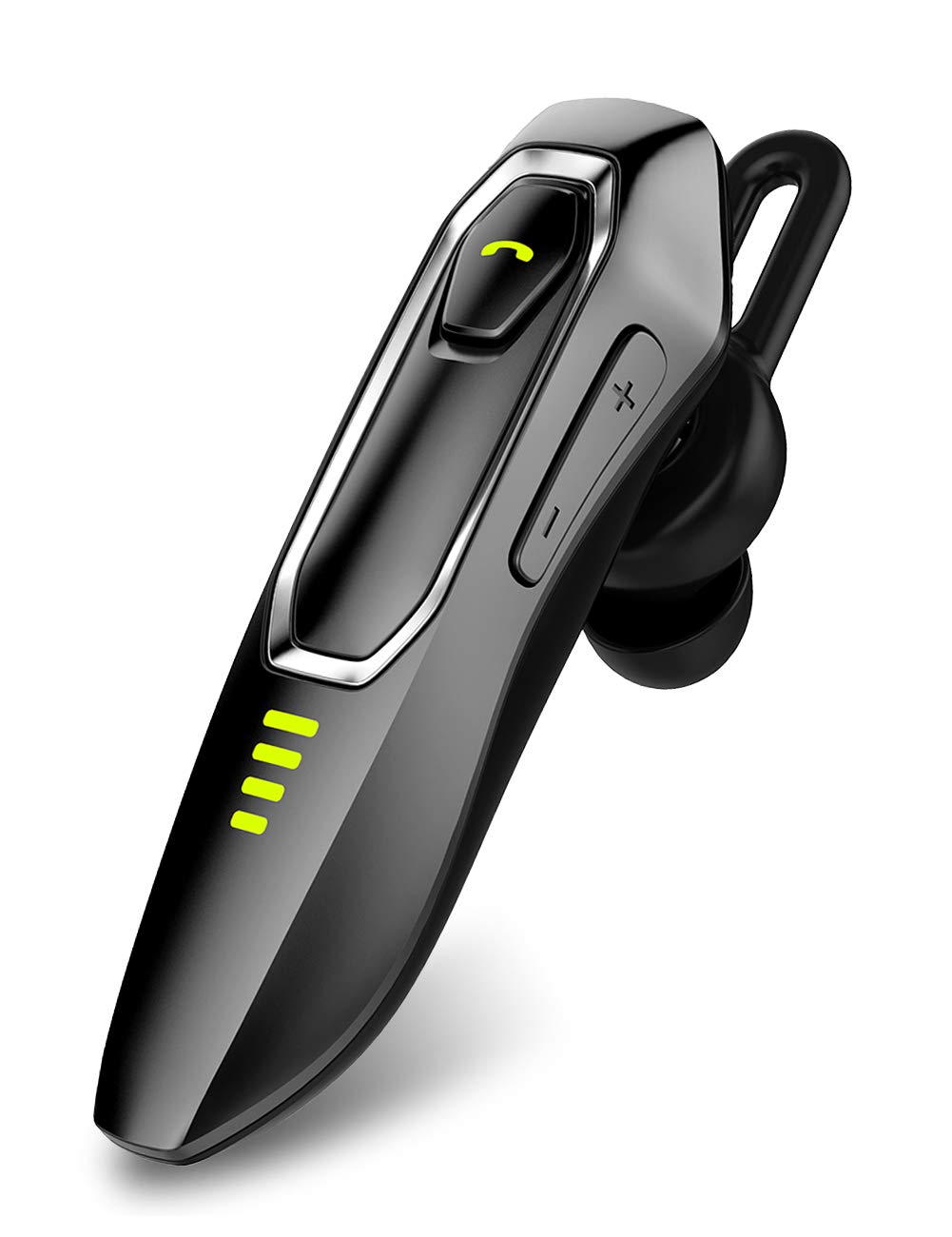
Image: Micool Bluetooth Headset V5.0, showcasing awọn oniwe-aso oniru.
2. Ohun ti o wa ninu Apoti
Upon opening your Micool Bluetooth Headset package, you should find the following items:
- 1 x Micool DY20 Headset
- 1 x Okun Ngba agbara USB
- 1 x ìkọ́ etí
- 3 x EarGels (S/M/L sizes)
- 1 x Itọsọna Ibẹrẹ kiakia (Itọnisọna yii)
- 2 x Flat EarGels
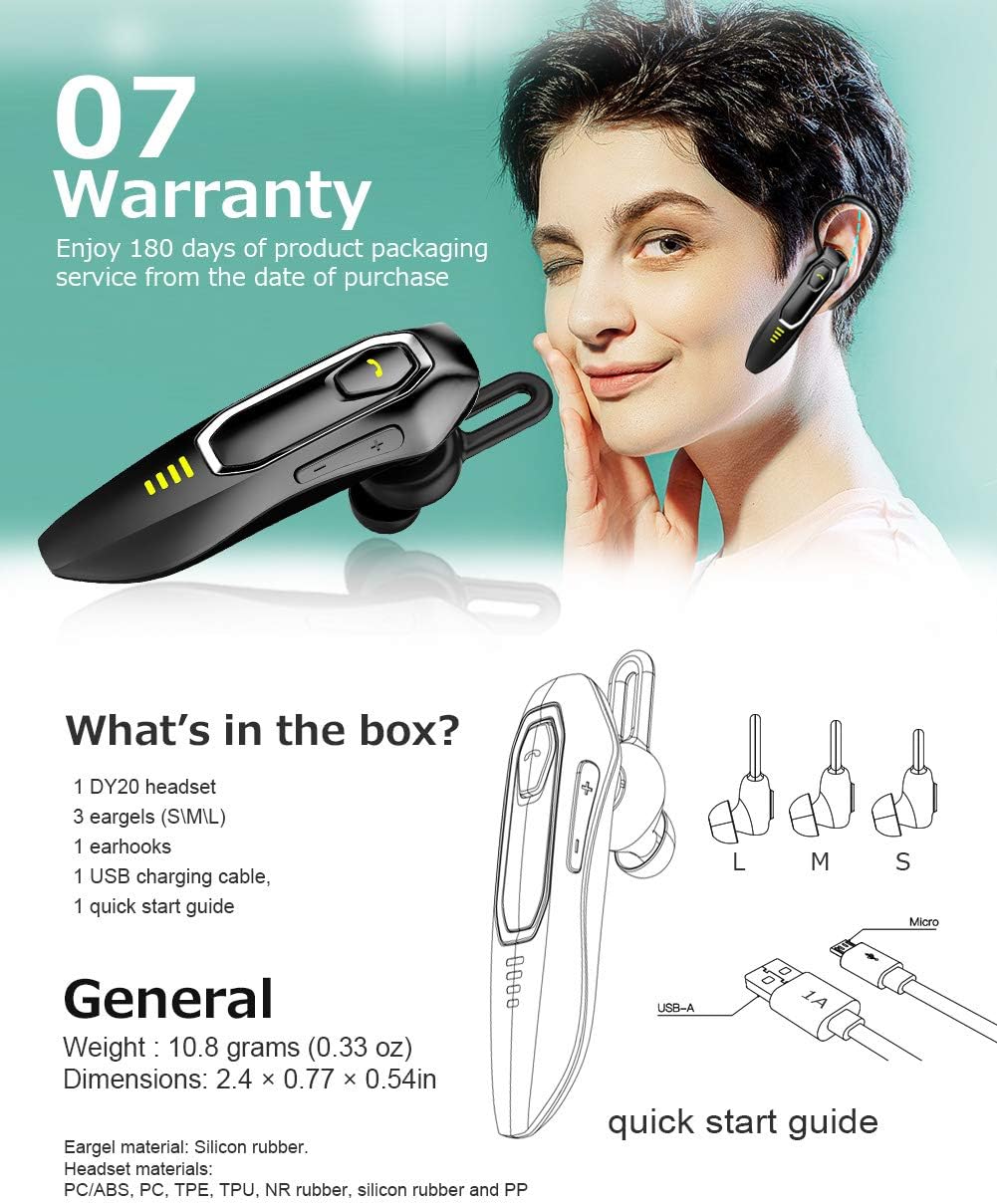
Image: All components included in the Micool Bluetooth Headset package, including the headset, charging cable, ear hook, and various EarGels.
3. Awọn ẹya Ọja
- Extended Call Time: Built-in 220mAh battery provides up to 30 hours of talk time and 48 hours of music playback on a single charge. Standby time is up to 15 days.
- HD Voice & Powerful Noise Cancellation: Features CVC8.0 noise cancellation and an omnidirectional silicon microphone for clear calls in noisy environments. The 10mm dynamic speaker ensures stereo sound quality.
- Atilẹyin Iranlọwọ ohun: Easily activate Siri or Google Assistant with a dedicated button for hands-free control.
- Asopọmọra-ẹrọ pupọ: Connect to two devices simultaneously, allowing you to listen to music on one and answer calls on another.
- Apẹrẹ itunu: Ergonomically designed and weighing only 10.8g, the headset offers a secure and comfortable fit for all-day wear. Includes professional ear cap type ear canal mouth design for optimized bass.
Awọn alaye ẹya:
HD Voice & Noise Cancellation

The headset utilizes CVC8.0 noise cancellation and an omnidirectional MEMS silicon microphone for superior call clarity. A 10mm dynamic speaker delivers rich audio.
Batiri Igba pipẹ

Enjoy up to 30 hours of talk time and 48 hours of music. The 220mAh battery charges in approximately 2-3 hours via the included Micro USB cable, offering up to 15 days of standby time.
Siri/Google Assistant & Multi-Use

Activate your preferred voice assistant with ease. The headset also supports connecting to two devices simultaneously for seamless switching between calls and media.
Itura Fit

The ergonomic design allows for comfortable wear throughout the day, with or without the ear hook. Multiple EarGel sizes ensure a perfect fit for optimal sound and comfort.
4. Eto
4.1 Ngba agbara si Agbekọri
Before first use, fully charge the headset. Connect the provided USB charging cable to the headset's charging port and to a USB power source (e.g., computer, wall adapter). The charging indicator light will show the charging status. A full charge typically takes 2-3 hours.
4.2 Sisopọ Bluetooth
- Rii daju pe agbekari ti wa ni pipa.
- Press and hold the Multi-function button until the indicator light flashes red and blue alternately, indicating pairing mode.
- Lori ẹrọ alagbeka rẹ, mu Bluetooth ṣiṣẹ ki o wa awọn ẹrọ to wa.
- Select "Micool DY20" from the list of devices.
- Ni kete ti a ti sopọ, ina Atọka yoo tan bulu laiyara.
To connect to a second device, disable Bluetooth on the first device after successful pairing. Put the headset back into pairing mode and connect to the second device. Then, re-enable Bluetooth on the first device; the headset should automatically connect to both.
5. Awọn ilana Iṣiṣẹ
5.1 Ipilẹ idari
| Išẹ | Iṣe |
|---|---|
| Titan / Paa | Tẹ mọlẹ bọtini iṣẹ-ọpọlọpọ |
| Mu ṣiṣẹ/Danu Orin duro | Single click Multi-function button |
| Idahun/Pari Ipe | Single click Multi-function button |
| Kọ Ipe | Tẹ mọlẹ bọtini iṣẹ-ọpọlọpọ |
| Mu Siri/Google Iranlọwọ ṣiṣẹ | Double-click Multi-function button |
| Iwọn didun Up / Isalẹ | Click Volume + / - button |
| Itele/Orin Tẹlẹ | Press and hold Volume + / - button for 3 seconds |
| Ṣayẹwo Agbara to ku | Double-click Volume + button |
6. Itọju
To ensure the longevity and optimal performance of your Micool Bluetooth Headset, follow these maintenance guidelines:
- Ninu: Use a soft, dry cloth to wipe the headset. Do not use harsh chemicals or abrasive materials.
- Ibi ipamọ: Tọju agbekari naa ni itura, aye gbigbẹ kuro ni iwọn otutu ti o ga julọ ati imọlẹ orun taara.
- Gbigba agbara: Máa lo okùn gbigba agbara USB tí a pèsè nígbà gbogbo. Má ṣe gba agbara ju bó ṣe yẹ lọ fún batiri náà.
- EarGels: Regularly clean or replace EarGels for hygiene and optimal sound quality.
7. Laasigbotitusita
Tí o bá ní ìṣòro pẹ̀lú agbekọri rẹ, wo àwọn ìdáhùn tí ó wọ́pọ̀ wọ̀nyí:
| Isoro | Ojutu |
|---|---|
| Ko le so pọ pẹlu ẹrọ | Ensure the headset is in pairing mode (red and blue flashing light). Turn off and on your device's Bluetooth. Try restarting both devices. |
| Iwọn kekere | Adjust the volume on both the headset (Volume + button) and your connected device. Ensure the EarGel is properly seated in your ear. |
| Asopọmọra igba diẹ | Ensure the headset is within the 10-15m wireless range of your device. Avoid obstacles between the headset and device. Re-pair the headset. |
| Agbekọri korọrun | Try different sizes of EarGels to find the best fit. Adjust the ear hook for optimal comfort and stability. |
| Cannot activate voice assistant | Ensure your device's voice assistant (Siri/Google Assistant) is enabled and configured. Double-click the Multi-function button firmly. |
8. Awọn pato
| Ẹya ara ẹrọ | Ẹ̀kúnrẹ́rẹ́ |
|---|---|
| Brand | Micool |
| Nọmba awoṣe | 52161554 |
| Asopọmọra | Bluetooth V5.0 |
| Agbara Batiri | 220mAh |
| Akoko gbigba agbara | Isunmọ. 2-3 wakati |
| Aago Ọrọ | Titi di wakati 30 |
| Akoko Sisisẹsẹhin Orin | Titi di wakati 48 |
| Akoko Iduro | Titi di ọjọ mẹwa 15 |
| Ariwo Iṣakoso | Active Noise Cancellation (CVC8.0) |
| Gbohungbohun | Omnidirectional Silicon Microphone |
| Agbọrọsọ | 10mm Yiyi Agbọrọsọ |
| Iwọn | 10.8 giramu (0.33 iwon) |
| Awọn iwọn | 2.4 × 0.77 × 0.54 inches |
| Ohun elo | PC/ABS, PC, TPE, TPU, NR rubber, silicon rubber and PP |
9. Atilẹyin ọja ati Support
The Micool Bluetooth Headset comes with a 180-ọjọ atilẹyin ọja from the date of purchase. This warranty covers manufacturing defects and ensures product quality.
If you experience any issues or have questions regarding your headset, please refer to the troubleshooting section of this manual. For further assistance, contact Micool customer support through the retailer's platform or the official Micool webojula.
Jọwọ ṣe idaduro ẹri rira rẹ fun awọn iṣeduro atilẹyin ọja.
Ask a question about this manual
Ask about setup, troubleshooting, compatibility, parts, safety, or missing instructions. Manuals+ will review the question and use this page’s manual context to help answer it.