
Ọrọ Iṣaaju
Thank you for choosing the SLuB Bone Conduction Headphones F806. These open-ear wireless earphones utilize advanced bone conduction technology and Bluetooth 5.0 connectivity to provide a unique audio experience while keeping you aware of your surroundings. This manual provides detailed instructions for setup, operation, maintenance, and troubleshooting to ensure optimal performance and longevity of your device.
Ọja Pariview
Key Awọn ẹya ara ẹrọ
- Imọ-ẹrọ Iwa Egungun: Delivers audio through your cheekbones, leaving your ears open to ambient sounds.
- Apẹrẹ Eti-Ṣi: Enhances situational awareness, ideal for outdoor activities.
- Bluetooth 5.0: Pese asopọ alailowaya ti o duro ṣinṣin ati ti o munadoko.
- Ìwọ̀n Ìwọ̀njù: Weighs approximately 35 grams for comfortable extended wear.
- IPX5 mabomire: Resistant to sweat and light rain, suitable for sports.
- Igbesi aye batiri gigun: Titi di awọn wakati 8 ti ṣiṣiṣẹsẹhin lemọlemọfún.
Ọja irinše

Nọmba 1: Pariview of SLuB Bone Conduction Headphones F806, highlighting features such as 180 mAh battery, 9h talk time, 8h play time, 180h standby time, and 25g weight, suitable for cycling, climbing, working, gym, and running.

Nọmba 2: Illustration of the open-ear design, allowing users to hear surroundings and avoid potential dangers while enjoying music.

Nọmba 3: Explanation of bone conduction technology, which delivers audio to the auditory nerve via the cheekbone, keeping both ears open.

Nọmba 4: Demonstration of the headphones' resilient and durable titanium wire skeleton, capable of 360° bending without deformation.

Nọmba 5: Visual representation of the IPX5 waterproof rating, indicating nano-coating protection against sweat and water.
Awọn ilana iṣeto
1. Ngba agbara si awọn Agbekọri
- Locate the USB charging interface on the headphones.
- Connect the provided USB charging cable to the headphones and a compatible USB power source (e.g., computer USB port, wall adapter).
- The indicator light will illuminate during charging. Once fully charged, the light will change color or turn off, depending on the model. A full charge typically takes approximately 2 hours.
Nọmba 6: Location of the USB Charging Interface, Indicator Light, and Volume controls.
2. Sisopọ Bluetooth
- Agbara Tan: Press and hold the multifunction button (Power Button) for 2 seconds until the indicator light flashes, indicating pairing mode.
- Mu Bluetooth ṣiṣẹ: Lori ẹrọ rẹ (foonuiyara, tabulẹti, ati be be lo), jeki Bluetooth.
- Yan Ẹrọ: Wa fun "SLuB F806" or a similar name in the list of available Bluetooth devices and select it to connect.
- Ìmúdájú: Once successfully paired, the indicator light will stop flashing or show a steady light, and you may hear an audio prompt.

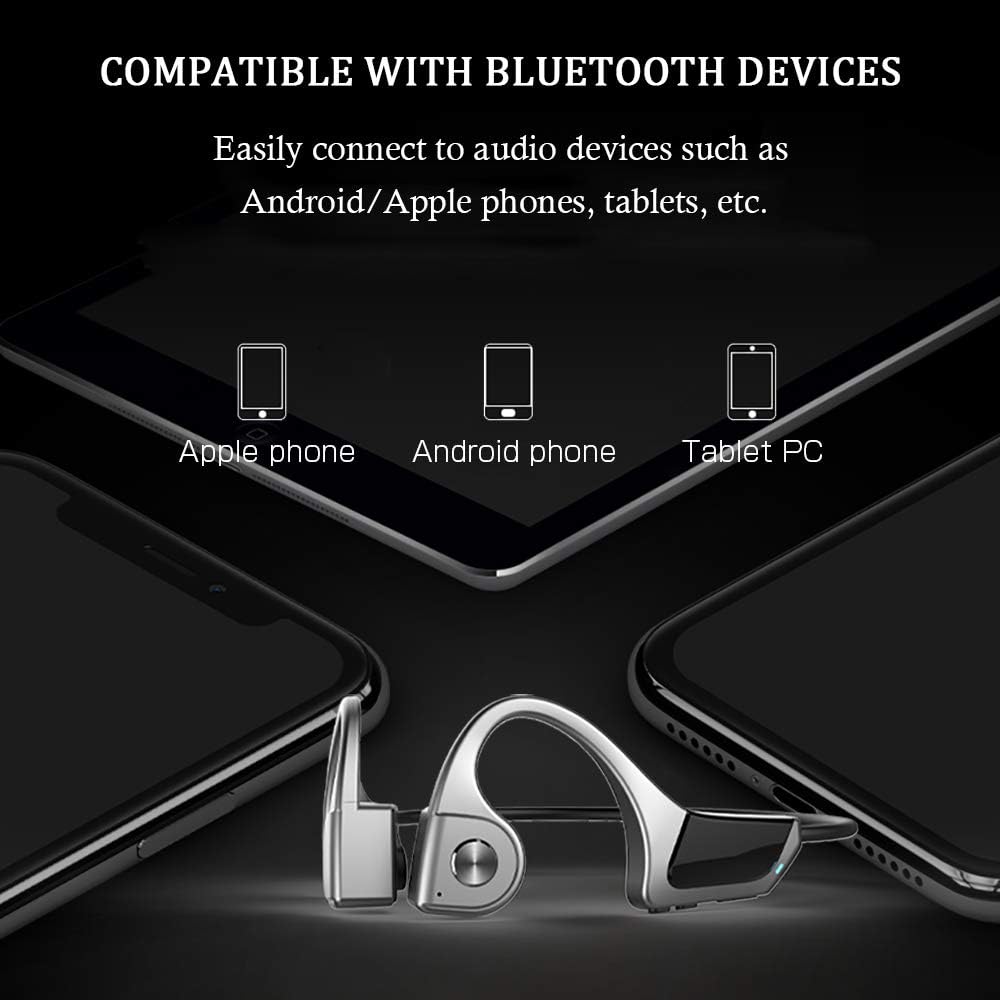
Nọmba 7: Compatibility with various Bluetooth devices, including Apple phones, Android phones, and Tablet PCs.
Awọn ilana Iṣiṣẹ
Awọn iṣẹ bọtini

Nọmba 8: Detailed functions of the micro raised buttons for easy control.
| Išẹ | Iṣe |
|---|---|
| Titan / Paa | Tẹ mọlẹ bọtini multifunction fun awọn aaya 2. |
| Titẹ ohun | Press and hold the multifunction button for 2 seconds (when powered on). |
| Iwọn didun soke (+) / Iwọn didun isalẹ (-) | Click the +/- key. |
| Idahun / Ipe Idorikodo | Click the multifunction button. |
| Mu ṣiṣẹ / Sinmi Orin | Click the multifunction button. |
| Išaaju / Ipa atẹle | Long press the +/- key. |
Itoju
- Ninu: Mu awọn agbekọri nu pẹlu asọ, damp asọ. Maṣe lo awọn kẹmika lile tabi awọn ohun elo abrasive.
- Ibi ipamọ: Tọju awọn agbekọri naa ni itura, aye gbigbẹ kuro lati orun taara ati awọn iwọn otutu to gaju.
- Gbigba agbara: Rii daju pe ibudo gbigba agbara ti gbẹ ṣaaju asopọ okun gbigba agbara.
- Ifihan omi: While IPX5 rated, avoid submerging the headphones in water. Dry thoroughly if exposed to sweat or rain.
Laasigbotitusita
| Isoro | Owun to le Solusan |
|---|---|
| Awọn agbekọri ko ṣiṣẹ. | Ensure the headphones are fully charged. Press and hold the multifunction button for 2 seconds. |
| Ko le so pọ pẹlu ẹrọ. |
|
| Ko si ohun tabi iwọn kekere. |
|
| Didara ipe ti ko dara. |
|
Awọn pato
| Ẹya ara ẹrọ | Ẹ̀kúnrẹ́rẹ́ |
|---|---|
| Nọmba awoṣe | F806 |
| Brand | SLUB |
| Asopọmọra Technology | Bluetooth 5.0, Alailowaya |
| Gbigbe Eti | Ṣii Eti |
| Omi Resistance Ipele | IPX5 mabomire |
| Iwọn Nkan | 35 giramu |
| Ohun elo | Ṣiṣu |
| Iṣakoso Iru | Iṣakoso Media |
| Ọna Iṣakoso | Fọwọkan (tọkasi awọn titẹ bọtini) |
| Awọn Lilo pato | Idaraya ati Idaraya |
Atilẹyin ọja ati Support
For warranty information and customer support, please refer to the documentation included with your purchase or contact the retailer. Keep your proof of purchase for any warranty claims.