
ELECDER D19
Ìwé Ìtọ́sọ́nà Olùlò Electer D19 True Wireless Earbuds
Model: D19 | Brand: ELECDER
1. Ifihan
The ELECDER D19 True Wireless Earbuds are designed to provide a superior audio experience with advanced features such as Bluetooth 5.0 connectivity, noise cancellation, and IPX7 waterproofing. This manual provides comprehensive instructions for setting up, operating, and maintaining your earbuds to ensure optimal performance and longevity.
Awọn ẹya pataki:
- Bluetooth 5.0: Fast and stable wireless transmission with CVC8.0 noise cancellation for clear calls.
- Premium Hi-Fi Stereo Audio: APTX audio for lossless transmission, delivering immersive sound with crystal clarity and deep bass.
- IPX7 mabomire: Resistant to sweat, water, and rain, ideal for workouts and outdoor activities.
- Apẹrẹ Ergonomic: Lightweight (5g per earbud) with flexible silicone ear-fins and S/M/L ear caps for a secure and comfortable fit.
- Quick Pairing Technology: Automatic power-on and pairing upon removal from the charging case.
- USB Quick Charge & Wireless Charging: Up to 4.5 hours of music on a single charge, with an additional 18 hours from the charging case, supporting both USB and wireless charging.
2. Ọja Ipariview

Figure 2.1: ELECDER D19 True Wireless Earbuds in their charging case. The earbuds are black, sleek, and designed for in-ear use, while the compact charging case is also black with a smooth finish.
Kini o wa ninu apoti:
- ELECDER D19 True Wireless Earbuds (Left and Right)
- Ngba agbara Case
- Okun Ngba agbara USB
- Àwọn etí (ìwọ̀n S/M/L)
- Afowoyi Olumulo (iwe-ipamọ yii)
3. Eto Itọsọna
3.1 Ngba agbara si Earbuds ati Ọran
Before first use, fully charge the earbuds and the charging case. The charging case supports both USB cable charging and wireless charging.
- Ngba agbara USB: Connect the provided USB cable to the charging port on the case and plug the other end into a USB power source (e.g., computer, wall adapter). The indicator light on the case will show charging status.
- Gbigba agbara Alailowaya: Place the charging case on a compatible wireless charging pad. The indicator light will flash to confirm charging.

Figure 3.1: The ELECDER D19 charging case being charged wirelessly on a charging pad, also showing the Micro USB port for wired charging. This image highlights the dual charging capabilities of the case.
A full charge for the earbuds provides approximately 4.5 hours of music playback, and the charging case provides an additional 18 hours of battery life.
3.2 Sisopọ pẹlu Ẹrọ Rẹ
The ELECDER D19 earbuds feature quick pairing technology for seamless connection.
- Igbesẹ 1: Open the charging case and take out both earbuds. They will automatically power on and pair with each other.
- Igbesẹ 2: Lori foonuiyara tabi ẹrọ Bluetooth ti o ṣiṣẹ, lọ si awọn eto Bluetooth.
- Igbesẹ 3: Wa fun available devices and select "Elecder D19" from the list to connect.
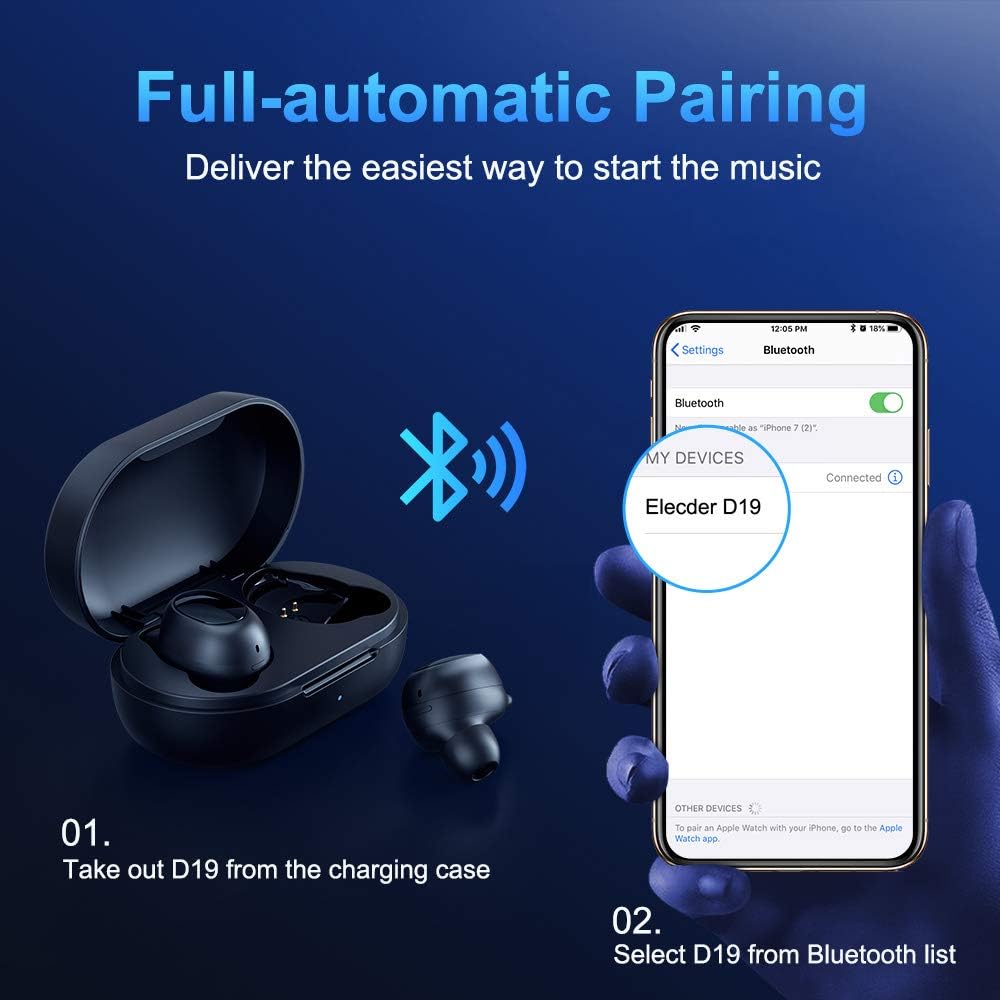
Figure 3.2: A visual guide demonstrating the automatic pairing process. The image shows the earbuds being taken out of the case and then the "Elecder D19" option appearing in a smartphone's Bluetooth settings for connection.
Lẹ́yìn ìsopọ̀ àkọ́kọ́, àwọn agbekọri náà yóò so pọ̀ mọ́ ẹ̀rọ ìbáṣepọ̀ ìkẹyìn láìfọwọ́sí nígbà tí a bá yọ wọ́n kúrò nínú àpótí ìgbara.

Figure 3.3: An illustration showing the stable Bluetooth connection between the ELECDER D19 earbuds and various smart devices, including smartphones and tablets.
4. Awọn ilana Iṣiṣẹ
4.1 Wọ awọn Earbuds
For optimal sound quality and comfort, choose the ear tips that best fit your ears. The earbuds come with S, M, and L sizes. Insert the earbuds into your ears and gently rotate them to find a secure and comfortable fit. The ergonomic ear-fin design helps ensure stability during movement.
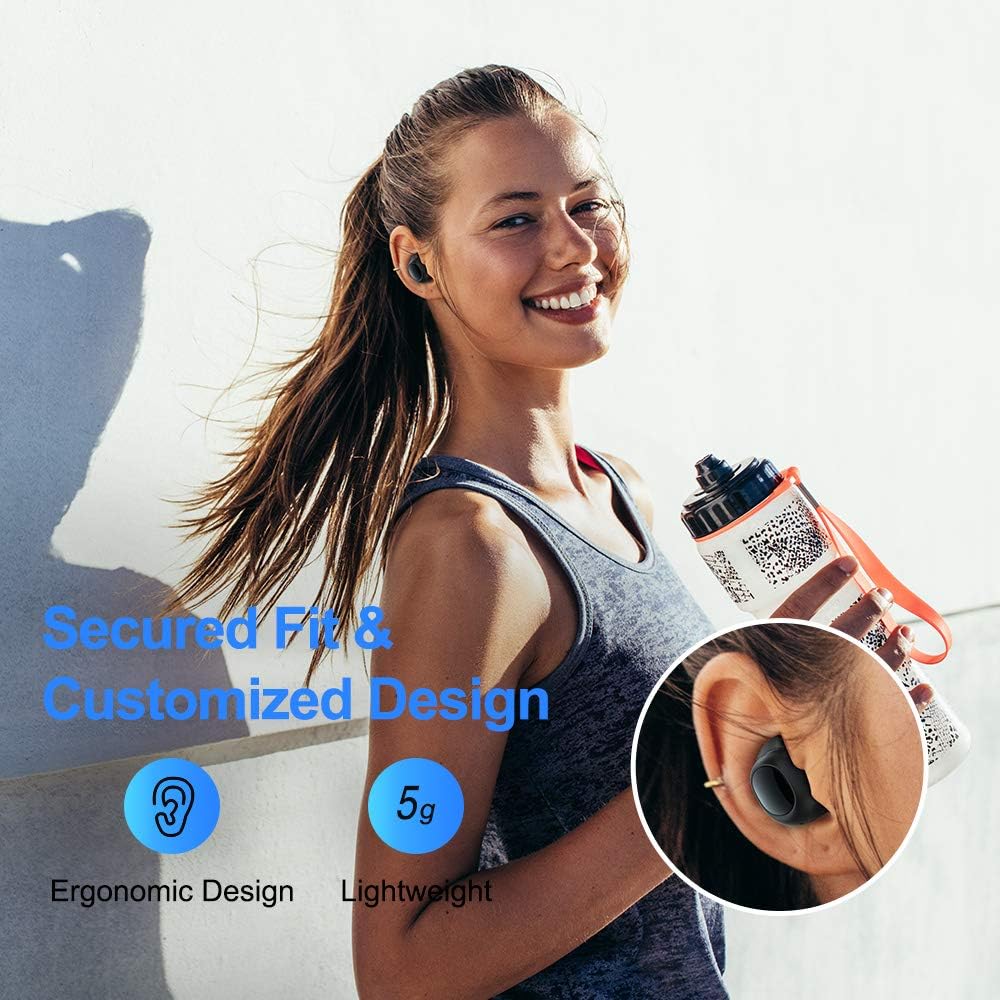
Figure 4.1: A person wearing the ELECDER D19 earbuds during a workout, demonstrating the secure and comfortable fit provided by the ergonomic design and customizable ear tips.
4.2 Iṣakoso Media
The ELECDER D19 earbuds feature physical buttons for media control. Specific button functions may vary slightly based on the device and operating system, but common controls include:
- Ṣiṣẹ/Daduro: Tẹ ẹyọkan lori boya agbekọri.
- Orin t’okan: Tẹ lẹẹmeji lori agbekọri ọtun.
- Tẹlẹ Orin: Tẹ lẹẹmeji lori agbekọri osi.
- Iwọn didun Up: Triple press on the right earbud.
- Iwọn didun isalẹ: Triple press on the left earbud.
4.3 ipe Management
Manage your calls directly from the earbuds:
- Idahun/Ipe Ipari: Tẹ ẹyọkan lori boya agbekọri.
- Kọ Ipe: Tẹ mọlẹ boya agbekọri fun iṣẹju 2.
- Mu Oluranlọwọ Ohun ṣiṣẹ: Tẹ mọlẹ boya agbekọri fun iṣẹju-aaya 3 (fun apẹẹrẹ, Siri, Oluranlọwọ Google).
5. Itọju ati Itọju
Proper maintenance ensures the longevity and optimal performance of your ELECDER D19 earbuds.
5.1 Ninu
- Mọ awọn afikọti nigbagbogbo ati apoti gbigba agbara pẹlu asọ ti o gbẹ, asọ ti ko ni lint.
- Yọ awọn imọran eti kuro ki o sọ wọn di mimọ pẹlu ọṣẹ kekere ati omi, lẹhinna gbẹ daradara ṣaaju ki o to tun ṣe.
- Use a cotton swab or small brush to gently clean the charging contacts on both the earbuds and the case.
- Yago fun lilo awọn ohun elo abrasive, ọti-lile, tabi awọn olutọju kemikali.
5.2 Omi Resistance (IPX7)
The ELECDER D19 earbuds are IPX7 waterproof, meaning they can withstand submersion in up to 1 meter of water for 30 minutes. This makes them suitable for protection against sweat, rain, and accidental splashes.

Figure 5.1: The ELECDER D19 earbuds shown with water droplets, illustrating their IPX7 waterproof rating, which protects them from sweat, rain, and splashes.
Akiyesi: The charging case is not waterproof. Ensure earbuds are dry before placing them back into the charging case.
5.3 Ibi ipamọ
Nigbati o ko ba si ni lilo, tọju awọn afikọti sinu apoti gbigba agbara wọn lati daabobo wọn ki o jẹ ki wọn gba agbara. Tọju ọran naa ni itura, aye gbigbẹ kuro lati awọn iwọn otutu ti o ga julọ ati oorun taara.
6. Laasigbotitusita
If you encounter issues with your ELECDER D19 earbuds, refer to the following common solutions:
| Isoro | Owun to le Fa | Ojutu |
|---|---|---|
| Earbuds ko so pọ pẹlu ẹrọ. | Bluetooth is off on device; earbuds not in pairing mode; previously paired device interfering. | Ensure Bluetooth is enabled. Place earbuds back in case, then take them out to re-enter pairing mode. Forget "Elecder D19" from your device's Bluetooth list and re-pair. |
| Agbekọri agbekọri kan ṣoṣo ti n ṣiṣẹ. | Earbuds not paired with each other; low battery on one earbud. | Place both earbuds back into the charging case, close the lid, wait a few seconds, then open and take them out again. Ensure both earbuds are charged. |
| Ko si ohun tabi iwọn kekere. | Device volume too low; ear tips not properly sealed; debris in earbud nozzle. | Increase volume on your device. Adjust earbud position or try different sized ear tips for a better seal. Clean earbud nozzles. |
| Ngba agbara ko gba agbara. | Faulty cable/charger; improper placement on wireless charger. | Try a different USB cable and power adapter. Ensure the case is correctly aligned on the wireless charging pad. |
| Asopọ Bluetooth ko duro. | Interference; distance from device; low earbud battery. | Reduce distance between earbuds and device. Avoid environments with strong Wi-Fi or other Bluetooth signals. Ensure earbuds are fully charged. |
7. Awọn pato
Detailed technical specifications for the ELECDER D19 True Wireless Earbuds:
| Ẹya ara ẹrọ | Ẹ̀kúnrẹ́rẹ́ |
|---|---|
| Orukọ awoṣe | ELECDER D19 |
| Asopọmọra Technology | Ailokun (Bluetooth 5.0) |
| Bluetooth Ibiti | 33 Ẹsẹ |
| Gbigbe Eti | Ninu Eti |
| Fọọmù ifosiwewe | Ninu Eti |
| Ariwo Iṣakoso | Active Noise Cancellation (CVC8.0) |
| Gbohungbohun | To wa |
| Omi Resistance Ipele | IPX7 mabomire |
| Igbesi aye batiri (Earbuds) | Up to 4.5 hours (music) / 4 hours (calling) |
| Charging Case Additional Playtime | wakati meji 18 |
| Akoko gbigba agbara | O fẹrẹ to awọn wakati 2 |
| Ngba agbara Interface | Micro USB, Wireless Charging |
| Iwọn Nkan | 1.92 ounces (total) / 5g (each earbud) |
| Ọja Mefa | 3.89 x 3.89 x 1.65 inches |
| Awọn ẹrọ ibaramu | iOS and Android Smartphones |
| Ohun elo | Silikoni (awọn imọran eti) |
| Àwọ̀ | Dudu |

Figure 7.1: An infographic detailing the battery life of the ELECDER D19 earbuds and charging case, showing 4 hours for calls, 4.5 hours for music, and a total of 18 hours with the 500mAh charging case.
8. Atilẹyin ọja ati Support
ELECDER products are manufactured to high quality standards. For information regarding warranty coverage, technical support, or service inquiries, please refer to the contact information provided with your product packaging or visit the official ELECDER webojula.
Fun iranlọwọ siwaju sii, o tun le kan si olutaja nibiti o ti ra ọja naa.
Awọn iwe aṣẹ ti o jọmọ - D19
 |
Ananda D19 Ifihan: Ọja Technical Specification Iwe yii ṣe alaye awọn alaye imọ-ẹrọ, awọn iṣẹ, ati awọn ilana iṣiṣẹ fun ifihan Ananda D19 LED, ti a ṣe apẹrẹ fun awọn keke e-keke. O bo ọja loriview, awọn pato, awọn ipo iṣiṣẹ, laasigbotitusita, ati awọn iṣedede apoti. |
 |
ANANDA D19 Ifihan: Itọkasi ọja ati Itọsọna olumulo Sipesifikesonu ọja okeerẹ ati itọsọna olumulo fun ifihan ANANDA D19 E-keke, awọn ẹya ti o bo, fifi sori ẹrọ, iṣẹ ṣiṣe, laasigbotitusita, ati alaye atilẹyin ọja. |
 |
Ananda D19 Ifihan ọja pato Iwe yii n pese ọja sipesifikesonu fun ifihan Ananda D19, ṣe alaye awọn ẹya rẹ, awọn iṣẹ ṣiṣe, fifi sori ẹrọ, ati laasigbotitusita. O ni wiwa ni pato, awọn apejuwe wiwo, itọnisọna iṣẹ, alaye aṣiṣe, ati awọn alaye atilẹyin ọja fun ifihan D19, ti a lo nigbagbogbo ninu awọn kẹkẹ ti o ṣe iranlọwọ fun ina mọnamọna. |
 |
BECS-D19 Computerized Embroidery Control System User's Manual Comprehensive user manual for the BECS-D19 computerized embroidery control system by Beijing Dahao Technology. Includes operation guides, parameter settings, and maintenance instructions. |
 |
Sangean PR-D19 Portable FM/AM Digital Radio User Afowoyi Iwe afọwọkọ olumulo pipe fun Sangean PR-D19 redio oni nọmba to ṣee gbe, ti o bo awọn ilana aabo, iṣẹ ṣiṣe, awọn idari, awọn eto, ati awọn pato. |
 |
Thule Kit 186253 Awọn ilana fifi sori ẹrọ Installation guide for Thule Kit 186253 for Leapmotor D19 5-door SUV (2026-). Includes weight limits, parts list, and assembly steps. |
Ask a question about this manual
Ask about setup, troubleshooting, compatibility, parts, safety, or missing instructions. Manuals+ will review the question and use this page’s manual context to help answer it.