
VIVOTEK FE9380-HV
VIVOTEK FE9380-HV User Manual
5MP ita Network Fisheye Dome kamẹra
1. Ifihan
This manual provides comprehensive instructions for the installation, operation, and maintenance of the VIVOTEK FE9380-HV 5MP Outdoor Network Fisheye Dome Camera. Please read this manual thoroughly before using the product to ensure proper setup and functionality. The FE9380-HV is designed for robust outdoor surveillance, offering a 360-degree panoramic view with high-resolution imaging.
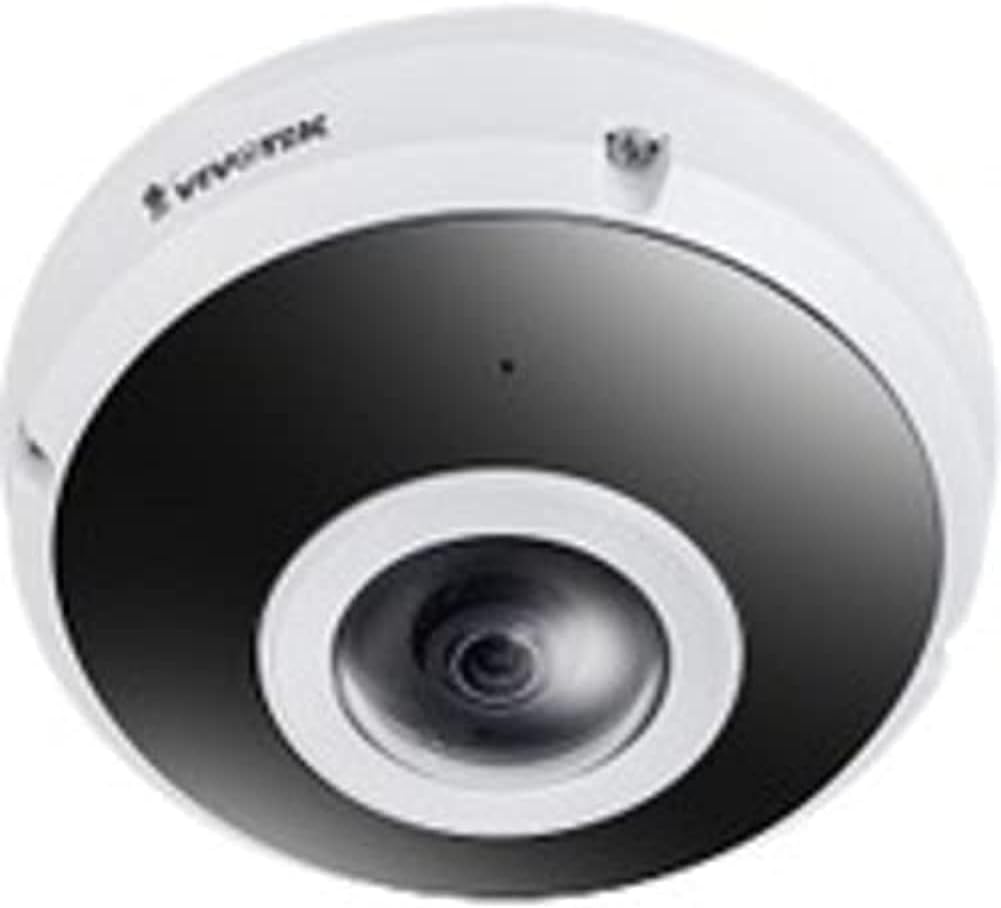
Figure 1: VIVOTEK FE9380-HV Fisheye Dome Camera. This image displays the camera's white dome housing with a central black lens assembly, characteristic of a fisheye surveillance camera.
2. Alaye Aabo
Observe the following safety precautions to prevent damage to the camera and ensure safe operation:
- Ensure the power source matches the camera's requirements (220V, Corded Electric).
- Ma ṣe fi kamẹra han si awọn iwọn otutu to gaju tabi ọriniinitutu ti o kọja awọn ipo iṣẹ ti pato.
- Yago fun ifihan taara si awọn orisun ina to lagbara, eyiti o le ba sensọ aworan jẹ.
- Fifi sori yẹ ki o ṣe nipasẹ oṣiṣẹ oṣiṣẹ ni ibamu pẹlu awọn koodu itanna agbegbe.
- Ma ṣe gbiyanju lati tu tabi yi kamẹra pada. Eyi yoo sọ atilẹyin ọja di ofo.
- Clean the camera lens and housing with a soft, dry cloth. Avoid abrasive cleaners.
3. Package Awọn akoonu
Daju pe gbogbo awọn nkan wa ninu package ṣaaju ki o to tẹsiwaju pẹlu fifi sori ẹrọ:
- VIVOTEK FE9380-HV Fisheye Dome Camera (1 unit)
- Iṣagbesori skru ati ìdákọró
- Awọn ọna fifi sori Itọsọna
- Asopọ ti ko ni omi (ti o ba wulo)
- Alignment Sticker (if applicable)
Àkíyèsí: Àwọn ohun èlò pàtó kan lè yàtọ̀ síra nípasẹ̀ agbègbè tàbí àpò.
4. Eto ati fifi sori
4.1 Iṣagbesori Location
The FE9380-HV is designed for outdoor wall mount installation. Choose a location that provides the desired field of view (360 degrees) and is within reach of a power source and network connection. Ensure the mounting surface is strong enough to support the camera's weight (approximately 4.4 pounds).
4.2 Fifi sori ti ara
- Mura Ilẹ Iṣagbesori: Use the provided alignment sticker (if included) to mark drilling points for the mounting screws.
- Awọn iho iho: Drill pilot holes according to the marks. Insert wall anchors if mounting on drywall or masonry.
- Ṣe aabo Ipilẹ Kamẹra: So ipilẹ iṣagbesori kamẹra ni aabo si aaye ti a pese sile nipa lilo awọn skru ti a pese.
- Asopọmọra Waya:
- Agbara: Connect the camera to a 220V corded electric power source. Ensure connections are secure and waterproof for outdoor use.
- Nẹtiwọọki: Connect an Ethernet cable to the camera's network port. This camera supports Wi-Fi connectivity, but a wired connection is recommended for initial setup and stable performance.
- So Ara Kamẹra: Secure the main camera body to the mounted base, ensuring all connections are properly seated and sealed.
4.3 Iṣeto Nẹtiwọọki
After physical installation, connect the camera to your network. The camera supports Wi-Fi connectivity. Refer to the Quick Installation Guide for detailed instructions on initial network discovery and IP address assignment. Typically, you will use a VIVOTEK utility or access the camera's web interface via its default IP address to configure network settings, including Wi-Fi connection details.
5. Ṣiṣẹ kamẹra
5.1 Accessing the Camera Interface
The VIVOTEK FE9380-HV can be controlled via a dedicated mobile application or through its web-based interface using a standard web browser. Once the camera is connected to your network, use the VIVOTEK utility to discover its IP address, then enter the IP address into your browser's address bar.
5.2 Ipilẹ Awọn iṣẹ
- Gbe View: Access real-time video streams from the camera. The 360-degree fisheye view can be de-warped into various display modes (e.g., panoramic, quad view) through the interface.
- Gbigbasilẹ: Configure recording schedules, motion detection triggers, and storage locations (e.g., local storage via 128 GB Flash Memory, Network Attached Storage).
- Sisisẹsẹhin: Review foo ti o ti gbasilẹtage.
- Eto: Adjust image quality (5 MP resolution), network settings, user accounts, and advanced features like night color technology for low-light conditions.
- Ohun elo Iṣakoso: Utilize the dedicated VIVOTEK app for remote monitoring and control from your smartphone or tablet.
6. Itọju
Regular maintenance ensures optimal performance and longevity of your VIVOTEK FE9380-HV camera:
- Ninu: Periodically clean the camera lens and housing to remove dust, dirt, or water spots. Use a soft, lint-free cloth. For stubborn marks, a mild, non-abrasive cleaning solution can be applied to the cloth (not directly to the camera).
- Awọn imudojuiwọn famuwia: Check the VIVOTEK official webAaye ayelujara nigbagbogbo fun awọn imudojuiwọn famuwia. Ṣiṣe imudojuiwọn famuwia naa yoo rii daju pe awọn ẹya tuntun, awọn abawọn aabo, ati awọn ilọsiwaju iṣẹ ṣiṣe wa.
- Ayẹwo USB: Periodically inspect all cables (power and network) for any signs of wear, damage, or loose connections, especially in outdoor environments.
- Awọn ayẹwo Ayika: Ensure the camera's immediate environment remains clear of obstructions that could block its field of view or interfere with its operation.
7. Laasigbotitusita
This section addresses common issues you might encounter with your VIVOTEK FE9380-HV camera.
| Isoro | Owun to le Fa | Ojutu |
|---|---|---|
| No video feed / Camera offline |
|
|
| Didara aworan ti ko dara |
|
|
| Ko le wọle si web ni wiwo |
|
|
8. Awọn pato
| Nọmba awoṣe | FE9380-HV |
| Brand | VIVOTEK |
| Apejuwe | 5MP ita Network Fisheye Dome kamẹra |
| Iṣagbesori Iru | Ògiri Ògiri |
| Ipinnu Yaworan fidio | 5 MP |
| Ipinnu fidio ti o munadoko | 5 MP |
| O pọju WebIpinnu Aworan kamẹra | 5 MP |
| Nọmba ti awọn ikanni | 4 |
| Imọ-ẹrọ Ibaraẹnisọrọ Alailowaya | Wi-Fi |
| Fọọmù ifosiwewe | Dome |
| Orisun agbara | Itanna ti o ni okun (220V) |
| Wattage | 3600W |
| Awọn iwọn (L x W x H) | 3.15 x 5.12 x 4.72 inches |
| Filaṣi Memory sori Iwon | 128 GB |
| Iwọn Nkan | 4.4 iwon (2 kilo) |
| Sun-un Optical | 3 x |
| Aaye Ti View | Awọn iwọn 360 |
| Low Light Technology | Night Awọ |
| Recommended Usage Environments | Ita gbangba Aabo |
| inu ile / ita gbangba Lilo | Ita gbangba |
| Fidio Yaworan kika | MPEG-4 |
| International Idaabobo Rating | IP21 |
| Ọna Iṣakoso | App |
| Olupese | Vivotek |
| Ọjọ Akọkọ Wa | Oṣu Keje 31, Ọdun 2020 |
9. Atilẹyin ọja ati Support
For detailed warranty information, please refer to the warranty card included with your product or visit the official VIVOTEK website. VIVOTEK provides technical support for its products. For assistance with installation, configuration, or troubleshooting beyond this manual, please contact VIVOTEK customer support through their official channels.
Awọn orisun Ayelujara:
Ask a question about this manual
Ask about setup, troubleshooting, compatibility, parts, safety, or missing instructions. Manuals+ will review the question and use this page’s manual context to help answer it.