
WORKPRO W125051A
WORKPRO 20V Cordless Angle Grinder Kit User Manual
Àwòṣe: W125051A | Àmì ìdámọ̀ràn: WORKPRO
1. Ifihan ati Loriview
The WORKPRO 20V Cordless Angle Grinder Kit is a versatile and portable power tool designed for grinding, cutting, and polishing various materials. Its cordless design offers freedom of movement for both indoor and outdoor applications. Equipped with a powerful 20V 4.0Ah Lithium-Ion battery and a fast charger, this tool ensures stable and long-lasting performance. This manual provides essential information for safe and effective operation, maintenance, and troubleshooting to help you achieve optimal results.

Figure 1.1: Complete WORKPRO 20V Cordless Angle Grinder Kit.
2. Alaye Aabo pataki
Nigbagbogbo ka ati loye gbogbo awọn ikilọ aabo ati awọn ilana ṣaaju ṣiṣe ohun elo agbara yii. Ikuna lati tẹle awọn ikilọ ati awọn itọnisọna le ja si mọnamọna, ina, ati/tabi ipalara nla.
2.1 Gbogbogbo Agbara Ọpa Abo
- Aabo Agbegbe Iṣẹ: Jeki agbegbe iṣẹ rẹ mọ ki o si tan daradara. Awọn agbegbe idamu tabi awọn agbegbe dudu n pe awọn ijamba. Ma ṣe ṣiṣẹ awọn irinṣẹ agbara ni awọn bugbamu bugbamu, gẹgẹbi niwaju awọn olomi ina, gaasi, tabi eruku.
- Aabo Itanna: Yago fun olubasọrọ ara pẹlu ilẹ tabi ilẹ roboto (fun apẹẹrẹ, paipu, imooru, awọn sakani, firiji). Ewu ti o pọ si ti mọnamọna ina mọnamọna ti ara rẹ ba wa ni ilẹ tabi ti ilẹ.
- Aabo ti ara ẹni: Always wear eye protection. Use hearing protection when operating the tool for extended periods. Wear appropriate clothing; avoid loose clothing or jewelry. Keep hair, clothing, and gloves away from moving parts.
- Lilo ati Itọju: Má ṣe fipá mú ohun èlò agbára náà. Lo ohun èlò agbára tó tọ́ fún ohun èlò rẹ. Yóò ṣe iṣẹ́ náà dáadáa àti pé yóò dáàbò bò ó ní ìwọ̀n tí a ṣe é fún. Yọ batiri náà kúrò nínú ohun èlò agbára náà kí o tó ṣe àtúnṣe èyíkéyìí, yí àwọn ohun èlò mìíràn padà, tàbí kí o fi àwọn ohun èlò agbára pamọ́.
2.2 Specific Angle grinder Abo
- Nigbagbogbo lo ẹṣọ ti a pese pẹlu ọpa. Rii daju pe oluso naa wa ni aabo ati ipo fun aabo to pọ julọ.
- Use only grinding wheels and cutting discs that are specifically designed for an angle grinder and are rated for the tool's maximum RPM.
- Ṣe aabo ohun elo iṣẹ. Lo clamps or a vise to hold the workpiece firmly. This frees both hands to operate the tool safely.
- Ṣe itọju imuduro ṣinṣin lori ọpa pẹlu ọwọ mejeeji lakoko iṣẹ.
- Be aware of kickback. Kickback is a sudden reaction to a pinched or snagged rotating wheel. Always maintain proper footing and balance.
3. Package Awọn akoonu
Your WORKPRO 20V Cordless Angle Grinder Kit includes the following components:
- 1 x Cordless Angle Grinder
- 1 x 4.0Ah Lithium-Ion Battery
- 1 x Yara Ṣaja
- 1 x Rubberized 3-Position Anti-Slip Auxiliary Handle
- 1 x Grinding Wheel Protector
- 1 x Cutting Wheel Protector
- 5 x Metal Cutting Wheels (4-1/2”)
- 5 x Grinding Wheels (4-1/2”)
- 1 x Spanner

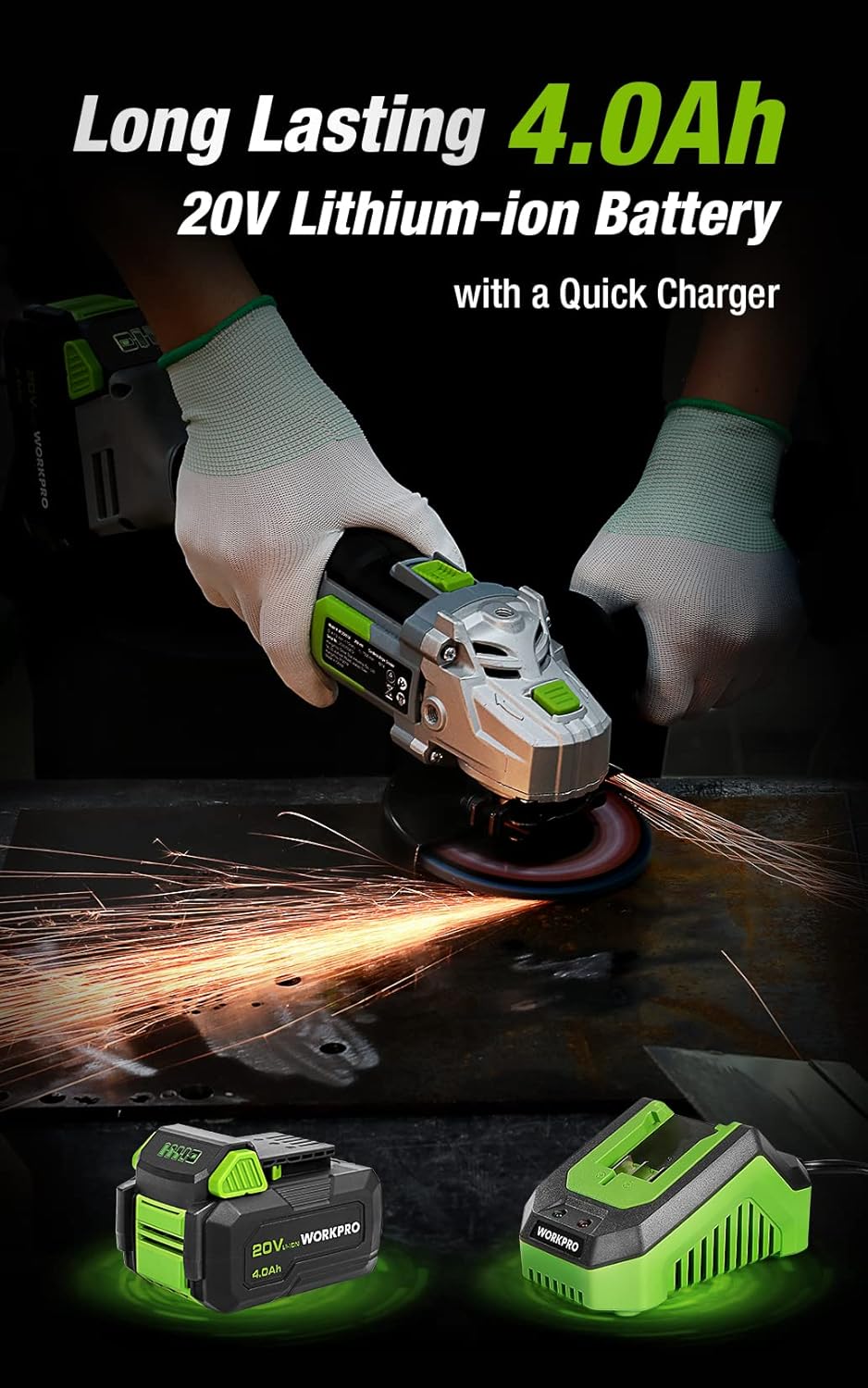
Figure 3.1: Included discs, guards, and spanner. Figure 3.2: 4.0Ah Lithium-Ion Battery and Fast Charger.
Fidio 3.1: Ipariview of the WORKPRO 20V Cordless Angle Grinder Kit and its components.
4. Eto
4.1 So Imudani Iranlọwọ
The auxiliary handle can be installed in three different positions (left, right, or top) to provide optimal comfort and control for various tasks and user preferences. Simply screw the handle into the desired threaded opening on the grinder head.

Figure 4.1: The 3-position anti-slip auxiliary handle for enhanced ergonomics.
4.2 Installing Wheel Guards
Select the appropriate wheel guard (grinding or cutting) for your task. The guards feature a quick-installation mechanism that does not require additional tools. Align the guard with the grinder head and snap it into place, ensuring it is securely fastened and positioned to deflect sparks and debris away from you.
4.3 Installing Grinding/Cutting Discs
- Ensure the battery is removed from the grinder.
- Press and hold the spindle lock button located on the grinder head.
- Gbe flange ti inu si ori spindle.
- Position the desired grinding or cutting disc onto the spindle, ensuring it sits flush against the inner flange.
- Place the outer flange onto the spindle, on top of the disc.
- Use the provided spanner to tighten the outer flange clockwise until the disc is securely fastened. Release the spindle lock.
4.4 Ngba agbara si Batiri naa
Before first use, fully charge the 4.0Ah Lithium-Ion battery. Connect the fast charger to a standard power outlet. Slide the battery pack onto the charger until it clicks into place. The charger's indicator light will show the charging status (e.g., red for charging, green for fully charged). Once fully charged, remove the battery from the charger.
Video 4.1: Demonstrates the quick installation of the guard and disc, and battery charging process.
5. Awọn ilana Iṣiṣẹ
5.1 Titan / Pa a
The angle grinder features an ergonomic two-step operational switch located in the center of the top for convenient access by both left- and right-handed users. To turn the tool ON, push the switch forward and then up. To turn the tool OFF, simply push the switch down.

Figure 5.1: The two-step operational switch for safe and convenient use.
5.2 Grinding Operations
For grinding tasks, ensure the grinding wheel protector is installed and a grinding disc is securely attached. Hold the grinder firmly with both hands, maintaining a stable stance. Apply light, even pressure to the workpiece, allowing the 7500 RPM speed to do the work. Move the grinder smoothly across the surface to achieve desired results. The tool's lightweight design (3.5 pounds without battery) helps reduce hand pressure during extended use.


Figure 5.2: Grinding metal with the WORKPRO Angle Grinder, demonstrating sparks and stable operation.
5.3 Ige Awọn isẹ
When cutting, use the cutting wheel protector and a suitable cutting disc. Position the workpiece securely. Start the grinder before making contact with the material. Guide the disc through the material with steady, controlled movements. Avoid twisting or binding the disc, which can cause kickback. The tool's ergonomic design and rubberized grip provide a better user experience during cutting tasks.
Video 5.1: Demonstrates metal grinding and cutting, as well as PVC cutting, highlighting flexible use.
6. Itọju
Regular maintenance ensures the longevity and optimal performance of your WORKPRO Angle Grinder.
6.1 Ninu
- Lẹ́yìn lílo kọ̀ọ̀kan, fọ ohun èlò náà pẹ̀lú aṣọ rírọ̀ tí ó gbẹ.
- Periodically clear dust and debris from the ventilation openings to ensure proper heat dissipation. The grinder features a stereo circulating heat dissipation system with multiple vents for more uniform heat dissipation.
- Má ṣe lo omi tàbí àwọn ohun ìfọmọ́ kemikali.

Figure 6.1: Stereo Circulating Heat Dissipation through multiple vents.
6.2 batiri Itọju
- Tọju awọn batiri ni itura, aye gbigbẹ kuro lati orun taara ati awọn iwọn otutu to gaju.
- Do not store fully discharged batteries for long periods. Recharge them periodically.
- Avoid exposing the battery to moisture or water.
6.3 Disc Inspection and Replacement
- Inspect grinding and cutting discs before each use for cracks, chips, or excessive wear. Replace damaged or worn discs immediately.
- Always use the correct type and size of disc for your application.
7. Laasigbotitusita
Abala yii n ṣalaye awọn ọran ti o wọpọ ti o le ba pade pẹlu olutẹ igun rẹ.
| Isoro | Owun to le Fa | Ojutu |
|---|---|---|
| Irinṣẹ ko bẹrẹ | Batiri ko gba agbara Ko fi batiri sii daradara Yipada ko ṣiṣẹ ni kikun | Gba agbara si batiri ni kikun Rii daju pe batiri ti tẹ sinu ipo rẹ Push switch fully forward and up |
| Dinku išẹ / iyara | Idiyele batiri kekere Gbigbona pupọ Worn or incorrect disc | Batiri gbigba agbara Allow tool to cool down; clear vents Replace disc with appropriate type |
| Gbigbọn ti o pọju | Damaged or unbalanced disc Improperly installed disc/flanges | Rọpo disiki Reinstall disc and flanges correctly, ensuring spindle lock is released |
8. Awọn pato
Technical details for the WORKPRO 20V Cordless Angle Grinder Kit:
- Brand: WORKPRO
- Nọmba awoṣe: W125051A
- Orisun Agbara: Agbara Batiri
- Iru Batiri: 20V 4.0Ah litiumu-Iwon
- Iyara Yiyi to pọju: 7500 RPM
- Iwọn Disiki: 4-1/2 inches
- Ohun elo: Aluminum (housing)
- Àwọ̀: Alawọ ewe
- Ìwúwo Ohun kan (láìsí batiri): 3.5 poun (isunmọ 1.59 kg)
- Awọn iwọn ọja: 13.58"L x 5.91"W x 7.48"H
- Olupese: HANZGHOU GREATTAR INDUSTRIAL CO.LTD
- UPC: 820909764120
9. Atilẹyin ọja ati Support
For detailed warranty information or technical support, please refer to the official user guide PDF provided with your product or visit the WORKPRO website. You can access the user guide Nibi.
Ask a question about this manual
Ask about setup, troubleshooting, compatibility, parts, safety, or missing instructions. Manuals+ will review the question and use this page’s manual context to help answer it.