
Ọrọ Iṣaaju
This manual provides comprehensive instructions for setting up, operating, and maintaining your Macally Bluetooth Keyboard. Designed for multi-device compatibility, this wireless keyboard features a built-in stand, a rechargeable battery, and 78 keys for efficient typing across various devices including tablets, smartphones, and computers.

Image: The Macally Bluetooth Keyboard in white, with a tablet securely docked in its integrated stand, showcasing awọn oniwe-iwapọ oniru ati iṣẹ-.
Ohun ti o wa ninu Apoti
Upon unboxing your Macally Bluetooth Keyboard, please ensure all the following items are present:
- Macally Bluetooth Keyboard
- Okun Ngba agbara USB
- Afowoyi Olumulo (iwe-ipamọ yii)
If any items are missing or damaged, please contact Macally customer support.
Ọja Awọn ẹya ara ẹrọ
The Macally Bluetooth Keyboard is designed for versatility and convenience, offering several key features:
- Asopọmọra-ẹrọ pupọ: Seamlessly switch between up to 3 Bluetooth-enabled devices (e.g., tablet, smartphone, computer).
- Iduro Ẹrọ Iṣọkan: Features a built-in 10.5-inch slot to securely hold your smartphone or tablet.
- Iwapọ ati Gbigbe: Small enough to fit into most bags, making it ideal for on-the-go use.
- Batiri gbigba agbara: Equipped with a 280mAh rechargeable battery for extended use.
- Efficient Layout: Includes 78 quiet scissor-switch keys and 13 convenient shortcut/media keys for enhanced productivity.

Image: The keyboard demonstrating seamless Bluetooth connectivity with a 30ft wireless range, compatible with Apple, Windows, iOS, and Android operating systems.

Image: A visual representation of the keyboard's multi-device capability, showing it paired with a laptop, a desktop computer, and a smartphone simultaneously.

Image: The keyboard positioned on a desk, with both a tablet and a smartphone docked in its integrated 10.5-inch stand, highlighting its "setup anywhere" convenience.
Ṣeto
Ngba agbara si Keyboard
Before first use, fully charge your Macally Bluetooth Keyboard. Connect the provided USB charging cable to the keyboard's charging port and the other end to a USB power source (e.g., computer USB port, USB wall adapter). The charging indicator light will show the charging status.

Image: The keyboard with its charging cable connected, illustrating the rechargeable 280mAh battery and the included charging cable.
Asopọ Bluetooth
Follow these steps to pair your keyboard with a device:
- Ensure the keyboard is charged and powered on. The power switch is located on the top right of the keyboard.
- On your device (tablet, smartphone, computer), enable Bluetooth.
- Tẹ mọlẹ Fn bọtini ati ọkan ninu awọn bọtini ikanni Bluetooth (B1, B2, tabi B3) simultaneously for a few seconds until the corresponding Bluetooth indicator light starts blinking rapidly. This indicates the keyboard is in pairing mode.
- On your device, search for "Macally Keyboard" or a similar name in the Bluetooth device list and select it to connect.
- Once connected, the indicator light will stop blinking and remain solid for a moment before turning off, indicating successful pairing.
To pair additional devices, repeat steps 3-5 using a different Bluetooth channel key (B1, B2, or B3).
Awọn ilana Iṣiṣẹ
Yipada Laarin Awọn ẹrọ
To switch between paired devices, simply press the Fn bọtini pẹlu bọtini ikanni Bluetooth ti o baamu (B1, B2, tabi B3) for the desired device. The keyboard will quickly connect to the selected device.
Lilo Awọn bọtini Ọna abuja
The keyboard features 13 dedicated shortcut/media keys for quick access to common functions. These keys are typically located on the top row (F1-F12 and an additional key). Functions may vary slightly depending on the operating system of your connected device.
Common shortcut functions include:
- Àwọn ìṣàkóso ìṣiṣẹ́ orin (sísọ̀rọ̀/dídúró, orin tó tẹ̀lé/tí ó ṣáájú)
- Iṣakoso iwọn didun (mu dakẹ, iwọn didun soke/isalẹ)
- Tolesese imọlẹ iboju
- Home screen/desktop access
- Iṣẹ wiwa
Refer to your device's operating system documentation for specific compatibility and functionality of these keys.

Aworan: A alaye view of the keyboard's layout, emphasizing its 78 quiet scissor-switch keys and the 13 dedicated shortcut/media keys for efficient use.
Itoju
To ensure the longevity and optimal performance of your Macally Bluetooth Keyboard, follow these maintenance guidelines:
- Ninu: Lo asọ rirọ, gbẹ, asọ ti ko ni lint lati nu dada keyboard mọ. Fun idoti alagidi, die-die dampen asọ pẹlu omi tabi a ìwọnba, ti kii-abrasive regede. Yago fun ọrinrin pupọ.
- Ibi ipamọ: Nigbati o ko ba wa ni lilo fun awọn akoko ti o gbooro sii, tọju bọtini itẹwe si ibi ti o tutu, ibi gbigbẹ kuro lati orun taara ati awọn iwọn otutu to gaju.
- Itọju Batiri: To preserve battery life, avoid fully discharging the keyboard frequently. Recharge it when the low battery indicator appears. If storing for a long time, charge it to about 50% every few months.
- Yago fun Idasonu: Keep liquids away from the keyboard to prevent internal damage.
Laasigbotitusita
If you encounter issues with your Macally Bluetooth Keyboard, try the following solutions:
| Isoro | Owun to le Solusan |
|---|---|
| Káàdì kìí tan. | Rí i dájú pé keyboard náà ti gba agbára. So ó pọ̀ mọ́ orísun agbára nípa lílo okùn USB. |
| Unable to pair the keyboard. |
|
| Keyboard ge asopọ nigbagbogbo. |
|
| Awọn bọtini ko dahun. |
|
If these solutions do not resolve the issue, please contact Macally customer support for further assistance.
Awọn pato
| Ẹya ara ẹrọ | Ẹ̀kúnrẹ́rẹ́ |
|---|---|
| Nọmba awoṣe | BTTABKEYBAT |
| Asopọmọra Technology | Bluetooth |
| Nọmba ti Awọn bọtini | 78 |
| Batiri Iru | 1 batiri litiumu ion (pẹlu) |
| Iwọn Nkan | 1.92 iwon |
| Package Mefa | 13.98 x 7.91 x 2.48 inches |
| Olupese | Mace Group Inc / Macally Peripherals |
| Awọn ẹrọ ibaramu | PC, Tablet, Apple devices, Windows Desktop/Laptop, Surface, Chromebook, Smartphones, TVs (any device with Bluetooth) |
| Niyanju Lilo | Office, School, Everyday Use, Personal, Education, Business |
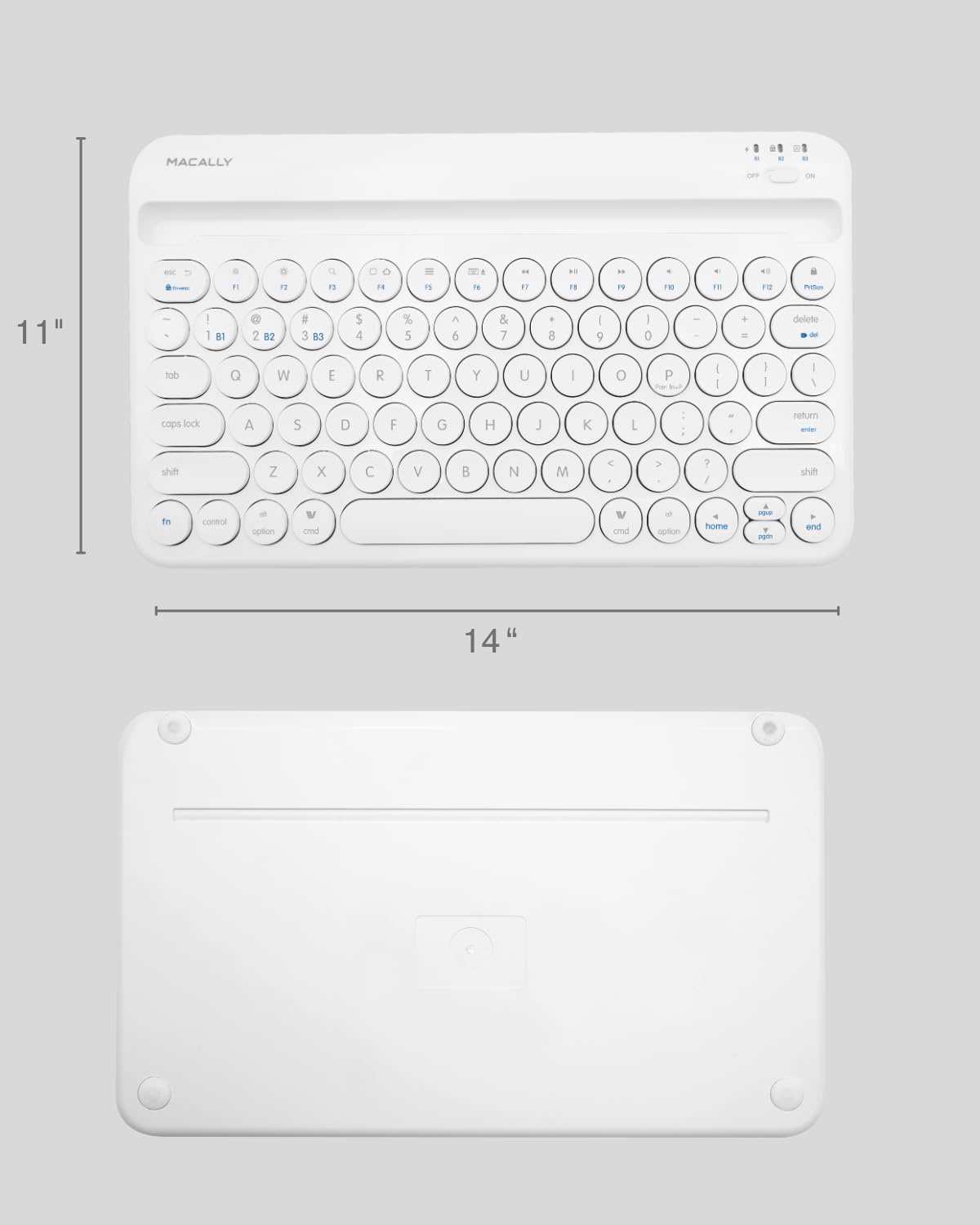
Image: The physical dimensions of the keyboard, measuring approximately 11 inches in width and 14 inches in length.
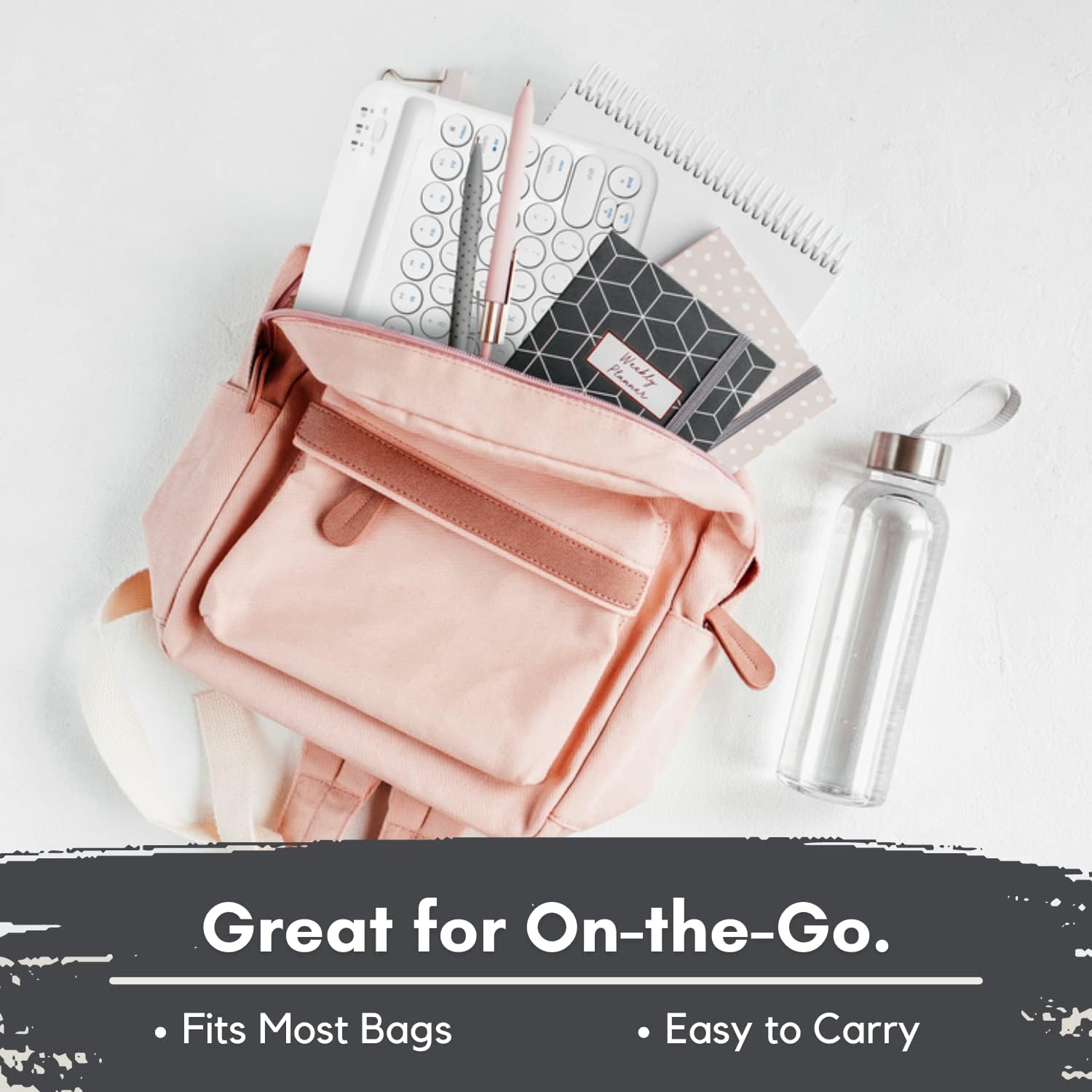
Image: The keyboard fitting easily into a backpack, demonstrating its compact size and suitability for travel and on-the-go use.
Atilẹyin ọja ati Support
Macally products are designed for quality and reliability. For information regarding product warranty, technical support, or service, please visit the official Macally webojula tabi kan si wọn onibara iṣẹ Eka. Tọju iwe-ẹri rira rẹ bi ẹri rira fun awọn iṣeduro atilẹyin ọja.
O le wa alaye diẹ sii ati atilẹyin ni Macally Store on Amazon.