
1. Ifihan
O ṣeun fun riraasing the JVC XS-N2239TC Wireless Stereo Speaker System. This manual provides essential information for the safe and efficient use of your new speaker system. Please read these instructions thoroughly before operating the device and retain them for future reference.
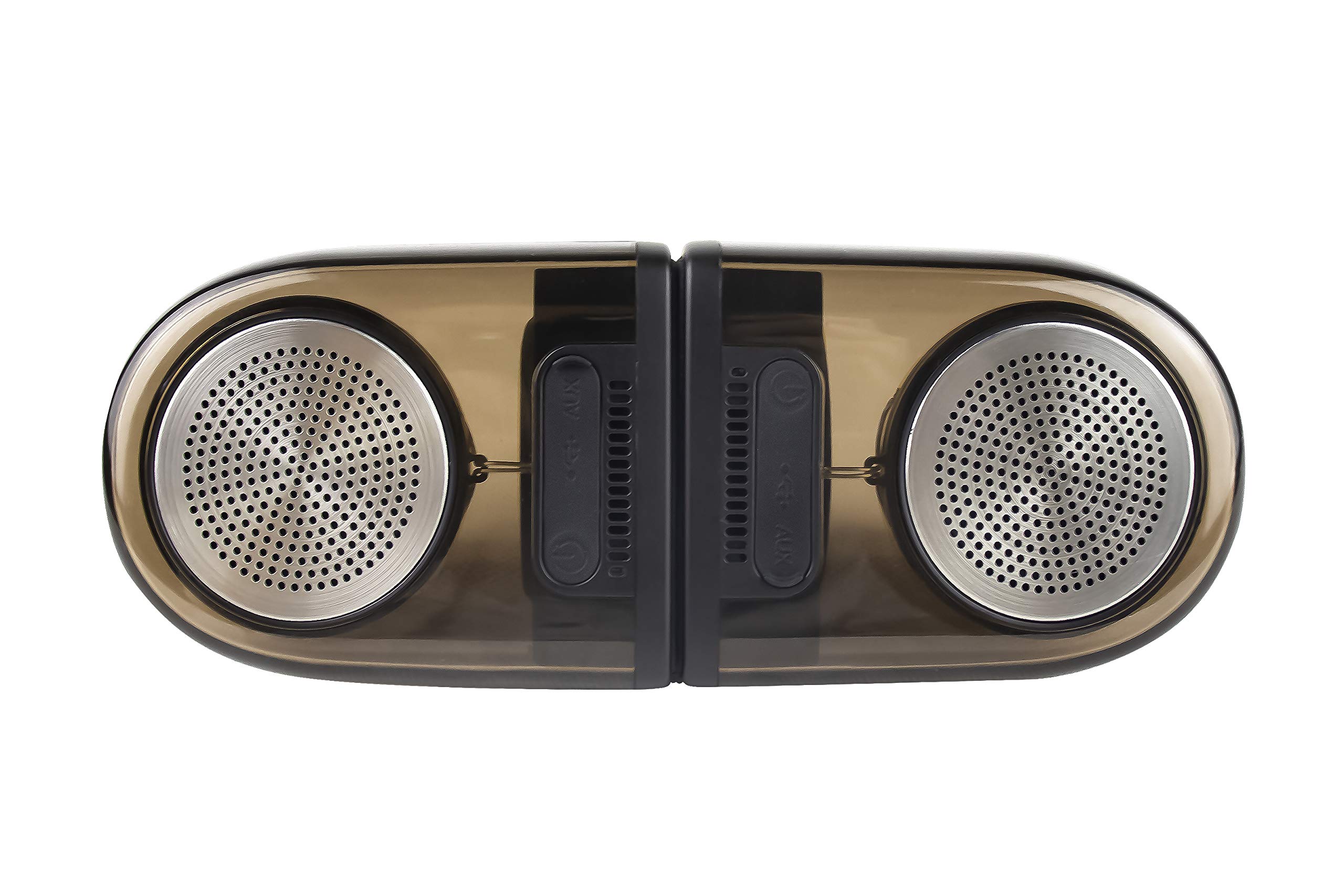
Image of the JVC XS-N2239TC speaker system, showcasing awọn oniwe-apẹrẹ ati irinše.
2. Awọn akoonu Apoti
Jọwọ ṣayẹwo pe gbogbo awọn nkan wọnyi wa ninu package rẹ:
- 1 x JVC XS-N2239TC Speaker Unit
- 1 x Okun AX
- 1 x Itọsọna olumulo (iwe yii)
- 1 x Okun gbigba agbara
- 1 x Kaadi atilẹyin ọja
3. Eto
3.1 Ibi
The JVC XS-N2239TC speakers are designed for versatile placement, suitable as Bookshelf or Floor Standing units. Ensure the speakers are placed on a stable, flat surface or floor, away from direct sunlight, heat sources, and moisture. For optimal stereo sound, position the two speakers appropriately within your listening area.
3.2 Asopọ agbara
- Connect the charging cable to the speaker's power input port.
- So opin keji okun gbigba agbara naa sinu ibudo agbara ti o yẹ.
- Ensure the speaker is fully charged before initial use for optimal battery life.
4. Awọn ilana Iṣiṣẹ
4.1 Titan / Pa a
Locate the power button on the speaker unit. Press and hold the button for a few seconds to power the speaker on or off. An indicator light will typically confirm the power status.
4.2 Asopọmọra
4.2.1 Asopọ Alailowaya
The speaker supports wireless streaming. To connect wirelessly:
- Ensure the speaker is powered on and in pairing mode (refer to the speaker's indicator lights for status).
- On your device (e.g., smartphone, tablet, television), enable wireless functionality.
- Wa fun available devices and select "JVC XS-N2239TC" from the list.
- Once connected, you can stream audio wirelessly to the speaker system.
4.2.2 USB Asopọ
The speaker features a plug-and-play USB card reader. Insert a USB storage device containing audio files into the designated USB port on the speaker. The speaker will automatically detect and begin playing compatible audio files.
4.2.3 AUX Asopọ
Use the provided AUX cable to connect the speaker to devices with a 3.5mm audio output jack, such as televisions or other audio sources. Plug one end of the AUX cable into the speaker's AUX input and the other end into your audio source's output.
4.3 Awọn iṣakoso
4.3.1 Multifunctional Panel Keys
The speaker unit is equipped with multifunctional panel keys. These keys allow you to:
- Adjust volume (increase/decrease).
- Mu/Dá ìró ohùn dúró.
- Navigate tracks (forward/backward) when playing from USB or wireless sources.
4.3.2 Iṣakoso latọna jijin
The included remote control provides convenient access to various functions from a distance. Use the remote to:
- Tan-an/pa agbohunsoke.
- Ṣatunṣe iwọn didun.
- Ṣakoso ṣiṣiṣẹsẹhin (ṣere, da duro, fo awọn orin).
- Switch input modes (e.g., Wireless, USB, AUX).
5. Itọju
5.1 Ninu
To clean the speaker, use a soft, dry cloth. Do not use abrasive cleaners, waxes, or solvents as they may damage the finish. Ensure the speaker is powered off and unplugged before cleaning.
5.2 Omi Resistance
The JVC XS-N2239TC speaker is designed with water resistance. While it can withstand splashes, it is not intended for submersion. Avoid exposing the speaker to excessive moisture or direct water jets to prevent damage.
6. Laasigbotitusita
If you encounter issues with your speaker system, please refer to the following common solutions:
- Ko si Agbara: Ensure the charging cable is securely connected to both the speaker and a working power outlet. Check if the power button has been pressed correctly.
- Ko si Ohun: Verify the volume level on both the speaker and your connected device. Ensure the correct input mode (Wireless, USB, AUX) is selected. Check all cable connections.
- Awọn oran Isopọ Alailowaya: Make sure the speaker is within range of your device. Try unpairing and re-pairing the speaker with your device. Ensure no other devices are interfering with the wireless signal.
- Awọn ọran Sisisẹsẹhin USB: Confirm the USB device is formatted correctly and contains compatible audio files. Try a different USB device.
- Iṣakoso latọna jijin Ko Ṣiṣẹ: Check the remote control's batteries and replace them if necessary. Ensure there are no obstructions between the remote and the speaker's sensor.
Ti iṣoro naa ba wa, jọwọ kan si atilẹyin alabara.
7. Awọn pato
| Ẹya ara ẹrọ | Ẹ̀kúnrẹ́rẹ́ |
|---|---|
| Brand | JVC |
| Orukọ awoṣe | JVC XS-N2239TC |
| Asopọmọra Technology | USB, Alailowaya |
| Alailowaya Technology Iru | Ailokun |
| Ilana Asopọmọra | USB |
| Ipo Ijade Ohun | Sitẹrio |
| Agbọrọsọ Iru | Iwe ipamọ |
| Iṣagbesori Iru | Iduro Floor |
| Ọja Awọn ẹya ara ẹrọ | Isakoṣo latọna jijin |
| Ọna Iṣakoso | Latọna jijin |
| Awọn ẹrọ ibaramu | Tẹlifisiọnu |
| Nọmba ti Audio awọn ikanni | 2.1 |
| Iwọn Agbọrọsọ | 7.5 centimeters |
| Subwoofer Speaker Diameter | 5 inches |
| Tweeter Driver Diameter | 1 inches |
| Audio Driver Type | Yiyi Awakọ |
| Àwọ̀ | Dudu |
| Se mabomire | ODODO |
| Omi Resistance Ipele | Mabomire |
| Awọn Lilo Ni pato Fun Ọja | Home Idanilaraya Systems |
| Batiri Apapọ Life | Awọn wakati 6 |
| Iwọn Nkan | 0.56 kilo |
8. Atilẹyin ọja ati Support
8.1 atilẹyin ọja Alaye
Ọja yi wa pẹlu kan 1 odun atilẹyin ọja provided by the manufacturer from the date of purchase. Please retain your purchase receipt and warranty card for any warranty claims.
8.2 Onibara Support
For any complaints, technical assistance, or support regarding your JVC XS-N2239TC speaker system, please contact JVC customer care:
- Nọmba Itọju Onibara: + 91-9910332380
Jọwọ mú nọ́mbà àwòṣe ọjà rẹ àti àwọn àlàyé rira rẹ wà ní sẹpẹ́ nígbà tí o bá ń kàn sí ìrànlọ́wọ́.