
1. Ifihan
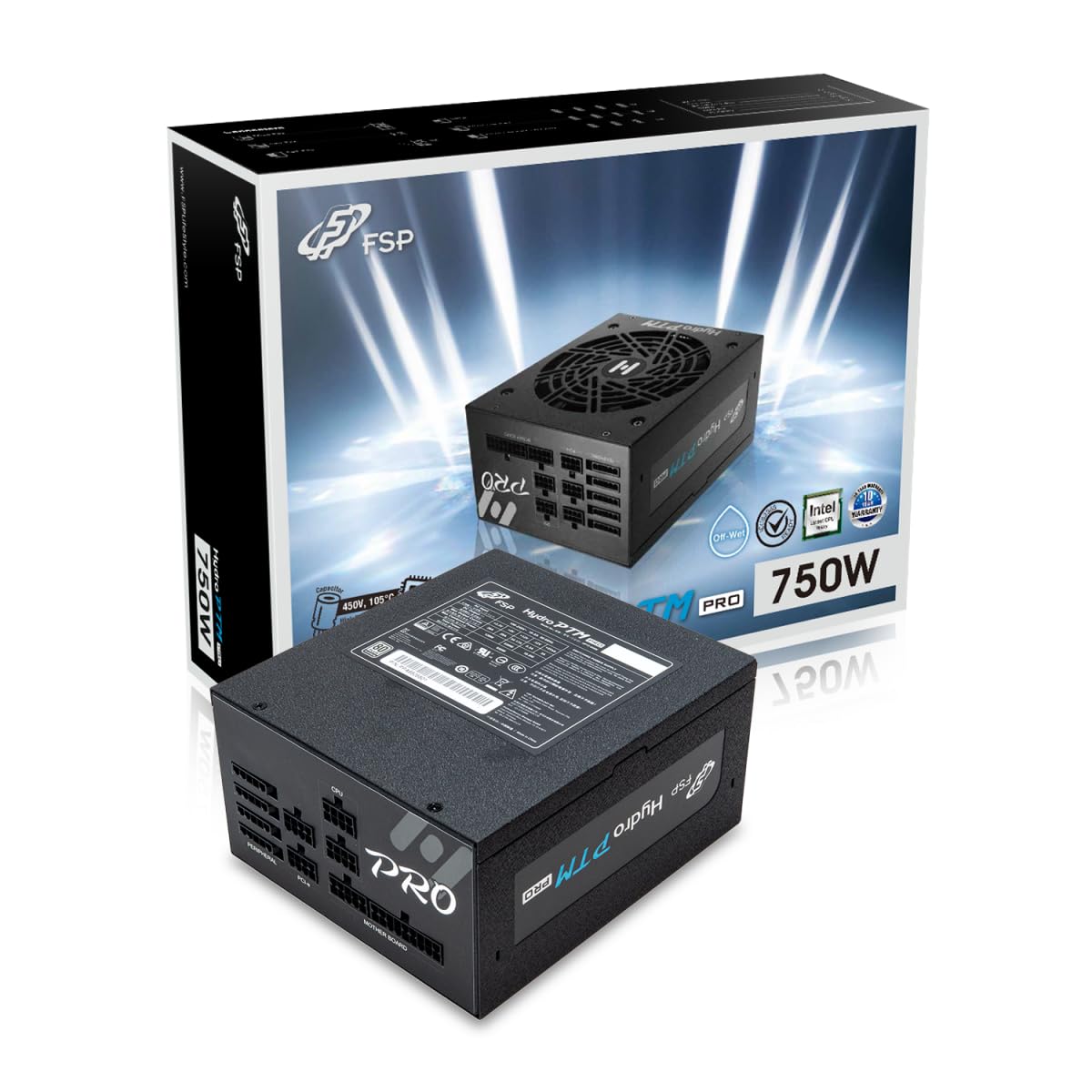
This manual provides detailed instructions for the installation, operation, and maintenance of your FSP Hydro PTM Pro 750W 80 Plus Platinum Full Modular ATX 12V Power Supply (Model: HPT2-750M). Please read this manual thoroughly before using the product to ensure proper function and safety.
The FSP Hydro PTM Pro series is designed for high efficiency and durability, featuring a conformal coating for protection against dust, humidity, and stains. It includes a semi-fanless Eco Mode for quiet operation under low loads and fully modular black ribbon cables for flexible system builds.
2. Alaye Aabo
IKILO: Improper installation or use can result in serious injury or damage to the power supply and other components. Always follow these safety guidelines:
- Ma ṣe ṣii ẹrọ ipese agbara. Iwọn gigatages wa ni inu, ati pe ko si awọn ẹya iṣẹ olumulo. Ṣiṣii ẹrọ naa yoo sọ atilẹyin ọja di ofo.
- Rii daju pe ipese agbara ti ge asopọ lati inu iṣan agbara AC ṣaaju fifi sori ẹrọ tabi itọju.
- Fi ipese agbara sii ni agbegbe ti afẹfẹ ba wa daradara.
- Use only the modular cables provided with this power supply. Using incompatible cables may cause damage to the power supply and connected components.
- This product is designed for use in personal computers. Do not use it for any other purpose.
- Pa ipese agbara mọ kuro ninu omi, ọrinrin, ati awọn iwọn otutu to lagbara.
- Rii daju pe gbogbo awọn asopọ wa ni aabo ṣaaju ṣiṣe agbara lori eto naa.

3. Package Awọn akoonu
Daju pe gbogbo awọn nkan wa ninu apo rẹ:
- FSP Hydro PTM Pro 750W Power Supply Unit (HPT2-750M)
- AC Agbara okun
- Modular Cable Set (refer to the "Cable Length and Connectors" section for details)
- Iṣagbesori skru
- Afowoyi Olumulo (iwe-ipamọ yii)
4. Eto ati fifi sori
4.1 Fifi sori ti ara
- Mura Eto Rẹ: Rí i dájú pé kọ̀ǹpútà rẹ ti pa pátápátá àti pé ó ti yọ ìsopọ̀ mọ́ ibi tí ó wà ní ògiri.
- Yọ Ipese Agbara Atijọ kuro (ti o ba wulo): Disconnect all cables from your old power supply and remove it from the PC case.
- Fi Ipese Agbara So: Insert the FSP Hydro PTM Pro 750W into the power supply bay of your PC case. Secure it with the provided mounting screws.
- Connect Motherboard Cables:
- Connect the 20+4 Pin ATX cable to your motherboard's main power connector.
- Connect the 4+4 Pin CPU (EPS) cable(s) to your motherboard's CPU power connector(s).
- So awọn okun onirin pọ mọ:
- Connect the 6+2 Pin PCI-E cables to your graphics card(s).
- So awọn okun agbara SATA pọ mọ awọn SSD, HDD, ati awọn awakọ opitika rẹ.
- Connect Molex cables to any other peripherals requiring them.
- Awọn isopọ to ni aabo: Ensure all modular cables are firmly seated into both the power supply and the respective components.
- Sopọ agbara AC: Plug the AC power cord into the power supply's AC inlet and then into a wall outlet or surge protector.
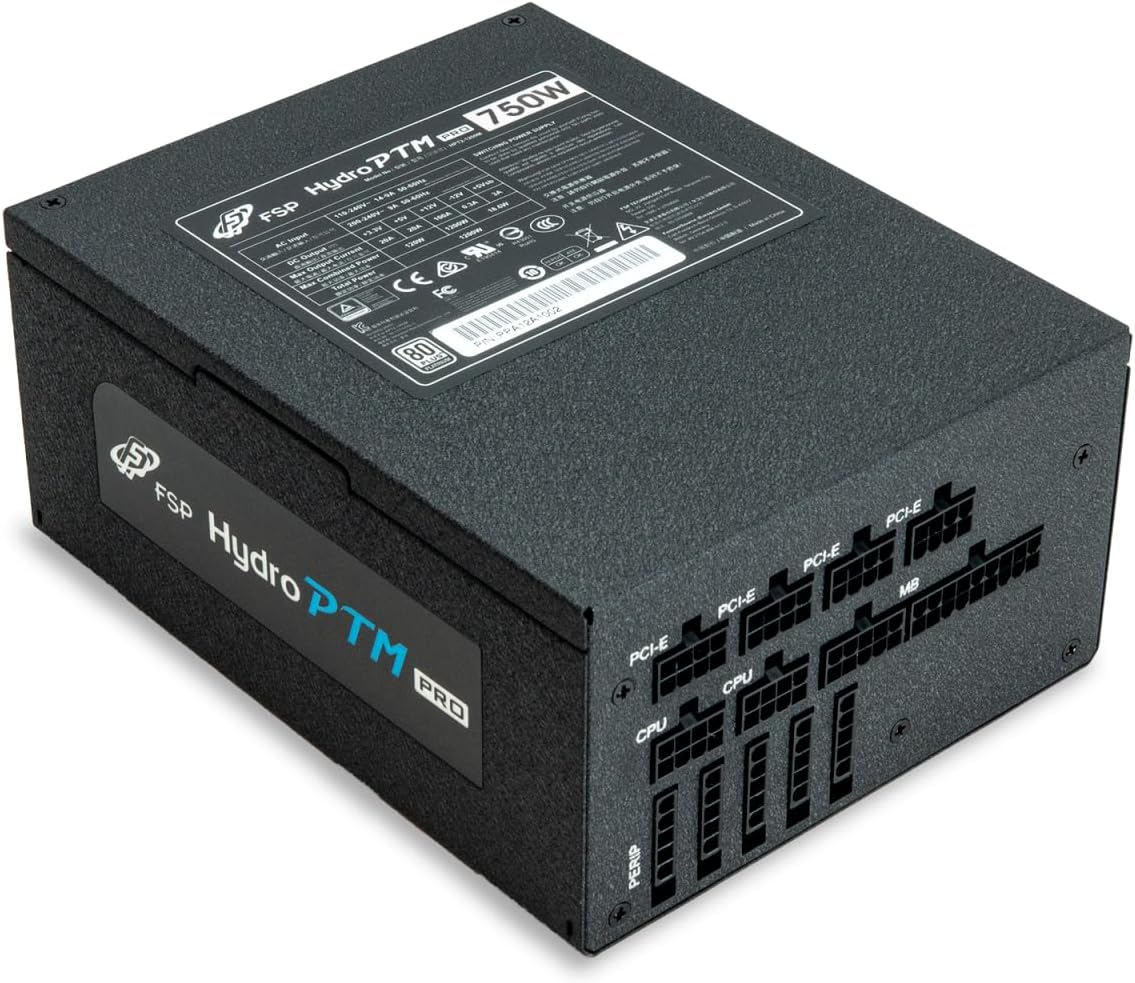
4.2 Cable Length and Connectors
The FSP Hydro PTM Pro 750W comes with a set of fully modular black ribbon cables. Refer to the diagram below for connector types and approximate lengths.

5. Isẹ
5.1 Titan / Pa a
After completing the installation, ensure the main power switch on the back of the power supply is in the "ON" (I) position. You can then power on your computer using its case power button.
5.2 Ipo Eco
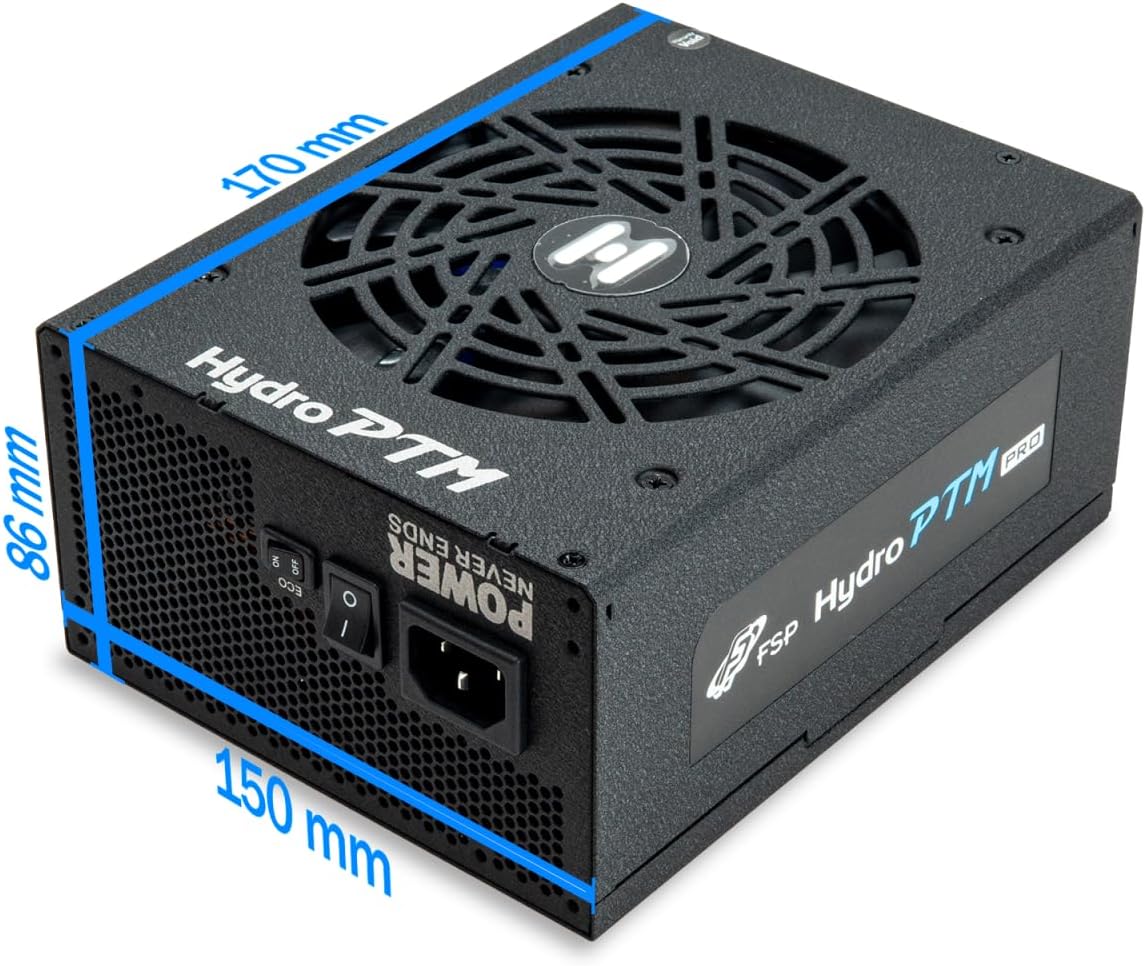
The Hydro PTM Pro features a semi-fanless Eco Mode. When enabled, the power supply fan will remain off until the system load exceeds approximately 30%. This provides silent operation during low-power tasks.
- To activate Eco Mode: Locate the "ECO" switch next to the main power switch on the rear of the power supply and set it to the "ON" position.
- To disable Eco Mode: Set the "ECO" switch to the "OFF" position. The fan will operate continuously based on temperature.
Fidio: Ipariview of the FSP Hydro PTM Pro series, highlighting features like conformal coating, Eco Mode, and modular design. This video is provided by FSP GROUP USA.
6. Itọju
6.1 Ninu
To maintain optimal performance and longevity, periodically clean your power supply:
- Ensure the power supply is completely powered off and unplugged from the AC outlet before cleaning.
- Use compressed air to gently remove dust from the fan grille and ventilation openings.
- Wipe the exterior with a soft, dry cloth. Do not use liquid cleaners or solvents.
6.2 Ayika Idaabobo
The FSP Hydro PTM Pro features a proprietary conformal coating that protects internal components from dust, humidity, and stains. This allows the power supply to reliably operate in environments with up to 95% relative humidity. While this coating offers enhanced protection, it is still recommended to operate the power supply in a clean, dry environment for best results.
7. Laasigbotitusita
Ti o ba pade awọn ọran pẹlu ipese agbara rẹ, tọka si awọn iṣoro ti o wọpọ ati awọn ojutu wọnyi:
| Isoro | Owun to le Fa | Ojutu |
|---|---|---|
| System ko ni agbara lori. |
|
|
| Eto naa n tan ṣugbọn lẹsẹkẹsẹ tiipa. |
|
|
| Fan is not spinning (Eco Mode off). |
|
|
If the problem persists after attempting these solutions, please contact FSP customer support.
8. Awọn pato
| Ẹya ara ẹrọ | Ẹ̀kúnrẹ́rẹ́ |
|---|---|
| Orukọ awoṣe | Hydro PTM Pro (HPT2-750M) |
| Brand | FSP |
| Ijade Wattage | 750W |
| 80 Plus Certification | Platinum |
| Fọọmù ifosiwewe | ATX |
| Agbara Ipese Design | Modulu ni kikun |
| Ọna Itutu | Air (135mm fan) |
| Iṣagbewọle Voltage | 115-240 Awọn folti |
| Awọn iwọn (L x W x H) | 170 x 150 x 86 mm (6.7 x 5.9 x 3.4 inches) |
| Awọn aabo | OCP, OVP, SCP, OPP, UVP, OTP |
| Awọn agbara agbara | Japanese-made Electrolytic Capacitors |
| PFC | Active PFC ≥ 99% |
| Aso ibamu | Yes (Dust, Humidity, Stain protection) |
9. Atilẹyin ọja ati Support
9.1 atilẹyin ọja Alaye
The FSP Hydro PTM Pro 750W power supply is covered by a 10-odun atilẹyin ọja lati ọjọ ti o ra. Atilẹyin ọja yi ni wiwa awọn abawọn ninu awọn ohun elo ati iṣẹ ṣiṣe labẹ lilo deede. Jọwọ ṣe idaduro ẹri rira rẹ fun awọn iṣeduro atilẹyin ọja.
Atilẹyin ọja naa ko ni aabo ibajẹ ti o waye lati:
- Aibojumu fifi sori tabi isẹ.
- Accidental damage, abuse, or misuse.
- Awọn atunṣe tabi awọn atunṣe laigba aṣẹ.
- Natural disasters or external causes.
9.2 Onibara Support
For technical assistance, troubleshooting, or warranty inquiries, please contact FSP customer support. Refer to the official FSP webojula fun awọn julọ soke-si-ọjọ alaye olubasọrọ.
FSP GROUP USA
Visit the FSP Store on Amazon