
LyxPro EGLH39BL
LyxPro Left Hand 39 Inch Electric Guitar and Starter Kit
Instruction Manual - Model EGLH39BL
Ọrọ Iṣaaju
This manual provides essential information for the setup, operation, and maintenance of your LyxPro Left Hand 39 Inch Electric Guitar and Starter Kit. Please read these instructions carefully before using your new instrument to ensure proper function and longevity.
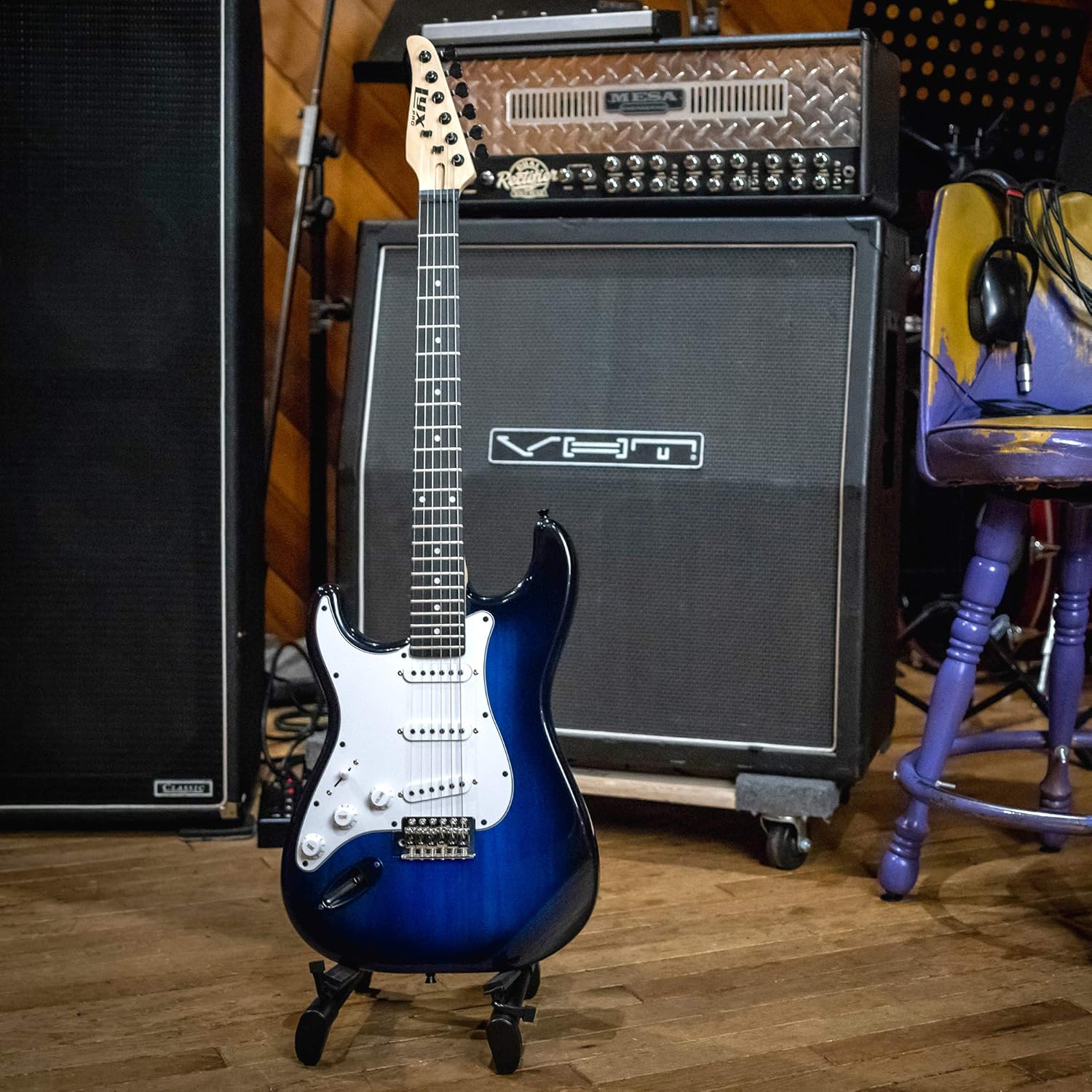
Figure 1: LyxPro Left Hand 39 Inch Electric Guitar in a studio setting.
Ohun ti o wa ninu Apoti
Your LyxPro Electric Guitar Starter Kit includes the following components:
- LyxPro Left Hand 39 Inch Electric Guitar
- 20 Watt Ampitanna
- Guitar Cable (1/4 inch mono phone plug)
- Digital Clip-On Tuner
- Okùn ejika
- 2 Guitar Picks
- Extra Set of Steel Strings
- Tremolo Bar
- Allen Wrenches
- Soft Case (Gig Bag)

Figure 2: All components included in the LyxPro Electric Guitar Starter Kit.
Ọja Pariview
Gita itanna
- Iwọn: 39 inches, full size, left-handed orientation.
- Ohun elo ara: Wood (Phoenix wood back).
- Ohun elo ọrun: Maple.
- Ohun elo Freboard: Maple Wood.
- Nọmba Awọn okun: 6 (nickle steel).
- Iṣeto gbigba: S-S-S (Single-Single-Single).
- Ètò Afárá: Tremolo.
- Awọn iṣakoso: Volume/Tone knobs.

Olusin 3: Pariview of the LyxPro Left Hand Electric Guitar's dimensions and key components.
20 Watt Ampitanna
- Ijade Wattage: 20 Wattis.
- Iye Agbọrọsọ: 1.
- Awọn iṣakoso: Gain, Bass, Treble, Volume, Grind.
- Awọn igbewọle/Awọn igbejade: Instrument Input, AUX Input (for phone/MP3 player), Headphone Jack.

Nọmba 4: Alaye view of the LyxPro 20 Watt Amplifier idari.
Ṣeto
1. So okun
Attach the guitar strap to the strap buttons located on the body of the guitar. Ensure it is securely fastened before playing.
2. Sísopọ̀ mọ́ ara wọn Ampitanna
- Rii daju pe ampA ti pa lifier naa, a sì ti ṣeto iwọn didun rẹ̀ si o kere ju.
- Connect one end of the guitar cable to the input jack on your electric guitar.
- Connect the other end of the guitar cable to the 'Input' jack on the 20 Watt Amplifier.
- Pulọọgi awọn amplifier's power cord into a suitable electrical outlet.
- Tan-an amplifier using the 'Power' switch.
3. Tuning the Guitar
Use the included digital clip-on tuner to accurately tune your guitar. Attach the tuner to the headstock of the guitar.

Figure 5: Digital clip-on tuner for accurate guitar tuning.
- Pluck each string individually. The tuner will display the note being played.
- Adjust the tuning pegs on the headstock until the tuner indicates the correct pitch for each string (E, A, D, G, B, E from thickest to thinnest).
Ṣiṣẹ
Playing the Guitar
- Once the guitar is tuned and connected to the amplifier, slowly increase the amplifier's 'Volume' knob to your desired level.
- Experiment with the 'Gain', 'Bass', 'Treble', and 'Grind' knobs on the amplifier to shape your sound.
- Use the guitar's 'Volume' and 'Tone' knobs to further adjust the output and tonal characteristics directly from the instrument.
- The S-S-S pickup configuration allows for versatile tonal options. Use the pickup selector switch to choose between individual pickups or combinations.
- The tremolo bar can be used to create vibrato effects by gently pushing or pulling it.
Using the AUX Input and Headphone Jack
- To play along with music, connect your phone or MP3 player to the 'AUX Input' jack on the amplifier.
- For silent practice, plug headphones into the 'Phone' jack on the amplifier. This will mute the main speaker.
Itoju
- Ninu: Wipe down the guitar body and neck with a soft, dry cloth after each use to remove sweat and grime.
- Rirọpo okun: Replace strings regularly, especially if they sound dull or show signs of wear. Use the included extra set of steel strings or suitable replacements.
- Ibi ipamọ: Store the guitar in its soft case when not in use to protect it from dust, scratches, and environmental changes. Avoid extreme temperatures and humidity.
- Iduroṣinṣin Tuntun: Regularly check and adjust the tuning. New strings may require more frequent tuning until they settle.
Laasigbotitusita
- Ko si Ohun:
- Rii daju pe amplifier is powered on and plugged in.
- Check that the guitar cable is securely connected to both the guitar and the amplifier.
- Rí i dájú pé knob ohùn gítà náà ti wà ní òkè.
- If using headphones, ensure they are fully plugged into the 'Phone' jack.
- Buzzing/Humming:
- Ṣayẹwo awọn asopọ okun alaimuṣinṣin.
- Rii daju to dara grounding ti awọn amplifier.
- Gbiyanju iṣan agbara ti o yatọ.
- Iduroṣinṣin Atunṣe Ti Ko Dara:
- New strings stretch and require frequent tuning.
- Ensure strings are properly wound around the tuning pegs.
- Check for worn strings that may need replacement.
Awọn pato
| Iwọn Nkan | 1.1 iwon |
| Ọja Mefa | 11.6 x 4 x 39 inches |
| Nọmba awoṣe | EGLH39BL |
| Ọwọ Iṣalaye | Osi |
| Ohun elo ara | Wood (Phoenix wood back) |
| Ọrun elo Iru | Maple |
| Fretboard Material Type | Igi Maple |
| Nọmba ti Awọn okun | 6 |
| Ohun elo Okun Iru | Nickle Steel |
| Gita agbẹru iṣeto ni | S-S-S |
| Ijade Wattage (Ampalafin) | 20 Wattis |
Atilẹyin ọja & Atilẹyin
For warranty information and customer support, please refer to the documentation included with your product or visit the official LyxPro webojula. Tọju iwe-ẹri rira rẹ bi ẹri rira fun eyikeyi awọn ibeere atilẹyin ọja.
Awọn eto aabo ni afikun le wa fun rira. Jọwọ ṣayẹwo pẹlu alagbata rẹ fun awọn alaye.
Ask a question about this manual
Ask about setup, troubleshooting, compatibility, parts, safety, or missing instructions. Manuals+ will review the question and use this page’s manual context to help answer it.