
MIFA X11-BK
Ìwé Ìtọ́sọ́nà Olùlò Àwọn Agbọ́rọ̀ Aláìlókùn MIFA X11 Tòótọ́
Model: X11-BK | Brand: MIFA
1. Ifihan
Thank you for choosing the MIFA X11 True Wireless Earbuds. This manual provides essential information on how to set up, operate, and maintain your earbuds to ensure optimal performance and longevity. Please read this manual thoroughly before using the product.
2. Ohun ti o wa ninu Apoti
- MIFA X11 True Wireless Earbuds (Left & Right)
- Ngba agbara Case
- Awọn iṣu Eti (oriṣiriṣi titobi)
- Okun Ngba agbara USB
- Itọsọna olumulo
3. Awọn ẹya Ọja
- Apẹrẹ Alailowaya Otitọ: Bluetooth 5.0 for total freedom, switch between Twin Mode and Mono Mode.
- Expertly Tuned Sound: Powerful bass and clear details with advanced Qualcomm chip, supporting APT-X and ACC.
- IPX7 mabomire: Protection against sweat, rain, and snow, ideal for sports.
- Batiri Alagbara: Up to 5 hours of playtime on a single charge, with the charging case providing up to 100 additional hours.
- Apẹrẹ Ergonomic: Unique ear-fins for a secure, comfortable fit.
- CVC 8.0 Noise Reduction: Built-in microphone with CVC 8.0 for crystal-clear phone calls and voice assistant support.
4. Eto
4.1 Gbigba agbara akọkọ
Before first use, fully charge both the earbuds and the charging case. Place the earbuds into the charging case. Connect the USB charging cable to the case and a power source. The indicator lights on the case will show the charging status.
4.2 Sisọpọ
The MIFA X11 earbuds feature one-step pairing for convenience.
- Take both earbuds out of the charging case. They will automatically power on and connect to each other.
- On your mobile device, open the Bluetooth settings.
- Select "MIFA X11" from the list of available devices to pair.
- Ni kete ti o ti sopọ, iwọ yoo gbọ ifẹsẹmulẹ kan.
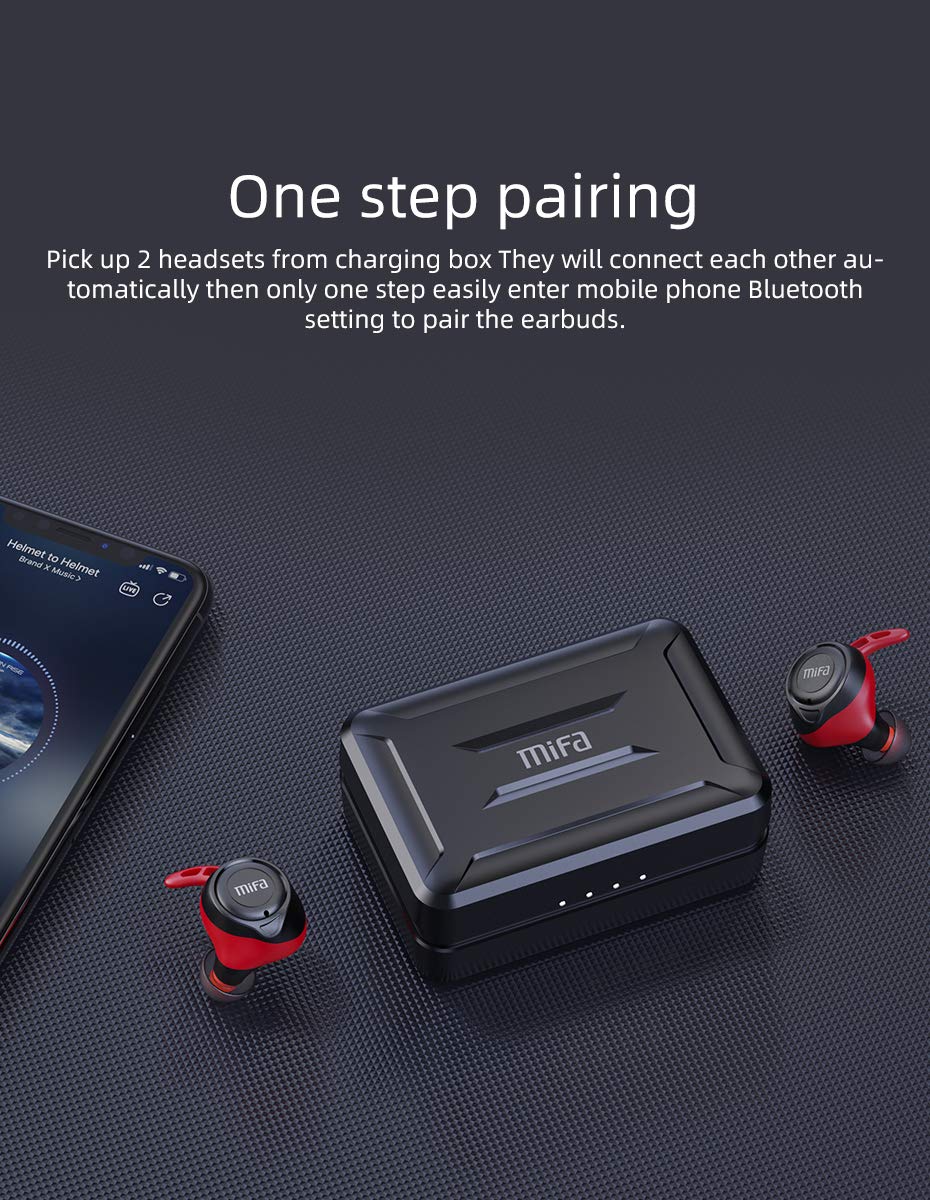
Figure 4.2.1: One-step pairing process with earbuds and charging case.
5. Awọn ilana Iṣiṣẹ
5.1 Ipilẹ idari
The MIFA X11 earbuds feature physical buttons for reliable control. Specific functions may vary slightly based on your device and application.
- Titan/Apapa: Àwọn etí ìgbọ́rọ̀ máa ń ṣiṣẹ́ láìfọwọ́sí nígbà tí a bá yọ ọ́ kúrò nínú àpótí náà, wọ́n sì máa ń pa á nígbà tí a bá tún fi sínú rẹ̀.
- Ṣiṣẹ/Daduro: Tẹ bọtini lori boya agbekọri lẹẹkan.
- Orin t’okan: Tẹ bọtini lẹẹmeji lori agbekọri ọtun.
- Tẹlẹ Orin: Tẹ bọtini naa lẹẹmeji lori agbekọri osi.
- Iwọn didun Up: Triple-press the button on the right earbud.
- Iwọn didun isalẹ: Tẹ bọtini ti o wa ni eti osi lẹẹmẹta.
5.2 Mono Mode and Twin Mode
The earbuds can be used individually (Mono Mode) or together (Twin Mode).
- Ipo Mono: Simply take one earbud out of the charging case. It will automatically connect to your device, allowing you to use it independently for calls or audio while maintaining awareness of your surroundings.
- Ipò Twin: Take both earbuds out of the charging case. They will automatically connect to each other and then to your device, providing an immersive stereo sound experience.
5.3 Awọn ipe foonu
The MIFA X11 earbuds support call control functions.
- Idahun/Ipe Ipari: Tẹ bọtini lori boya agbekọri lẹẹkan.
- Kọ Ipe: Press and hold the button on either earbud for 2 seconds.
5.4 Iranlọwọ ohun
Mu olùrànlọ́wọ́ ohùn ẹ̀rọ rẹ (Siri, Google Assistant, àti bẹ́ẹ̀ bẹ́ẹ̀ lọ) ṣiṣẹ́ tààrà láti orí àwọn ètí ìgbọ́rọ̀.
- Mu Oluranlọwọ Ohun ṣiṣẹ: Press and hold the button on either earbud for 2 seconds (after rejecting a call, if applicable).

Figure 5.4.1: Activating voice assistant with MIFA X11 earbuds.
6. Itọju
6.1 Ninu
Mimọ deede ṣe iranlọwọ lati ṣetọju didara ohun ati imototo.
- Rọra nu awọn afikọti ati apoti gbigba agbara pẹlu asọ, gbẹ, asọ ti ko ni lint.
- For ear tips, remove them and clean with a mild soap solution if necessary, then rinse thoroughly and dry completely before reattaching.
- Ma ṣe lo abrasive ose tabi epo.
6.2 Omi Resistance (IPX7)
The MIFA X11 earbuds are IPX7 waterproof, meaning they can withstand immersion in water up to 1 meter for 30 minutes. This makes them suitable for workouts and use in rainy conditions.
- Do not intentionally submerge the charging case, as it is not waterproof.
- Rii daju pe awọn agbekọri ti gbẹ ṣaaju gbigbe wọn pada sinu apoti gbigba agbara lati yago fun ibajẹ.
- IPX7 rating applies to fresh water; exposure to salt water, chlorinated water, or other liquids may cause damage.

Figure 6.2.1: MIFA X11 earbuds demonstrating IPX7 waterproof capability.
7. Laasigbotitusita
If you encounter issues with your MIFA X11 earbuds, try the following solutions:
- Earbuds ko so pọ pẹlu kọọkan miiran: Place both earbuds back into the charging case, close the lid for a few seconds, then take them out again. They should automatically connect.
- Awọn agbekọri ti ko sopọ si ẹrọ: Ensure Bluetooth is enabled on your device. Forget "MIFA X11" in your device's Bluetooth settings and attempt to pair again.
- Ko si ohun lati inu agbekọri agbekọri kan: Ensure both earbuds are charged. Try placing them back in the case and taking them out again. If the issue persists, reset the earbuds (refer to manufacturer's webAaye fun awọn ilana atunṣe pato ti o ba nilo).
- Awọn iṣoro gbigba agbara: Ensure the charging cable is securely connected and the power source is working. Clean the charging contacts on both the earbuds and the case with a dry cotton swab.
- Didara ohun ti ko dara: Ensure earbuds are properly seated in your ears. Try different sized ear tips for a better seal. Check if there is any debris in the earbud nozzles.
For further assistance, please contact MIFA customer support.
8. Awọn pato
| Orukọ awoṣe | MIFA X11 |
| Asopọmọra Technology | Ailokun (Bluetooth 5.0) |
| Omi Resistance Ipele | IPX7 mabomire |
| Igbesi aye batiri (Earbuds) | Titi di awọn wakati 5 |
| Igbesi aye batiri (pẹlu apoti gbigba agbara) | Titi di awọn wakati 100 |
| Gbohungbohun | Yes (with CVC8.0 Noise Reduction) |
| Iṣakoso Iru | Iṣakoso Ipe, Latọna jijin |
| Awọn ẹrọ ibaramu | Smartphones, Tablets, Laptops, Bluetooth-enabled Devices |
| Ohun elo | Silikoni, Ṣiṣu |
| Ọja Mefa | 3.1 x 2.5 x 2.6 cm |
| Iwọn Nkan | 249 g |
9. Atilẹyin ọja ati Support
MIFA products are manufactured to the highest quality standards. For information regarding warranty coverage, technical support, or service inquiries, please visit the official MIFA webojú òpó wẹ́ẹ̀bù tàbí kí o kàn sí iṣẹ́ oníbàárà wọn tààrà. Jọ̀wọ́ pa ẹ̀rí ríra rẹ mọ́ fún àwọn ẹ̀tọ́ ìdánilójú.
Ask a question about this manual
Ask about setup, troubleshooting, compatibility, parts, safety, or missing instructions. Manuals+ will review the question and use this page’s manual context to help answer it.