
Ọrọ Iṣaaju
This manual provides essential information for the safe and efficient operation of your MEDION P64145 All-in-One Audio System. Please read it thoroughly before using the device and keep it for future reference.
Alaye Aabo pataki
Always follow basic safety precautions when using this product to reduce the risk of fire, electric shock, and injury to persons. Keep this manual handy for future reference.
- Ma ṣe fi ẹrọ naa han si ojo tabi ọrinrin.
- Ma ṣe dina eyikeyi awọn ṣiṣi atẹgun.
- Lo awọn asomọ/awọn ẹya ara ẹrọ ti a sọ pato nipasẹ olupese.
- Tọkasi gbogbo iṣẹ si awọn oṣiṣẹ iṣẹ ti o peye.
Package Awọn akoonu
Rí i dájú pé gbogbo ohun èlò wà níbẹ̀ àti pé wọ́n wà ní ipò tó dára nígbà tí o bá ń tú u:
- MEDION Life MD44125 P64145 AiO Audio System
- Isakoṣo latọna jijin (pẹlu batiri)
- Okun agbara
- Itọsọna olumulo
Ṣeto
1. Unpacking ati Placement
Carefully remove the audio system from its packaging. Place the unit on a stable, flat surface away from direct sunlight, heat sources, and excessive dust or moisture. Ensure adequate ventilation around the unit.
2. Connecting the Power and Antenna
Connect the provided power cord to the AC IN socket on the rear of the audio system, then plug the other end into a wall outlet. Extend the telescopic antenna on the rear of the unit for optimal FM and DAB+ radio reception. Adjust its position for the best signal quality.
Aworan: Ẹyìn view of the MEDION P64145 audio system with the power cord connected and the telescopic antenna extended. This image demonstrates how to properly connect power and set up the antenna for improved radio signal reception.
3. Latọna jijin Iṣakoso batiri sori
Open the battery compartment on the remote control and insert the provided battery, observing the correct polarity.
Awọn ilana Iṣiṣẹ
1. Agbara Tan / Paa
Tẹ awọn AGBARA button on the unit or remote control to turn the system on or off.
2. Aṣayan orisun
Tẹ awọn ORISUN button repeatedly to cycle through available input sources: DAB+, FM, CD, USB, Bluetooth, AUX-in.
3. Iṣẹ́ Rédíò DAB+
- Select DAB+ mode.
- The system will automatically scan for available DAB+ stations.
- Lo awọn TUNE +/- buttons or rotary knob to navigate through stations.
- Tẹ OK lati yan ibudo kan.
- To save a station, press and hold a preset number button (1-30).
Fidio: This video demonstrates selecting DAB+ radio, adjusting volume, and other functions on a similar MEDION micro audio system. It illustrates the user interface and controls for various audio modes.
4. FM Radio isẹ
- Yan ipo FM.
- Lo awọn TUNE +/- buttons to manually tune or press and hold to auto-scan for the next available station.
- To save a station, press and hold a preset number button (1-30).
5. CD Sisisẹsẹhin
- Yan Ipo CD.
- Insert a CD (audio CD or MP3 CD) into the CD slot.
- The system will automatically begin playback.
- Lo ERE/SINMI, DURO, FÒÓKÒ +/- awọn bọtini fun Iṣakoso.

Aworan: Iwaju view of the audio system highlighting the integrated CD player. This image shows where to insert CDs for playback.
6. USB Sisisẹsẹhin
- Fi kọnputa filasi USB ti o ni MP3 sii files sinu USB ibudo.
- Yan ipo USB.
- Use the navigation buttons to browse and select tracks.
7. Sisanwọle Bluetooth
- Select Bluetooth mode. The display will show "Pairing".
- On your smartphone or tablet, enable Bluetooth and search for "MEDION P64145".
- Select the device to pair. Once connected, you can stream audio wirelessly.

Aworan: A smartphone displaying a music app connected via Bluetooth to the MEDION audio system. This image demonstrates wireless music streaming capability.
8. AUX-in Connection
Connect an external audio device (e.g., MP3 player) to the AUX-in port using a 3.5mm audio cable. Select AUX-in mode to play audio from the connected device.
9. Alarm and Sleep Timer
The system features an alarm function (wake via radio, alarm sound, CD, or USB) and a sleep timer. Refer to the detailed instructions in the full user manual for setting these features.
10. Ohun Eto
Ṣatunṣe pro ohunfile using the equalizer settings. The system offers five selectable sound settings (Pop, Rock, Jazz, Classic, Flat) to optimize your listening experience.

Aworan: Icons representing different sound equalizer presets (Pop, Rock, Jazz, Classic, Flat) available on the audio system. This image highlights the customizable sound options.
Itoju
- Ninu: Use a soft, dry cloth to clean the unit. Do not use liquid cleaners or aerosol sprays.
- Itọju CD: Mu awọn CD nipasẹ awọn egbegbe wọn. Jeki wọn mọ ki o si free ti scratches.
- Ibi ipamọ: If not in use for an extended period, unplug the unit and store it in a cool, dry place.
Laasigbotitusita
| Isoro | Owun to le Fa | Ojutu |
|---|---|---|
| Ko si agbara | Power cord not connected properly; Power outlet not working. | Ṣàyẹ̀wò ìsopọ̀ okùn agbára; Gbìyànjú ọ̀nà ìjáde mìíràn. |
| Ko si ohun | Ìwọ̀n ìró kéré jù; Iṣẹ́ odi ń ṣiṣẹ́; A ti yan orísun tí kò tọ́. | Increase volume; Deactivate mute; Select correct source. |
| Gbigba redio ti ko dara | Antenna not extended or positioned correctly; Interference. | Extend and adjust antenna; Move unit away from other electronic devices. |
| Awọn oran sisopọ Bluetooth | Device not in pairing mode; Bluetooth disabled on external device. | Ensure system is in Bluetooth pairing mode; Enable Bluetooth on external device and retry pairing. |
Awọn pato
- Awoṣe: MEDION P64145 (MD44125)
- Agbara Ijade Olohun: 15 Watt
- Redio Tuner: DAB+, PLL-FM Stereo (30 presets each)
- Akọrin CD: Supports Audio CD, MP3-CD
- Asopọmọra: Bluetooth, USB, AUX-in
- Awọn ẹya pataki: Alarm function, Sleep timer, Color display
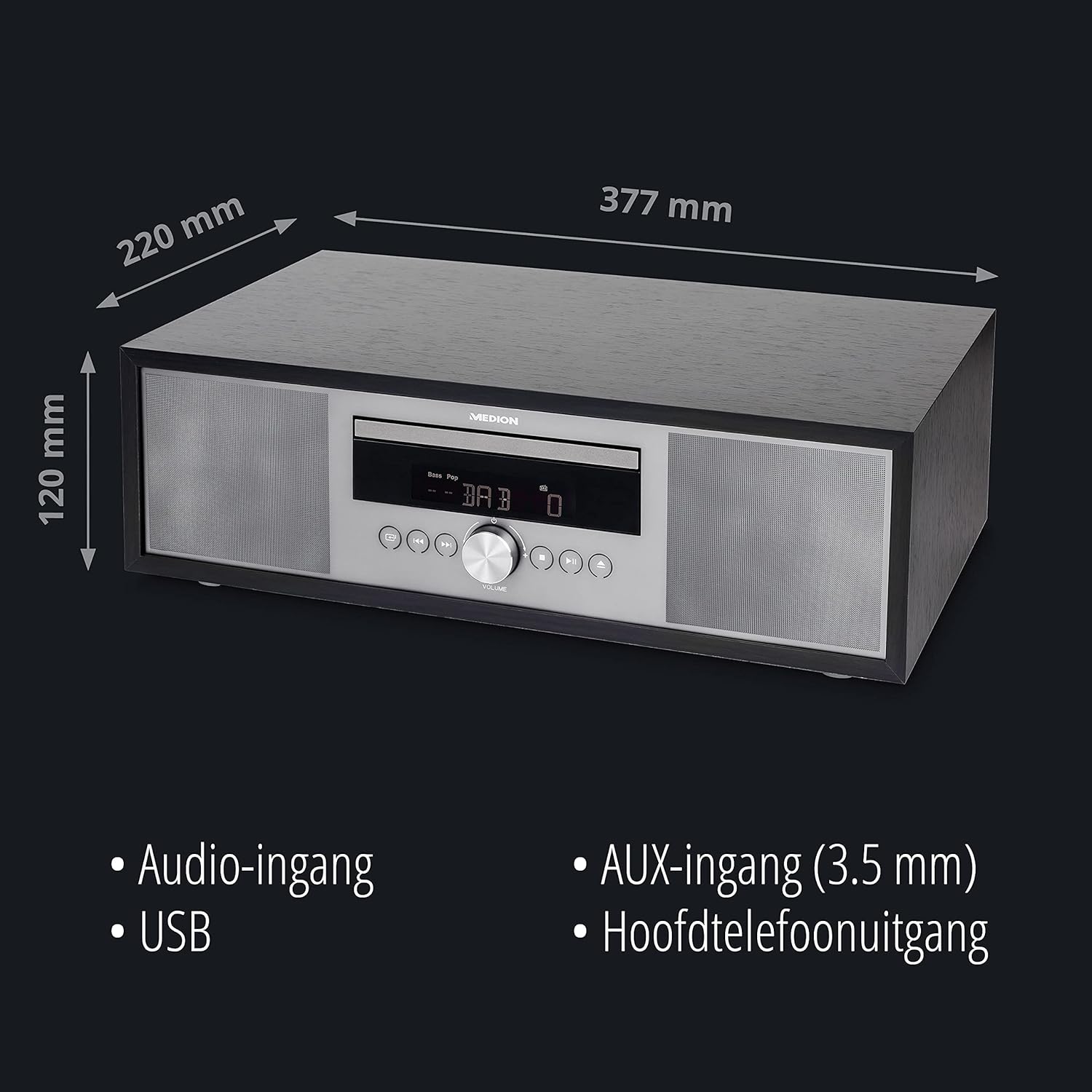
- Awọn iwọn (isunmọ): 41.8 x 27.3 x 15.5 cm
- Ìwọ̀n (isunmọ́): 3.95 kg

Aworan: The MEDION P64145 audio system with its dimensions indicated. This image provides a visual representation of the product's size.
Atilẹyin ọja ati Support
For warranty information, technical support, or service inquiries, please refer to the warranty card included in your package or visit the official MEDION webojula. Jeki ẹri rira rẹ fun awọn iṣeduro atilẹyin ọja.